Show HN Today: Discover the Latest Innovative Projects from the Developer Community
 ShowHN Today
- Continue with Google
Show HN Today: Top Developer Projects Showcase for 2025-12-07
SagaSu777 2025-12-08
Explore the hottest developer projects on Show HN for 2025-12-07. Dive into innovative tech, AI applications, and exciting new inventions!
Summary of Today’s Content
Trend Insights
The landscape of innovation today is heavily influenced by the democratization of complex technologies through AI. We're seeing a surge in tools that leverage AI not just for novel capabilities, but to simplify existing workflows, making them accessible to a broader audience. This reflects a core hacker ethos: use powerful tools to solve real problems and empower others. For developers, this means focusing on how to integrate AI into applications to enhance user experience and productivity, rather than just building AI for its own sake. Think about how AI can act as a co-pilot, a translator, or an accelerator for tasks that were previously time-consuming or required specialized knowledge. Entrepreneurs should look for opportunities where AI can be the bridge between complex technology and everyday user needs, creating value by abstracting away the underlying complexity and delivering intuitive solutions.
Today's Hottest Product
Name
Morph-AI-Era – Turn CSV files into interactive dashboards instantly
Highlight
This project showcases the power of AI in democratizing data visualization. By taking a simple CSV file, it automatically generates interactive dashboards. The innovation lies in abstracting away the complexities of charting libraries and data manipulation, allowing users without deep technical skills to gain insights from their data. Developers can learn about leveraging AI models for rapid prototyping and creating user-friendly data exploration tools, inspired by the idea of making complex technologies accessible.
Popular Category
AI/ML
Developer Tools
Data Visualization
Infrastructure
Productivity
Popular Keyword
AI
RAG
CLI
Rust
Python
Open Source
Web App
LLM
Technology Trends
AI-powered automation
RAG (Retrieval-Augmented Generation) for factual accuracy
Local-first and privacy-focused applications
Developer productivity tools
Composable infrastructure and services
Creative applications of AI
Decentralized and distributed systems
Project Category Distribution
AI/ML Tools (20%)
Developer Tools & Utilities (30%)
Data & Analytics (15%)
Infrastructure & Systems (10%)
Productivity & Automation (15%)
Creative & Experimental (10%)
Today's Hot Product List
| Ranking | Product Name | Likes | Comments |
|---|---|---|---|
| 1 | Cdecl-Visualizer | 35 | 12 |
| 2 | LeetCode Wrapped | 27 | 11 |
| 3 | RustS3 | 23 | 7 |
| 4 | CSV-to-Interactive-Dashboards AI | 6 | 8 |
| 5 | VibeFit-AI | 9 | 1 |
| 6 | NiaPG: AI Paul Graham Knowledge Agent | 4 | 5 |
| 7 | GitaEthiGuide | 5 | 2 |
| 8 | GrowthPath AI | 2 | 3 |
| 9 | Runbox: From Scratch Sandbox Weaver | 5 | 0 |
| 10 | SigmaTest: Ultra-Lean C Test Runner with Memory Leak Detection | 2 | 3 |
1
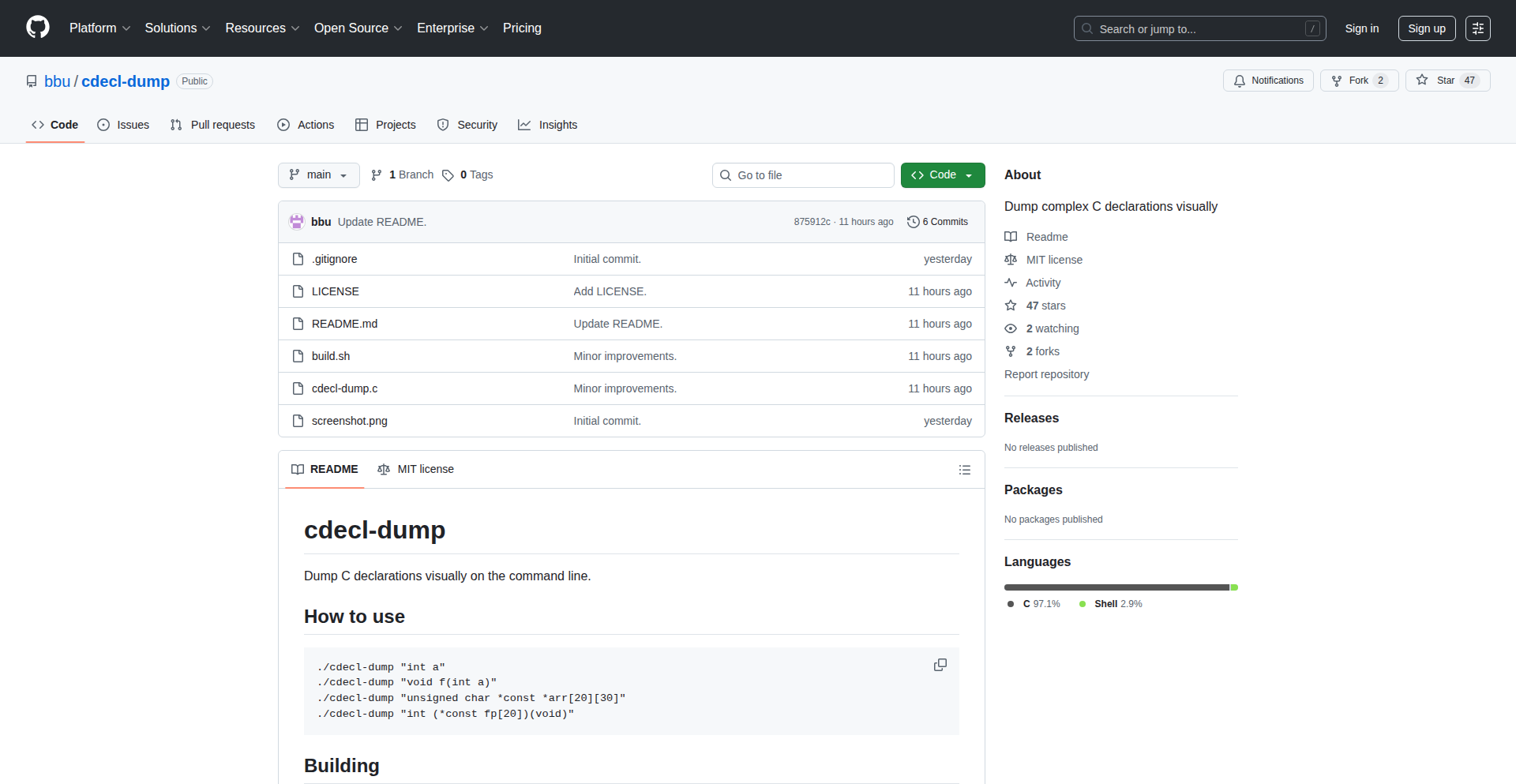
Cdecl-Visualizer
Author
bluetomcat
Description
A tool that parses C declarations and generates a visual representation of their structure. It breaks down complex C types like arrays, pointers, and function signatures step-by-step. This helps developers understand the intricacies of C syntax, which can be notoriously difficult to read and parse, especially for nested types. The innovation lies in its layered approach to visualization, making abstract C declarations tangible and easier to grasp.
Popularity
Points 35
Comments 12
What is this product?
Cdecl-Visualizer is a program designed to demystify C declarations. When you have a complex C type, like `int *(*(*arr[5])())[10]`, it's hard to read. This tool parses such declarations and presents them in a structured, visual format. It breaks down the declaration element by element, showing you clearly what each part represents – is it a pointer, an array, or a function? The core idea is to represent the abstract syntax of C declarations in a concrete, understandable way. It uses a table-driven lexer, which is a common technique for breaking down code into tokens, and a hand-written parser that follows the shift-reduce method, a standard approach for building parsers. The beauty is that it does this without needing any extra software, relying only on the basic tools that come with most programming environments. So, what's in it for you? If you've ever stared at a C type and felt lost, this tool provides a clear, visual guide to understanding it.
How to use it?
Developers can use Cdecl-Visualizer by feeding it C type declarations. Imagine you're working with a large C codebase, encountering unfamiliar function pointer types or complex array-of-pointers definitions. You would run this tool with the specific C declaration as input. The program then outputs a series of intermediate visual representations, illustrating how it interprets the declaration stage by stage. This is incredibly useful for debugging, learning C, or refactoring code where understanding precise type definitions is critical. You could integrate this into documentation generation tools or even as a helper for code review processes, ensuring everyone on the team has a clear understanding of the data structures being used.
Product Core Function
· Lexical Analysis of C Declarations: Breaks down complex C type declarations into fundamental components (tokens) such as identifiers, keywords, operators, and punctuation. This is the first step in understanding any code, making the raw declaration manageable. It helps you see the building blocks of the C type.
· Shift-Reduce Parsing for Structure: Interprets the sequence of tokens to build a hierarchical representation of the declaration, understanding how different parts relate to each other (e.g., how a pointer modifies a type, or how an array holds elements of a certain type). This is the core logic that translates the raw code into a meaningful structure, so you can see the relationships between different parts of the declaration.
· Step-by-Step Visualization: Generates visual outputs at each parsing stage, highlighting specific constructs like arrays, pointers, or functions. This allows developers to follow the interpretation process and pinpoint where their understanding might be mistaken or where the complexity lies. This provides a guided tour of the declaration's meaning, making it easy to follow along and learn.
· Dependency-Free Operation: Operates using only the standard C library, meaning it can be easily compiled and run on virtually any system without requiring additional software installations. This makes it incredibly accessible and easy to adopt, so you can use it right away without hassle.
Product Usage Case
· Understanding a Complex Function Pointer Signature: A developer is faced with a function signature like `typedef int (*SignalHandler)(int, void *);`. Instead of struggling to parse the 'pointer to function returning int that takes an int and a void pointer' manually, they feed this signature into Cdecl-Visualizer. The tool visually breaks it down, clearly showing `int` as the return type, `(*SignalHandler)` as the function pointer, and `(int, void *)` as the parameters, making the definition immediately clear and reducing debugging time for function call issues.
· Visualizing Nested Array and Pointer Declarations: In embedded systems programming, developers might encounter declarations like `uint8_t *(*sensor_data_buffer[10])(uint16_t)`. Using Cdecl-Visualizer, they can see that `sensor_data_buffer` is an array of 10 elements, where each element is a pointer to a function, which in turn returns a pointer to `uint8_t` and takes a `uint16_t` as input. This visual breakdown helps in correctly allocating memory, passing arguments, and understanding data flow in low-level code.
· Learning C Type System for Newcomers: A student or junior developer learning C can use this tool to grasp the abstract nature of C types. By inputting simple to complex declarations they encounter in tutorials or textbooks, they can see the visual construction of arrays, pointers, and function types. This hands-on, visual approach greatly accelerates their understanding of C's type system, which is often a significant hurdle for beginners.
2
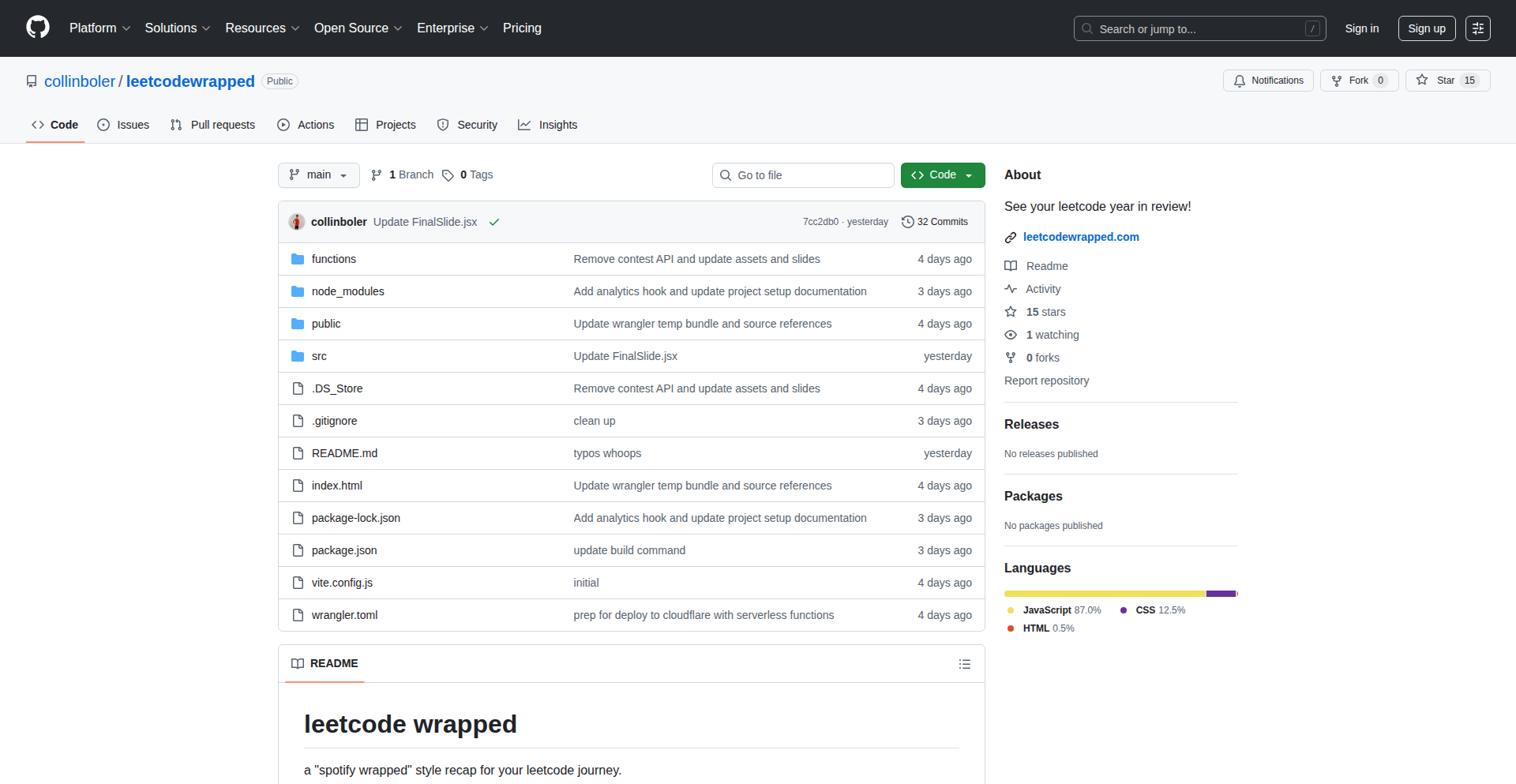
LeetCode Wrapped
Author
collinboler2
Description
A personalized dashboard and visualization tool that unpacks your LeetCode coding challenge history, offering insights into your performance, problem-solving patterns, and areas for improvement. It's like Spotify Wrapped, but for your coding journey, helping you understand your progress and optimize your learning.
Popularity
Points 27
Comments 11
What is this product?
LeetCode Wrapped is a project that analyzes your personal LeetCode activity, such as problems solved, difficulty levels, time spent, and accepted solutions. It uses data visualization techniques to present this information in an easily digestible format, highlighting trends and achievements. The core innovation lies in transforming raw coding practice data into actionable insights, enabling developers to see their strengths and weaknesses in a novel way.
How to use it?
Developers can use LeetCode Wrapped by connecting it to their LeetCode profile (potentially through API integration or by uploading historical data). Once connected, the tool generates personalized reports and visualizations. This can be used for self-assessment, tracking progress over time, identifying specific topics or problem types that need more focus, and even for comparing personal growth against community benchmarks. It's a way to gamify your learning and stay motivated.
Product Core Function
· Personalized Performance Metrics: Displays statistics like total problems solved, submission success rate, average time to solve, and by-difficulty breakdown, helping users understand their overall coding proficiency and identify areas where they excel or struggle.
· Problem Category Analysis: Visualizes performance across different LeetCode problem categories (e.g., arrays, dynamic programming, trees), allowing developers to pinpoint specific areas of weakness and tailor their practice accordingly.
· Trend Tracking and Progress Visualization: Shows how performance has evolved over time, with graphs and charts illustrating improvements in speed, accuracy, or problem-solving complexity, providing concrete evidence of learning and growth.
· Solution Pattern Recognition: (Potential future feature) Could analyze the types of solutions used, identify common patterns, and suggest alternative approaches or optimizations, fostering deeper understanding of algorithms and data structures.
· Gamified Achievements and Milestones: Highlights personal bests, streaks, and significant achievements, adding a motivational layer to the coding practice and encouraging continued engagement.
Product Usage Case
· A junior developer uses LeetCode Wrapped to see that they consistently struggle with medium-difficulty dynamic programming problems. They then dedicate extra study time to DP resources and use the tool to track their improvement in this specific area over the next month.
· A seasoned developer wants to refresh their skills before a technical interview. They use LeetCode Wrapped to quickly identify their weaker categories, such as graph traversal, and focus their practice on those topics, ensuring they are well-prepared for interview questions.
· A student preparing for a coding competition uses the trend tracking feature to monitor their progress leading up to the event. They can see if their daily practice is translating into measurable improvements in their problem-solving speed and accuracy.
· A developer feeling a bit burnt out uses the gamified achievements feature to celebrate solving a challenging problem they've been stuck on for weeks, boosting their morale and encouraging them to continue their learning journey.
3
RustS3

Author
fractalbits
Description
A self-hosted, S3-compatible object storage solution written in Rust, capable of achieving 1 million IOPS with sub-5ms p99 latency for 4KB reads, deployable in 5 minutes with your own encryption keys.
Popularity
Points 23
Comments 7
What is this product?
RustS3 is a high-performance, S3-compatible object storage system built with Rust. It's designed for developers who need a fast and secure way to store and retrieve data without relying on public cloud providers. The innovation lies in its highly optimized Rust implementation, leveraging low-level system programming capabilities and efficient data structures to achieve remarkable IOPS (Input/Output Operations Per Second) and low latency. It also supports Bring Your Own Key (BYOC) for enhanced security, allowing you to manage your encryption keys externally. So, this is useful because it offers a performant and secure alternative to cloud object storage, giving you more control and potentially lower costs.
How to use it?
Developers can integrate RustS3 into their applications by using standard S3 SDKs (like AWS SDKs) or by making direct HTTP requests to the RustS3 API. It can be deployed quickly, often within 5 minutes, making it ideal for rapid prototyping or for building applications that require scalable and reliable object storage. The BYOC feature requires initial setup to configure your key management service. So, this is useful because it allows you to use existing S3 tools and workflows with your own private, high-performance storage infrastructure.
Product Core Function
· S3-compatible API: Allows seamless integration with existing S3 tools and applications, meaning you can use your current cloud storage workflows with your self-hosted solution.
· High IOPS (1M): Achieves a massive number of read/write operations per second, crucial for applications that handle a very high volume of small data requests, like real-time analytics or high-traffic websites.
· Low Latency (p99 ~5ms): Ensures that data retrieval is extremely fast, with 99% of requests taking less than 5 milliseconds, vital for performance-sensitive applications where every millisecond counts.
· BYOC (Bring Your Own Key): Enables you to use your own encryption keys for data protection, providing a higher level of security and control over your sensitive information.
· Rapid Deployment (5min): Can be set up and running very quickly, reducing the overhead and time required to get a storage solution operational for new projects or scaling existing ones.
· Rust Implementation: Utilizes Rust's memory safety and performance benefits, leading to a robust and efficient storage system.
Product Usage Case
· Building a backend for a high-traffic web application that needs to store user-uploaded images and media files, where low latency and high throughput are critical to user experience.
· Developing a data lake or data warehousing solution that requires fast ingestion and retrieval of large datasets for analytics, leveraging the high IOPS to process data efficiently.
· Creating a distributed system that relies on object storage for shared state or configuration, where quick access and reliability are paramount.
· Implementing a private backup and archiving solution with strong encryption controls, where BYOC ensures that only you have access to decrypt your data.
· Prototyping a new service that requires scalable object storage without the upfront costs and complexities of managing cloud infrastructure.
4
CSV-to-Interactive-Dashboards AI

Author
prajjawal_123
Description
This project, Morph-AI-Era, is a clever tool that transforms static CSV data files into dynamic, interactive dashboards with AI assistance. It solves the common pain point of manually creating visualizations and data exploration interfaces, offering a quick and intuitive way to understand data without extensive coding. The innovation lies in its AI-powered approach to automatically suggesting and generating dashboard components from raw tabular data, making data insights accessible to a broader audience.
Popularity
Points 6
Comments 8
What is this product?
Morph-AI-Era is a software tool that leverages Artificial Intelligence to automatically generate interactive dashboards from comma-separated values (CSV) files. Instead of you having to write code to plot charts, create filters, or build data tables, the AI analyzes your CSV data and suggests the most relevant and insightful ways to visualize it. This means you can quickly see trends, patterns, and outliers in your data without needing to be a data visualization expert. The innovation is in the AI's ability to intelligently interpret the context of your data (like recognizing dates, categories, or numerical values) and then apply appropriate visualization techniques, making the process incredibly efficient.
How to use it?
Developers can use Morph-AI-Era by simply uploading their CSV files. The tool will then process the data and present an interactive dashboard. This can be integrated into existing workflows where data analysis is a recurring task. For example, if you're a developer building a reporting module for a web application, you could use this tool to quickly generate a dashboard prototype or even a production-ready visualization component by feeding your application's data exports into Morph-AI-Era. The output can often be exported or embedded, allowing for seamless integration into your projects, saving significant development time on data presentation.
Product Core Function
· AI-driven data analysis to understand CSV content, enabling automatic recognition of data types and relationships. This helps in generating more meaningful and relevant visualizations, so you don't have to manually label or categorize your data.
· Automated dashboard generation, creating charts, graphs, and tables based on the AI's analysis. This means you get a functional dashboard ready for exploration with minimal effort, saving you from the tedious process of building each element from scratch.
· Interactive visualization capabilities, allowing users to filter, sort, and drill down into the data directly on the dashboard. This empowers users to actively explore their data and uncover deeper insights, making data analysis an engaging rather than a passive activity.
· Support for various data types and formats within CSV, ensuring flexibility for different datasets. This makes the tool versatile, as it can handle a wide range of data you might encounter, from financial reports to sensor readings, without requiring pre-processing.
· Potential for integration with other development tools or workflows, offering extensibility for custom solutions. This means you can build upon the tool's foundation to create even more specialized data reporting systems, extending its utility beyond basic dashboarding.
Product Usage Case
· A startup developer needs to quickly present sales data to potential investors. Instead of spending days building a custom dashboard, they upload their sales CSV to Morph-AI-Era. Within minutes, they have an interactive dashboard showing revenue trends, top-selling products, and regional performance, allowing them to make a strong impression with readily understandable data.
· A data scientist working on a research project has a large CSV file of experimental results. They use Morph-AI-Era to rapidly visualize key metrics, identify outliers, and test hypotheses about data correlations. This significantly accelerates their initial data exploration phase, enabling them to focus on deeper analysis and interpretation.
· A project manager for a web application wants to provide users with a dashboard for their account analytics. They export user activity data to CSV and use Morph-AI-Era to generate a functional dashboard template. This template can then be integrated into the application, offering users valuable insights into their usage patterns without extensive custom development.
· A hobbyist learning about financial markets wants to visualize historical stock prices. They download a CSV of stock data and use Morph-AI-Era to create interactive charts that show price movements over time, allowing for easy comparison and understanding of market trends without needing to learn complex charting libraries.
5
VibeFit-AI

Author
maddmann
Description
VibeFit-AI is a proof-of-concept workout app developed by leveraging AI code generation. It aims to replicate the functionality of a premium subscription workout app by using Claude AI to generate code from detailed specifications and to iterate on features. The core innovation lies in demonstrating how quickly and cost-effectively an individual can build a functional application, including importing data from existing paid services, using AI as a development partner. This project highlights the potential for AI to democratize app development and significantly reduce software subscription costs.
Popularity
Points 9
Comments 1
What is this product?
VibeFit-AI is a personal project showcasing the power of AI-assisted development for creating custom applications. The developer used Claude AI, a large language model capable of understanding and generating code, to design and build a workout app. The process involved creating a detailed feature specification for Claude, which then generated the initial Minimum Viable Product (MVP). The developer then further refined the app with Claude's assistance, even enabling the import of workout data from an existing expensive subscription app. The innovation is in the rapid, accessible creation of a functional app by treating AI as a powerful coding collaborator, making advanced app development feasible within hours. This means you can potentially build your own specialized tools or replace costly subscriptions with personalized, AI-generated solutions.
How to use it?
While VibeFit-AI is presented as a demonstration and not a polished, publicly distributed app, the underlying methodology is what's key for developers. To use this approach, you would: 1. Define your app's requirements in detail, just like you would for a human developer. 2. Use an AI code generation tool (like Claude or similar LLMs with coding capabilities) to generate the initial codebase based on your specifications. 3. Iterate and refine the app by providing feedback and further prompts to the AI, guiding it to add features, fix bugs, or optimize performance. 4. For integration, if your goal is to replace a service, you would prompt the AI to implement data import/export functionalities, mimicking the structure of the original service's data. The practical use case is for developers to rapidly prototype ideas, build personalized tools, or explore alternative, cost-effective ways to access software functionality. Imagine quickly whipping up a dashboard for your personal data or a small utility for a niche task without needing to write every line of code yourself.
Product Core Function
· AI-driven feature generation: The app's core features were specified and then generated by an AI, demonstrating the ability to translate high-level requirements into functional code. This means you can get a functional app started with minimal manual coding, accelerating your development cycle.
· Iterative AI-assisted development: The developer used the AI to continuously modify and improve the app, showcasing a collaborative development workflow. This allows for rapid prototyping and adaptation, enabling you to quickly iterate on your app's design and functionality based on AI suggestions and your feedback.
· Data import from premium services: The project successfully implemented a way to import data from an existing, costly workout app. This highlights the potential to leverage AI to create interoperability, allowing you to migrate your data from paid services to your own custom-built, cost-saving solutions.
· Rapid MVP creation: The ability to build a functional MVP in an afternoon signifies the power of AI in accelerating the initial development phase. For developers, this means getting a working version of their idea much faster, allowing for earlier user testing and validation.
Product Usage Case
· Replacing a monthly subscription fitness app: The developer used this AI approach to build a personal workout app that functions similarly to a $15/month subscription service, demonstrating significant cost savings. This shows how you can build personalized versions of expensive SaaS products to save money.
· Rapid prototyping of niche utility tools: A developer could use this method to quickly build a small, specialized tool for a personal project or a specific workflow need, without the overhead of traditional development. For instance, creating a simple data analysis script or a custom notification system.
· Exploring new app ideas with minimal investment: Aspiring app creators can use AI code generation to test the viability of their app concepts quickly and cheaply. This allows for validation of ideas before committing significant time or resources, de-risking innovation.
· Personalized data management solutions: If you have specific needs for managing personal data that existing apps don't meet, you could use AI to build a custom solution that integrates with your other services or data sources. This empowers you to take control of your data and how it's accessed and managed.
6
NiaPG: AI Paul Graham Knowledge Agent

Author
arlanrakh
Description
This project is an AI agent that simulates Paul Graham, powered by the Nia API. It leverages Nia's ability to index and understand codebases, documentation, and packages, providing AI agents with accurate context and reducing hallucinations. This specific application focuses on accessing and querying Paul Graham's extensive collection of essays, enabling users to have natural language conversations and retrieve information from his writings. The core innovation lies in grounding AI responses in real source information, rather than letting them guess, leading to more reliable and useful interactions.
Popularity
Points 4
Comments 5
What is this product?
This project creates an AI chatbot that embodies the knowledge and writing style of Paul Graham. It uses a sophisticated AI called Nia, which acts like a super-smart librarian for code and text. Instead of just guessing answers, Nia can actually read and understand entire code projects or, in this case, all of Paul Graham's essays. This means when you ask the AI a question, it can go directly to the source (his essays) and find the precise information, giving you accurate and context-aware answers. Think of it as having a direct line to Paul Graham's brain, but powered by AI that can access and process information incredibly quickly and reliably. The innovation is in how it uses Nia to give AI tools precise information, making them act more like experts and less like guessers.
How to use it?
Developers can use this AI agent by visiting the provided web URL and interacting with it through a chat interface. You can ask it questions about software development, startups, entrepreneurship, or any topic covered in Paul Graham's essays. For example, you could ask: 'What are Paul Graham's key insights on building a successful startup?', or 'Can you explain his thoughts on technical debt?'. The AI will then use its access to Nia's indexed essays to provide you with relevant and direct answers, often quoting or referencing specific essays. The underlying technology also demonstrates how Nia can be integrated with various tools to search, browse, and retrieve specific content from large knowledge bases, which is a powerful concept for building other AI-powered developer tools.
Product Core Function
· Conversational AI Chatbot: Allows users to ask questions in natural language and receive relevant answers derived from Paul Graham's essays. The value is in providing instant access to a vast repository of knowledge in an intuitive way, saving users time from manually searching through numerous articles.
· Nia API Integration: Connects to Nia, a powerful AI context indexing service, to ensure AI responses are grounded in actual source material. The value is in improving the accuracy and reliability of AI-generated information, reducing the common problem of AI 'hallucinations' or making things up.
· Essay Knowledge Retrieval: Utilizes semantic search and browsing capabilities to locate and present specific information from Paul Graham's essays. The value is in enabling users to quickly find precise insights and arguments, facilitating deeper understanding and application of his ideas.
· Tool Integration for Information Access: The AI agent can call various tools like web search, essay search, directory listing, and content reading. The value is in demonstrating a flexible framework for AI agents to interact with and extract information from diverse data sources, which is a key capability for building sophisticated developer tools.
· Open-Source Availability: The project's code is freely available for inspection and modification. The value for developers is in learning from the implementation, adapting the architecture for their own projects, and contributing to the open-source community.
Product Usage Case
· A startup founder researching best practices for early-stage company growth can ask the AI for Paul Graham's advice on fundraising or product-market fit, receiving distilled insights directly from his essays. This saves them hours of reading and research, helping them make faster, more informed decisions.
· A student learning about the history and philosophy of Silicon Valley can query the AI about Paul Graham's perspectives on innovation and venture capital, gaining a curated understanding of influential ideas.
· A developer looking for insights into writing effective technical documentation can ask the AI about Paul Graham's principles for clear communication, applying his wisdom to improve their own coding practices and team collaboration.
· Another developer can examine the GitHub repository to understand how Nia's contextual indexing works in practice, inspiring them to build their own AI-powered tools that leverage this capability for code analysis, documentation generation, or bug detection.
7
GitaEthiGuide

Author
vnykmshr
Description
A RAG-powered application that leverages the Bhagavad Gita's wisdom to provide structured guidance for ethical dilemmas. It uses semantic search to find relevant verses and an LLM to generate actionable advice, ensuring all recommendations are grounded in scripture.
Popularity
Points 5
Comments 2
What is this product?
GitaEthiGuide is a sophisticated RAG (Retrieval-Augmented Generation) system designed to help users navigate complex ethical situations by drawing insights from the Bhagavad Gita. The core innovation lies in its ability to understand a user's described dilemma, semantically search a vast collection of Gita verses (701 in total) for the most relevant ones, and then use a Large Language Model (LLM) to synthesize this information into clear, structured advice. This approach minimizes the risk of the LLM 'hallucinating' or making up answers, as every piece of guidance is directly linked to specific verses from the Gita. It effectively acts as an intelligent interpreter of ancient wisdom for modern problems.
How to use it?
Developers can use GitaEthiGuide by integrating its API into their applications or by utilizing its frontend directly. For example, a wellness app could integrate it to offer users philosophical perspectives on moral choices. A personal development tool could embed it to provide deeper reflection prompts. The system takes a user's description of an ethical dilemma as input. Internally, this description is converted into a numerical representation (embedding) that captures its meaning. This embedding is then used to find the closest matching verses within the Gita's extensive text stored in a vector database (ChromaDB). Finally, an LLM processes these retrieved verses and the original dilemma to generate structured output, often including three potential courses of action with their respective pros and cons, practical implementation steps, and citations to the specific Gita verses used. The system also includes fallback mechanisms for LLM output parsing and a confidence scoring system to flag potentially less reliable outputs.
Product Core Function
· Semantic Verse Retrieval: Utilizes sentence-transformers to embed user dilemmas and query a vector database (ChromaDB) for semantically similar Bhagavad Gita verses. This allows for precise identification of relevant spiritual guidance, even with nuanced ethical queries.
· LLM-Powered Guidance Generation: Employs LLMs (like Ollama's qwen2.5:3b or Anthropic Claude) to synthesize retrieved verses and user dilemmas into structured advice. This provides users with actionable insights, not just raw text.
· Structured Output for Clarity: Generates guidance in a consistent JSON format, including three options with their tradeoffs, implementation steps, and verse citations. This ensures the output is easy to understand and apply, providing immediate practical value.
· RAG Architecture for Accuracy: The Retrieval-Augmented Generation approach ensures that all recommendations are factually grounded in the Bhagavad Gita, preventing factual inaccuracies and building user trust. This means the advice you receive is directly supported by the scripture.
· Confidence Scoring for Reliability: Implements a confidence scoring mechanism to identify and flag lower-quality or less certain outputs, allowing for human review or further refinement. This adds a layer of quality control to the generated guidance.
· Local LLM Option for Privacy: Offers the flexibility of using a local LLM for processing, enhancing data privacy and eliminating external API costs. This is crucial for sensitive personal dilemmas.
· Multi-Layered LLM Output Parsing: Includes robust fallback mechanisms for extracting structured data from LLM responses, ensuring consistent and reliable output even when LLM formatting is imperfect.
Product Usage Case
· A user facing a difficult career decision, unsure whether to take a high-paying but ethically questionable job or a lower-paying but morally sound one. GitaEthiGuide can provide verses related to duty, detachment, and righteousness, helping the user weigh the options and choose a path aligned with their values.
· A developer struggling with a conflict of interest at work, where their personal gain might negatively impact colleagues. The system can retrieve Gita verses on integrity, impartiality, and the consequences of selfish actions, offering guidance on how to navigate the situation ethically.
· A student grappling with the ethics of academic dishonesty, such as cheating on an exam. GitaEthiGuide can provide insights into the importance of truthfulness, hard work, and the karmic implications of deceit, helping the student make an honest choice.
· A project manager dealing with interpersonal conflicts within their team. The application can suggest Gita verses on compassion, understanding, and constructive communication, offering practical advice for resolving disputes and fostering a harmonious work environment.
· A designer contemplating the ethical implications of their work, such as creating addictive features. The system can offer verses on mindfulness, responsible creation, and the impact of actions on others, guiding them towards more beneficial design practices.
8
GrowthPath AI
Author
tolulade_
Description
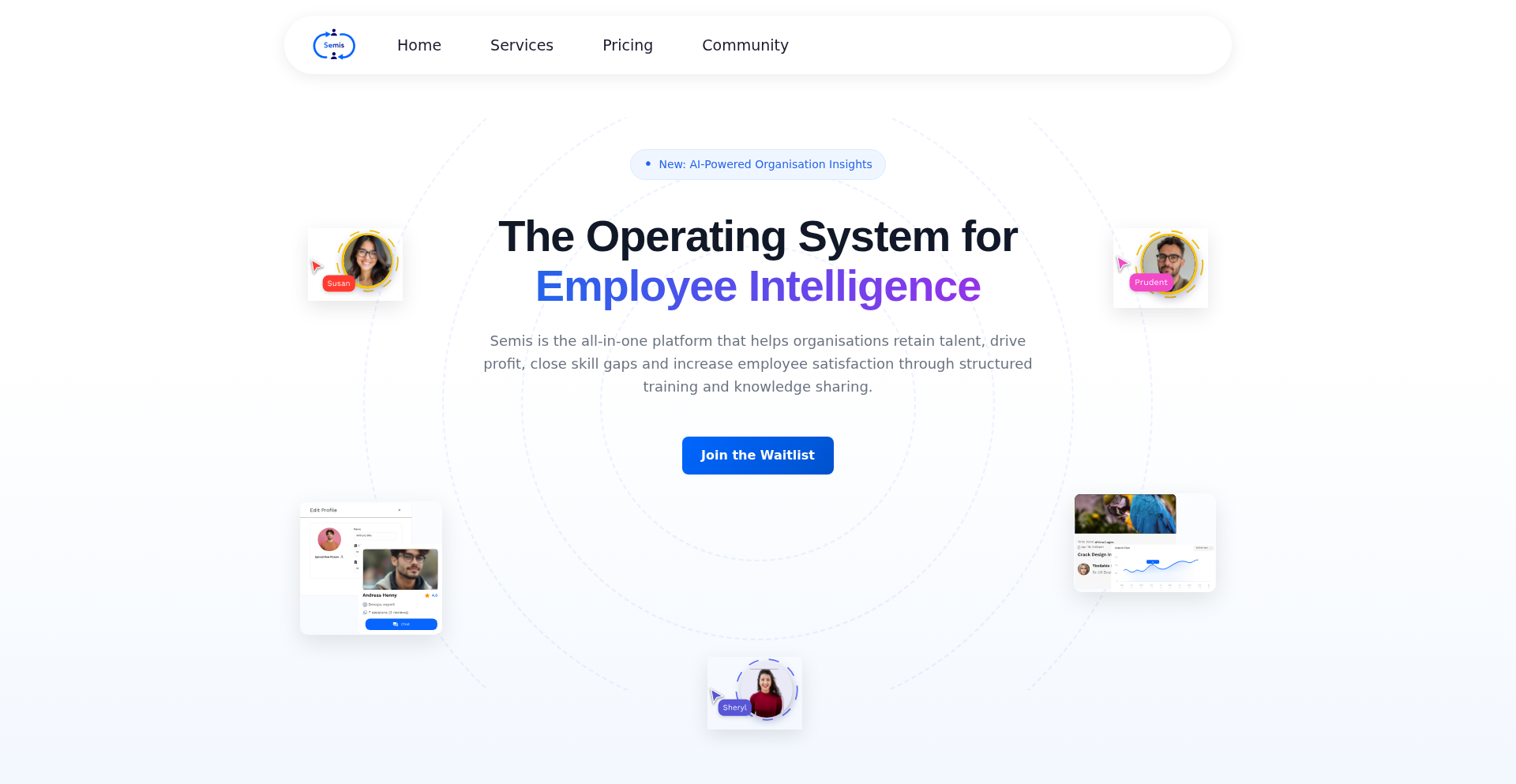
This project addresses the critical issue of employee retention by providing an AI-driven platform to foster professional growth. It analyzes employee skills and career aspirations to suggest personalized learning paths and development opportunities, thereby tackling the root cause of why employees leave: lack of growth.
Popularity
Points 2
Comments 3
What is this product?
GrowthPath AI is an intelligent system designed to help organizations proactively retain their employees by focusing on individual development. It uses machine learning algorithms to understand an employee's current skillset and their desired career trajectory. Based on this, it generates tailored recommendations for training, new project assignments, or skill-building initiatives. The innovation lies in its predictive analytics and personalized approach, moving beyond generic HR solutions to address the 'growth gap' that often leads to talent attrition. So, this helps you understand exactly what your team needs to learn and experience to stay engaged and committed, preventing them from looking elsewhere.
How to use it?
Developers can integrate GrowthPath AI into their existing HR or internal learning management systems (LMS). The platform offers APIs that allow for seamless data exchange, enabling it to pull employee data (with appropriate permissions) and push growth recommendations. For instance, a company could use it to automatically suggest relevant online courses or internal mentorship pairings based on an employee's performance review and stated career goals. So, this means you can easily plug this smart growth engine into your current workflow without a major overhaul, making employee development a seamless part of daily operations.
Product Core Function
· AI-powered skill gap analysis: Identifies discrepancies between an employee's current abilities and their future role requirements, providing actionable insights for targeted development. This helps pinpoint exactly where an employee needs to upskill to be successful, directly contributing to their confidence and value to the company.
· Personalized learning path generation: Creates bespoke development plans, including recommended courses, workshops, and project opportunities, tailored to individual career aspirations. This ensures employees are on a clear and exciting path forward, making them feel invested in their future within the organization.
· Predictive retention modeling: Analyzes growth patterns and engagement levels to forecast potential employee turnover, allowing proactive intervention. This gives you an early warning system, so you can step in and offer support before an employee even considers leaving.
· Skill ontology mapping: Translates diverse skill sets into a standardized framework, enabling easier comparison and identification of growth opportunities across different roles and departments. This creates a common language for skills, making it simpler to find internal mobility paths and cross-functional learning experiences.
· Recommendation engine for internal mobility: Suggests suitable internal job openings or project roles that align with an employee's developing skills and career goals. This encourages internal promotion and reduces the time and cost associated with external hiring, fostering a strong internal talent pipeline.
Product Usage Case
· A software engineering manager notices a key developer expressing frustration about a lack of challenging projects. By feeding this developer's profile into GrowthPath AI, the system identifies that the developer's interest in distributed systems aligns with an upcoming, complex microservices project. The manager can then assign the developer to this project, providing the necessary growth and preventing potential attrition. This solves the problem of valuable talent leaving due to unfulfilled technical challenges.
· An HR department wants to create a more structured career progression framework for its junior analysts. They use GrowthPath AI to analyze the skills of successful senior analysts and map out the necessary steps and learning modules for junior staff to reach those levels. This leads to the creation of a clear, data-driven career ladder, improving morale and retention among new hires. This addresses the need for transparent career paths that motivate and retain entry-level employees.
· A tech startup is struggling with high turnover in its early-stage engineering team. They implement GrowthPath AI to identify common reasons for departure. The system reveals that engineers are leaving due to a perceived lack of formal training and mentorship. Armed with this insight, the startup establishes a mentorship program and curates a list of relevant online courses, significantly reducing their churn rate. This demonstrates how the tool can diagnose systemic issues leading to turnover and inform strategic HR initiatives.
9
Runbox: From Scratch Sandbox Weaver

Author
Sahil121
Description
Runbox is a minimal container-like sandbox environment built entirely in C. It achieves process isolation using low-level Linux kernel features like namespaces, cgroups v2, and seccomp, completely avoiding reliance on existing container runtimes or libraries. This project demonstrates a deep understanding of system-level isolation mechanisms and offers a foundational building block for custom sandboxing solutions. Its value lies in providing a transparent and controllable isolated execution environment.
Popularity
Points 5
Comments 0
What is this product?
Runbox is a minimalist sandbox system, akin to a lightweight container, that we built from the ground up using the C programming language. It doesn't use existing tools like Docker or Podman. Instead, it leverages fundamental Linux operating system features: 'namespaces' to give processes their own view of the system (like their own network or process IDs), 'cgroups v2' to limit and control resource usage (like CPU and memory), and 'seccomp' to restrict the system calls a process can make. The innovation here is building these isolation capabilities from scratch, offering a clear and understandable way to create isolated environments. This means you can understand exactly how the isolation works, which is invaluable for security-sensitive applications or for learning how containers function at a deeper level. So, what's in it for you? It provides a transparent, highly controllable, and educational way to run processes in isolation, understanding the underlying system mechanisms.
How to use it?
Developers can utilize Runbox by compiling the C source code on a Linux system. Once compiled, you can run commands within an isolated Runbox environment. The project provides a simple shell interface within the sandbox for interaction. For integration, developers could potentially script interactions with Runbox to launch specific applications in an isolated context, manage their resources, and monitor their behavior. Future developments aim to allow external applications to be executed inside Runbox seamlessly. So, what's in it for you? You can easily set up isolated environments for testing untrusted code, running specific tools without polluting your main system, or learning about system isolation by experimenting directly with the commands and configurations.
Product Core Function
· Namespace Isolation: Creates a separate environment for processes, meaning they won't interfere with each other or the host system. This is valuable for running multiple applications concurrently without conflicts, like having separate network stacks for different services.
· Resource Control (cgroups v2): Allows fine-grained management of CPU, memory, and I/O. This is crucial for preventing runaway processes from consuming all system resources, ensuring stability and predictability in resource-intensive applications.
· System Call Filtering (seccomp): Restricts the system operations a process can perform, enhancing security by preventing malicious or unintended system access. This is extremely useful for sandboxing potentially untrusted code, limiting the damage it could cause.
· Customizable Sandbox Environment: Built from scratch, offering deep control and understanding of the isolation mechanisms. This is invaluable for researchers, educators, or developers who need a highly specialized or transparent sandboxing solution.
Product Usage Case
· Running untrusted code snippets: A developer wants to test a piece of code downloaded from the internet without risking their main system. They can use Runbox to execute the code in an isolated environment, preventing any potential malware from accessing sensitive data or system files.
· Creating reproducible development environments: A developer needs to ensure that their application runs identically across different machines. They can use Runbox to define and launch a specific isolated environment with predefined dependencies and configurations, guaranteeing consistency.
· Learning about OS-level isolation: An aspiring system programmer wants to understand how containers work under the hood. By dissecting and using Runbox, they can gain hands-on experience with namespaces, cgroups, and seccomp, demystifying container technology.
10
SigmaTest: Ultra-Lean C Test Runner with Memory Leak Detection

Author
thebadkraft
Description
SigmaTest is a remarkably compact C test runner, weighing in at under 60KB. Its core innovation lies in its integrated memory leak detection capabilities, offering a powerful yet lightweight solution for robust C code testing. This project embodies the hacker spirit of solving complex problems with elegant, efficient code, providing significant value to developers seeking to improve the reliability and performance of their C applications without introducing heavy dependencies.
Popularity
Points 2
Comments 3
What is this product?
SigmaTest is a C test runner that runs your tests and also automatically checks for memory leaks. Think of it as a super-fast, lightweight bodyguard for your C code. The main technical innovation is how it achieves this small size (< 60KB) while still offering powerful features like memory leak detection. It uses clever techniques to keep its footprint minimal, meaning it won't slow down your build process or add bloat to your project. So, what's in it for you? You get to write and test your C code faster and with greater confidence, knowing that potential memory issues are being caught early.
How to use it?
Developers can integrate SigmaTest into their C projects by compiling it alongside their test suite and application code. It acts as the entry point for executing tests. You'll typically write your tests using SigmaTest's simple API, marking test functions and assertions. When SigmaTest runs, it not only executes these tests but also instruments your code to monitor memory allocations and deallocations. If it detects memory that was allocated but never freed (a memory leak), it will report it. This is useful for any C project, especially those where performance and stability are critical, like embedded systems or high-performance libraries. It's a straightforward addition to your existing C development workflow, helping you find and fix bugs more efficiently.
Product Core Function
· Minimalist Test Execution: Runs C test cases with a very small overhead, ensuring fast feedback loops during development. This means you can run your tests more often without waiting, leading to quicker bug identification.
· Integrated Memory Leak Detection: Automatically identifies common memory leaks during test execution by tracking memory allocations and deallocations. This helps prevent subtle but critical bugs that can cause program crashes or performance degradation over time.
· Under 60KB Footprint: The entire test runner is extremely lightweight, meaning it has minimal impact on build times and the final executable size. This is especially beneficial for resource-constrained environments or projects where binary size is a concern.
· Simple Assertion API: Provides a straightforward way to write test assertions, making it easy for developers to define expected outcomes for their code. You can clearly state what your code should do, and SigmaTest will verify it.
· Customizable Test Setup and Teardown: Allows developers to define code that runs before and after each test or the entire test suite, enabling proper initialization and cleanup. This ensures your tests are isolated and don't interfere with each other, leading to more reliable test results.
Product Usage Case
· Testing Embedded C Code: In resource-constrained embedded systems, where every byte counts, SigmaTest's small footprint is invaluable. It allows for thorough testing and memory leak detection without consuming precious RAM or program memory, helping to ensure the reliability of critical firmware.
· Developing High-Performance C Libraries: For libraries where efficiency is paramount, identifying and eliminating memory leaks is crucial. SigmaTest provides a quick and easy way to run tests and catch these issues early in the development cycle, contributing to more stable and performant library releases.
· Refactoring Legacy C Codebases: When working with older C code that may lack comprehensive test coverage, SigmaTest can be a powerful tool. Its low overhead and leak detection help developers gain confidence as they refactor by quickly identifying unintended side effects like memory leaks introduced during changes.
· Continuous Integration for C Projects: Integrating SigmaTest into CI/CD pipelines allows for automated testing and memory leak checks with every code commit. This automates quality assurance, catching regressions and memory issues before they reach production, thus improving overall software quality.
11
WealthYogi: Privacy-First Net Worth Compass

Author
aalbatross
Description
WealthYogi is a privacy-focused net worth tracker designed to provide clarity and peace of mind for individuals managing their finances, especially those interested in the FIRE (Financial Independence, Retire Early) movement. It offers an offline-first approach, ensuring all your financial data remains securely on your device, eliminating the need to share sensitive information with third parties. The app simplifies wealth tracking by focusing purely on your financial trajectory, supporting multiple currencies, and providing insightful financial health indicators without the clutter of budgeting noise. Its core innovation lies in its commitment to user privacy and a streamlined, focused user experience for understanding your financial standing.
Popularity
Points 5
Comments 0
What is this product?
WealthYogi is a personal finance application built with a strong emphasis on user privacy and simplicity. Its core technology is an offline-first architecture, meaning all your financial data, from asset values to loan details, is stored exclusively on your device. This is a significant departure from many financial apps that rely on cloud synchronization and third-party integrations, which can raise privacy concerns. The innovation here is twofold: the deep commitment to data privacy and the focused design that cuts through the complexity of personal finance to provide a clear view of your net worth. It leverages a robust data model to categorize various assets and liabilities, and calculates key financial health indicators, all processed locally on your device. This ensures that your sensitive financial information never leaves your control, providing a secure and transparent way to monitor your financial journey. So, for you, this means a secure and straightforward way to understand your financial health without worrying about your data being exposed.
How to use it?
Developers can utilize WealthYogi by downloading the application from the App Store or Google Play. The app is designed for direct user interaction, allowing individuals to manually input their financial assets (like savings accounts, investments, real estate) and liabilities (loans, mortgages). The offline-first nature means you can start tracking your net worth immediately without requiring an internet connection for initial setup or core functionality. For integration scenarios, while the current version is primarily a standalone app, the planned features like import/export support will enable developers to integrate WealthYogi data into their own workflows or analysis tools. For instance, a developer building a custom financial dashboard could potentially import data from WealthYogi to complement their existing visualizations. The app's multi-currency support is handled internally, simplifying tracking for users with international finances. So, for you, it's a ready-to-use tool to start tracking your net worth instantly, with future potential for integration with your other financial tools.
Product Core Function
· Net Worth and Portfolio Value Tracking: This function aggregates all your listed assets and subtracts your liabilities to provide a real-time net worth figure. Its value lies in offering a consolidated view of your financial standing, helping you understand your progress towards financial goals. This is crucial for anyone wanting to see the overall impact of their financial decisions.
· Asset and Liability Categorization: The app allows you to classify your holdings into categories such as liquid (easily accessible cash), semi-liquid (like stocks), and illiquid (like property), as well as different types of debts. This breakdown helps in understanding the composition of your wealth and risk exposure, providing actionable insights for rebalancing your portfolio. So, you can see where your money is and what you owe, making it easier to manage.
· Multi-Currency Support: WealthYogi can track your net worth across 23 different currencies. This is invaluable for individuals with international investments, income, or expenses, as it ensures accurate financial reporting regardless of where your money is. It eliminates the need for manual currency conversions, saving time and reducing errors. This means you don't have to worry about exchange rates when you're looking at your total wealth.
· Privacy-First Data Storage: All financial data is stored 100% on your device, never transmitted to external servers. This provides the highest level of security and privacy for your sensitive financial information, offering peace of mind. It addresses a major concern for many users about data breaches and unauthorized access. So, your financial secrets are safe with you.
· Financial Health Indicators and Scores: The app provides over 10 financial health indicators and a personalized finance health score, along with suggestions for improvement. These metrics offer a deeper understanding of your financial well-being beyond just the net worth number, guiding you towards better financial habits and strategies. This helps you understand not just how much you have, but how well you are managing your money.
Product Usage Case
· A FIRE enthusiast who wants to meticulously track their journey towards early retirement without sharing their financial details with any third-party service. WealthYogi's offline-first and privacy-centric design allows them to input all their investment accounts, savings, and properties, providing a clear, aggregated net worth without compromising their data security. This helps them stay focused on their savings rate and asset growth targets.
· An individual with assets and liabilities spread across multiple countries who struggles to get a unified view of their net worth due to currency fluctuations. WealthYogi's multi-currency support automatically handles these conversions, providing an accurate and up-to-date total net worth in a chosen base currency. This simplifies their financial overview and planning.
· A user who is tired of complex budgeting apps that distract from the core goal of wealth accumulation. They prefer a minimalist approach to financial tracking. WealthYogi's distraction-free design focuses solely on net worth and portfolio performance, providing essential insights without overwhelming the user with unnecessary features. This allows them to quickly check their progress and make informed decisions.
· A developer who is building a personal dashboard or a financial analysis tool and needs a secure way to manage their own net worth data. While not a direct API integration, the planned import/export features of WealthYogi could allow them to export their financial data in a structured format, which they can then import into their custom application for further analysis and visualization. This respects their privacy while enabling custom data workflows.
12
AI Job Sniper
Author
mohamedraheem
Description
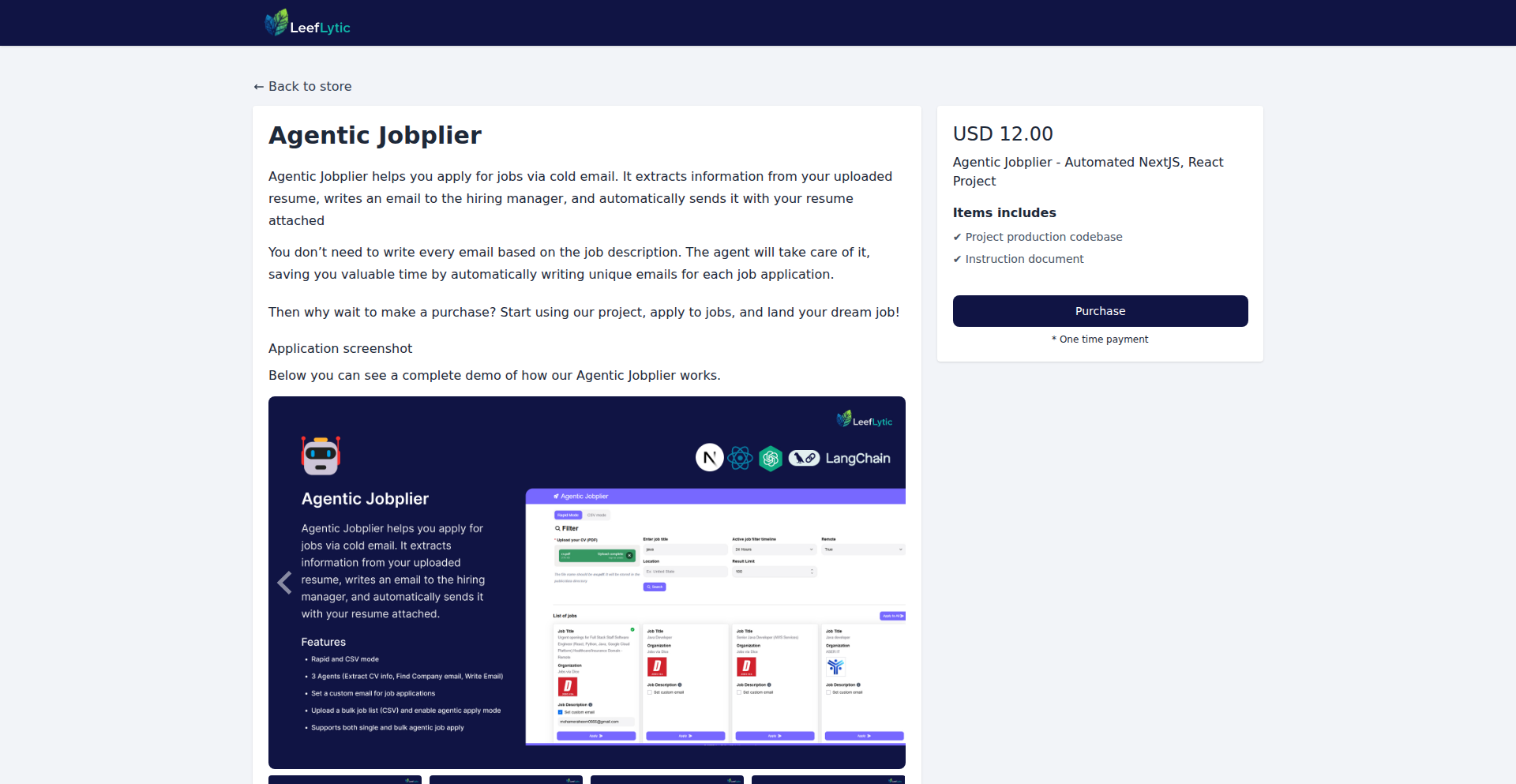
An AI-powered cold email tool designed to bypass Applicant Tracking Systems (ATS) and directly reach hiring managers or HR. It personalizes job applications by extracting relevant information from your resume, matching it with job descriptions, and crafting emails in your unique style. This approach aims to increase visibility and response rates compared to traditional online application methods.
Popularity
Points 2
Comments 2
What is this product?
This is an AI-driven tool that automates the process of applying for jobs through personalized cold emails. Instead of submitting your resume through generic online portals that often get filtered by Applicant Tracking Systems (ATS), this tool intelligently analyzes your resume and the job description to craft a tailored email. It then finds the company's email address or allows you to specify it, and sends the email with your CV attached from your personal email account. This innovative approach cuts through the noise of mass applications, aiming for direct engagement with potential employers.
How to use it?
Developers can integrate this tool into their job search workflow. You can use 'Rapid Mode' which leverages LinkedIn search results to find relevant job openings. Alternatively, 'CSV Mode' allows you to upload a list of jobs you've identified, enabling batch applications. The tool takes your resume, extracts key skills and experiences, and then uses this information to generate a persuasive email. You can either let the tool automatically find the company's email or manually input it. Finally, it sends the crafted email with your CV attached, all from your existing email account, making it a seamless extension of your personal outreach.
Product Core Function
· Resume Parsing and Skill Matching: Extracts key skills and experiences from your resume and intelligently matches them against the requirements listed in a job description. This ensures your application highlights exactly what the employer is looking for, increasing its relevance.
· Personalized Email Generation: Crafts unique and engaging cold emails tailored to each specific job and company. It writes in your voice, making the application feel authentic and less like a generic template.
· Automated Email Discovery: Automatically searches for the company's or HR department's email address, saving you the manual effort of finding contact information.
· Manual Email Override: Provides the option to manually set the recipient's email address if you have specific contact information you prefer to use.
· Direct Email Sending: Sends the personalized email with your CV attached directly from your own email account, ensuring the communication comes from you and through your established professional identity.
· Rapid Mode for LinkedIn Integration: Streamlines the application process by integrating with LinkedIn search results, allowing for quick identification and application to relevant job postings.
· CSV Mode for Batch Applications: Enables efficient application to multiple jobs by allowing you to upload a list of job details in a CSV file, processing them in one go.
Product Usage Case
· A developer struggling to get noticed through LinkedIn's 'Easy Apply' can use AI Job Sniper to send personalized cold emails to hiring managers at target companies. The tool will analyze their resume and the job description for a Senior Backend Engineer role, craft an email highlighting relevant experience with specific technologies like Python and AWS, and send it directly to the CTO's office, bypassing the ATS altogether.
· A recent graduate looking for entry-level positions can utilize the CSV Mode to upload a list of 50 junior developer roles found on various job boards. AI Job Sniper will then systematically process each job, create a tailored email for each, and send them out, significantly increasing their application volume and potential for interviews.
· A seasoned software architect seeking a leadership position can leverage the tool to send highly targeted emails to the VP of Engineering at companies they admire. The AI will ensure the email emphasizes their strategic thinking and team leadership experience, as identified in their resume, making a strong impression directly on senior leadership.
· A developer wants to apply to a niche startup where they know the hiring manager's name and email from a previous conference. They can use the manual email override feature to ensure the application goes directly to that specific contact, with a personalized message crafted by the AI based on their resume and the startup's mission.
13
EphemeralWhisper

Author
privsen
Description
EphemeralWhisper is a self-destructing encrypted messaging service that ensures your sensitive communications disappear after being read. It addresses the growing need for private and temporary information exchange, leveraging end-to-end encryption and a novel message expiry mechanism to provide enhanced security and privacy. The core innovation lies in a client-side deletion process that makes messages irretrievable after their intended lifespan, offering peace of mind for users discussing confidential topics.
Popularity
Points 1
Comments 3
What is this product?
EphemeralWhisper is a messaging application designed for highly private conversations. It utilizes robust end-to-end encryption, meaning only the sender and intended recipient can read the messages. The groundbreaking feature is its 'self-destructing' capability. Once a message is viewed by the recipient, it's automatically and permanently deleted from both the sender's and receiver's devices. This is achieved through a clever cryptographic approach where message decryption keys are invalidated after a single use or a predefined short time window, making the encrypted payload effectively unreadable by anyone, including the service provider, after its intended purpose. So, this is useful because it allows you to share sensitive information without worrying about it lingering indefinitely on devices, preventing potential data breaches or accidental exposure.
How to use it?
Developers can integrate EphemeralWhisper into their applications or services that require secure, time-limited communication. This could involve building chat features for sensitive platforms, secure note-sharing tools, or temporary communication channels for specific events. The integration would typically involve using the provided SDK or API to encrypt messages before sending and to handle the decryption and subsequent automatic deletion upon receipt. The platform handles the complex cryptographic operations and message expiry logic, allowing developers to focus on the user experience. So, this is useful because it provides a ready-made, secure, and privacy-focused messaging backbone that you don't have to build from scratch, saving significant development time and effort for implementing ephemeral communication.
Product Core Function
· End-to-end encryption: Ensures messages are unreadable to anyone except the sender and recipient, providing strong confidentiality. This is valuable for protecting sensitive data during transit and at rest, preventing man-in-the-middle attacks.
· Self-destructing messages: Messages are automatically deleted after being read or a set time, preventing long-term storage and potential future leaks. This is useful for discussions that are only relevant for a short period or contain highly confidential information.
· Secure key management: Cryptographic keys are managed in a way that supports message expiry, preventing unauthorized decryption after the intended viewing period. This is crucial for maintaining the integrity of the self-destruct mechanism and ensuring true ephemerality.
· Client-side processing: Encryption and decryption are handled on the user's device, reducing reliance on central servers for sensitive operations and enhancing privacy. This is valuable because it minimizes the risk of server-side data compromise and gives users more control over their data.
Product Usage Case
· Securely sharing one-time passwords or access codes for critical systems, ensuring they are immediately invalidated after use to prevent reuse by attackers. This addresses the risk of sensitive credentials being accidentally saved or forwarded.
· Facilitating confidential conversations between legal professionals and clients regarding sensitive case details, where the information must be erased once reviewed. This ensures attorney-client privilege is maintained by preventing lingering records.
· Enabling temporary communication channels for sensitive real-time events, such as crisis management or secure event coordination, where messages are only relevant during the active period. This avoids cluttering communication logs with outdated, potentially compromising information.
· Developing internal team communication tools for highly sensitive projects, where project details should not be accessible after a specific development phase or meeting. This helps maintain project confidentiality and prevent unauthorized access to proprietary information.
14
Changelogy: SaaS Changelog Hub

Author
aleeexg
Description
Changelogy is a hosted platform designed to simplify the creation and management of product changelogs. It addresses the common issue of scattered, unengaging, or overly expensive release notes by providing a centralized, customizable, and professional-looking changelog solution. Key innovations include rich media support, custom domain integration, team collaboration features, and an easily embeddable in-app widget, making it accessible and scalable for businesses of all sizes.
Popularity
Points 1
Comments 3
What is this product?
Changelogy is a web-based service that acts as a dedicated home for your product's updates and release notes. Instead of having clunky markdown files hidden in your documentation or generic, unprofessional-looking pages, Changelogy offers a polished, branded space for your changelog. It uses a straightforward content management system (CMS) approach, allowing you to easily add entries with rich formatting like text, images, and videos. The 'innovation' here lies in its focused solution to a widespread pain point for SaaS businesses: communicating product evolution effectively. It bridges the gap between free, often messy, solutions and expensive enterprise software, providing a sweet spot of affordability, ease of use, and robust features. So, what does this mean for you? It means you can easily showcase your product's progress to your users in a way that looks professional and keeps them informed without requiring extensive technical effort.
How to use it?
Developers can integrate Changelogy into their workflow in several ways. The primary method is by creating a changelog page on the Changelogy platform itself. This page can be customized with your brand's colors and logo, and can even be hosted on your own custom domain (e.g., 'updates.yourcompany.com') with SSL security. For embedding changelogs directly into your application, Changelogy offers a simple JavaScript widget that can be added to your website with a single line of code. This widget floats on your site, providing users with quick access to the latest updates without leaving your product. Additionally, Changelogy provides API access and integrations with tools like Slack, allowing for automated posting of release notes as they are published. This means you can streamline your release communication process significantly. So, how does this benefit you? You can effortlessly display your product's evolution to users, either through a dedicated external page or directly within your application, and automate the announcement of new features and fixes.
Product Core Function
· Centralized Changelog Hosting: Provides a dedicated, professional space for all product updates, improving discoverability and user engagement. This means users can easily find out what's new with your product.
· Rich Content Formatting: Supports text, images, and videos for detailed and visually appealing release notes, making announcements more impactful. This helps you better communicate the value of your new features or bug fixes.
· Custom Domain & SSL: Allows branding of your changelog by hosting it on your own domain with secure SSL encryption, reinforcing your brand identity. This makes your changelog look like an integrated part of your product offering.
· In-App Floating Widget: Offers a single-line JavaScript embed for a floating widget that displays changelog updates within your application, providing instant user access. This keeps users informed without them needing to navigate away from your app.
· Team Collaboration & Permissions: Enables multiple team members to manage changelogs with defined roles and permissions, facilitating collaborative release note creation. This streamlines the update process for your team.
· API Access & Integrations: Allows for automated updates and data retrieval, connecting with tools like Slack for seamless notification of new releases. This automates your communication workflow for product updates.
Product Usage Case
· A startup launching a new feature can use Changelogy to create a visually engaging announcement page with screenshots and a short video, showcasing the feature's benefits and directing users to try it out. This solves the problem of having to build a custom landing page for every significant update.
· An established SaaS product with frequent updates can embed the Changelogy widget directly into their application's dashboard. This ensures that active users are always aware of the latest improvements and bug fixes as soon as they are released, reducing support queries about known issues.
· A development team working on a complex software project can use Changelogy's team collaboration features to allow different team members to contribute to the changelog. This ensures that all significant changes are documented accurately and professionally before being released to the public.
· A product manager can integrate Changelogy with Slack to automatically post a notification to a 'product-updates' channel whenever a new changelog entry is published. This keeps the entire team informed of product progress and can be used to trigger marketing announcements.
· A company that wants to maintain a professional online presence for their product updates can use Changelogy's custom domain feature to host their changelog at 'changelog.yourcompany.com'. This provides a branded, trustworthy source of information for their users, rather than a generic link to a markdown file.
15
SharpSkill - Tech Interview Mastery Engine

Author
Enjoyooor
Description
SharpSkill is a web application built to combat the frustration of technical interviews. It offers real-world use case simulations and flashcards to help developers practice and excel. The core innovation lies in its data-driven approach to interview preparation, focusing on actual problem-solving scenarios rather than just theoretical knowledge. This directly addresses the gap between learning and applying technical skills in a high-stakes interview environment.
Popularity
Points 3
Comments 1
What is this product?
SharpSkill is a platform designed to help developers conquer technical interviews. It leverages a curated collection of real-world technical scenarios and flashcards, transforming abstract concepts into actionable practice. Unlike traditional study guides, SharpSkill simulates the pressure and problem-solving demands of actual interviews, enabling users to build confidence and refine their approaches. The underlying technology focuses on intelligent content delivery and interactive problem-solving modules, making the learning process more effective and directly applicable to interview situations.
How to use it?
Developers can integrate SharpSkill into their interview preparation routine by visiting the web application. They can choose from various practice modules, such as scenario-based challenges that mimic live coding sessions or conceptual flashcards for quick review of key technologies and algorithms. The platform allows for personalized learning paths, enabling users to focus on areas where they need the most improvement. It can be used as a standalone tool for dedicated practice or incorporated into existing study habits, offering a tangible way to improve interview performance.
Product Core Function
· Real-world Use Case Simulations: Provides interactive problem-solving scenarios that mirror actual technical interview challenges, allowing developers to practice applying their knowledge in context and understand how to deconstruct and solve complex problems under pressure. This is valuable for developing practical problem-solving skills and building confidence.
· Targeted Flashcards: Offers curated flashcards covering essential technical concepts, data structures, algorithms, and system design principles, enabling quick and efficient knowledge reinforcement. This helps solidify foundational knowledge and ensures retention of critical information for interviews.
· Personalized Learning Paths: Adapts to individual learning needs by allowing users to focus on specific technologies or problem types they find challenging, optimizing preparation time and effort. This ensures that practice is focused and efficient, maximizing learning outcomes.
· Performance Tracking: (Implied functionality based on the goal of mastery) Tracks progress and identifies areas for improvement, providing insights into strengths and weaknesses to guide further study. This allows developers to see their progress and understand where to concentrate their efforts for maximum impact.
Product Usage Case
· A backend developer struggling with system design questions can use SharpSkill's system design simulations to practice architecting scalable systems, understanding trade-offs, and articulating their design choices clearly. This directly prepares them for complex system design interviews.
· A junior frontend developer can utilize the flashcards for rapid review of JavaScript concepts and data structures, ensuring they have a solid grasp of fundamental principles before a coding interview. This helps them answer foundational questions accurately and efficiently.
· A candidate facing a whiteboard coding challenge can use SharpSkill's scenario simulators to practice explaining their thought process while writing code, mimicking the interview environment and improving their communication skills alongside their coding ability. This helps them present their solutions effectively under pressure.
16
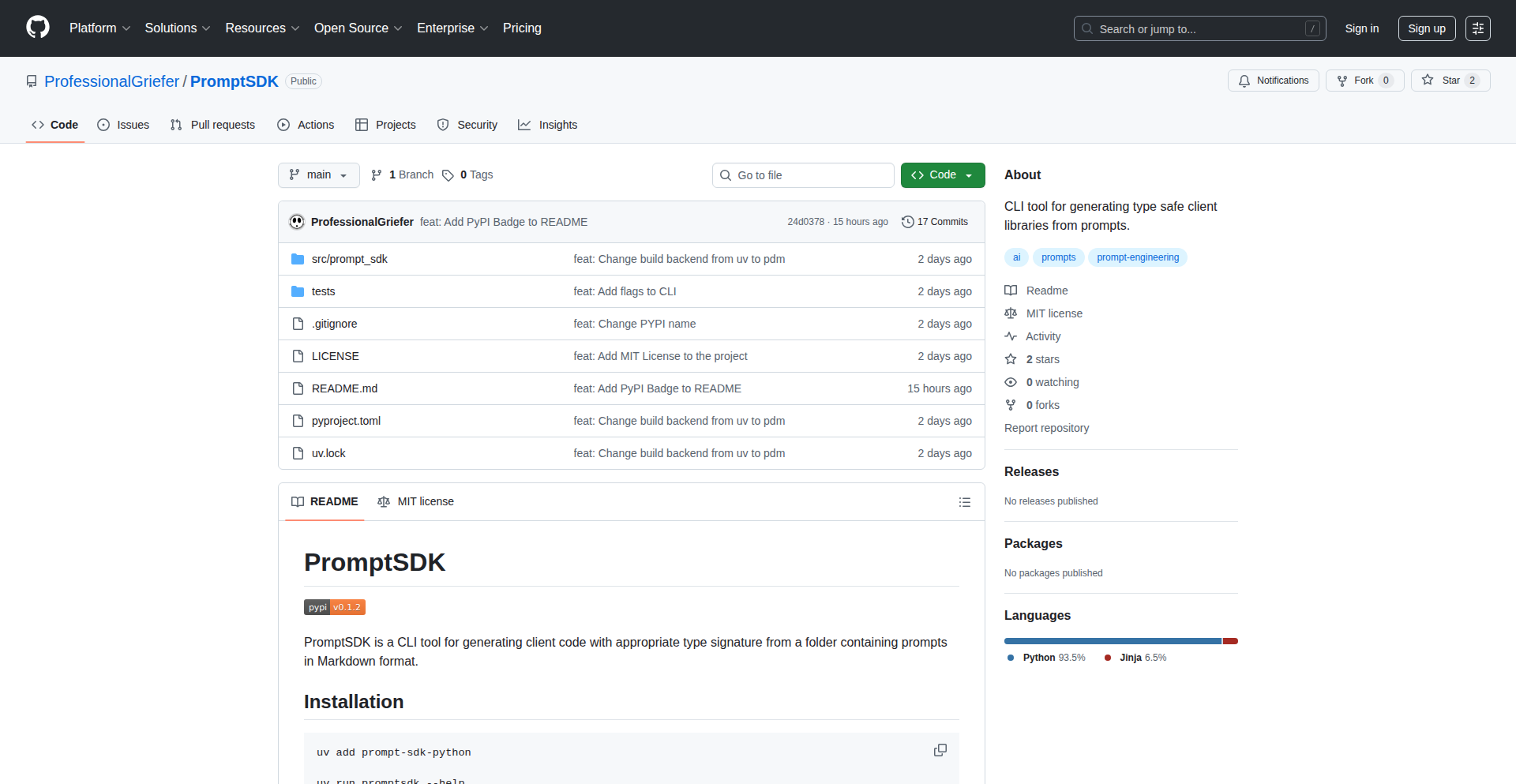
PromptSDK-CLI: Type-Safe Prompt Engineering Toolkit
Author
vin92997
Description
This project introduces a Command Line Interface (CLI) tool called PromptSDK that transforms a directory of prompt templates into a type-safe Software Development Kit (SDK). It addresses the common challenge of managing and integrating natural language prompts into applications, making them more robust and developer-friendly.
Popularity
Points 4
Comments 0
What is this product?
PromptSDK-CLI is a command-line utility that automatically generates type-safe SDKs from a collection of prompt templates stored in a folder. The innovation lies in its ability to parse these prompt files, infer data types for variables within the prompts, and then produce SDK code (e.g., in Python or JavaScript) with strongly-typed functions. This means when you use a generated function, your code editor will know exactly what kind of data to expect as input and what kind of data to expect as output from the AI model, preventing runtime errors and improving developer productivity. So, what does this mean for you? It means you can integrate AI prompts into your applications with greater confidence and less boilerplate code, as the SDK handles the type checking and generation for you.
How to use it?
Developers can use PromptSDK-CLI by pointing it to a directory containing their prompt files (e.g., `.txt` or `.md` files with clear variable placeholders). The CLI then scans these files, analyzes the structure, and generates the corresponding SDK code in a specified programming language. This generated SDK can be directly imported and used within their applications. For instance, a developer could have a `generate_summary.txt` prompt with a placeholder like `{{document_text}}`. PromptSDK-CLI would generate a Python function like `generate_summary(document_text: str) -> str`, ensuring that `document_text` is treated as a string. So, how can you use this? You simply run the CLI tool on your prompt folder, and it gives you a ready-to-use library for your AI interactions, making it easy to manage and version your prompts.
Product Core Function
· Prompt Template Parsing: Analyzes prompt files to identify variable placeholders and their potential data types, enabling structured input for AI models. This value is in creating a standardized way to define AI interactions.
· Type-Safe SDK Generation: Automatically creates code (e.g., Python, JavaScript) with strong typing for prompt variables and AI responses, significantly reducing integration errors and improving code maintainability. This directly translates to fewer bugs and faster development cycles.
· Variable Type Inference: Intelligently infers data types for prompt variables (like strings, numbers, or lists) from their usage context within the templates, ensuring accurate data handling. This reduces the need for manual type declarations and potential misconfigurations.
· Cross-Language Support: Ability to generate SDKs for multiple programming languages, allowing seamless integration into diverse technology stacks. This means you can use the same set of prompts across different projects written in various languages.
· CLI-Driven Workflow: Provides a command-line interface for easy automation and integration into CI/CD pipelines, streamlining the prompt management and application integration process. This enables developers to automate prompt updates and SDK regeneration, saving time and effort.
Product Usage Case
· Integrating AI-powered text summarization into a news aggregation app: A developer can define a prompt for summarization with a `{{article_content}}` placeholder. PromptSDK-CLI generates a function like `summarize_article(article_content: str) -> str`, ensuring the correct data is passed and a string summary is returned, preventing errors when processing large amounts of text. This means your app can reliably provide summaries without worrying about data format issues.
· Building a customer support chatbot with dynamic response generation: Developers can create prompts for different customer query types, each with specific placeholders like `{{customer_query}}` and `{{product_name}}`. PromptSDK-CLI generates a set of type-safe functions, allowing the chatbot to accurately capture user input and generate relevant responses. This leads to a more efficient and less error-prone chatbot experience for users.
· Automating content creation for marketing campaigns: A marketer can define prompt templates for generating social media posts or ad copy with variables for `{{product_description}}` and `{{target_audience}}`. The generated SDK allows programmatic generation of multiple variations of marketing content, ensuring consistency and saving significant manual effort. This means you can quickly generate diverse marketing materials tailored to specific needs.
17
iPadOS Cursor FX for Web

Author
SpyCoder77
Description
This project is a web-based recreation of the iPadOS cursor, offering a dynamic and interactive user experience. It innovatively uses advanced CSS and JavaScript techniques to mimic the subtle animations and scaling behaviors of the iPadOS cursor, transforming a standard browser pointer into an engaging visual element. The core technical insight lies in leveraging CSS `transform` and `filter` properties along with JavaScript event listeners to achieve fluid, responsive motion that reacts to user interaction, effectively bringing a piece of tablet UI to the web.
Popularity
Points 4
Comments 0
What is this product?
This project is a web experiment that replicates the look and feel of the iPadOS cursor for web browsers. It uses a combination of sophisticated CSS animations and JavaScript event handling. Instead of a static arrow, the cursor on your webpage will dynamically change size and shape as you hover over different elements, much like how it behaves on an iPad. The innovation is in achieving this fluidity and responsiveness purely through web technologies, making the web interface feel more polished and interactive, offering a delightful user experience. So, what's the benefit for you? It elevates the visual appeal and user engagement of your website.
How to use it?
Developers can integrate this project into their Next.js applications or any other web project. It typically involves including the project's JavaScript and CSS files. The custom cursor can then be activated by targeting specific HTML elements (like links, buttons, or interactive components) with JavaScript event listeners. When the mouse hovers over these elements, the script triggers CSS class changes or direct style manipulations to apply the scaled or transformed cursor. This allows for a tailored interactive experience across your site. So, how can you use this? You can embed it to make your web application feel more premium and responsive.
Product Core Function
· Dynamic Cursor Scaling: The cursor visually grows when hovering over interactive elements, providing immediate visual feedback to the user. This is achieved using CSS `transform: scale()` and JavaScript to trigger these scales on hover events, enhancing discoverability of interactive elements.
· Interactive Hover Effects: Beyond scaling, the cursor can adopt different visual styles or animations when interacting with specific types of content, like images or text. This utilizes CSS `filter` properties and JavaScript to dynamically apply these effects, creating a richer user interface.
· Smooth Animation Transitions: All cursor movements and transformations are rendered with smooth, fluid animations, mimicking the polished feel of native UI. This is accomplished through CSS `transition` properties, ensuring a pleasant visual experience for the user.
· Customizable Element Targeting: Developers can specify which HTML elements should trigger the cursor's special effects, allowing for fine-grained control over the user interaction. This offers flexibility in designing unique interaction patterns for different parts of a website.
Product Usage Case
· E-commerce Product Previews: When a user hovers over a product image, the cursor could expand to reveal a small preview or offer a 'zoom' effect, making browsing more interactive and informative. This solves the problem of users needing to click to see more details by providing an immediate visual cue.
· Interactive Portfolio Websites: For designers or artists showcasing their work, hovering over different portfolio items could trigger unique cursor animations that subtly highlight the piece being focused on, adding an artistic flair and drawing attention to the content.
· Educational Web Applications: In learning platforms, hovering over definitions or interactive elements could cause the cursor to change shape or size, signifying that the element is clickable or contains additional information, thereby improving comprehension and navigation.
· Gaming or Entertainment Sites: For sites with a more playful or immersive feel, the cursor could adopt themed animations to match the content, making the browsing experience more engaging and aligned with the site's overall aesthetic.
18
Web CLI: SSH Terminal Reimagined

Author
polinux
Description
This project is a self-hosted web terminal designed to simplify routine server management. It allows users to execute commands locally or on remote servers via SSH through a user-friendly web interface. Its innovation lies in bundling a Go backend and a React frontend into a single binary, offering encrypted storage and a streamlined way to manage server access and scripts, thus eliminating the need for constant direct SSH connections.
Popularity
Points 3
Comments 1
What is this product?
Web CLI is a self-hosted web-based command-line interface (CLI) tool. Think of it as a modern, browser-accessible alternative to traditional SSH clients. The core technical innovation is packaging a robust Go backend with an interactive React frontend into a single, easy-to-deploy executable. This allows you to run commands directly from your browser, whether on your local machine or any remote server you've configured. It uses SSH to connect to remote servers securely, manages your server credentials (SSH keys) through a web UI, and lets you store reusable command scripts with predefined settings. All data stored, including your server configurations and scripts, is encrypted at rest using AES-256-GCM, ensuring your sensitive information stays protected. So, what's the benefit for you? It provides a unified and secure platform to manage all your servers and run commands without needing to open multiple terminal windows or remember complex SSH commands.
How to use it?
Developers can get started quickly by pulling the pre-built Docker image. Once running, they can access the web UI via their browser (defaulting to port 7777). From the UI, they can add new servers by providing SSH connection details and optionally uploading their SSH private keys. They can then select a server, open a terminal session within their browser, and execute commands just as they would in a local terminal. Additionally, users can create and save custom command scripts with specific parameters, making repeated tasks much faster. This integrates seamlessly into a developer's workflow by providing a central dashboard for all server-related operations, reducing context switching and simplifying remote administration. So, how does this help you? It means you can manage your development environments and production servers from anywhere with a browser, with enhanced security and ease of use.
Product Core Function
· Remote command execution via SSH: Run commands on remote servers securely through your browser, eliminating the need for separate SSH clients. This is valuable for developers who need to manage multiple servers and perform routine tasks without constant context switching.
· Web-based server management UI: Add, configure, and manage your remote servers and their SSH keys through an intuitive web interface. This simplifies the onboarding and maintenance of server access, making it easier for developers to collaborate and manage infrastructure.
· Script storage and execution presets: Save frequently used commands as scripts with predefined arguments for quick execution. This significantly speeds up repetitive tasks and reduces the chance of typos, directly improving developer productivity.
· Local command execution: Run commands on your local machine directly from the web UI, offering a unified interface for both local and remote tasks. This provides a convenient single pane of glass for all command-line needs.
· End-to-end encryption at rest: All sensitive data, including server configurations and SSH keys, is encrypted using AES-256-GCM. This ensures the security of your infrastructure credentials, providing peace of mind for developers handling sensitive information.
· Multi-architecture Docker image: Easily deploy Web CLI on various systems (amd64 and arm64) using a single Docker image. This broad compatibility simplifies deployment for developers working across different hardware and cloud environments.
Product Usage Case
· A DevOps engineer needs to deploy a new version of an application to several staging servers. Using Web CLI, they can access all staging servers from the web UI, run a saved script for deployment with a single click, and monitor the output in real-time. This solves the problem of logging into each server individually and running the same commands, saving significant time and reducing the risk of errors.
· A solo developer is working on a personal project hosted on a small VPS. They frequently need to restart services or check log files. Web CLI allows them to quickly access their VPS via the web interface, execute pre-saved scripts for restarting their web server or tailing log files, all without needing to open their terminal emulator. This streamlines their workflow and allows them to manage their project efficiently from any device.
· A team of developers is collaborating on a project with shared development servers. Web CLI provides a centralized and secure way for all team members to access and execute approved commands on these servers. The ability to store scripts with presets ensures consistency in how tasks are performed, minimizing configuration drift and simplifying onboarding for new team members. This addresses the challenge of managing shared access and ensuring consistent operational procedures.
19
Peephole: Real-time Network Traffic Insight

Author
gregsadetsky
Description
Peephole is a novel tool that provides real-time visualization and analysis of network traffic. It's built to offer developers a more intuitive understanding of what's flowing through their network connections, identifying patterns, anomalies, and potential issues at a glance. The innovation lies in its ability to translate complex network data into easily digestible visual representations, making debugging and performance monitoring significantly more accessible.
Popularity
Points 3
Comments 1
What is this product?
Peephole is a network traffic inspection tool that creates live, interactive visualizations of your network activity. Instead of looking at raw packets or cryptic log files, Peephole shows you the data flow in a human-friendly format. Think of it like a dynamic map of all the conversations happening between your applications and the internet. The core innovation is in its efficient packet capture and sophisticated rendering engine that turns potentially overwhelming network data into clear, actionable insights. This helps you quickly see who is talking to whom, how much data is being transferred, and if anything looks out of the ordinary. So, what's the value for you? It means you can spot network bottlenecks, security threats, or unexpected data usage much faster and more easily than with traditional tools.
How to use it?
Developers can integrate Peephole into their workflow by running it on their development machine or a dedicated server monitoring network traffic. It typically involves installing a lightweight agent or configuring network interfaces to pass traffic through Peephole. Once running, you can access a web-based dashboard that displays real-time network flows, connection details, and performance metrics. This makes it ideal for debugging microservices architectures, analyzing API calls, or understanding the resource consumption of your applications. So, how can you use it? You can easily integrate it into your CI/CD pipeline for continuous network monitoring or use it interactively during development to understand why your application is slow or behaving unexpectedly.
Product Core Function
· Real-time network flow visualization: Allows developers to see live connections and data transfer between applications and external services. The value here is immediate understanding of network interactions, making it easy to identify unexpected communication or data leaks.
· Packet inspection and filtering: Enables developers to drill down into specific network conversations and filter traffic based on various criteria (e.g., IP address, port, protocol). This is valuable for pinpointing the exact source of network issues or understanding specific API interactions.
· Anomaly detection alerts: Automatically flags unusual network patterns or spikes in traffic, such as sudden drops in performance or unexpected data uploads. The value is proactive identification of potential problems before they escalate.
· Performance metrics tracking: Provides insights into connection latency, data throughput, and error rates for individual network flows. This is crucial for optimizing application performance and ensuring a smooth user experience.
Product Usage Case
· Debugging a slow API endpoint: A developer notices their application is responding slowly to a specific API request. By using Peephole, they can visualize the network traffic for that request, identify high latency on the server-side connection, and pinpoint the exact part of the request-response cycle causing the delay.
· Identifying unauthorized data exfiltration: A security-conscious developer wants to ensure no sensitive data is being leaked from their application. Peephole can monitor outgoing traffic and alert them to any unusual data transfers to unexpected destinations, allowing them to investigate and secure their application.
· Optimizing microservices communication: In a microservices architecture, understanding the inter-service communication is vital. Peephole can visualize the traffic between different services, highlighting inefficient communication patterns or excessive data exchange, enabling developers to refactor for better performance.
· Monitoring resource usage in a development environment: A developer wants to understand how much network bandwidth their application is consuming during testing. Peephole can provide a clear breakdown of data usage by different network connections, helping them identify resource-hungry components.
20
Seychl: Instant Local-First Knowledge Base

Author
ranys
Description
Seychl is a lightning-fast, local-first knowledge management tool built in Rust. It addresses the frustration of slow loading times in cloud-based note-taking apps by prioritizing immediate UI responsiveness and offering powerful features for power users, such as full keyboard control, Vim mode, and instant search across thousands of notes. Its core innovation lies in its local-first architecture and performance optimizations, ensuring your notes are always accessible and quick to interact with, giving you back valuable time. So, what's in it for you? You get your notes instantly, without waiting, and have complete control over your data in a highly efficient interface.
Popularity
Points 3
Comments 0
What is this product?
Seychl is a personal knowledge base that stores your notes locally on your computer, making them incredibly fast to access and interact with. Unlike many cloud-based solutions that can feel sluggish, Seychl is designed for immediate responsiveness, aiming for UI interactions under 16 milliseconds. The 'local-first' approach means your data resides on your machine, giving you full ownership and control. It's built using Rust, a programming language known for its performance and safety, which contributes to its speed and reliability. The key innovation is its commitment to speed and ergonomic efficiency, focusing on a keyboard-centric workflow for a seamless experience. So, what's in it for you? You get a digital notebook that feels as responsive as your own thoughts, ensuring that finding and organizing your ideas is never a bottleneck.
How to use it?
Developers can download Seychl as a binary for macOS (currently) and integrate it into their workflow by storing their Markdown notes in its designated directory. It's designed to be a standalone application, so you can launch it and start typing or searching immediately. For advanced users, it offers features like Vim keybindings and Tmux-like session management, allowing for highly efficient text editing and organization without ever needing to reach for the mouse. Think of it as a super-powered, fast personal wiki that lives on your computer. So, what's in it for you? You can dramatically speed up how you capture, retrieve, and manage your personal or project-related documentation, especially if you're already comfortable with keyboard shortcuts or Vim.
Product Core Function
· Instantaneous UI Response: All user interface actions are designed to complete in under 16 milliseconds, making interactions feel immediate. This means you spend less time waiting for your application to catch up and more time focused on your thoughts, improving overall productivity.
· Local-First Data Storage: Your notes are stored directly on your local machine in plain Markdown files. This ensures complete data ownership, privacy, and offline accessibility, freeing you from reliance on cloud services and potential vendor lock-in. You always have access to your data, even without an internet connection.
· Full Keyboard Control: The entire application is navigable and usable with keyboard shortcuts alone. This caters to developers and power users who prefer a mouse-free workflow, significantly increasing efficiency for text-heavy tasks and reducing physical strain.
· Integrated Vim Mode: For users familiar with the Vim text editor, Seychl provides built-in Vim keybindings. This allows for highly efficient text manipulation and navigation within your notes, leveraging a powerful and established editing paradigm for maximum speed.
· High-Performance Search: The application can instantly search across a large volume of notes (e.g., 10,000+). This is crucial for quickly finding specific information within your growing knowledge base, saving you time and effort in manual searching.
· Tmux-like Session Management: Inspired by terminal multiplexers like Tmux, Seychl offers persistent sessions, windows, and panes. This allows you to organize and switch between different sets of notes or projects seamlessly, maintaining your context and workflow across multiple tasks without losing your place.
Product Usage Case
· A software developer needing to quickly jot down code snippets, API references, or design ideas during a coding session can use Seychl's instant search and keyboard control to capture and retrieve information in seconds, without breaking their flow. This solves the problem of slow note-taking interrupting concentration.
· A researcher or writer managing a large corpus of notes, articles, and references can leverage Seychl's local-first storage and efficient search to organize and access their findings rapidly. This addresses the challenge of information overload and slow retrieval in extensive research projects.
· A student learning complex subjects can use Seychl's Vim mode and full keyboard control to efficiently take and organize lecture notes, summaries, and study guides, enabling faster revision and better knowledge retention. This improves the speed and ergonomics of the note-taking process.
· A developer who frequently switches between different projects can utilize Seychl's Tmux-like session management to maintain separate workspaces for each project, instantly switching between them without losing context. This solves the problem of context switching friction and improves multi-project management.
21
MyUIKits: Component Garden & Publish Hub

Author
Oliveship
Description
MyUIKits is a platform designed to eliminate repetitive coding by providing a centralized, organized repository for your reusable UI components. It allows developers to save their components (initially in JSX and CSS), bundle them into kits, and publish them directly to NPM with a single click. Additionally, it offers an export-to-Figma feature for seamless design integration and a community showcase for shared component kits. The core innovation lies in streamlining the workflow of component management, reducing development time, and fostering collaboration within the developer community. So, this is useful for you because it means you'll spend less time recreating existing parts of your application and more time building new, innovative features.
Popularity
Points 1
Comments 2
What is this product?
MyUIKits is a web-based service that acts as a personal and community library for your user interface (UI) components. Think of it like a well-organized toolbox for your code. Instead of searching through countless old projects to find that perfect button or navigation bar you already built, you can store and manage them here. The technical innovation is in creating a robust system that not only stores your code snippets (currently in JSX and CSS) but also provides features to package them as reusable modules, publish them directly to popular package managers like NPM, and even sync them with design tools like Figma. This dramatically reduces the 'reinventing the wheel' syndrome. So, this is useful for you because it gives you a single source of truth for all your pre-built code pieces, making it faster and easier to assemble new projects.
How to use it?
Developers can use MyUIKits by first creating an account and then uploading their existing UI components, written in supported languages like JSX and CSS. They can then organize these components into logical 'kits' or collections. The platform offers a streamlined process to bundle these kits and publish them as NPM packages, allowing them to be easily installed and used in any new project. Furthermore, developers can leverage the export-to-Figma feature to bridge the gap between code and design, ensuring visual consistency. The community browsing page allows for discovery and inspiration from other developers' creations. So, this is useful for you because it provides a clear pathway to integrate your curated component libraries into your development workflow, enabling faster prototyping and consistent design across projects.
Product Core Function
· Component Storage and Organization: Developers can save and categorize their UI components, ensuring they are easily retrievable. The value is in preventing duplicated effort and maintaining a clean codebase. This is applicable in any project where components are frequently reused.
· Kit Bundling and NPM Publishing: Components can be bundled into cohesive kits and published as ready-to-use NPM packages with minimal effort. The value is in enabling seamless sharing and integration of reusable code across different projects and teams. This is crucial for large projects or when working with a team.
· Export to Figma: Components can be exported to Figma, bridging the gap between code and design. The value is in ensuring design consistency and speeding up the handoff process between designers and developers. This is useful for projects with dedicated design teams.
· Community Component Browsing: Users can explore components built and shared by other members of the MyUIKits community. The value is in discovering new patterns, gaining inspiration, and potentially finding ready-made solutions for common UI challenges. This is beneficial for learning and accelerating development.
· Personal Component Library Management: The platform provides a dedicated space for developers to manage their own collection of reusable code. The value is in creating a personal knowledge base of effective code solutions, leading to increased personal productivity and code quality. This applies to individual developers and small teams.
Product Usage Case
· Scenario: A developer is building a new web application with a consistent design language. Instead of rewriting common elements like buttons, form inputs, and cards for each page, they use MyUIKits. They have previously saved these components to their MyUIKits library. They can then easily pull these pre-built components into the new application, significantly speeding up the development process and ensuring visual uniformity. This solves the problem of repetitive coding and design inconsistencies.
· Scenario: A team is working on a large-scale project and needs to ensure that all developers are using the same set of approved UI components. They can use MyUIKits to create a shared component library. Once bundled, these kits can be published to NPM and installed by all team members. This solves the problem of fragmentation and ensures code quality and consistency across the team's contributions.
· Scenario: A designer has created a set of UI elements in Figma. A developer needs to translate these designs into functional code. Using MyUIKits' export-to-Figma feature, the developer can ensure their code components accurately reflect the design specifications, minimizing rework and miscommunication. This solves the problem of bridging the gap between design and development.
· Scenario: A developer is stuck on a particular UI challenge, like creating an accessible dropdown menu. By browsing the community section of MyUIKits, they might find a well-implemented dropdown component shared by another developer. They can then adapt or directly use this component in their project, saving time and learning from the community's solutions. This solves the problem of overcoming technical roadblocks and learning from others.
22
CursorPlaywright-Claude-VSCode Orchestrator
Author
xmorse
Description
This project creatively automates browser interactions by leveraging the Cursor AI editor, Claude LLM, and Playwright. It tackles the challenge of complex, context-aware browser testing and automation by allowing developers to describe desired actions in natural language, which are then translated into executable Playwright code, enhanced by AI's understanding. This bridges the gap between human intent and machine execution.
Popularity
Points 2
Comments 1
What is this product?
This is an AI-assisted browser automation framework that uses the Cursor editor to interpret natural language commands, Claude as the underlying language model to understand intent and generate code, and Playwright as the robust browser automation library. The innovation lies in its ability to generate intricate browser automation scripts from high-level instructions, effectively making browser testing and scraping more accessible and intelligent. It solves the problem of writing complex, boilerplate-heavy automation code by letting AI do the heavy lifting, understanding nuances that traditional scripts might miss. So, what's in it for you? You can automate repetitive browser tasks or complex testing scenarios with significantly less coding effort, making your development workflows faster and more efficient.
How to use it?
Developers would typically integrate this by setting up Cursor with its AI capabilities, potentially configuring it to use Claude as its primary LLM. They would then write their desired browser actions in natural language comments or prompts within the Cursor environment. The system, guided by the AI, would translate these descriptions into Playwright scripts. These scripts can then be executed to automate web browsing, perform complex user journey tests, or extract data. The integration is primarily through the Cursor editor's AI features and the standard Playwright setup. So, what's in it for you? You can generate automation scripts quickly by simply describing what you want the browser to do, drastically reducing the time spent on coding and debugging manual browser interactions.
Product Core Function
· Natural Language to Playwright Code Generation: Leverages LLMs (like Claude) to translate human-readable instructions into executable Playwright automation scripts, significantly reducing manual coding effort for browser interactions. This means you can describe an action like 'fill out the login form and click submit' and get the corresponding code without writing it yourself.
· Context-Aware Automation: AI's ability to understand context allows for more nuanced and adaptive browser automation, handling dynamic web page elements and complex user flows that might be difficult for traditional scripts. This ensures your automation is more reliable even when web pages change.
· AI-Assisted Debugging and Refinement: The integrated AI within Cursor can help in understanding and refining the generated automation scripts, making it easier to fix issues or adapt scripts to new requirements. This speeds up the development and maintenance of automation.
· Cross-Browser Automation with Playwright: Utilizes Playwright's powerful capabilities to automate interactions across different browsers (Chromium, Firefox, WebKit) consistently, ensuring your automated tests and tasks work everywhere. This provides broad compatibility for your automated workflows.
· Developer Workflow Enhancement: Integrates AI directly into the developer's IDE (Cursor), streamlining the process of writing, generating, and managing browser automation code within a familiar environment. This makes the entire automation process more efficient and less disruptive to your existing development setup.
Product Usage Case
· Automating End-to-End Web Application Testing: Imagine needing to test a complex multi-step user registration process. Instead of manually writing hundreds of lines of Playwright code to navigate through forms, click buttons, and verify elements, you can describe the entire flow in natural language. The system generates the Playwright script, allowing you to run comprehensive tests rapidly. This solves the problem of time-consuming and error-prone manual test script creation.
· Web Scraping for Market Research: If you need to extract specific data points from various websites, such as product prices or customer reviews, this tool can help. You can instruct it to navigate to a product page, locate the relevant information (e.g., 'find all product titles and their prices on this page'), and it generates the code to scrape that data, even handling pagination. This makes data extraction much more efficient and less dependent on deep coding knowledge.
· Building Browser-Based Bots for Repetitive Tasks: For tasks like filling out online forms daily, submitting information, or navigating through dashboards to gather reports, you can use natural language to define these sequences. The generated script can then run autonomously. This solves the problem of tedious, repetitive manual work that consumes developer time.
· AI-Powered UI Element Identification and Interaction: When dealing with dynamically generated or inconsistently named UI elements, AI can assist in identifying them more robustly based on their context or visual appearance rather than just static selectors. For example, you could say 'interact with the primary call-to-action button on the page,' and the AI figures out which button that is. This makes automation more resilient to minor UI changes.
23
Fixxer: The RAW Photo Wrangler
Author
oogabooga13
Description
Fixxer is a command-line interface (CLI) tool that helps photographers and digital artists quickly cull and organize their RAW photos. It leverages cutting-edge AI models like CLIP and Qwen2.5-VL for intelligent image analysis, combined with the powerful rawpy library for direct RAW file manipulation. This combination allows for efficient, AI-driven decision-making on photo selection and organization, directly addressing the pain points of managing large volumes of unprocessed images.
Popularity
Points 2
Comments 1
What is this product?
Fixxer is a text-based user interface (TUI) application designed to streamline the process of selecting and organizing RAW photos. The core innovation lies in its integration of multimodal AI models (CLIP and Qwen2.5-VL). CLIP (Contrastive Language–Image Pre-training) allows the tool to understand the semantic content of images, enabling it to group similar photos or identify key subjects. Qwen2.5-VL, a powerful vision-language model, can be used for more nuanced analysis and even captioning. This AI power is coupled with rawpy, a Python library that provides direct access to the unprocessed data within RAW photo files, allowing for efficient manipulation without quality loss. So, how does this help you? It means you can use AI to automatically sort through thousands of photos, finding the best shots based on your criteria, saving you countless hours of manual review.
How to use it?
Developers can install Fixxer via pip or clone the repository and run it from their terminal. The primary interaction is through a TUI, guiding users through selecting directories of RAW photos. Users can then define criteria for culling, such as 'photos with dogs', 'blurry shots', or 'similar compositions'. Fixxer utilizes the AI models to present these insights, allowing users to quickly mark photos for deletion, tagging, or moving. Integration with existing photo management workflows is possible by scripting Fixxer's output, such as generating lists of photos to be processed further by other tools. This offers a significant speedup by offloading the initial, tedious filtering. So, what's in it for you? You can get a head start on organizing your photo library by letting AI do the heavy lifting of initial sorting and identification, freeing you up for creative editing.
Product Core Function
· AI-powered Duplicate and Near-Duplicate Detection: Utilizes CLIP to identify visually similar photos, helping to eliminate redundant shots and keep only the best. This is valuable for saving storage space and reducing clutter. So, this helps you by automatically finding and suggesting to remove near-identical photos, so you don't have to manually sift through them.
· Content-Based Photo Tagging and Categorization: Leverages CLIP and Qwen2.5-VL to understand the subject matter of photos, allowing for intelligent tagging and automatic categorization into folders. This is crucial for efficient retrieval of specific images later. So, this helps you by automatically labeling your photos based on what's in them, making it easy to find photos of specific people, objects, or scenes.
· Blur and Focus Analysis: Employs image processing techniques (likely within rawpy or through additional libraries) to assess image sharpness and identify out-of-focus shots. This is essential for ensuring only sharp, usable images are kept. So, this helps you by automatically flagging and suggesting deletion of blurry photos, ensuring your final selection is crisp and clear.
· RAW File Processing and Metadata Handling: Uses rawpy to read and process RAW image data, enabling efficient culling and organization without compromising image quality. This ensures that metadata is preserved and accessible. So, this helps you by allowing direct manipulation of your RAW files without losing their inherent quality, making the organization process more robust.
Product Usage Case
· A wildlife photographer shooting hundreds of photos per day at a game reserve can use Fixxer to quickly cull out blurry shots, multiple shots of the same animal in near-identical poses, and photos with poor lighting or composition. This significantly reduces the number of photos they need to review in detail. So, this helps you by drastically cutting down the time spent on initial photo selection after a long shoot.
· A wedding photographer can use Fixxer to identify the best candid shots or group photos by defining criteria like 'photos with smiles' or 'photos featuring the couple prominently'. This speeds up the client selection process. So, this helps you by quickly finding the most expressive and relevant photos for your clients.
· A stock photographer can use Fixxer to group similar images and tag them with relevant keywords automatically, making their portfolio more discoverable and easier to manage. So, this helps you by improving the organization and searchability of your extensive photo library.
· A hobbyist with thousands of vacation photos can use Fixxer to automatically organize them by location or subject matter, making it easier to create albums or share specific memories. So, this helps you by bringing order to your personal photo collection, making it enjoyable to revisit and share.
24
DynamicAlgebraiX
Author
bellaOxmyx
Description
A symbolic algebra calculator that innovates by dynamically generating buttons for variables as the user types them. This approach declutters the interface, showing only relevant inputs, and makes symbolic equation manipulation more intuitive, akin to a numeric calculator but for abstract expressions. Built with Vaadin 24 and Spring Boot.
Popularity
Points 2
Comments 1
What is this product?
This is a symbolic algebra calculator that introduces a novel UI concept: variable buttons appear automatically as you input them. Instead of pre-defining all possible variables, the calculator intelligently recognizes what you're typing (like 'furnace1' or 'b1') and instantly creates a clickable button for it. This is powered by a backend symbolic solver, ensuring calculations are robust, and a frontend (Vaadin 24) that stays clean and responsive by only displaying what's actively being used. This means you get a powerful symbolic math tool without the clutter of unused input fields. So, what's in it for you? It simplifies handling complex equations by making variable entry fluid and intuitive, reducing cognitive load and letting you focus on the math.
How to use it?
Developers can use this project as a foundation for applications requiring intuitive input for symbolic manipulation. It can be integrated into educational tools for teaching algebra, research platforms for scientific computing, or even game development for procedural content generation where symbolic relationships are key. The project is built with Spring Boot and Vaadin 24, making it easy to deploy and extend within existing Java-based ecosystems. For you, this means a ready-to-use, innovative UI pattern for handling symbolic inputs that you can either adapt directly or learn from to build your own intelligent interfaces.
Product Core Function
· Dynamic Variable Button Generation: The system analyzes user input for variable names (e.g., 'item_count', 'total_cost') and instantly creates interactive buttons for them. This removes the need for manual variable declaration and provides a more fluid user experience. So, what's in it for you? Faster and more intuitive data entry when dealing with symbolic math problems.
· Symbolic Equation Solving: Leverages a backend symbolic solver to perform operations like simplification, expansion, and solving equations with abstract variables. This ensures accurate and powerful mathematical computation. So, what's in it for you? The ability to solve complex mathematical problems that go beyond simple numbers, unlocking new possibilities for analysis and creation.
· Contextual UI: The user interface dynamically adapts by only displaying buttons for variables that are actively used in the current equation or problem. This keeps the workspace clean and focused. So, what's in it for you? A less cluttered and more manageable interface, allowing you to concentrate on the task at hand without distraction.
· Clean Codebase (Java, Spring Boot, Vaadin 24): The project is built with a focus on efficiency, using just a few hundred lines of Java code. This makes it easy to understand, maintain, and extend. So, what's in it for you? A well-structured and understandable project that's easy to integrate into your own development workflow or to learn from.
Product Usage Case
· Educational Platform: Imagine a math learning app where students can type in algebraic expressions without needing to pre-define every variable. The app creates buttons on the fly, making it easy to visualize and manipulate equations. This solves the problem of intimidating interfaces for beginners. So, what's in it for you? A powerful tool to make learning algebra more engaging and accessible.
· Puzzle Game Development: A developer could use this to create puzzles where players input symbolic relationships. As players define variables like 'monster_attack' or 'player_defense', buttons appear, allowing them to build and test complex game mechanics. This solves the challenge of creating dynamic game logic systems. So, what's in it for you? A way to build more complex and interactive game experiences.
· Scientific Research Tools: Researchers could use this to build custom interfaces for inputting parameters in simulations or data analysis models that involve symbolic relationships. For example, defining variables for material properties or experimental conditions. This solves the problem of creating flexible and user-friendly input methods for complex scientific models. So, what's in it for you? A more efficient way to interact with and explore complex scientific computations.
25
PICA: Python Instrument Control & Automation

url
Author
prathameshnium
Description
A Python-based open-source suite designed to replace proprietary instrument drivers and expensive software like LabVIEW for scientific research. It simplifies controlling common lab equipment (like Keithley and Lakeshore instruments) using standard SCPI commands and employs a multiprocessing architecture to prevent the user interface from freezing during lengthy data collection, a common pain point in scientific experiments. So, this is useful because it offers a more flexible, cost-effective, and responsive way for researchers and developers to automate their scientific measurements, directly addressing the limitations of existing commercial solutions.
Popularity
Points 3
Comments 0
What is this product?
PICA is an open-source Python library that acts as a universal translator and conductor for scientific instruments. Instead of being locked into specific vendor software or expensive licenses like LabVIEW, PICA allows you to control common laboratory equipment using Python. It understands standard commands (SCPI) that many instruments speak, making it easier to write custom measurement scripts. The 'multiprocessing' part means it runs different tasks in parallel, preventing the entire program from becoming unresponsive when it's busy collecting a lot of data, a critical feature for long experiments. So, this is useful because it democratizes sophisticated instrument control, making it accessible and affordable for a wider range of researchers and engineers who need to automate experiments but are hindered by cost or proprietary limitations.
How to use it?
Developers can integrate PICA into their Python projects to automate scientific experiments. For example, if you need to collect temperature readings from a Lakeshore 350 while simultaneously sweeping voltage with a Keithley 2400, you can write a Python script using PICA. The library provides Python functions that map directly to the SCPI commands needed to set parameters, trigger measurements, and retrieve data from these instruments. You would typically install it via pip and then import the relevant instrument modules into your script. The multiprocessing design means that while PICA is fetching data in the background, your GUI or other parts of your application can remain interactive. So, this is useful because it allows for seamless integration into existing Python workflows for data acquisition and analysis, enabling custom automation without the steep learning curve or cost of commercial alternatives.
Product Core Function
· SCPI Command Wrapping: Provides Python functions that abstract away the raw SCPI commands needed to communicate with specific instruments like Keithley 2400/6221 and Lakeshore 350. This simplifies the process of sending instructions and receiving data, making instrument control more intuitive. This is useful because it lowers the barrier to entry for instrument automation, allowing users to focus on the experiment rather than complex command syntax.
· Multiprocessing Architecture: Utilizes multiple processes to handle different tasks, such as data acquisition and GUI updates, concurrently. This prevents the application from freezing during long measurement cycles, ensuring a responsive user experience. This is useful because it guarantees that experiments can run uninterrupted and that users can still interact with their control software, even during extended data collection periods.
· Instrument Abstraction Layer: Offers a consistent interface for controlling various instruments, reducing the need to learn unique control methods for each piece of hardware. This makes it easier to switch between or combine different instruments in an experimental setup. This is useful because it streamlines the development of complex experimental protocols and enhances the reusability of code across different projects and hardware configurations.
Product Usage Case
· Automating cryogenics experiments: A physics researcher can use PICA to control a cryostat's temperature controller (e.g., Lakeshore 350) and a source-measure unit (e.g., Keithley 2400) to perform precise temperature-dependent electrical measurements. PICA's multiprocessing ensures that the temperature is accurately maintained while voltage sweeps are executed and data is logged without interruption. This is useful because it enables high-precision scientific research that would be cumbersome or impossible with manual control or less sophisticated automation tools.
· Accelerating material characterization: A materials scientist can write a Python script using PICA to automate the process of measuring the electrical properties of a new material under varying conditions (e.g., different temperatures, magnetic fields). PICA can control the necessary instruments and collect data points much faster than manual methods, significantly speeding up the research cycle. This is useful because it allows scientists to test more samples and explore more experimental parameters in less time, leading to quicker discoveries and product development.
· Developing custom laboratory workflows: An academic lab can use PICA to build a tailored data acquisition system for a specific research project, integrating off-the-shelf instruments that were not designed to work together. This allows for highly customized experimental setups that are more cost-effective than purchasing specialized integrated systems. This is useful because it empowers labs to create unique experimental capabilities on a budget, fostering innovation and addressing niche research needs.
26
OpenFret: AI-Powered Guitarist's Workbench

Author
openfret
Description
OpenFret is a comprehensive web platform designed for guitarists, offering smart gear inventory, AI-driven personalized practice sessions, collaborative music creation with a Git-like version control system, and a unique guitar-playing RPG. It leverages technologies like the Web Audio API for real-time pitch detection and VexFlow for musical notation rendering to solve the common guitarist's pain points of managing gear, finding adaptive practice material, and collaborating on music projects.
Popularity
Points 3
Comments 0
What is this product?
OpenFret is a web application built by a solo developer to consolidate essential tools for guitarists into a single platform. It addresses the fragmentation of tools guitarists often use by integrating several key functionalities: a smart inventory that auto-populates guitar specs and allows detailed tracking (woods, pickups, tunings, string changes, photos), AI-powered practice sessions that generate personalized tabs and lessons based on your progress, a "Session Mode" for collaborative music creation inspired by Git for version control (allowing users to 'fork' tracks, add layers, and merge contributions), and a suite of musical tools including a tuner, metronome, scale visualizer, and chord progressions. A standout feature is the 'Guitar RPG' where players fight monsters by playing real guitar notes, utilizing the Web Audio API for pitch detection. This innovative approach makes learning and practicing engaging and adaptive, offering a unified solution for practice, gear management, and creative collaboration.
How to use it?
Developers can use OpenFret in several ways. For the core functionalities like inventory, AI practice, and session mode, users can log in using Discord or a magic link. To experience the note detection, the RPG demo is available for free without sign-up at openfret.com/game; simply click 'Start Battle' and play your guitar. The platform integrates with existing workflows through its API potential (though not explicitly detailed in the provided info, the architecture suggests future integration possibilities). Developers interested in the underlying technology can explore its use of Next.js (T3 stack) for the front-end, the Web Audio API for real-time audio analysis and pitch detection, VexFlow for rendering musical notation, and Strudel integration for algorithmic backing tracks. The 'Session Mode' offers a novel approach to collaborative audio projects, akin to version control in software development, which could inspire developers working on collaborative creative tools.
Product Core Function
· Smart Guitar Inventory: Automatically populates guitar specifications from a database of ~1,000 models and allows tracking of key details like woods, pickups, tunings, string changes, and photos. This helps guitarists manage their gear efficiently and recall important maintenance information, saving time and reducing the risk of forgetting crucial details.
· AI Practice Sessions: Generates personalized guitar tabs and lessons tailored to the user's practice history and learning progress, rendered using VexFlow notation. This provides adaptive and effective learning material, ensuring practice sessions are always relevant and challenging, maximizing learning outcomes.
· Session Mode (Collaborative Music Creation): Implements a version-controlled system for music collaboration, inspired by Git. Users can 'fork' audio tracks, add their own layers, review version history, and merge contributions. This streamlines the process of working with other musicians remotely, making collaboration smoother and more organized than traditional file sharing.
· Musical Tools Suite: Offers essential tools for guitarists, including a tuner, metronome, scale visualizer, chord progressions, and fretboard maps. It also integrates with the Last.fm API to track songs being learned. These integrated tools provide a comprehensive practice environment, eliminating the need for multiple separate applications and enhancing practice efficiency.
· Guitar RPG (Note Detection Game): A gamified learning experience where players fight virtual monsters by playing specific guitar notes. The game uses the Web Audio API to detect the player's input in real-time. This innovative feature makes learning scales, chords, and note recognition fun and highly engaging, turning practice into an enjoyable game.
Product Usage Case
· A solo guitarist who owns multiple guitars can use the Smart Inventory to catalog each instrument, track when strings were last changed, and store photos for easy reference. This solves the problem of disorganized gear management and forgotten maintenance schedules.
· A guitar student struggling with a specific scale can use the AI Practice Sessions to get custom exercises and tabs tailored to their current skill level. The platform adapts to their progress, providing targeted practice that leads to faster mastery.
· A band looking to collaborate on a new song remotely can use Session Mode. One member can start a track, another can add a bassline, and a third can contribute a solo, all managed with version control, similar to how software developers collaborate on code.
· A guitarist learning new songs can utilize the integrated tools like the tuner and metronome for consistent practice, and the fretboard maps and chord progressions to quickly understand musical theory. The Last.fm integration helps them keep track of their learning journey.
· Beginner guitarists can use the Guitar RPG demo to learn basic notes and fingerings in a fun, interactive way without needing to sign up. This approach makes initial learning less intimidating and more rewarding by turning it into a game.
27
AdGuardEnt

Author
anfragment
Description
AdGuardEnt is a self-hosted enterprise ad-blocker and privacy guard. It leverages DNS sinkholing and custom filtering rules to block unwanted ads, trackers, and malicious domains at the network level, offering a more comprehensive and controllable privacy solution for businesses.
Popularity
Points 3
Comments 0
What is this product?
AdGuardEnt is a software you can install on your own servers to block ads and protect privacy across your entire organization's network. It works by acting as a DNS server for your network. When a device on your network tries to access a website or service, it first asks AdGuardEnt for the IP address. AdGuardEnt checks a list of known ad servers, trackers, and malicious sites. If the requested site is on this list, AdGuardEnt simply 'hides' it by not providing an IP address, effectively blocking the connection. The innovation lies in its self-hosted nature, giving businesses full control over their data and filtering policies, and its ability to apply these protections to all devices on the network without individual installation.
How to use it?
Developers can deploy AdGuardEnt on a server within their company's infrastructure. Once deployed, they configure their network's router or DHCP server to point all DNS requests to the AdGuardEnt server. This means all devices on the network – computers, phones, even IoT devices – will automatically use AdGuardEnt for DNS resolution. Integration involves setting up the server, possibly within a Docker container for ease of management, and then updating network settings. This provides a centralized and consistent privacy and ad-blocking layer for the entire organization, so what's the benefit? Your employees are protected from distracting ads and potential security threats across all their work devices, enhancing productivity and security without individual effort.
Product Core Function
· Network-wide Ad Blocking: AdGuardEnt intercepts DNS requests and blocks access to known advertising servers. This means no more intrusive pop-ups or banner ads on any device in your network, leading to a cleaner browsing experience and faster page loads for all users.
· Tracker Prevention: It identifies and blocks requests to known tracking domains. This significantly enhances user privacy by preventing third parties from monitoring online activity across multiple sites, so your company's browsing habits remain private.
· Malware Domain Blocking: AdGuardEnt can block access to domains known to host malware or phishing sites. This acts as a crucial first line of defense against cyber threats, safeguarding your company's network from potential infections and data breaches.
· Customizable Filtering Rules: Administrators can define their own lists of domains to block or allow. This offers granular control, allowing businesses to tailor the filtering to their specific needs, like blocking competitor websites or allowing essential internal services.
· Self-Hosted Control: Unlike cloud-based solutions, AdGuardEnt is hosted on your own infrastructure. This ensures complete data ownership and control over privacy policies, meaning your sensitive company information stays within your secure environment.
Product Usage Case
· A company experiencing slow internet speeds due to excessive ad loading can deploy AdGuardEnt to block these ads at the DNS level, significantly improving network performance and employee productivity, so your team gets work done faster without interruption.
· A research firm handling sensitive client data can use AdGuardEnt to prevent accidental leakage of information through third-party trackers embedded in websites, ensuring client confidentiality is maintained and trust is preserved.
· An educational institution can implement AdGuardEnt to block access to inappropriate content and distracting advertisements on school network devices, creating a safer and more focused learning environment for students.
· A small business with limited IT resources can quickly implement a robust ad-blocking and privacy solution without needing to install software on each individual computer, providing a cost-effective and scalable security measure.
· A developer team working on internal tools can use AdGuardEnt to block access to potentially malicious public sites during development, reducing the risk of introducing vulnerabilities into their projects and keeping their codebase secure.
28
Figma Community Insights Tracker

Author
kii9999
Description
This project is a "Show HN" submission that aims to provide Figma creators with valuable analytics on their downloads and engagement within the Figma Community. It addresses the lack of direct, granular data that creators currently have access to, allowing them to understand user interaction with their designs and plugins more deeply. The innovation lies in its ability to tap into and visualize this engagement data, offering actionable insights for improvement and growth.
Popularity
Points 1
Comments 1
What is this product?
This is a tool designed to monitor and analyze download and engagement metrics for assets and plugins shared on the Figma Community. Currently, Figma creators have limited visibility into who is using their work and how. This project bridges that gap by providing a more detailed breakdown of user interactions, such as download counts, user feedback patterns, and potentially other engagement signals. The core technical idea is to find a way to access and process the data that Figma makes available (or can be inferred), and then present it in an understandable and actionable format. This helps creators understand what aspects of their work are resonating most with the community, so they can refine their offerings and focus their efforts more effectively. The innovation is in building a dedicated layer of analytics on top of the existing Figma Community platform, offering insights that are not readily available within Figma itself.
How to use it?
Developers and designers can integrate this tool into their workflow by visiting the project's repository or hosted application (if available). The typical usage pattern would involve connecting the tool to their Figma Community account or providing their community asset/plugin IDs. Once connected, the tool would then fetch and display metrics related to downloads, usage, and other engagement signals. This allows creators to track the performance of their published Figma files, components, or plugins. For example, a designer could use this to see which of their free component libraries are downloaded the most, or a plugin developer could track how many users are actively engaging with their plugin's features. This empowers them to make data-driven decisions about future development, marketing, and community outreach.
Product Core Function
· Download Count Tracking: This function allows creators to see the total number of times their Figma assets or plugins have been downloaded. The technical value here is in quantifying the reach and popularity of their shared work, enabling them to identify which creations are most in demand. This is useful for understanding market interest and prioritizing future design efforts.
· Engagement Metric Visualization: This core function presents various engagement signals in a clear, visual format (e.g., charts, graphs). The technical value is in translating raw data into digestible insights, helping creators understand how users are interacting with their work beyond just downloads. This is crucial for identifying user pain points or areas of high interest within their designs or plugins.
· Creator Dashboard Interface: This function provides a centralized interface for creators to view all their tracked metrics. The technical value lies in offering a user-friendly hub for data analysis, simplifying the process of monitoring performance. This allows creators to quickly assess their progress and make informed decisions without needing to be data scientists themselves.
· Figma Community Integration: This function ensures seamless interaction with the Figma Community platform. The technical value is in its ability to correctly access and interpret the data made available by Figma, forming the foundation for all other analytical features. This means creators can get insights specific to their Figma Community presence without complex manual data extraction.
Product Usage Case
· A UI designer publishes a comprehensive UI kit to the Figma Community. Using the Insights Tracker, they notice that a specific set of pre-built components within the kit is downloaded significantly more than others. This insight helps them prioritize creating more variations and advanced features for those popular components in future updates, directly addressing user demand and improving the kit's overall utility.
· A developer creates a popular Figma plugin. Through the Insights Tracker, they observe a spike in downloads following a specific announcement on social media, but a plateau in daily active users. This suggests that while the plugin attracts initial interest, there might be usability issues or a lack of compelling features for sustained engagement. The developer can then focus their efforts on refining the user experience and adding more advanced functionalities to increase long-term adoption.
· A freelance graphic designer creates and shares a collection of free icons on the Figma Community. The Insights Tracker shows them which icon sets are downloaded most frequently. This information allows them to understand the aesthetic preferences of the community and tailor future icon design projects to align with popular styles, potentially leading to more opportunities for paid work or brand recognition.
29
ogBlocks - React Animated UI Components

Author
karanzkk
Description
ogBlocks is a React UI library that provides pre-built, animated components designed to make it effortless for developers to create beautiful and modern user interfaces. It addresses the common pain point of writing CSS, offering a solution for developers who want premium UIs without the time-consuming and error-prone CSS development process.
Popularity
Points 2
Comments 0
What is this product?
ogBlocks is a collection of ready-to-use, animated UI components for React applications. It's built on the idea that developers should be able to achieve professional, visually appealing designs quickly, even if they don't enjoy or have the time to meticulously craft CSS. The innovation lies in providing sophisticated animations and modern aesthetics out-of-the-box, abstracting away the complexity of CSS and JavaScript animations. This means you can add smooth transitions, engaging effects, and polished layouts to your React project in mere minutes, enhancing user experience without becoming a CSS expert. So, what's in it for you? You get to build apps that look stunning and feel professional without the usual design and styling overhead.
How to use it?
Developers can integrate ogBlocks into their React projects by installing it via npm or yarn. Once installed, they can import and use the various components directly within their React components, similar to how they would use other UI libraries like Material-UI or Ant Design. Each component is designed to be highly customizable through props, allowing developers to tailor the appearance and behavior to fit their specific project needs. For example, a developer can simply import an animated modal and pass in content and configuration props to have it appear with a smooth fade-in and slide-up animation. This approach drastically speeds up frontend development for those who want to deliver polished UIs quickly. So, how does this benefit you? You can dramatically reduce development time for UI elements and achieve a high-quality look and feel for your application with minimal effort.
Product Core Function
· Animated Navbars: Provides responsive navigation bars with smooth transitions for opening/closing menus and other interactive elements, improving user navigation and visual appeal. The value is creating intuitive and engaging navigation without manual animation coding.
· Animated Modals: Offers modals that appear with elegant animations like fade-ins, slide-ups, or zooms, making pop-up content more user-friendly and less jarring. This adds a premium feel to information display and user interactions.
· Animated Buttons: Includes buttons with subtle hover effects, click animations, or loading states, enhancing user feedback and making interactive elements more inviting. This improves the perceived quality and responsiveness of the user interface.
· Feature Sections with Animations: Delivers visually dynamic sections for showcasing features with animations like parallax scrolling, element reveals, or animated icons, making content more engaging and memorable. This helps in telling a better product story and capturing user attention.
· Animated Text Effects: Offers various text animations, such as typewriters, reveals, or background animations, to add flair and emphasis to text content. This can be used to highlight important messages or create a more dynamic page experience.
· Animated Carousels: Provides image or content sliders with smooth transition effects, allowing for efficient display of multiple items in a confined space. This improves content presentation and user engagement with galleries or feature lists.
Product Usage Case
· Scenario: A startup needs to quickly build a marketing landing page with a modern, engaging feel to showcase their new product. Problem: The team has limited design resources and wants to avoid spending weeks on CSS. Solution: Using ogBlocks, they can quickly drop in animated feature sections, an animated call-to-action button, and a smooth scrolling effect on their landing page, achieving a professional look and feel in hours rather than days, thus accelerating their go-to-market strategy.
· Scenario: A freelance developer is building a web application for a client who demands a high-end UI but has a tight budget and deadline. Problem: Crafting custom animations and ensuring cross-browser compatibility for intricate UI elements is time-consuming and risky. Solution: The developer utilizes ogBlocks' pre-built animated modals and navbars. They can easily customize the colors and basic styles, saving significant development time on intricate animations and ensuring a polished, responsive user experience that meets the client's expectations within the project constraints.
· Scenario: An e-commerce platform wants to improve user engagement on their product pages by highlighting key product features and benefits. Problem: Manually implementing animations for feature reveals and image galleries can be complex and introduce performance issues. Solution: By integrating ogBlocks' animated feature sections and carousels, the platform can showcase product details with smooth, attention-grabbing animations, making the browsing experience more interactive and informative, which can lead to increased user time on page and potentially higher conversion rates.
30
QuirkyProbe

Author
remy_v
Description
QuirkyProbe is a lightweight, developer-centric server monitoring and notification tool built to offer a simpler alternative to complex solutions. It empowers developers to define checks using a modular, step-by-step approach and allows for custom checks in any language that can output JSON. This flexibility addresses the common pain point of overly complicated monitoring setups, allowing for quick implementation and intuitive understanding of system health.
Popularity
Points 2
Comments 0
What is this product?
QuirkyProbe is a server monitoring system designed for developers who want a straightforward way to keep an eye on their systems. Its core innovation lies in its composable check definition. Instead of rigid configurations, you build checks by chaining together simple, repeatable actions (like fetching a web page or comparing timestamps). This means you can construct complex monitoring logic from basic building blocks. For custom needs, you can write checks in any programming language that can output data in JSON format, giving you immense flexibility without requiring you to learn a new domain-specific language. The backend is built with Haskell, a language known for its reliability and expressiveness, ensuring a robust foundation for your monitoring.
How to use it?
Developers can start using QuirkyProbe by defining their monitoring checks in simple YAML configuration files. These files specify a sequence of steps, such as making an HTTP GET request to a service, checking if a timestamp has updated, or comparing values. For instance, you might set up a check to fetch a health endpoint, verify that the response is 'OK', and ensure the response time is under a certain threshold. Custom checks can be written in your preferred language (e.g., Python, JavaScript, Go) as long as they can output their results as JSON. You can then run these checks using a command-line interface, making it easy to integrate into existing workflows or CI/CD pipelines. The system provides a local dashboard for visualizing the results, so you can easily see the status of your servers.
Product Core Function
· Composable check definition: Allows building complex monitoring logic from simple, reusable steps like HTTP requests and timestamp comparisons, making monitoring setup intuitive and adaptable to diverse needs.
· Custom check extensibility: Enables integration of checks written in any programming language that outputs JSON, providing maximum flexibility to monitor proprietary systems or unique metrics.
· Haskell backend: Leverages Haskell's robustness and expressiveness for a reliable and efficient monitoring engine, ensuring dependable performance.
· Developer-friendly configuration: Uses YAML for defining checks, which is easy to read and write, fitting seamlessly into developer workflows.
· Local dashboard visualization: Provides a simple web interface to view monitoring results at a glance, offering immediate insights into system health.
Product Usage Case
· Monitoring a web application's uptime and response time: Define a check to perform an HTTP GET request to the application's main endpoint, assert the status code is 200, and measure the response time, alerting if it exceeds a predefined limit.
· Tracking the freshness of a data feed: Create a check that fetches a timestamp from a data source and compares it to a previous timestamp. If the data hasn't been updated within an expected interval, an alert is triggered, ensuring data integrity.
· Verifying the status of a microservice: Implement a custom check in Python that queries a microservice's internal status API and returns specific health metrics in JSON. QuirkyProbe then monitors these metrics, ensuring the service is operating correctly.
· Ensuring a background job has completed: Set up a check to periodically query a database or API for a specific job completion flag. If the flag isn't set within a reasonable timeframe, an alert is sent to notify of potential job failure.
31
GPU-HPA for Triton
Author
uzunenes
Description
This project introduces a novel way to automatically scale Kubernetes deployments of Triton Inference Server based on GPU utilization. Instead of relying on traditional CPU metrics, it monitors GPU usage directly, ensuring that your AI inference workloads have the right amount of GPU resources precisely when they need them, preventing over-provisioning and performance bottlenecks. This is a significant advancement for efficiently running machine learning models in the cloud.
Popularity
Points 1
Comments 1
What is this product?
This project is an innovative Horizontal Pod Autoscaler (HPA) for Kubernetes that leverages GPU utilization metrics to scale Triton Inference Server deployments. Traditional HPAs typically react to CPU or memory usage. However, for AI inference tasks running on GPUs, GPU utilization is the most critical indicator of workload demand. This HPA intelligently analyzes GPU load and adjusts the number of Triton inference server pods accordingly. The innovation lies in its ability to tap into GPU-specific metrics, which are often overlooked by standard Kubernetes autoscaling mechanisms, thus providing a more accurate and efficient scaling solution for GPU-bound applications. This means your AI models get the GPU power they need without wasting expensive resources when idle.
How to use it?
Developers can integrate this GPU-HPA into their Kubernetes environments where they are running Triton Inference Server for AI model serving. It's deployed as a Kubernetes controller that watches for GPU metrics emitted by Triton. When GPU utilization crosses predefined thresholds (e.g., consistently high or low), the HPA will automatically instruct Kubernetes to add or remove Triton inference server pods. This can be achieved by defining a custom HPA resource in Kubernetes YAML, specifying the Triton deployment as the target and configuring GPU utilization as the scaling metric. This allows for seamless, automated management of GPU resources, simplifying the operational overhead for AI infrastructure.
Product Core Function
· GPU Utilization Monitoring: Tracks the real-time usage of GPUs by Triton inference server pods. This is crucial because AI models are heavily dependent on GPU power, and this direct monitoring ensures scaling decisions are based on the actual demand for these critical resources, preventing under- or over-allocation.
· Automated Horizontal Scaling: Dynamically adjusts the number of Triton inference server pods based on GPU utilization thresholds. When GPUs are under heavy load, more pods are created to distribute the workload; when idle, pods are reduced to save costs. This provides cost efficiency and performance stability.
· Triton Inference Server Integration: Specifically designed to work with Triton Inference Server, a high-performance inference serving software. This targeted approach ensures optimized scaling for AI model deployment scenarios, making your inference services more responsive and reliable.
· Kubernetes HPA Compliance: Implements the standard Kubernetes Horizontal Pod Autoscaler API. This means it can be used with existing Kubernetes tooling and workflows, making adoption straightforward for teams already familiar with Kubernetes autoscaling concepts. You don't need to learn a completely new system.
Product Usage Case
· Scenario: A company deploys a large language model (LLM) for real-time text generation using Triton Inference Server on Kubernetes. The LLM's GPU demand fluctuates significantly throughout the day. Without GPU-HPA, they might over-provision GPUs to handle peak loads, leading to high costs during off-peak hours, or under-provision, resulting in slow response times. With GPU-HPA, the system automatically scales the number of Triton pods to match the LLM's GPU load, ensuring consistent performance and optimal resource utilization.
· Scenario: A computer vision startup uses Triton to serve object detection models that process live video feeds. The processing load spikes during business hours and drops significantly overnight. By using GPU-HPA, their Kubernetes cluster can scale up the Triton deployment during peak times to maintain low latency and scale down during off-peak hours, drastically reducing their cloud infrastructure expenses while maintaining service availability.
· Scenario: A research team experimenting with various GPU-intensive machine learning models needs to frequently switch between different model deployments. Each model has unique GPU requirements. GPU-HPA allows them to confidently deploy these models, knowing that the inference service will automatically adjust its resource footprint based on the actual GPU demand of whichever model is currently active, simplifying their experimentation process and reducing the risk of performance issues.
32
Cleanse: Lightweight Windows Disk Janitor
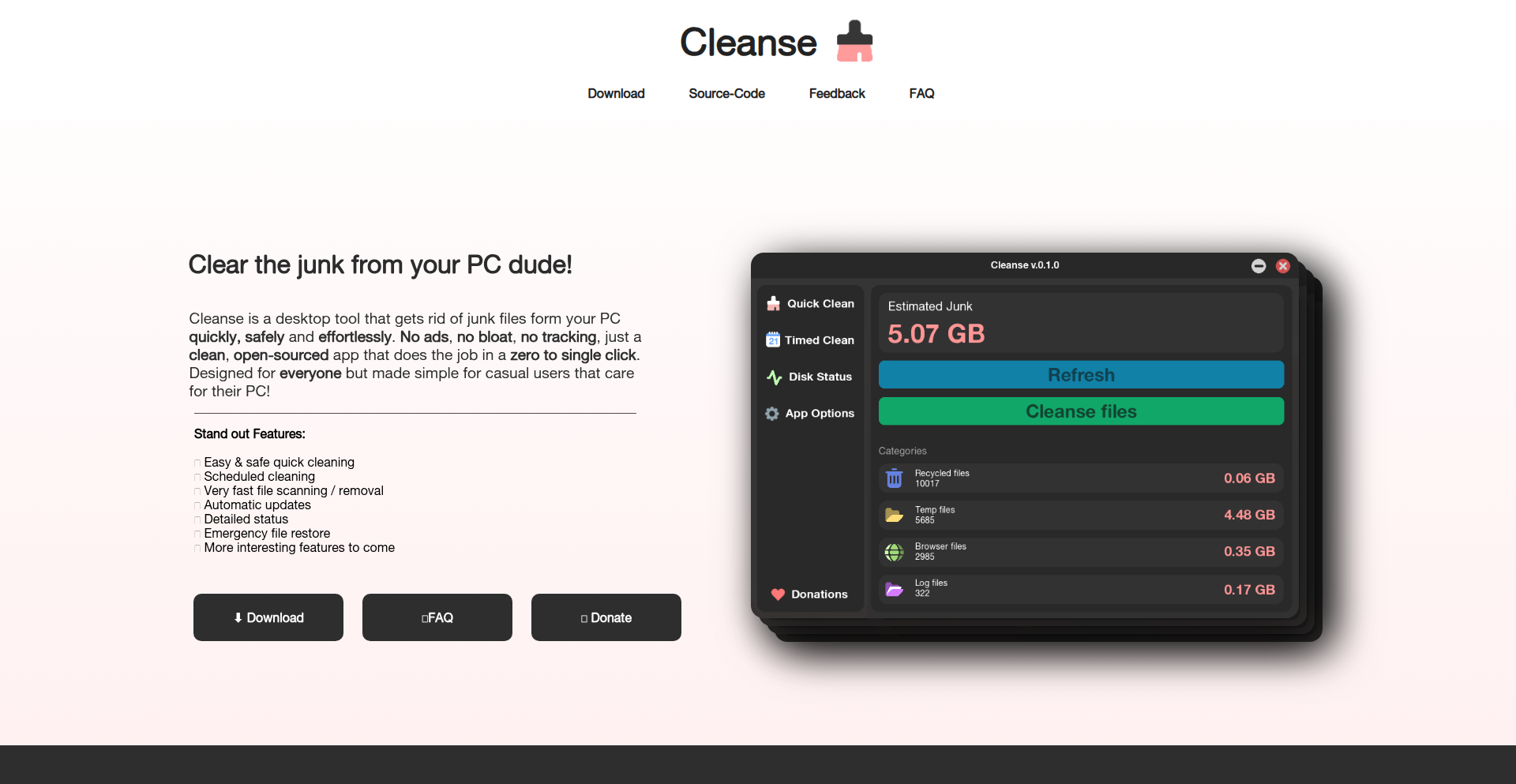
Author
Drimiteros
Description
Cleanse is a free, open-source utility for Windows designed to efficiently identify and remove junk files that accumulate over time. It prioritizes speed, security, and a minimal footprint, offering an ad-free and bloat-free alternative to existing tools. Key innovations include real-time junk estimation, instant cleaning, scheduled cleanups, and automatic updates, all driven by community feedback and the principles of open-source transparency.
Popularity
Points 1
Comments 1
What is this product?
Cleanse is a software tool that acts like a digital organizer for your Windows computer. Think of it as a meticulous cleaner that finds and removes temporary files, cache data, and other digital clutter that your computer collects without you even noticing. What makes it innovative is its focus on being extremely fast, safe to use (meaning it won't accidentally delete important files), and very light on your system resources – it won't slow down your computer. The core idea is to provide a transparent, community-driven solution where users can see exactly what's being cleaned and even suggest improvements. It's built on the idea that developers can solve everyday computer annoyances with elegant, focused code.
How to use it?
Developers can download and install Cleanse on their Windows machines. It can be run manually for an immediate cleanup, or configured to run automatically on a schedule (e.g., daily or weekly) to maintain a clean system without user intervention. For integration, its open-source nature allows developers to explore its codebase, understand its cleaning algorithms, and potentially extend its functionality or integrate its cleaning logic into their own projects if needed. This provides a hands-on approach to managing disk space and understanding system cleanup processes.
Product Core Function
· Junk Estimation: The system analyzes your hard drive to predict how much space can be freed up, allowing you to see the potential impact before cleaning. This is useful for understanding your disk usage and planning your cleanup efforts.
· Instant Cleaning: With a single click, Cleanse removes identified junk files, freeing up disk space immediately. This directly addresses the need for quick performance improvements and more storage.
· Scheduled Automatic Cleanups: Users can set up recurring cleaning tasks to run in the background, ensuring your system remains tidy without manual effort. This provides ongoing system maintenance and prevents clutter buildup.
· Automatic Updates: The tool can update itself, ensuring you always have the latest features and security patches without manual downloads. This simplifies maintenance and keeps the tool up-to-date.
· Detailed Statistics and Graphs: Cleanse provides visual insights into what files were cleaned and how your disk usage changes over time. This helps users understand their system's behavior and the effectiveness of the cleaning process.
Product Usage Case
· A developer experiencing slow performance due to a full hard drive can use Cleanse to quickly identify and remove temporary files generated by their development tools and IDEs, thereby improving build times and application responsiveness.
· A system administrator looking for a reliable and transparent disk cleaning solution for multiple Windows machines can deploy Cleanse due to its open-source nature and scheduled cleanup capabilities, ensuring consistent system health across their network.
· A user who frequently installs and uninstalls various software applications can use Cleanse to remove residual files left behind by uninstalled programs, preventing unnecessary disk space consumption and potential conflicts.
· A hobbyist programmer wants to understand how file system scanning and cleanup algorithms work can examine Cleanse's source code, learning practical implementation techniques and contributing to a community project.
33
Kelora: Log Transformer

Author
dloss
Description
Kelora is a novel tool that tackles the pervasive problem of unstructured log data. It intelligently transforms messy, human-readable log entries into structured, machine-readable formats. This innovation is crucial for any developer or system administrator dealing with vast amounts of logs, enabling efficient analysis, debugging, and monitoring. The core value lies in making sense of chaos, turning raw text into actionable insights. So, what's in it for you? It means faster problem detection and resolution, saving precious development time and reducing system downtime. So, this is for you because it significantly enhances your ability to understand and leverage your application's operational data.
Popularity
Points 1
Comments 1
What is this product?
Kelora is essentially a log parsing and structuring engine. Imagine you have thousands of lines of logs from your application, each a mix of timestamps, error messages, user IDs, and other scattered information. Kelora uses advanced pattern recognition and potentially machine learning techniques to identify these distinct pieces of information within each log line and organize them into a consistent, structured format like JSON or CSV. The innovation here is its ability to handle diverse and often unpredictable log formats without requiring extensive manual configuration for each one. So, what's in it for you? It means you can finally start querying and analyzing your logs effectively, instead of just scrolling through endless text. So, this is for you because it unlocks the hidden information within your logs.
How to use it?
Developers can integrate Kelora into their logging pipeline. This could involve piping their application's standard output directly to Kelora, or configuring their logging framework to send logs to Kelora for processing. Kelora can then output the structured logs to a database, a log aggregation service (like Elasticsearch or Splunk), or even back to a structured file. The goal is to make it a seamless part of the development workflow. So, what's in it for you? It allows you to integrate powerful log analysis capabilities into your existing development environment with minimal disruption. So, this is for you because it simplifies the process of getting your logs ready for analysis.
Product Core Function
· Log pattern identification: Automatically detects common patterns in log messages to extract key information. This is valuable for quickly understanding what's happening in your application without writing custom parsing rules for every possible log format. So, this is for you because it saves you from manually writing complex parsing logic.
· Data structuring: Converts identified log data into a standardized format (e.g., JSON, key-value pairs). This is essential for enabling machine readability and enabling downstream tools to process and query your logs effectively. So, this is for you because it makes your logs usable by other data analysis tools.
· Error and event extraction: Specifically identifies and categorizes error messages, warnings, and important events. This is critical for rapid debugging and understanding system behavior. So, this is for you because it helps you pinpoint problems faster.
· Customizable transformation rules: Allows users to define specific rules for more complex or unique log structures. This provides flexibility for advanced use cases. So, this is for you because it ensures Kelora can handle even your most peculiar log formats.
· Output to various destinations: Supports outputting structured logs to common data stores and aggregation systems. This facilitates easy integration into your existing monitoring and analysis infrastructure. So, this is for you because it makes it easy to send your structured logs where you need them.
Product Usage Case
· Debugging complex distributed systems: A developer is struggling to track a bug across multiple microservices. By feeding logs from all services into Kelora, they can see a unified, structured view of events and trace the problematic request across the entire system. So, this is for you because it makes debugging across multiple services manageable.
· Performance monitoring and anomaly detection: A system administrator wants to monitor application performance and detect unusual spikes in errors. Kelora can structure logs from various sources, allowing a monitoring tool to easily aggregate error counts and identify performance bottlenecks. So, this is for you because it enables proactive monitoring and faster issue resolution.
· Security incident analysis: A security team needs to analyze log data for signs of a breach. Kelora can structure security logs, making it easier to correlate events, identify suspicious IP addresses, and understand the timeline of an attack. So, this is for you because it enhances your ability to analyze security events.
· Compliance auditing: Businesses need to maintain audit trails for compliance. Kelora can structure application logs to ensure that all relevant operational data is captured and organized for easy retrieval during audits. So, this is for you because it simplifies meeting regulatory requirements.
34
QuantumContinuum

Author
neuralquantum
Description
This project explores a radical hypothesis: consciousness as a quantum macrostructure existing across vast numbers of timelines. It delves into multidimensional time and introduces a 'perception continuity function' to model how our sense of 'I am' might persist. The innovation lies in its theoretical framework for understanding consciousness and identity beyond a single, linear timeline, offering a new perspective on life and death.
Popularity
Points 1
Comments 1
What is this product?
QuantumContinuum is a conceptual framework and thought experiment that reimagines consciousness not as a fragile, localized phenomenon, but as a vast, interconnected quantum structure spread across an immense number of parallel timelines. It proposes a 'perception continuity function' to describe how the minimal, fundamental aspect of self-awareness ('I am') could persist and evolve through wave function mechanics across these different realities. This challenges traditional notions of existence and identity, offering a logically consistent, albeit not empirically testable, model.
How to use it?
While not a traditional software tool, developers can use QuantumContinuum as a profound conceptual model for creative projects. It can inspire narratives in science fiction, inform philosophical explorations, or even guide the design of complex simulated realities where identity persistence across different states or dimensions is a key feature. Think of it as a highly advanced thought pattern generator for exploring the nature of existence and self.
Product Core Function
· Multidimensional Time Exploration: This function provides a theoretical lens to view time not as a single line, but as a complex, branching structure with numerous parallel existences. The value here is expanding our conceptual understanding of reality and possibility.
· Perception Continuity Function: This is the core concept for modeling how a sense of 'self' or 'I am' can remain consistent or evolve across different timelines or states. Its value is in providing a mechanism to think about identity in non-linear ways, applicable in philosophical discussions or speculative fiction.
· Wave Function Evolution Integration: The project conceptually integrates quantum mechanics, specifically wave function evolution, to explain how consciousness might propagate or persist across these timelines. This offers a scientifically grounded (though speculative) mechanism for the continuity of self.
Product Usage Case
· Science Fiction World-building: A writer could use QuantumContinuum to design a universe where characters experience fragmented memories or consciousness shifts across parallel dimensions, providing a unique narrative hook and a scientifically inspired background for their stories. This solves the problem of creating complex, multi-layered realities.
· Philosophical Thought Experiments: Philosophers or cognitive scientists can leverage this framework to explore radical ideas about death and the afterlife, or the nature of personal identity over time and across potential realities. It offers a structured way to tackle profound existential questions.
· Game Development for Identity Mechanics: Game developers working on titles that involve alternate realities, reincarnation, or complex branching narratives could use the 'perception continuity function' as inspiration for how player characters' core identities are maintained or altered across different game states or parallel worlds. This addresses the challenge of creating believable and engaging identity systems in complex game scenarios.
35
EmailScope Transformer
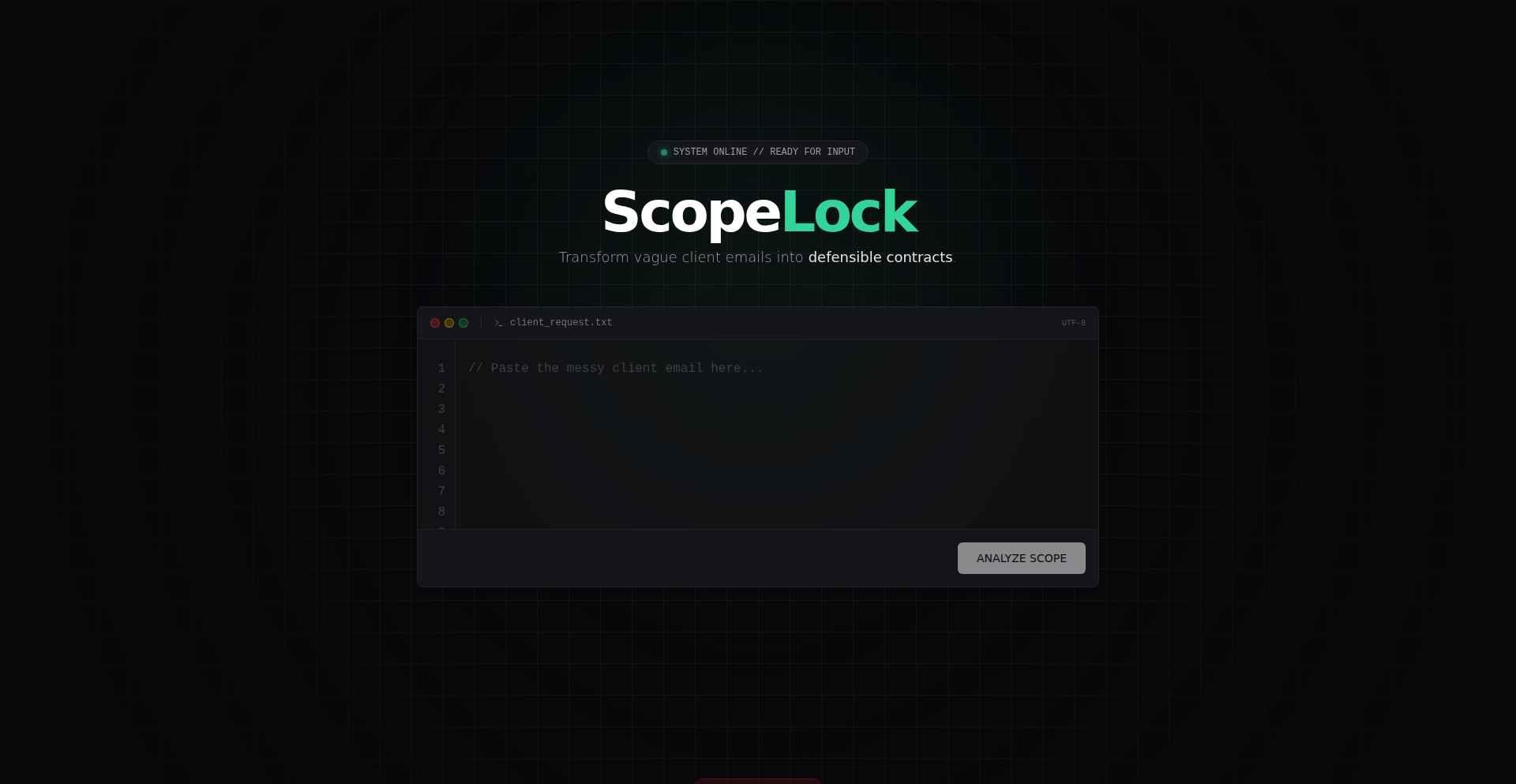
Author
nejcgradisek
Description
This project is an LLM-powered pipeline designed to intelligently process client emails, transforming unstructured text into a structured JSON 'scope' format. It tackles the tedious task of manually extracting key information from emails, making client communication more efficient and actionable.
Popularity
Points 2
Comments 0
What is this product?
EmailScope Transformer is a smart tool that takes raw client emails, cleans out unnecessary parts like signatures and boilerplate text using regular expressions (think of them as advanced text pattern matching), and then uses a Large Language Model (LLM) to understand and extract the essential details. It specifically identifies and categorizes aspects of the project scope, presenting them in a clear, machine-readable Markdown table. The innovation lies in automating the often manual and error-prone process of scope definition from informal communication.
How to use it?
Developers can integrate EmailScope Transformer into their workflow to automatically process incoming client emails. Imagine a scenario where a client sends an email detailing requirements for a new feature. Instead of manually reading through, identifying key requests, and formatting them, you can feed this email into EmailScope Transformer. The output will be a structured scope document, ready for integration into project management tools or further technical breakdown. This saves significant time and reduces the chance of misinterpretation.
Product Core Function
· Email Signature and Junk Stripping: Uses sophisticated pattern matching (regex) to remove irrelevant parts of an email, like signatures or auto-replies. This ensures the LLM focuses only on the core message, improving accuracy and efficiency.
· Vague Information Interrogation: Employs LLM capabilities to identify and clarify ambiguous or underspecified parts of the email. This means the system can flag areas needing further client clarification, preventing downstream misunderstandings.
· Structured Scope Output: Generates a clean Markdown table detailing the identified project scope. This structured format is easily readable by both humans and machines, facilitating seamless integration into project management tools and workflows.
· LLM-powered Contextual Understanding: Leverages the power of Large Language Models to deeply understand the context and intent of the client's message, going beyond simple keyword matching.
Product Usage Case
· Automated Project Scoping for Freelancers: A freelance developer receives a complex client request via email. Instead of manually parsing the email, they use EmailScope Transformer to instantly generate a structured scope document. This allows them to quickly provide an accurate quote and project timeline, leading to faster client onboarding.
· Streamlining Requirements Gathering in Agencies: A marketing agency uses EmailScope Transformer to process initial client briefs for new campaigns. The tool automatically extracts key deliverables, target audiences, and budget constraints, presenting them in a clear table. This accelerates the internal review process and ensures all team members are aligned on campaign objectives.
· Reducing Ambiguity in Software Development Tickets: A software team uses EmailScope Transformer to process bug reports or feature requests submitted via email. The tool helps to automatically identify the core problem or requested functionality and its associated details, creating clearer, more actionable tickets for the development backlog.
36
GovPingAlerts

Author
govping
Description
GovPingAlerts is a notification system that delivers government contract opportunities directly to your inbox. It leverages web scraping and intelligent filtering to identify and surface relevant tenders, solving the problem of manual, time-consuming contract searching for businesses and individuals looking to bid on government projects. The core innovation lies in its ability to automate the discovery process, making lucrative opportunities accessible without constant manual effort.
Popularity
Points 2
Comments 0
What is this product?
GovPingAlerts is a service designed to automatically find and send you alerts for government contracts that match your interests. Instead of you having to manually check various government procurement websites, GovPingAlerts does the heavy lifting. It uses clever techniques to 'read' these websites (web scraping) and then applies filters to weed out irrelevant information, ensuring you only get notified about opportunities that are a good fit for your business or expertise. This saves you significant time and increases your chances of discovering valuable contract opportunities.
How to use it?
Developers can integrate GovPingAlerts into their workflow by subscribing to tailored alerts. You define the types of contracts you're interested in (e.g., by industry, service type, or geographical region). GovPingAlerts then continuously monitors relevant government sources. When a new contract is posted that matches your criteria, you'll receive an email notification with a direct link to the opportunity details. This can be used by businesses looking to expand their client base, consultants seeking new projects, or even researchers tracking public spending.
Product Core Function
· Automated Contract Discovery: Utilizes web scraping technologies to continuously scan government procurement portals for new contract postings. This means you don't have to manually visit multiple websites, saving you valuable time.
· Intelligent Filtering and Matching: Employs customizable filters to match contract opportunities with your specific business needs or expertise. This ensures you receive relevant alerts, reducing information overload and increasing the likelihood of finding suitable projects.
· Inbox Delivery System: Delivers identified contract opportunities directly to your email inbox via automated alerts. This provides a convenient and timely way to stay informed about new opportunities without having to actively search.
· Opportunity Prioritization (Implied): By filtering and delivering relevant alerts, the system implicitly helps users prioritize which opportunities to pursue, focusing their efforts on the most promising leads.
Product Usage Case
· A small consulting firm specializing in IT services wants to bid on government projects. They can use GovPingAlerts to get notified whenever a new IT contract is posted by federal or local agencies, allowing them to respond quickly and competitively.
· A construction company looking for new building contracts can configure GovPingAlerts to receive alerts for any new infrastructure or construction tenders in their operating region. This helps them identify potential revenue streams they might otherwise miss.
· An independent researcher tracking government spending on renewable energy initiatives can set up alerts for related contract awards, providing them with timely data for their analysis without manual data collection.
37
TextWisely

Author
EdgarsHQ
Description
TextWisely is a native macOS desktop app designed to streamline your writing process and boost productivity. It leverages AI, specifically LLMs like ChatGPT and local models via Ollama, to offer programmable text actions. This means you can quickly improve grammar, craft email replies, adjust tone, translate text, and more, all with customizable shortcuts and without the constant need to switch between applications. The core innovation lies in its flexible, shortcut-driven approach to AI-powered text enhancement, saving you time and reducing repetitive copy-pasting.
Popularity
Points 2
Comments 0
What is this product?
TextWisely is a macOS application that acts as your personal AI writing assistant, directly integrated into your workflow. It allows you to define custom 'actions' (think of them as pre-programmed prompts for AI models) that can be triggered on selected text with keyboard shortcuts or by clicking an icon in your menu bar. Unlike simply using a chatbot interface, TextWisely focuses on fast, context-aware text manipulation. For instance, you can highlight an email draft and with a single shortcut, have it grammatically corrected, its tone adjusted to be more professional, or even translated into another language. It supports both online AI models (like ChatGPT) and offline models (like Ollama) for privacy and flexibility, allowing you to process text locally on your Mac. So, what's the big deal? It significantly cuts down on the manual effort of improving your writing, making you faster and more confident in your communication.
How to use it?
Developers can integrate TextWisely into their daily workflow by defining their own custom AI actions. For example, you could set up a shortcut to take a selected piece of code and generate a concise explanation for it, or highlight a bug report and have the AI suggest potential solutions. You can configure these actions within the app, specifying the AI model to use (online or offline), the prompt to send, and how the output should be handled (e.g., replace the selected text, copy to clipboard, or insert at cursor). The app is designed to be shortcut-heavy for power users but also offers a user-friendly interface for those new to AI assistance. The real benefit is how it becomes an extension of your existing tools, allowing you to harness AI's power without leaving your current application. This means for developers, it can speed up documentation writing, code explanation, or even drafting of technical tickets.
Product Core Function
· Programmable Text Actions: Define custom AI prompts to automate repetitive writing tasks like grammar correction, tone adjustment, or summarization. This is valuable because it eliminates manual editing and ensures consistency in your writing, saving you time and effort.
· Global Keyboard Shortcuts: Trigger your defined AI actions with custom keyboard shortcuts without needing to switch applications. This is useful for developers who need to quickly format code snippets, generate documentation, or translate technical terms, boosting their workflow efficiency.
· Offline AI Support (Ollama): Process your text using AI models running locally on your Mac, ensuring maximum privacy and security for sensitive information. This is crucial for developers handling proprietary code or confidential project details, as it guarantees data never leaves their machine.
· Status Bar Integration: Access your AI actions directly from your macOS menu bar, providing quick access without needing to open the main application window. This is handy for on-the-go text enhancements, allowing you to refine messages or notes rapidly.
· Multi-language Support (39 languages): Improve and translate text across a wide range of languages, making your communication more effective globally. For developers working with international teams or documentation, this feature is invaluable for clear and accurate communication.
· Customizable Personas/Tones: Configure AI 'personas' to match your writing style, such as business, casual, or technical. This helps ensure your AI-assisted writing aligns with your intended audience and brand voice, improving the impact of your communication.
Product Usage Case
· A developer needs to quickly draft release notes for a new feature. They highlight the technical description, trigger a 'Summarize for Release Notes' action configured in TextWisely, and get a concise, audience-appropriate summary instantly. This saves them from manual rewriting and ensures the notes are clear and to the point.
· A user is writing an important email to a client and wants to ensure it sounds professional. They select the drafted email, trigger a 'Professional Tone Polish' action, and TextWisely instantly refines the language for a more formal and polished feel. This boosts confidence in their communication and prevents potential misunderstandings.
· A developer is working with a team that communicates in multiple languages. They can use TextWisely's translation feature to quickly translate a technical Slack message into their native language or translate their response back into the team's primary language, facilitating smoother collaboration.
· A student is writing an essay and struggles with grammar and sentence structure. They can use TextWisely to highlight sections of their essay and apply grammar correction and sentence improvement actions, leading to a better-quality final submission and a more polished academic output.
38
TruthForge Reviews

Author
launchzilla
Description
TruthForge Reviews is a community-governed platform for digital product reviews, designed to combat sponsored content and provide authentic user feedback. Its innovation lies in its transparent, decentralized approach to review aggregation and ranking, creating a trusted source of information for consumers and developers alike. This addresses the problem of unreliable reviews on mainstream platforms by prioritizing genuine user experiences.
Popularity
Points 2
Comments 0
What is this product?
TruthForge Reviews is a new kind of review platform that aims to be a 'Wikipedia for digital product reviews.' Instead of relying on opaque algorithms or paid promotions to determine product rankings, it's built on principles of transparency and community governance. Think of it as a public ledger where honest feedback is prioritized. The core technical insight is to create a system where the community, not a single entity, decides what reviews are valuable, preventing manipulation and ensuring a 'layer of truth' in a market often clouded by sponsored content. So, it's useful because it offers a reliable way to understand a product's true value without being misled by paid endorsements.
How to use it?
Developers can integrate with TruthForge Reviews to showcase genuine user sentiment about their products. This can be done by linking to their product's profile on the platform, allowing potential customers to see authentic, community-vetted reviews. For users, it's a straightforward website to browse and contribute reviews. The platform could eventually offer APIs for developers to pull aggregated review scores or specific testimonials, which they can then display on their own websites or marketing materials, adding a layer of credibility. This provides developers with a trusted channel to receive and display user feedback, ultimately improving product development and customer trust.
Product Core Function
· Community-governed review ranking: Instead of algorithms, users collectively decide which reviews are most helpful, ensuring that genuine feedback rises to the top. This is valuable for developers as it means their product's reputation is built on real user experiences, not just marketing, and for users, it means finding the most honest opinions.
· Transparent review submission process: All reviews are visible and subject to community scrutiny, preventing fake or manipulated feedback. This technical approach tackles the problem of dishonest reviews head-on, providing a valuable tool for both consumers seeking truth and developers aiming for authentic representation.
· No pay-to-play or paywalls: The platform is free to use for both submitting and viewing reviews, and there are no hidden costs or subscription fees for access to content. This open access democratizes review information, making it universally accessible and useful for anyone researching digital products.
· Unfiltered negative comments: Unlike many platforms that might remove negative feedback to protect advertisers or rankings, TruthForge Reviews keeps all genuine feedback. This offers a complete picture of a product, which is invaluable for developers wanting to identify areas for improvement and for users seeking a comprehensive understanding before making a purchase.
Product Usage Case
· A SaaS startup launching a new productivity tool can use TruthForge Reviews to gather early, honest feedback. By encouraging their beta users to leave reviews on the platform, they gain insights into bugs, usability issues, and feature requests, helping them refine their product before a wider launch. This solves the problem of expensive market research by leveraging community intelligence.
· A mobile game developer can direct their player base to TruthForge Reviews to understand player sentiment regarding in-app purchases or game mechanics. This allows them to identify potentially controversial features and address player concerns proactively, preventing negative reviews from overwhelming their app store pages. This is useful for maintaining a positive brand image and user retention.
· A freelance developer building a custom web application for a client can use TruthForge Reviews as a neutral, third-party validation tool. By showcasing positive reviews from satisfied clients on their TruthForge profile, they can build trust and credibility with potential new clients, demonstrating the quality of their work through authentic endorsements. This overcomes the challenge of self-promotion by providing verifiable proof of success.
39
MemCloud-LANRAMPool

Author
vibhanshugarg
Description
MemCloud is a distributed, in-memory data store built in Rust. It allows multiple devices on a local network (LAN) to combine their idle RAM into a single, shared, and temporary storage pool. This is ideal for local development, ML experiments, and data processing, offering a lightweight alternative to setting up complex cluster systems. It features auto-discovery of peers, a simple RPC API, and supports both raw block storage and a Redis-like key-value interface, enabling fast data retrieval across machines.
Popularity
Points 2
Comments 0
What is this product?
MemCloud is a project that turns multiple computers on your local network into one big, fast memory pool. Imagine your unused RAM across your laptop, desktop, and home server all working together as a single resource. It achieves this by having small Rust programs (called 'memnodes') running on each device. These memnodes automatically find each other using a technique called mDNS (which is like a local network's address book). Once connected, they share their RAM. You can store data (like small files or key-value pairs) on one machine and retrieve it from another very quickly, often in less than 10 milliseconds over your local network. The innovation lies in its simplicity and decentralization: no complex server setup is needed, and it pools existing, often idle, resources.
How to use it?
Developers can use MemCloud by installing the memnode daemon on their macOS or Linux machines. The daemon automatically discovers and connects to other memnodes on the same LAN. You can then interact with this pooled memory using a command-line interface (CLI), or through SDKs provided in Rust and JavaScript/TypeScript. For instance, you could store large datasets or log streams in MemCloud to avoid filling up your local machine's RAM. You could also use it to quickly share small pieces of data between different development environments or run lightweight distributed tasks without the overhead of a full Redis or Memcached cluster. It's about leveraging your existing hardware more efficiently for local development and experimentation.
Product Core Function
· Peer auto-discovery via mDNS: Allows memnodes to automatically find and connect to each other on the local network without manual configuration, making it easy to set up a distributed memory pool instantly.
· Pooled RAM storage: Enables multiple devices to contribute their idle RAM to a shared storage pool, effectively creating a larger, faster cache for data-intensive tasks.
· Low-latency data access: Provides sub-10ms retrieval of data blocks across different machines on the LAN, significantly speeding up applications that require quick access to shared data.
· Raw block storage: Supports storing and retrieving raw data blocks, which is useful for offloading large files or streams of data without impacting the local machine's primary memory.
· Redis-style key-value interface: Offers a familiar key-value storage API (like SET and GET operations) for storing and retrieving data associated with specific keys, suitable for caching and session management.
· Lightweight daemon architecture: Each participating device runs a small, resource-efficient Rust daemon, minimizing the impact on system performance and making it easy to deploy across various machines.
· Cross-platform support (macOS, Linux): Ensures that developers can utilize their existing development machines to contribute to the distributed memory pool, promoting flexibility and accessibility.
· CLI and SDKs (Rust, JS/TS): Provides multiple ways to interact with the MemCloud, allowing developers to integrate it into their workflows via command line or programmatically through different programming languages.
Product Usage Case
· Local Machine RAM Expansion: A developer has multiple idle laptops and desktops. They can run MemCloud on all of them to create a large, fast RAM pool, which they can then use to load large datasets for machine learning model training locally, avoiding out-of-memory errors on a single machine.
· Accelerated Local Development Workflows: A team is developing a web application and needs a fast, shared cache for session data or frequently accessed configuration. Instead of setting up a separate Redis server, they can use MemCloud to pool RAM from their development machines, providing quick access to this shared data for all developers.
· Efficient Log Data Offloading: During local testing of an application that generates large amounts of log data, a developer can configure the application to stream logs directly into MemCloud. This prevents the local machine's RAM from being overwhelmed by logs while still allowing for quick retrieval and analysis of the log data.
· Experimenting with Distributed Systems: A student or researcher wants to learn about distributed memory systems. MemCloud provides a simple, zero-configuration way to set up a basic distributed data store, allowing them to experiment with concepts like data partitioning and distributed access without complex infrastructure.
· Sharing Temporary Data Between Projects: A developer working on multiple independent projects on the same machine can use MemCloud to quickly share small amounts of temporary data between these projects without needing to save files to disk or use complex inter-process communication mechanisms.
40
SmokeRand: PRNG Detective Suite
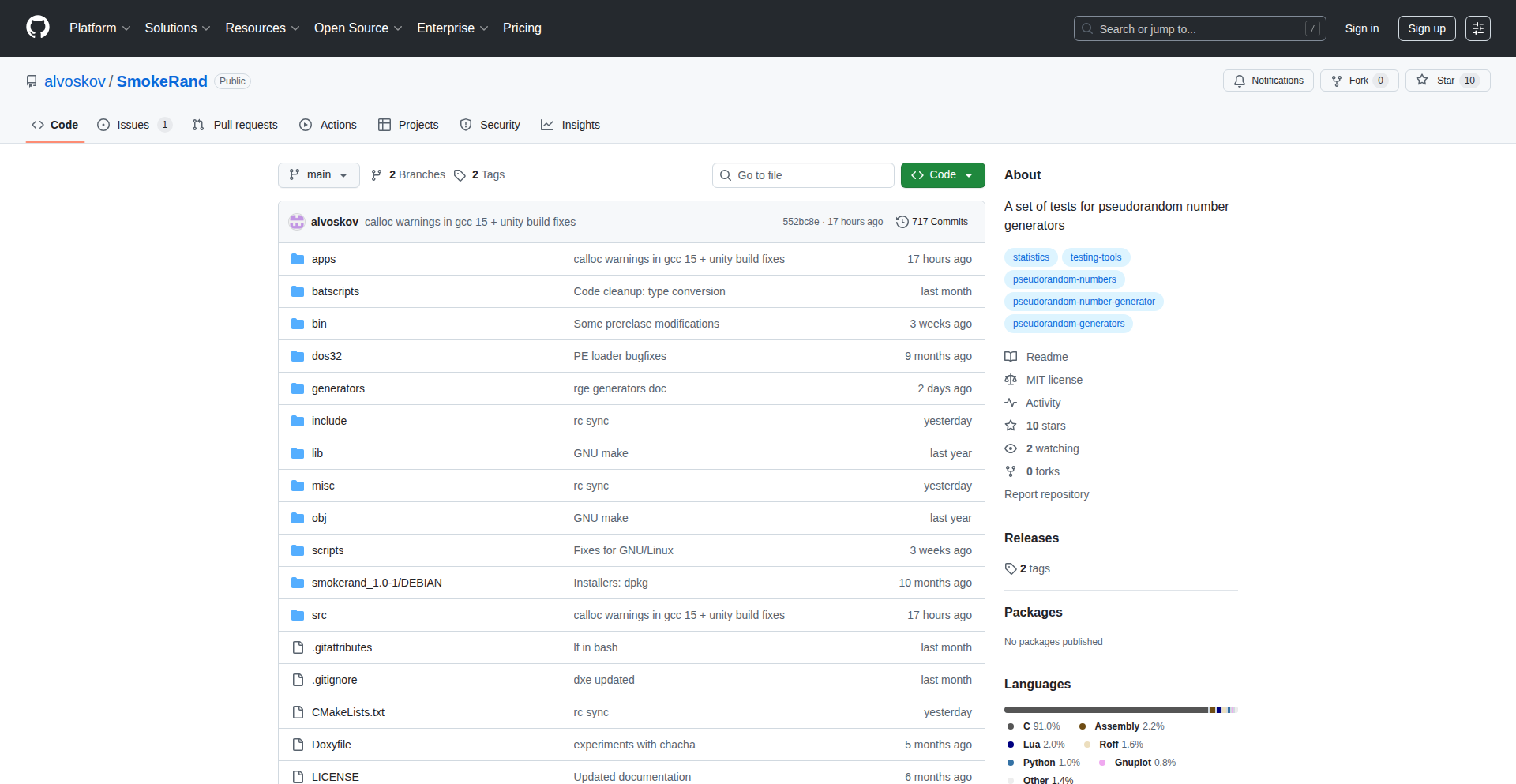
Author
Dig386
Description
SmokeRand is a cross-platform testing framework for pseudorandom number generators (PRNGs) written in C99. It's like a rigorous detective for your random number generators, ensuring they're truly unpredictable. It combines the strengths of existing tools like TestU01 and PractRand, but offers native support for both 32-bit and 64-bit generators. It can even uncover subtle flaws that other tools miss, making your simulations and cryptographic applications more robust. So, if you need reliable randomness, SmokeRand helps you find the best PRNGs for the job.
Popularity
Points 2
Comments 0
What is this product?
SmokeRand is a sophisticated toolkit designed to thoroughly examine how 'random' your pseudorandom number generators actually are. Think of PRNGs as algorithms that produce sequences of numbers that look random but are actually determined by a starting 'seed'. SmokeRand uses a battery of statistical tests to probe these sequences for patterns, biases, or predictable behavior that could compromise your applications. Its innovation lies in its ability to test a wide range of PRNGs, including those generating 32-bit and 64-bit numbers directly, and its unique sensitivity in detecting subtle anomalies in the output, which is crucial for scientific simulations, game development, and security applications. So, it helps you build more trustworthy software by ensuring your random numbers are as good as they claim to be.
How to use it?
Developers can integrate SmokeRand into their projects by either feeding their PRNG's output via standard input/output or by using a plugin system. It also offers easy integration with popular testing frameworks like TestU01 and PractRand. This means you can leverage your existing testing infrastructure. You can run its pre-defined test batteries or even create custom tests. For example, you could use SmokeRand to test a new PRNG you've developed for a game to ensure fair gameplay, or for a scientific simulation to guarantee accurate results. So, it provides a flexible and powerful way to validate the quality of your random number generation, making your code more reliable.
Product Core Function
· Comprehensive PRNG testing: SmokeRand applies a suite of statistical tests to detect non-random behavior in generated sequences, ensuring the quality of your random numbers for applications where predictability is a concern.
· Cross-platform compatibility: Works on various operating systems, allowing you to test your PRNGs regardless of your development environment.
· Native 32-bit and 64-bit generator support: Efficiently tests both common sizes of random number generators, covering a wider range of use cases.
· Advanced anomaly detection: Capable of finding subtle imperfections in PRNG output that might be missed by other tools, leading to more robust and secure applications.
· Flexible integration: Supports input/output streams and plugin architectures, allowing for easy incorporation into existing workflows and development pipelines.
· Multiple test batteries: Offers pre-defined sets of tests for general-purpose generators, providing a quick and effective way to assess randomness.
· Extensive PRNG examples: Includes around 250 examples of PRNGs, serving as a reference and helping developers understand different implementation approaches and their potential weaknesses.
Product Usage Case
· Ensuring fair random loot drops in a multiplayer online game by testing the PRNG used for item generation. SmokeRand's detailed analysis helps identify any patterns that could be exploited by players, thus maintaining game balance. This means fairer gameplay for everyone.
· Validating the PRNG for Monte Carlo simulations in scientific research. Inaccurate random numbers can skew simulation results, leading to flawed conclusions. SmokeRand ensures the integrity of the random sequences, leading to more trustworthy scientific findings. This means your research results are more likely to be correct.
· Testing cryptographic PRNGs for secure communication protocols. Weak randomness is a major vulnerability in encryption. SmokeRand's rigorous testing helps guarantee the unpredictability required for robust security. This means your sensitive data is better protected.
· Evaluating new PRNG algorithms during development. Developers can use SmokeRand to benchmark and compare the quality of their novel algorithms against established ones, identifying areas for improvement early in the development cycle. This means you can build better and more efficient random number generators.
· Auditing the randomness used in financial modeling software to ensure unbiased predictions and risk assessments. SmokeRand's ability to detect subtle biases helps maintain the integrity of financial forecasts. This means your financial models are more reliable.
41
Art-2D: Vectorial Financial Collapse Predictor

Author
asmyros
Description
Art-2D is a novel framework that models financial risk not as a simple probability, but as a 'conserved vector field.' This innovative approach uses coupled Langevin dynamics, a physics-inspired method, to pinpoint a critical threshold where financial systems are prone to collapse. It's designed to predict major market downturns with remarkable foresight, having flagged the 2008 Global Financial Crisis 13 months in advance and the Terra/Luna collapse 5 days before it happened. This offers a fundamentally new way to understand and anticipate financial instability.
Popularity
Points 2
Comments 0
What is this product?
Art-2D is a sophisticated predictive model that reframes financial risk. Instead of thinking about the chance of something going wrong (like a scalar probability), it views risk as a 'vector field,' meaning it has both magnitude and direction, and is conserved within a system. The core innovation lies in its use of coupled Langevin dynamics, a technique borrowed from physics to simulate complex systems. Imagine tiny particles randomly bouncing around – Langevin dynamics models this kind of movement. By applying this to financial data, Art-2D can identify a specific 'phase transition threshold' (around Sigma ≈ 0.75) where the system becomes unstable and likely to collapse. This is a departure from traditional statistical methods and offers a more dynamic, physics-grounded perspective on financial markets. So, for you, this means a potentially more robust and earlier warning system for severe financial events.
How to use it?
As a developer, you could integrate Art-2D into your quantitative trading platforms, risk management dashboards, or financial advisory tools. The core idea is to feed real-time or historical financial market data into the model. The model's output, the 'conserved vector field' and its proximity to the identified phase transition threshold, can then be used to generate alerts or adjust trading strategies. Think of it as a sophisticated engine that takes market signals and outputs a risk score or a prediction of instability. You might use its API to pull predictive risk indicators or even explore the underlying mathematical derivations for custom model development. So, for you, this means leveraging a cutting-edge physics-inspired engine to build more resilient and foresightful financial applications.
Product Core Function
· Vectorial Risk Representation: Instead of a single probability, risk is modeled as a multi-dimensional vector field, capturing both the intensity and direction of potential financial instability. This provides a richer, more nuanced understanding of risk dynamics than traditional scalar measures. So, for you, this means getting a more comprehensive picture of risk, not just a simple 'yes' or 'no'.
· Coupled Langevin Dynamics Simulation: Employs physics-based simulation techniques to model the interactions and evolution of financial market components. This allows for the identification of emergent behaviors and critical thresholds that might be missed by purely statistical methods. So, for you, this means benefiting from a powerful simulation engine that can uncover hidden patterns in market behavior.
· Phase Transition Threshold Identification: Precisely pinpoints a critical point (Sigma ≈ 0.75) where the financial system is likely to undergo a significant and rapid shift towards collapse. This provides a quantifiable trigger for risk assessment and decision-making. So, for you, this means having a clear, data-driven indicator of when the market is becoming dangerously unstable.
· Early Warning System for Financial Crises: Demonstrated capability to predict major market events significantly in advance, offering crucial time for mitigation and adaptation. So, for you, this means gaining valuable lead time to react to impending financial downturns.
Product Usage Case
· Integration into Algorithmic Trading Systems: Developers can use Art-2D's predictive signals to dynamically adjust trading parameters, such as increasing stop-loss levels or reducing position sizes when the risk vector approaches the phase transition threshold. This helps to protect capital during volatile periods. So, for you, this means building trading algorithms that are inherently more defensive and adaptive to market risks.
· Development of Advanced Risk Management Dashboards: Financial institutions can incorporate Art-2D's output into their dashboards to provide real-time visualizations of systemic risk, allowing risk managers to identify and address potential threats before they escalate. So, for you, this means creating more insightful risk dashboards that go beyond standard metrics.
· Enhancing Financial Advisory Tools: Advisors can use the model's predictions to better inform their clients about potential market downturns, enabling proactive portfolio adjustments and risk mitigation strategies. So, for you, this means providing your clients with more prescient and actionable financial advice.
· Research and Development in Quantitative Finance: Researchers can explore the underlying mathematical framework and entropy term derivation of Art-2D to develop new financial models and deepen the understanding of market dynamics. So, for you, this means having a foundation for cutting-edge research and the creation of next-generation financial models.
42
PromptVidFusion

Author
aishu001
Description
PromptVidFusion is an AI-powered video generation tool that transforms text descriptions or static images into professional-quality videos in under 30 seconds. It leverages advanced AI models to create videos suitable for commercial use without requiring any prior editing skills from the user. This innovation democratizes video creation, making it accessible for marketing, content creation, and storytelling.
Popularity
Points 2
Comments 0
What is this product?
PromptVidFusion is a cutting-edge AI service that translates your textual ideas or existing images into dynamic, ready-to-use videos. It utilizes state-of-the-art generative AI models, such as Veo 3 and Runway Gen-3, to interpret your input and produce high-resolution (up to 4K) videos. The system can apply cinematic lighting and various artistic style transfers, allowing for a personalized aesthetic. The core innovation lies in its ability to automate complex video production processes, making sophisticated video creation as simple as describing your vision or uploading an image. This means you get professional-looking videos quickly and efficiently, eliminating the need for expensive software or specialized expertise. So, what's in it for you? You can create compelling video content for your business or personal projects without the steep learning curve or time investment traditionally associated with video editing.
How to use it?
Developers can integrate PromptVidFusion into their workflows by leveraging its API. The process typically involves sending a text prompt (e.g., 'a serene beach at sunset with gentle waves') or an image file, along with desired style parameters, to the PromptVidFusion API. The API then processes these inputs using its AI models and returns a downloadable video file. It's designed for easy integration into content management systems, marketing automation platforms, or custom applications where automated video generation is beneficial. For instance, an e-commerce platform could use it to generate product demonstration videos from product images and descriptions, or a social media management tool could create engaging video posts from text ideas. This provides a seamless way to add a video dimension to existing digital products and services. So, how does this benefit you? You can automatically generate personalized videos for your users or enhance your existing digital products with dynamic visual content, boosting engagement and user experience.
Product Core Function
· Text-to-Video Generation: Translates written descriptions into video clips, enabling users to create videos from conceptual ideas. This saves time and resources typically spent on manual video production, making it ideal for rapid content iteration and ideation.
· Image-to-Video Generation: Animates static images by interpreting their content and generating a video narrative, breathing life into existing visual assets. This is valuable for repurposing existing marketing materials or creating dynamic social media content from photographs, enhancing their impact.
· High-Resolution (up to 4K) Output: Produces crisp and clear videos, ensuring a professional visual quality suitable for a wide range of applications, including marketing and branding. This means your content will look polished and professional, enhancing brand perception.
· Cinematic Lighting and Style Transfers: Allows users to apply professional lighting effects and artistic styles (e.g., oil painting), giving videos a distinct and polished aesthetic. This empowers users to achieve specific visual moods and branding, making their videos more engaging and unique.
· Commercial Licensing: Provides full rights to generated videos for commercial use without requiring attribution, simplifying legalities for businesses and creators. This removes barriers to using generated content for profit, making it a safe and reliable tool for marketing and sales.
· Rapid Generation (under 30 seconds): Delivers finished videos in a very short time, significantly accelerating content creation timelines. This speed is crucial for staying relevant in fast-paced digital environments and for responding quickly to trends.
Product Usage Case
· An e-commerce business uses PromptVidFusion to quickly generate short, engaging video ads for new products from their existing product photos and a brief description of the product's benefits. This dramatically reduces their ad production costs and time-to-market for promotional campaigns.
· A social media manager uses PromptVidFusion to create a series of eye-catching video posts for a campaign, starting from simple text prompts outlining the message and desired mood. This allows them to produce a high volume of varied content efficiently, increasing engagement on their platforms.
· A tutorial creator uses PromptVidFusion to generate introductory video segments or animated explanations for complex concepts by providing a textual outline. This makes their educational content more dynamic and easier to digest for their audience.
· A small business owner with no video editing experience uses PromptVidFusion to create brand story videos by describing their company's mission and values. This enables them to build a stronger brand presence online without needing to hire expensive professionals.
43
LogSleuth AI
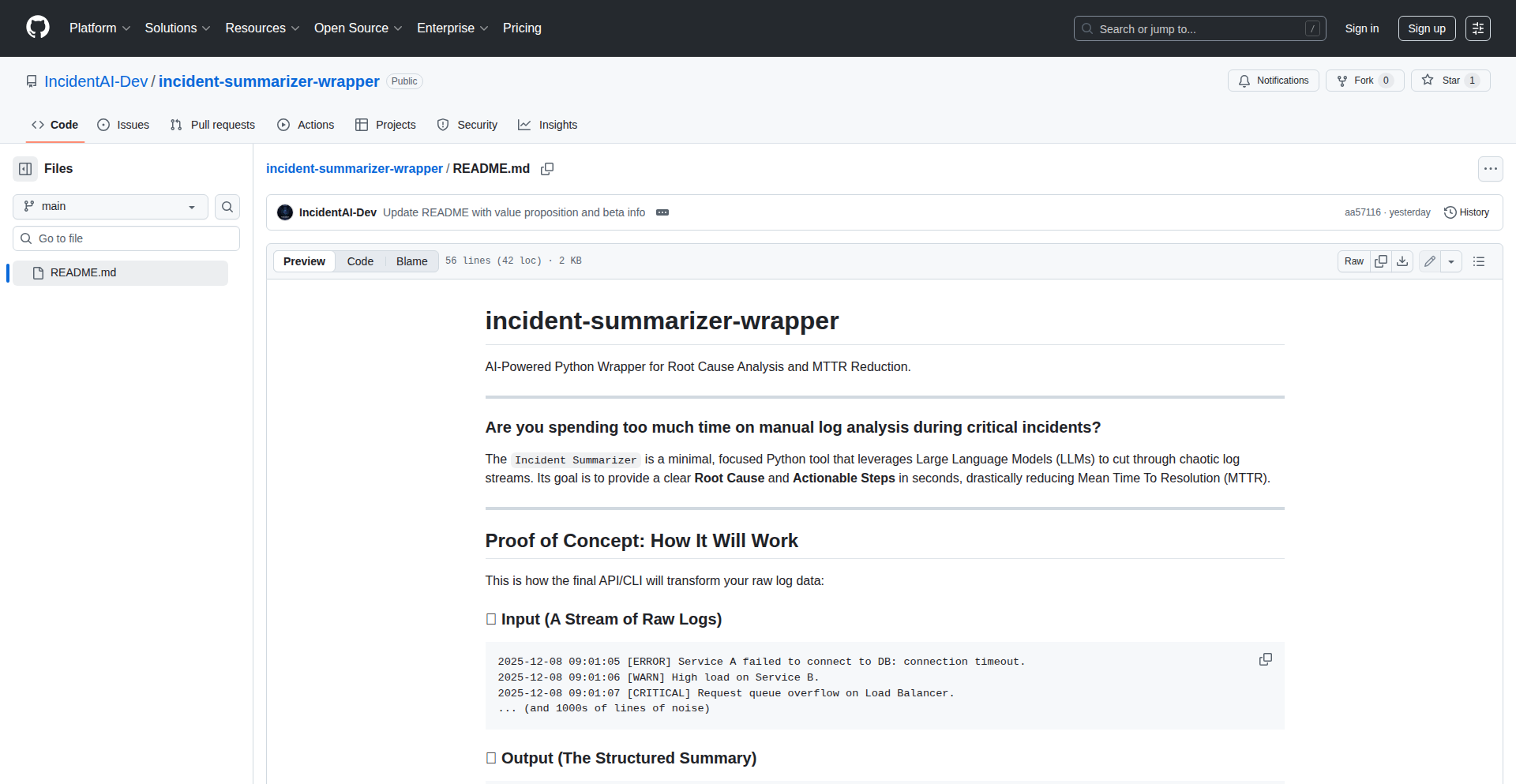
Author
joe117
Description
LogSleuth AI is a Python wrapper that leverages Large Language Models (LLMs) to bring intelligent analysis to your application logs. Instead of manually sifting through lines of text, it uses AI to understand log patterns, identify anomalies, and summarize key events, making debugging and monitoring significantly more efficient. This innovation transforms raw log data into actionable insights, saving developers time and reducing the frustration of troubleshooting.
Popularity
Points 1
Comments 1
What is this product?
LogSleuth AI is a Python library designed to make sense of your application's log files using the power of Large Language Models (LLMs). Think of it as an intelligent assistant for your logs. Traditional log analysis involves searching for keywords or specific patterns, which can be tedious and error-prone. LogSleuth AI employs sophisticated AI models to 'understand' the context and meaning within your log entries. It can identify unusual activity, detect potential errors, and even generate summaries of what's happening in your system, all without you having to write complex query rules. This is innovative because it moves log analysis from a pattern-matching exercise to a more semantic, AI-driven understanding, providing deeper insights and faster problem resolution.
How to use it?
Developers can integrate LogSleuth AI into their Python applications by installing the library via pip (`pip install logsleuth-ai`). Once installed, you can instantiate the LogSleuth AI wrapper and point it to your log files or a stream of log data. The wrapper then uses your configured LLM (e.g., OpenAI's GPT, or other compatible models) to process the logs. You can then ask it natural language questions about your logs, such as 'What were the most frequent errors in the last hour?' or 'Are there any unusual user activities detected?'. The AI will process the logs and return concise, understandable answers. This is useful for real-time monitoring, post-incident analysis, and proactive system health checks, offering a more intuitive way to interact with your application's operational data.
Product Core Function
· Intelligent Log Summarization: The AI can process large volumes of log data and generate concise summaries of key events, trends, and potential issues. This is valuable for quickly grasping the overall health of an application without reading every single log line.
· Anomaly Detection: By learning normal log patterns, the LLM can identify deviations that might indicate a bug, security breach, or performance degradation. This helps developers proactively address problems before they impact users.
· Natural Language Querying: Developers can ask questions about their logs in plain English, such as 'Show me all failed login attempts' or 'What was the response time of the user service this morning?'. This simplifies data retrieval and analysis, making it accessible to a wider range of technical users.
· Error Pattern Identification: The AI can group similar error messages, even if they have slight variations in wording, and highlight the most recurring or critical errors. This streamlines the debugging process by focusing attention on the most impactful issues.
Product Usage Case
· Debugging a web application: A developer is experiencing intermittent user-facing errors. Instead of manually scanning thousands of log lines, they feed the relevant logs into LogSleuth AI and ask, 'What are the most common error messages associated with user session timeouts?'. The AI quickly identifies a specific pattern of database connection errors contributing to the issue, allowing the developer to target their fix directly.
· Monitoring system performance: A DevOps engineer wants to understand the performance of a microservice cluster. They use LogSleuth AI to analyze logs from all services, asking, 'Summarize any performance bottlenecks or unusual latency spikes reported in the last 24 hours across all services.' The AI provides a high-level overview of potential bottlenecks, helping to prioritize optimization efforts.
· Security incident response: A security analyst suspects a brute-force attack on an API. They query LogSleuth AI with, 'Identify any IP addresses that made an unusually high number of failed authentication attempts within a short period.' The AI pinpoints suspicious IP addresses and the associated log entries, accelerating the investigation and mitigation process.
· Onboarding new team members: A junior developer needs to understand how a particular feature works. They can use LogSleuth AI to query logs related to that feature, asking questions like, 'Walk me through the typical flow of a successful user registration process based on the logs.' This provides an interactive and data-driven way to learn about system behavior.
44
SubnetCrafter-TF

Author
munyunting
Description
This project is a subnet generator designed to align with AWS IP addressing rules, and it can output Terraform files for Infrastructure as Code (IaC) deployment. It also supports Azure and GCP. This tool streamlines the complex process of network configuration for cloud environments, making it easier to provision and manage network infrastructure through automated code.
Popularity
Points 2
Comments 0
What is this product?
SubnetCrafter-TF is a smart tool that helps you design and generate network subnets for cloud platforms like AWS, Azure, and GCP. It understands the specific IP addressing rules of these cloud providers, ensuring your subnets are correctly configured from the start. The key innovation is its ability to translate your subnet design into ready-to-use Terraform files, which are used for Infrastructure as Code (IaC). IaC means you can define your cloud infrastructure using code, making it repeatable, version-controlled, and less prone to human error. So, this tool automates the creation of network blueprints for your cloud projects, saving you time and preventing misconfigurations. The value to you is a more robust and efficiently managed cloud network.
How to use it?
Developers can integrate SubnetCrafter-TF into their cloud deployment workflows. You input your desired network parameters (e.g., CIDR blocks, region, number of subnets, IP addressing constraints based on AWS rules). The tool then processes this information and generates a Terraform (.tf) file. This file can be directly used with Terraform CLI to provision your VPC, subnets, and related networking resources in your chosen cloud provider. This is particularly useful for setting up new cloud environments or modifying existing ones in a consistent and automated manner. The value to you is the ability to quickly and reliably deploy complex network configurations without manual intervention.
Product Core Function
· AWS VPC/Subnet Generation: Automatically calculates and generates valid VPC and subnet configurations based on AWS IP addressing rules. This eliminates manual calculations and reduces the risk of IP conflicts, saving time and preventing network issues.
· Terraform File Output: Produces industry-standard Terraform files for your network infrastructure. This allows for declarative, version-controlled, and repeatable infrastructure deployment using Infrastructure as Code, enabling efficient and reliable cloud management.
· Multi-Cloud Support (AWS, Azure, GCP): Extends subnet generation capabilities to multiple major cloud providers. This offers flexibility for developers working across different cloud ecosystems, allowing for a consistent approach to network definition.
· IP Rule Compliance: Enforces compliance with specific IP addressing rules of cloud providers like AWS. This ensures that generated subnets are always valid and usable within the cloud environment, avoiding costly errors and rework.
Product Usage Case
· Setting up a new production VPC for a web application on AWS: A developer can use SubnetCrafter-TF to quickly design a secure and scalable VPC with multiple public and private subnets, ensuring optimal IP address allocation and generating the necessary Terraform code to deploy it, which significantly speeds up the initial setup and reduces the chance of IP conflicts.
· Migrating a development environment to Azure: A team can use the tool to generate appropriate subnet configurations for their Azure subscription, mirroring the structure of their existing on-premises or AWS setup, and then deploy it using Terraform, ensuring a smooth and consistent transition of their network infrastructure.
· Automating the creation of temporary testing environments: A QA engineer can use the generator to quickly spin up isolated network environments for testing purposes, defining the required subnets and then using the generated Terraform code to deploy them on demand, ensuring test environments are consistent and easily reproducible.
45
PromptCraft AI

Author
bosschow
Description
A minimalist, chat-style prompt generator designed to drastically reduce the time and effort spent crafting effective AI prompts. It employs an iterative refinement process to help users generate higher-quality AI outputs with less friction.
Popularity
Points 1
Comments 0
What is this product?
PromptCraft AI is a free, web-based tool that acts as an AI prompt assistant. Instead of directly telling the AI what you want, you engage in a conversation with PromptCraft. It asks clarifying questions and suggests prompt modifications based on your input. This iterative dialogue helps shape your initial ideas into more precise and effective prompts for other AI models (like image generators or large language models). The innovation lies in its conversational approach to prompt engineering, making the complex task of prompt crafting more intuitive and accessible. Think of it as having a prompt expert guiding you, rather than just a blank text box.
How to use it?
Developers can use PromptCraft AI to quickly generate prompts for various AI tasks. For example, if you need to create a prompt for an image generation AI, you'd start by describing your desired image in the chat. PromptCraft would then ask you about style, mood, specific elements, etc., and help you build a detailed and optimized prompt. You can integrate its output directly into your AI workflows. For developers experimenting with AI integrations, this tool streamlines the prompt development phase, saving valuable iteration time. The limits are in place to ensure fair use and encourage continued development.
Product Core Function
· Conversational Prompt Refinement: Allows users to refine AI prompts through a natural chat interface, transforming vague ideas into specific instructions with minimal effort.
· Intelligent Questioning: Asks targeted questions to elicit necessary details for a robust prompt, ensuring all critical aspects are covered.
· Prompt Optimization Suggestions: Offers concrete suggestions to improve prompt clarity, specificity, and effectiveness for better AI results.
· Time-Saving Automation: Significantly reduces the time spent on trial-and-error prompt writing, enabling faster experimentation and development cycles.
· Accessibility for All Skill Levels: Simplifies prompt engineering, making it achievable for users with varying levels of AI and technical expertise.
Product Usage Case
· Scenario: A developer is building an application that uses an AI image generator to create personalized avatars. Problem: Manually writing detailed prompts for each avatar variation is time-consuming and often results in inconsistent outputs. Solution: Using PromptCraft AI, the developer can describe the desired avatar characteristics in a conversation, and PromptCraft generates a well-structured prompt, leading to faster avatar creation and more consistent visual styles.
· Scenario: A content creator wants to generate creative writing pieces using a large language model. Problem: Crafting prompts that elicit specific genres, tones, and plot elements is challenging. Solution: By conversing with PromptCraft AI, the creator can outline their story ideas, and the tool helps them build a sophisticated prompt that guides the AI to produce more engaging and relevant creative text.
· Scenario: A researcher is experimenting with text summarization AI. Problem: Finding the right prompt to extract specific information or maintain a particular summarization style is difficult. Solution: PromptCraft AI can assist in developing precise prompts that instruct the AI to summarize text according to desired criteria, improving the efficiency of research data processing.
46
AI-Code Companion Guide

Author
murataslan
Description
A community-driven repository of AI-assisted coding tips, focusing on practical strategies and techniques for leveraging AI tools in software development. It aims to democratize AI coding knowledge by curating and sharing effective prompts, workflows, and best practices, making AI-powered coding more accessible and efficient for developers.
Popularity
Points 1
Comments 0
What is this product?
This project is a collaborative, community-curated guide that collects and organizes practical tips, prompts, and workflows for using AI in coding. Instead of relying on a single vendor or proprietary system, it harnesses the collective intelligence of the developer community. The innovation lies in its decentralized, crowdsourced approach to AI coding knowledge. It's like a shared cheat sheet for developers wanting to supercharge their coding with AI, ensuring the best, most practical advice surfaces through community vetting.
How to use it?
Developers can use this guide as a resource to discover and implement effective AI-assisted coding strategies. You can browse the curated tips, search for specific AI coding challenges (e.g., 'refactoring with AI', 'generating test cases'), or even contribute your own successful AI coding techniques. It's designed to be a searchable, community-maintained knowledge base that can be integrated into your daily development workflow by providing inspiration and actionable guidance.
Product Core Function
· Community-curated AI coding tips: Provides a centralized, community-vetted collection of prompts and strategies for using AI in various coding tasks, offering practical solutions and reducing the trial-and-error for developers.
· Prompt engineering examples for AI coders: Offers concrete examples of effective prompts that yield high-quality code suggestions, explanations, or debugging assistance, helping developers get better results from AI tools.
· AI-assisted workflow recommendations: Shares proven methods and sequences for incorporating AI tools into the development lifecycle, such as code generation, documentation, and testing, thereby streamlining the overall development process.
· Problem-solving focused AI applications: Highlights AI techniques and prompts that specifically address common developer pain points, enabling faster resolution of technical challenges and improving productivity.
Product Usage Case
· Scenario: A junior developer struggling to understand a complex legacy codebase. How it helps: By searching the guide for 'AI code explanation' or 'understanding complex code', they can find curated prompts that, when fed into their AI coding assistant, will provide clear, concise explanations of the code's functionality, thus accelerating their learning curve.
· Scenario: A developer needing to write unit tests for a new feature but lacking time. How it helps: The guide might contain 'AI unit test generation' prompts. Using these, the developer can quickly generate boilerplate unit tests for their code, saving significant time and effort, allowing them to focus on more complex logic.
· Scenario: A team wants to refactor a large module for better performance. How it helps: The guide can offer 'AI code optimization prompts' or 'refactoring suggestions'. Developers can use these to identify potential performance bottlenecks and receive AI-generated suggestions for more efficient code implementations, improving application speed.
47
Gratia: Typed Ritual Engine
Author
razvan
Description
Gratia is a small, typed, and multilingual 'ritual engine' for the web, built with TypeScript and Next.js. It shifts the paradigm from traditional UI pages and flows to 'scenes' and 'ceremonies', creating a more immersive and experiential web presence. The core innovation lies in its typed nature, ensuring consistency and robustness in defining and executing these 'rituals', and its multilingual support for broader accessibility. This project is a fascinating exploration of how to build dynamic, evolving web experiences that feel more like living spaces than static interfaces. The value lies in its unique approach to web structuring and its potential for creating highly engaging and memorable digital interactions.
Popularity
Points 1
Comments 0
What is this product?
Gratia is a web engine that allows developers to build interactive experiences using a novel concept of 'scenes' instead of pages and 'ceremonies' instead of user flows. It's built with TypeScript for type safety, meaning it helps catch errors during development, making the code more reliable. It also supports multiple languages out-of-the-box. The innovation here is moving away from a conventional UI-centric approach to a more contextual and experiential one, where the interaction feels like a structured event or 'ritual'. For developers, this means a new way to conceptualize and build web applications that can feel more alive and purposeful. So, this is useful for creating unique digital experiences that go beyond standard website interactions.
How to use it?
Developers can integrate Gratia into their Next.js projects. They would define their web experience as a series of 'scenes' (akin to distinct states or environments) and orchestrate transitions between them using 'ceremonies' (sequences of actions or events). The 'typed' aspect means that the structure and data within these scenes and ceremonies are strictly defined by TypeScript, preventing common bugs and making the codebase easier to manage and scale. Multilingual support is built-in, allowing for easy localization. For instance, a developer could use Gratia to build an interactive storytelling platform, a guided meditation app, or an onboarding process that feels more like a journey. So, this is useful for developers who want to build highly structured, engaging, and maintainable web applications with a unique user experience.
Product Core Function
· Typed Scene Definition: Ensures that the structure and data within each part of the experience are consistent and predictable, leading to more robust applications. This is valuable for reducing bugs and improving code quality in complex projects.
· Multilingual Support: Allows experiences to be easily translated and accessed by a global audience, increasing reach and user engagement. This is valuable for applications targeting diverse user bases.
· Ceremony Orchestration: Provides a structured way to define and manage sequences of events and interactions within the experience, creating coherent and engaging user journeys. This is valuable for designing intuitive and effective user flows.
· Next.js Integration: Leverages the power and ecosystem of Next.js for efficient development and deployment of the web experience. This is valuable for developers already familiar with or wanting to use a modern React framework.
Product Usage Case
· Creating an interactive art installation online: Instead of a static gallery, Gratia could define scenes that change based on user interaction or time, with ceremonies guiding the visitor through different artistic phases. This solves the problem of making digital art feel dynamic and engaging.
· Building a guided meditation or wellness application: Each meditation stage can be a 'scene', and the progression through the meditation can be a 'ceremony', offering a structured and calming experience. This solves the problem of creating a consistent and therapeutic digital wellness journey.
· Designing a complex onboarding process for a new service: Gratia can guide users through different steps ('scenes') in a logical sequence ('ceremony'), ensuring they receive all necessary information and complete tasks effectively. This solves the problem of making intricate onboarding flows feel less overwhelming and more intuitive.
48
Secache: Sampling Eviction Cache
Author
Snawoot
Description
Secache is a minimalist Go cache library that tackles item expiration with a novel sampling-based approach. Instead of constantly scanning all cached items or using complex data structures, it randomly samples a small number of items on each new addition and attempts to evict them if they've expired. This probabilistic method ensures a consistently high ratio of valid items in the cache. Crucially, it allows developers to define custom expiration logic using a user-provided function, enabling flexible and context-aware cache management.
Popularity
Points 1
Comments 0
What is this product?
Secache is a small, experimental Go cache designed for efficient in-memory storage. Its core innovation lies in its eviction strategy. Traditional caches might periodically check every item (which can be slow) or use a priority queue to remove the oldest items. Secache, however, takes a different path. When a new item is added, it randomly picks a few existing items and checks if they should be evicted based on predefined rules. This 'sampling eviction' is more efficient for certain use cases because it doesn't need to examine every single item. The real power comes from the ability to define what 'expired' means through a custom function. This means you can tie an item's validity not just to its age, but also to other factors like how often it's been used, or even the state of another related object. So, this means you get a cache that's not only fast but also intelligent about what it keeps, saving you computational resources and ensuring your cache always holds the most relevant data.
How to use it?
Developers can integrate Secache into their Go applications as a highly customizable caching layer. You would typically initialize Secache with a maximum capacity and a custom validation function. This function is key: it receives an item and returns whether it's still considered valid. For instance, you could create a validation function that checks if a certain counter has exceeded a threshold, or if a related resource has changed. This makes Secache ideal for scenarios where cache validity is dynamic and depends on external factors. For example, if you're caching per-user rate limiters, you can use Secache to automatically remove a limiter from the cache once its token bucket is full again and it's no longer actively being used. This integration involves importing the library and then using its API to `Set` and `Get` items, relying on the custom validation logic for automatic cleanup. So, this means you can quickly add smart, adaptive caching to your Go projects without complex setup.
Product Core Function
· Randomized sampling eviction: Achieves efficient cache cleanup by randomly selecting a small subset of items for eviction attempts, leading to stable cache performance and high validity ratios. This is valuable for applications where predictable performance is critical.
· Customizable item validation: Enables developers to define their own expiration logic using a provided function, allowing for context-aware cache management beyond simple time-based expiration. This is useful for dynamic data that needs to be invalidated based on specific application states.
· Small codebase (<200 LOC): Offers a lightweight and easy-to-understand cache implementation, making it simple to audit, modify, and integrate into existing projects. This is beneficial for developers who prefer minimal dependencies and clear code.
· Go module compatibility: Provides a standard Go package that can be easily managed and imported using Go modules, streamlining integration into modern Go development workflows. This means it fits seamlessly into how Go projects are built and shared.
Product Usage Case
· Caching per-user rate limiters: A developer can use Secache to store instances of `golang.com/x/time/rate.Limiter`. When a limiter's token bucket refills to its initial state and it's no longer being actively used (no held locks), the custom validation function in Secache can detect this and automatically evict the limiter from the cache. This prevents unnecessary memory usage by keeping only actively needed rate limiters. This means your application efficiently manages resources for concurrent user requests.
· Dynamic configuration caching: If an application's configuration changes frequently, Secache can be used to cache configuration objects. The custom validation function could check a version number or a timestamp associated with the configuration. If the source configuration is updated, the validation function would return false, triggering the eviction of the old cached version and ensuring the application uses the latest settings. This means your application always operates with up-to-date configuration data.
· Session data management: For web applications, Secache could store user session data. The validation function could check the last access time of a session or an active flag. When a session is deemed inactive for a certain period, Secache would automatically remove it, freeing up memory and improving security by expiring stale sessions. This means your web application handles user sessions efficiently and securely.
49
Tikpal - Voice-First AI Productivity Accelerator

Author
bingbing123
Description
Tikpal is an AI-powered productivity tool designed to shift your workflow from screen-heavy to voice-first. It aims to reduce digital distractions and cognitive load by allowing you to interact with your tasks and ideas through natural conversation. Tikpal focuses on three key areas: 'FOCUS' for creating concentrated work sessions, 'FLOW' for voice-based thinking and ideation using your personal knowledge, and 'FORGE' for executing tasks like drafting emails or planning projects by integrating with your existing tools. The core innovation lies in leveraging AI and voice interaction to streamline workflows, allowing for deeper thinking and reduced friction in the creative and execution process.
Popularity
Points 1
Comments 0
What is this product?
Tikpal is an AI productivity assistant that prioritizes voice interaction to enhance focus and efficiency. It operates on the principle that human creativity should be central, with AI serving as an accelerator. It addresses the problem of screen dependency and cognitive fragmentation caused by constant switching between applications and interfaces. Tikpal achieves this by offering a voice-first interaction model. Its 'FOCUS' layer uses techniques like Pomodoro timers and ambient audio to create high-focus intervals. The 'FLOW' layer enables voice-based reasoning and ideation, drawing from your personal knowledge base and memory, which is invaluable for analysis, planning, and decision-making. The 'FORGE' layer translates these ideas into actionable tasks, such as drafting emails or generating project plans, with direct integrations to popular tools like Gmail, Notion, and Todoist. This means you can think, structure, and act using your voice, minimizing the need to constantly type and click.
How to use it?
Developers can use Tikpal by engaging with it conversationally through voice commands. For example, you could say, 'Tikpal, start a 25-minute focus session with ambient ocean sounds.' or 'Tikpal, help me brainstorm ideas for a new blog post about AI ethics, using my notes on machine learning.' The 'FORGE' layer allows for direct task execution: 'Tikpal, draft an email to my team summarizing our meeting notes from yesterday and assign action items to Sarah and John.' Integration with existing tools like Gmail, Notion, or Todoist means that once Tikpal understands your request, it can directly update or create content within those platforms, acting as a natural extension of your existing digital workspace. This is particularly useful for quick ideation, task delegation, or when you need to capture thoughts on the go without being tethered to a screen.
Product Core Function
· Voice-driven task initiation and management - Allows users to start tasks, set reminders, and delegate actions using natural language, reducing the need for manual input and speeding up workflow execution.
· AI-powered ideation and reasoning engine - Enables users to explore ideas, structure thoughts, and make decisions through conversational interaction with their personal knowledge base, fostering deeper creative thinking and problem-solving.
· Integrated focus and productivity tools - Incorporates features like Pomodoro timers and ambient audio to create optimal work environments, promoting sustained concentration and minimizing distractions.
· Seamless integration with productivity suites - Connects with popular tools such as Gmail, Notion, and Todoist to enable direct drafting, planning, and execution of tasks within existing workflows, eliminating context switching.
· Personalized knowledge base integration - Leverages user's existing documents and notes to provide contextually relevant suggestions and support during voice-based interactions, making AI assistance more accurate and personalized.
Product Usage Case
· A freelance writer can use Tikpal to brainstorm article ideas, structure an outline, and then dictate the first draft of an email to their editor, all without opening multiple applications. This saves time and keeps the creative flow uninterrupted.
· A project manager can verbally assign tasks to team members via a project management tool integration, get quick updates on project status through voice queries, and initiate focus sessions for deep work on planning, all while commuting or in a meeting.
· A student can use Tikpal to summarize lecture notes, generate flashcards for studying, or plan out essay arguments by having a conversation with the AI, leveraging their digital notes for better knowledge retention and academic performance.
· A developer can quickly capture technical ideas, draft bug reports, or set reminders for coding tasks using voice commands, integrating seamlessly with their preferred note-taking or task management applications, especially useful when their hands are occupied.
50
Constraint-Driven Santa Allocator

Author
savgore
Description
This project is a specialized tool for managing complex Secret Santa gift exchanges, particularly when there are specific 'must-match' and 'must-not-match' relationships between participants. It leverages a novel algorithmic approach to ensure these constraints are met, solving the logistical nightmare of traditional Secret Santa planning where simple random assignment fails.
Popularity
Points 1
Comments 0
What is this product?
This project is a sophisticated algorithm designed to solve a complex assignment problem: organizing a Secret Santa gift exchange with predefined restrictions. Unlike typical Secret Santa generators that only perform random pairings, this tool allows users to specify that certain people absolutely *must* be paired together, while others absolutely *must not* be paired. It uses a constraint satisfaction technique, similar to how a computer might solve a Sudoku puzzle or plan a complex schedule, to find a valid assignment that meets all your specific requirements. The 'Antigravity' framework it's built on suggests a focus on elegance and efficiency in its execution, aiming to solve the problem without unnecessary complexity. So, this helps you avoid awkward pairings or ensure specific people get to exchange gifts, all while keeping the magic of the surprise.
How to use it?
Developers can use this project as a library or integrate its core logic into their own applications. Imagine building a custom event planning tool or a holiday website. You would input your list of participants and then define the constraints: 'Alice must not be paired with Bob' and 'Charlie must be paired with David'. The allocator would then process these rules and output a valid assignment list. The 'Antigravity' framework implies it's likely easy to integrate, perhaps with a clean API. This means you can quickly add robust, constraint-aware Secret Santa functionality to your own projects without reinventing the wheel. So, this allows you to create highly customized and personalized gift exchange experiences for your users or event attendees.
Product Core Function
· Constraint definition and parsing: This function takes user-defined rules like 'Person A must not be matched with Person B' or 'Person C must be matched with Person D' and translates them into a format the algorithm can understand. This is crucial for handling complex scenarios. The value lies in enabling personalized and practical gift exchanges, avoiding unwanted pairings. The application is any event or group activity that requires assignments with restrictions.
· Algorithmic assignment engine: This is the heart of the project. It employs an efficient algorithm to find a valid assignment that satisfies all defined constraints. This prevents impossible scenarios and ensures a successful outcome. The value is in guaranteeing a functional and acceptable gift exchange, even with strict rules. This is applicable to any Secret Santa event, no matter how complex the relationships within the group.
· Output generation: Once a valid assignment is found, this function presents it in a clear and usable format, likely a list of pairs. This makes it easy for users to distribute the assignments. The value is in providing actionable results that facilitate the gift exchange process. This is used for distributing the final pairings to participants.
· Error handling for impossible constraints: The system is designed to detect if the defined constraints are impossible to satisfy (e.g., more 'must-not-match' rules than available pairings) and inform the user. This prevents frustration and wasted effort. The value is in providing timely feedback and avoiding dead ends for the user. This is important during the setup phase of any constrained assignment.
Product Usage Case
· Organizing a large family Secret Santa where certain in-laws are explicitly forbidden from drawing each other's names due to past tensions. The Constraint-Driven Santa Allocator would ensure these 'must-not-match' rules are respected, preventing awkwardness. It solves the problem of managing sensitive interpersonal dynamics within a gift exchange.
· Setting up a corporate Secret Santa where the CEO absolutely must be paired with a specific department head for a symbolic exchange, while also ensuring no one from the same team is matched. This showcases the ability to handle both 'must-match' and 'must-not-match' constraints simultaneously. It solves the problem of fulfilling specific organizational or symbolic gift exchange requirements.
· Creating a themed Secret Santa for a gaming community where participants who have collaborated on specific projects must be matched, but those who have had public disagreements must not be. This highlights the flexibility in defining complex, scenario-specific rules. It solves the problem of managing nuanced social dynamics within a community gift exchange.
· Integrating the allocator into an event planning platform to offer a premium Secret Santa service that handles complex family or friend group dynamics, ensuring everyone has a positive experience. This demonstrates its value as a reusable component for other developers. It solves the problem of extending the functionality of existing platforms with sophisticated assignment logic.
51
HashSmith: JVM's High-Performance Hash Engine
Author
koko8624
Description
HashSmith is a set of experimental, high-performance open-addressing hash tables for the Java Virtual Machine (JVM). It focuses on advanced probing techniques like Robin Hood probing and SwissTable-inspired layouts to achieve superior speed and efficiency for key-value storage. This project offers developers a playground to explore and leverage cutting-edge hash table designs directly within their Java applications, solving the common bottleneck of slow data lookups.
Popularity
Points 1
Comments 0
What is this product?
HashSmith is a collection of Java hash table implementations designed for speed. Unlike standard Java Maps which might use more general-purpose techniques, HashSmith dives deep into specialized algorithms. Specifically, it implements 'open-addressing' where all data is stored directly within the hash table's array, and 'Robin Hood probing' which aims to reduce the variance in lookup times by ensuring that elements that have traveled further during insertion are 'stolen' from those that have traveled less. It also borrows ideas from 'SwissTable', a highly optimized hash table design, for even better performance. The goal is to provide a benchmarkable and highly efficient data structure for developers needing to store and retrieve data extremely quickly in their Java projects. This is useful because faster data retrieval directly translates to quicker application response times and better overall performance, especially in data-intensive scenarios.
How to use it?
Developers can integrate HashSmith into their Java projects by adding it as a dependency. The project is designed to be a drop-in replacement or an alternative to standard Java Map implementations where performance is critical. You would instantiate a HashSmith map and then use it just like you would a `HashMap` or `ConcurrentHashMap`: put key-value pairs, get values by key, remove entries, and iterate. For example, if you were building a high-frequency trading system or a real-time analytics dashboard, you could use HashSmith to store and quickly access massive amounts of market data or user events, improving the responsiveness of your application. The primary usage involves leveraging its `put` and `get` operations for lightning-fast data access.
Product Core Function
· Optimized Open-Addressing Hash Tables: Provides core key-value storage with significantly reduced overhead compared to traditional separate chaining methods, leading to faster memory access and improved cache utilization. This is useful for applications that frequently access large datasets and need to minimize latency.
· Robin Hood Probing Strategy: Implements a fair distribution of probe sequences during collisions, minimizing the worst-case lookup times and ensuring more consistent performance. This is valuable for applications where predictable and low latency is crucial, such as real-time systems.
· SwissTable-Inspired Layouts and Probing: Incorporates advanced techniques inspired by Google's SwissTable to further enhance cache efficiency and probing speed. This delivers a tangible performance boost for computationally intensive tasks.
· Benchmarkability and Playground: Designed for easy benchmarking, allowing developers to compare its performance against other hash table implementations and experiment with different configurations. This is incredibly useful for developers who want to fine-tune their application's performance and understand the intricacies of hash table efficiency.
· Java Virtual Machine (JVM) Focus: Tailored for the JVM environment, ensuring seamless integration and optimal performance within Java applications. This is beneficial for any Java developer looking to optimize their existing or new projects without needing to switch languages.
Product Usage Case
· High-Frequency Trading Systems: Using HashSmith to store and retrieve market data (e.g., stock prices, order books) in real-time, enabling faster decision-making and trade execution. This solves the problem of slow data lookups hindering trading speed.
· Real-time Analytics Dashboards: Employing HashSmith to cache and serve rapidly changing metrics and user behavior data, allowing dashboards to update instantly and provide up-to-the-minute insights. This addresses the challenge of displaying dynamic data without performance degradation.
· In-Memory Caching Solutions: Building custom caching layers for web applications or microservices with HashSmith to dramatically speed up data retrieval, reducing database load and improving user experience. This solves the bottleneck of repeated database queries.
· Gaming Server Data Management: Utilizing HashSmith to store and access player states, game objects, and session data on a game server, ensuring smooth gameplay and quick updates for a large number of concurrent players. This tackles the performance demands of interactive, real-time gaming environments.
· Large-Scale Data Processing Pipelines: Integrating HashSmith within data processing jobs to efficiently manage intermediate results or lookup tables, speeding up the overall processing time for big data tasks. This helps overcome performance limitations in distributed or batch processing scenarios.
52
Lens: AI-Assisted Cognitive Augmentation

Author
mazzystar
Description
Lens is a novel tool designed to enhance human cognition in the age of AI. It acts as a 'bicycle for the mind', providing developers and researchers with an interactive interface to explore, understand, and manipulate complex AI models and data. The core innovation lies in its ability to visualize and query the internal states and decision-making processes of AI systems, making 'black box' models more transparent and actionable. This allows users to 'ride' through the logic of AI, uncovering insights and driving innovation in AI development.
Popularity
Points 1
Comments 0
What is this product?
Lens is an experimental platform that visualizes the inner workings of AI models, making them understandable and navigable. Think of it like a debuggers for AI, but instead of stepping through code, you're visually exploring the relationships and transformations within a neural network or a large language model. It uses advanced graph visualization and query techniques to represent complex AI architectures and their data flow. The innovation is in its ability to provide a dynamic, interactive lens into AI's 'thought process', enabling deeper comprehension and control over AI behavior. So, what does this mean for you? It means you can finally 'see' how your AI is making decisions, helping you debug, optimize, and build more trustworthy AI systems.
How to use it?
Developers can integrate Lens into their AI development workflow by connecting it to their running AI models. This could involve APIs for popular AI frameworks like TensorFlow or PyTorch, or by directly accessing model introspection data. Lens provides a web-based interface where users can upload models, explore their layers, visualize data pathways, and perform targeted queries on specific activations or outputs. For instance, a machine learning engineer could use Lens to identify why a particular image classification model is misclassifying certain objects or to understand which input features are most influential in a recommendation system's output. It's designed to be a powerful addition to existing AI toolchains, offering a new perspective on model behavior.
Product Core Function
· Interactive Model Visualization: Provides a dynamic, navigable graphical representation of AI model architectures, allowing users to explore layers, connections, and data flow. This helps in understanding complex model structures and identifying potential bottlenecks or inefficiencies.
· AI Internal State Querying: Enables users to query specific aspects of the AI's internal state, such as feature activations, attention weights, or intermediate outputs. This allows for granular analysis of how the AI processes information and makes predictions, leading to more precise debugging and insight discovery.
· Data Pathway Tracing: Visualizes the flow of data through the AI model, from input to output. This helps in understanding how different pieces of information are transformed and combined, offering clarity on the AI's reasoning process and potential biases.
· AI Behavior Exploration: Facilitates interactive exploration of how changes in input or model parameters affect the AI's output. This is crucial for fine-tuning models, understanding their robustness, and identifying edge cases for further development.
Product Usage Case
· Debugging a Misbehaving Large Language Model: A natural language processing researcher uses Lens to trace the attention mechanisms within a LLM that is generating nonsensical responses. By visualizing which parts of the input the model is focusing on, they can identify a specific training data bias causing the issue. This helps them fix the problem faster and improve the model's reliability.
· Optimizing a Computer Vision Model: A computer vision engineer uses Lens to understand why their object detection model is failing to detect small objects. By inspecting the feature maps at different layers, they can pinpoint which layers are losing critical information and adjust the model architecture for better performance on fine-grained tasks.
· Uncovering Bias in AI Systems: A data scientist uses Lens to visualize the decision paths of a loan application AI. They discover that certain demographic features are disproportionately influencing the outcome, even indirectly. This allows them to identify and mitigate algorithmic bias, leading to fairer AI applications.
· Accelerating AI Research: An AI researcher uses Lens to quickly prototype and understand new model architectures. By interactively exploring the properties of novel layers and connections, they can iterate on their ideas more rapidly and gain deeper insights into the emergent behaviors of their experimental models.
53
SelfieSticker AI

Author
issso
Description
SelfieSticker AI is a mobile application for iOS and Android that allows users to transform their personal selfies into unique sticker packs. By uploading a photo and selecting a desired style (like chibi or emoji), the app generates a pack of 12-15 custom stickers in approximately two minutes. The innovation lies in its efficient generation of entire sticker packs on demand and a streamlined export process specifically optimized for WhatsApp and Telegram, ensuring seamless integration. This solves the problem of generic sticker options by enabling highly personalized digital expressions, making your conversations more authentic and fun.
Popularity
Points 1
Comments 0
What is this product?
SelfieSticker AI is a smart sticker generator for your messaging apps. It uses artificial intelligence to take your selfie, understand your likeness, and then redraw it in various fun styles, like cartoon characters or expressive emojis. The core technology involves image processing and generative AI models. Instead of just making one sticker, it intelligently crafts a whole set of related stickers that capture different expressions or themes, all tailored to your face. This means you get a cohesive sticker pack that truly represents you, not just random images. The innovation is in its ability to generate these packs quickly and in a format that's immediately usable in popular messaging platforms without extra hassle.
How to use it?
Developers and end-users can download the SelfieSticker AI app from the iOS App Store or Google Play Store. Upon opening the app, users can directly upload a selfie or take a new photo. They then choose from a variety of predefined artistic styles, such as 'Chibi,' 'Emoji,' 'Holiday,' or 'Abstract.' After selection, the AI processes the image and generates a pack of 12-15 personalized stickers. The app provides a one-tap export option for direct integration with WhatsApp and Telegram sticker libraries. For developers interested in integrating similar functionality, the underlying AI models and export logic could potentially be adapted into custom sticker generation tools or features within other applications.
Product Core Function
· Personalized Sticker Pack Generation: This feature uses AI to create a set of 12-15 unique stickers from a single uploaded selfie, providing a comprehensive and tailored set of digital expressions that reflect the user's identity. The value is in offering a truly custom way to communicate visually.
· Style Selection Engine: Users can choose from a wide array of artistic styles, allowing for diverse visual interpretations of their likeness. This adds significant creative flexibility and fun, enabling users to match stickers to different moods or contexts.
· One-Tap Messaging App Export: The app directly formats and exports sticker packs to WhatsApp and Telegram, eliminating the manual steps and compatibility issues often encountered when trying to import custom stickers. This provides immediate utility and a frictionless user experience.
· On-Demand Pack Creation: Instead of generating single stickers, the AI focuses on creating entire thematic packs. This offers more value and convenience by providing a ready-to-use collection of stickers for various conversational needs.
· Privacy-Focused Image Handling: The commitment to not using user photos for model training ensures user privacy and data security. This builds trust and reassures users that their personal images are handled responsibly.
Product Usage Case
· A user wants to create a unique set of stickers for their best friend's birthday party. They upload a selfie, choose a 'Birthday Party' themed style (if available or a similar festive style), and generate a pack of stickers featuring their face in party hats, blowing out candles, or making celebratory gestures, which they then export to WhatsApp for all their friends to use, making the event more interactive and personal.
· A social media influencer wants to create a distinct visual identity for their online presence. They use AI Stickers to generate various styled versions of their face – perhaps a minimalist line art style or a vibrant comic book style – to use as profile pictures, reaction stickers in fan chats, or visual branding elements across platforms. This helps them stand out and connect with their audience on a more personal level.
· A remote team wants to add some fun and personality to their internal communication channels on Telegram. They encourage team members to create their own AI sticker packs based on their selfies, perhaps in a 'team spirit' or 'work from home' style. This fosters a stronger sense of camaraderie and makes virtual interactions more engaging and less formal.
· A gamer wants to express their reactions in real-time during online gaming sessions via Discord or other chat platforms. They can generate sticker packs with exaggerated expressions, funny poses, or even stylized avatars of themselves, which can be quickly shared to convey emotions or add humor to discussions without typing, enhancing the social aspect of gaming.
54
Logic-Bonded AI: Two-Pass Gemini
Author
DosankoTousan
Description
This project introduces a novel 'Two-Pass Generation' technique for Gemini 3.0 Pro, implemented entirely through System Prompts. By strictly separating the information extraction phase from the content composition phase, it aims to structurally eliminate AI hallucinations. This approach offers a creative way to enhance AI reliability and reasoning capabilities.
Popularity
Points 1
Comments 0
What is this product?
This is an innovative AI architecture implementation for Gemini 3.0 Pro. Instead of a single prompt trying to do everything, it uses a 'two-pass' method. The first pass focuses solely on accurately extracting factual information from a given input. The second pass then takes this extracted information and uses it to compose the final output. This separation, achieved using only system-level instructions (system prompts) for the AI, is the core innovation. It's like having two specialists: one fact-checker and one writer, working together. This structured approach significantly reduces the chances of the AI making things up (hallucinating) because it's grounded in pre-verified facts.
How to use it?
Developers can leverage this technique by integrating the two-pass prompt structure into their Gemini 3.0 Pro applications. The core idea is to craft system prompts that first instruct Gemini to act as a pure information extractor, focusing on identifying key facts, entities, and relationships. Then, a subsequent system prompt, aware of the extracted facts, instructs Gemini to act as a composer, generating coherent text based on that pre-processed information. This is particularly useful for applications requiring high factual accuracy, such as report generation, data summarization, or knowledge-based Q&A systems where hallucinations would be detrimental. The provided GitHub repository contains the specific prompt engineering details.
Product Core Function
· Fact Extraction Pass: Utilizes system prompts to instruct the AI to meticulously identify and isolate relevant factual data from a source. This ensures that the foundation of the AI's response is accurate and verifiable, reducing the risk of generating false information.
· Composition Pass: Leverages system prompts to guide the AI in generating coherent and contextually appropriate content based *only* on the facts extracted in the first pass. This separation ensures that the AI's writing is grounded and doesn't stray into speculative or invented information.
· Hallucination Mitigation: The fundamental value is the structural elimination of hallucinations by enforcing a strict factual basis before any text generation occurs. This leads to more trustworthy and reliable AI outputs.
· Prompt-Only Implementation: Achieves advanced AI behavior control without requiring model fine-tuning or additional complex code, making it accessible and efficient for developers to integrate into existing workflows.
Product Usage Case
· Automated Report Generation: In scenarios where AI needs to generate business reports from raw data, the two-pass system can first extract all key metrics and figures accurately, and then write the report using these verified numbers, preventing errors.
· Medical Information Summarization: For summarizing medical literature or patient records, it's crucial to avoid any misinformation. The first pass extracts medical facts, and the second pass composes a summary, ensuring patient safety and accuracy.
· Knowledge Graph Construction: When building knowledge graphs from text, the fact extraction pass can identify entities and relationships, while the composition pass can help structure and present this extracted knowledge in a human-readable format, ensuring the graph's integrity.
· Customer Service Chatbots: For chatbots that need to provide factual answers about products or services, the two-pass approach can ensure that the bot retrieves and presents correct information, avoiding frustrating or misleading interactions with users.
55
Finbley: Lean Finance Chronicle
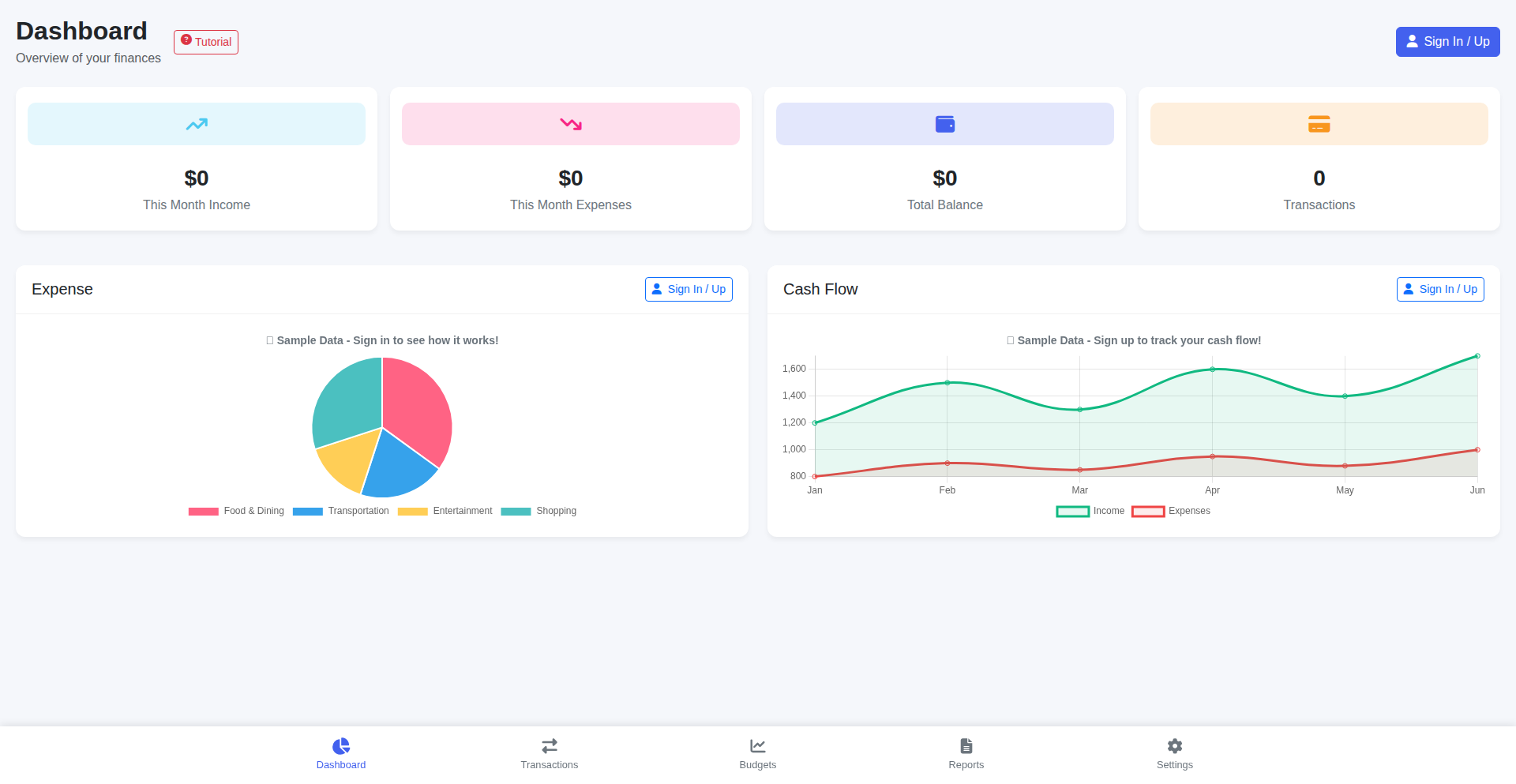
Author
mo_hackernews
Description
Finbley is a minimalist web application designed to help individuals effortlessly track their income and expenses. It strips away unnecessary complexity found in many personal finance tools, focusing instead on providing clear insights into where your money comes from and where it goes. Its core innovation lies in its lightweight approach and automatic expense categorization, offering quick summaries and nudges to keep users aware of their spending patterns. This project embodies the hacker ethos of solving a personal pain point with code, offering a pragmatic and accessible solution for financial mindfulness.
Popularity
Points 1
Comments 0
What is this product?
Finbley is a lightweight web application for tracking personal finances. Instead of overwhelming users with features, it prioritizes the essentials: monitoring income and spending. The technical innovation here is its focus on simplicity and automatic categorization. It uses a Flask backend with SQLAlchemy for database management and JWT for secure authentication. The frontend is built with Bootstrap for rapid development, allowing for a clean and responsive user interface. Behind the scenes, background jobs handle tasks, and a MySQL database stores your financial data. This design philosophy means you get a fast, no-fuss experience that helps you understand your spending habits without getting bogged down in complexity. So, what's in it for you? You get a clear, uncomplicated view of your money, making it easier to manage your budget and identify where your money is actually going, without the headache of complicated software.
How to use it?
Developers can use Finbley as a direct tool for personal financial management, integrating it into their daily routine to monitor spending. The web application is accessible via a browser, allowing users to manually input transactions or, in the future, potentially upload bank statements. For developers interested in the underlying technology, the project's open-ended nature invites exploration and contribution. The Flask backend and Bootstrap frontend provide clear examples of modern web development stacks. Its PythonAnywhere deployment showcases a practical approach to hosting a web application. The project is structured to be easily understood and potentially extended, making it a valuable case study for anyone looking to build similar applications or contribute to the growing field of personal finance tools. So, how can you use it? You can start tracking your finances today through the web interface, and if you're a developer, you can dive into the codebase to learn or contribute to its evolution, enhancing your own skills in web development and financial technology.
Product Core Function
· Daily/Weekly Spending Tracking: Provides a clear and uncluttered interface to log and visualize your spending habits on a granular level. This helps you identify immediate spending patterns and makes it easy to see where your money is going day-to-day, so you can make more informed decisions about your purchases.
· Automatic Expense Categorization: Intelligently sorts your expenses into categories, reducing the manual effort required to organize your financial data. This saves you time and provides a more accurate overview of your spending by type, so you don't have to manually tag every transaction.
· Summary Insights: Offers daily, weekly, and monthly overviews, highlighting your biggest expenses and spending patterns, including identifying 'small leaks' that can add up. This feature provides a strategic look at your finances, allowing you to spot trends and areas for potential savings, so you can better control your budget.
· Accountability Nudges: Sends timely reminders when you are approaching your budget limits, encouraging mindful spending. This proactive feature helps you stay on track with your financial goals by alerting you before you overspend, so you can adjust your behavior and avoid exceeding your budget.
· Understanding Small Expenses: Empowers users to comprehend how seemingly insignificant expenditures accumulate over time. This function educates you on the cumulative impact of small purchases, so you can develop a stronger awareness of your overall financial health and make better long-term planning decisions.
Product Usage Case
· A freelancer who wants a quick and easy way to separate business and personal expenses without the overhead of a complex accounting software. Finbley's simple interface and auto-categorization helps them quickly log transactions and see where their money is going, so they can maintain clear financial records for their business.
· A student on a tight budget who needs to track their daily spending on food, entertainment, and essentials to avoid overspending. Finbley's daily summaries and budget nudges provide real-time feedback on their spending, helping them stay within their limits and avoid unnecessary debt.
· An individual looking to save for a specific goal, like a down payment on a house or a vacation, who wants to identify areas where they can cut back on discretionary spending. Finbley's analysis of 'small leaks' and spending patterns helps them pinpoint areas for savings, so they can allocate more funds towards their financial objectives.
· A developer who appreciates elegant and efficient code and wants a personal finance tool that reflects the same philosophy. They can use Finbley as is or explore its codebase to understand how it's built, potentially contributing new features or improvements, so they can learn and apply best practices in web development.
56
Driftos-core: Semantic Conversation Branching Engine

Author
scott_waddell
Description
Driftos-core is an innovative AI application framework designed to tackle the challenge of context management in complex, branching conversations. Instead of treating chat history as a simple linear list, it intelligently routes messages into semantic branches, extracts factual information with its origin tracked, and assembles highly focused context for Large Language Model (LLM) calls. This significantly reduces the amount of information sent to LLMs, leading to faster response times (under 500ms) and more efficient AI interactions, using dramatically fewer messages.
Popularity
Points 1
Comments 0
What is this product?
Driftos-core is a sophisticated system that rethinks how AI applications handle conversations. Most current AI chat systems just keep a running list of everything said. This approach breaks down when a conversation starts to split into different topics or sub-topics. Driftos-core introduces a 'branching' mechanism. When a new message comes in, it can either continue the current thread (STAY), be rerouted to a different, related topic (ROUTE), or initiate a new, distinct sub-topic (BRANCH). The system then intelligently identifies and extracts key facts from the relevant branches, keeping track of where each piece of information came from (provenance). Finally, it compiles a concise summary of the most important facts from the correct branch to send to the AI model. This means the AI gets only the information it needs, leading to more accurate and faster responses, and drastically reducing the number of messages processed.
How to use it?
Developers can integrate Driftos-core into their AI applications by cloning the repository and following the quick start instructions (`make up` and then `make dev`). The core functionality is accessible via its API. You'll need to provide your own Groq API key for LLM interactions. This system is particularly useful for building AI agents, customer support bots, or any application where users might naturally shift topics or have multi-faceted discussions. By abstracting the complexity of context management, developers can focus on building the core logic of their AI applications, knowing that the conversation flow and LLM context are being handled efficiently. This allows for more dynamic and less error-prone AI user experiences.
Product Core Function
· Message Routing Engine: Allows messages to be directed to specific conversation branches (continue, reconnect, or split topics). This is valuable for maintaining coherence in complex discussions, preventing the AI from getting lost in tangential information, and ensuring that responses are relevant to the current sub-topic.
· Fact Extraction with Provenance: Automatically identifies and pulls out key information from conversation branches, along with its source. This ensures data integrity and helps in debugging by allowing developers to trace where specific facts originated. It's crucial for building trustworthy and auditable AI systems.
· Focused Context Assembly: Creates concise, relevant context packages for LLM calls by selecting only the essential facts from the appropriate branches. This drastically reduces LLM processing load, leading to faster response times and lower operational costs, making AI applications feel more responsive and efficient.
· Low Latency Performance: Achieves sub-500ms response times, providing a near real-time interaction experience for users. This is critical for user engagement, especially in applications requiring quick feedback like gaming, interactive assistants, or real-time collaboration tools.
Product Usage Case
· Building a dynamic AI customer support agent that can handle multiple issues simultaneously without confusing them. For example, a user might ask about a billing issue, then switch to a technical support question. Driftos-core would route these to separate branches, process them independently, and provide accurate solutions for each. This improves customer satisfaction by offering efficient and accurate support.
· Developing an AI-powered research assistant that can track information across different documents or research papers. As the user asks questions, Driftos-core can branch the conversation to focus on specific sources, extract key findings, and present a synthesized summary, making complex research more manageable and faster.
· Creating interactive storytelling or role-playing games where the narrative can branch based on player choices. Driftos-core can manage the different story paths, extract character-specific information or plot points, and feed relevant context to the AI to generate coherent and engaging continuations of the story, enhancing player immersion.
· Implementing an AI-driven project management tool that can track discussions, decisions, and action items across various project threads. Driftos-core can separate discussions about different features or tasks, extract commitments, and provide summaries to project leads, ensuring that no critical information gets overlooked and projects stay on track.
57
CO2W: Emission Tapper

Author
YoloGames
Description
CO2W is a web-based game, showcasing a creative approach to environmental awareness through interactive gameplay. It highlights a real-world issue: greenhouse gas emissions from livestock. The core innovation lies in gamifying a complex problem, encouraging user engagement by allowing players to 'tap' to capture simulated cow emissions. This project demonstrates how simple mechanics can be used to visualize and address ecological concerns, offering a playful yet thought-provoking experience.
Popularity
Points 1
Comments 0
What is this product?
CO2W is a minimalist web game designed to raise awareness about the environmental impact of livestock, specifically methane emissions from cows. The game's technical foundation is likely built using standard web technologies like HTML, CSS, and JavaScript. The innovation isn't in groundbreaking new technology, but in the application of a familiar interactive paradigm (tapping) to represent a significant environmental challenge. It's a creative use of simple game loops and event handling to visualize an abstract problem, making it relatable and actionable for the player. The 'value' here is in its accessibility and the novel way it frames a serious issue.
How to use it?
As a player, you can access CO2W directly through your web browser. No installation is required. The gameplay is straightforward: you'll see cows on screen, and periodically, visual representations of 'farts' (representing CO2 emissions) will appear. Your task is to quickly tap on these emissions before they are released into the 'atmosphere.' Missing an emission leads to a game over. The goal is to achieve the highest score possible by capturing as many emissions as you can. For developers, this project serves as a simple yet effective example of building an interactive web experience with basic JavaScript. It's a great starting point for understanding event listeners (tap detection), game loops (managing emissions and game state), and basic UI updates for a fun, engaging experience.
Product Core Function
· Tap-to-capture mechanic: This is the core interaction, allowing users to engage with the game by tapping on visualized emissions. The technical implementation involves capturing touch or click events and triggering a game logic response, providing immediate feedback and a sense of action. This is valuable for learning event handling in web development.
· Emission generation and animation: The game simulates emissions appearing on screen and needs to manage their timing and visual presentation. This involves timed events and basic animation techniques using JavaScript, demonstrating how to create dynamic elements in a web page. It's useful for understanding procedural generation in a simple context.
· Score tracking and high score persistence: The game keeps track of the player's performance and aims to beat their personal best. This involves variables to store the score and potentially using browser local storage to save the high score between sessions, illustrating basic state management and data persistence in web applications.
· Game over condition: When an emission is missed, the game ends. This requires a clear condition to be met to stop the game loop and display a 'game over' message, demonstrating fundamental game logic for ending a session and providing closure to the player.
Product Usage Case
· Environmental awareness campaign tool: A non-profit organization could embed this game on their website to educate the public about the impact of livestock on climate change in an engaging way. It provides a lighthearted entry point to a serious topic, encouraging further learning.
· Educational resource for introductory web development: A coding bootcamp or online course instructor could use CO2W as a practical example for teaching fundamental JavaScript concepts like event listeners, timers, and basic game loops. It's a tangible project that students can immediately understand and contribute to, making learning more motivating.
· Prototype for casual game development: Developers looking to experiment with simple web-based games can use CO2W as a reference for building similar tapping or reaction-based games. It showcases how to achieve core gameplay mechanics with minimal complexity, allowing for rapid prototyping of ideas.
· Demonstration of creative problem-solving with code: For a 'Show HN' post, this project demonstrates the 'hacker' ethos of using code to solve problems or express ideas, even if the 'problem' is framed as an educational challenge. It highlights that innovation isn't always about complex algorithms but also about creative application of existing technologies.
58
EspressoDial Pro

Author
FrankNy
Description
A free, privacy-focused web application built with React, TypeScript, and Vite, designed to help coffee enthusiasts and baristas systematically dial in espresso and pourover brews. It offers an 'Extraction Compass' for diagnosing shot issues, automated pourover recipe generation, and an interactive WCR Flavor Wheel for understanding coffee taste profiles. The tool leverages modern web technologies and is hosted on Netlify, functioning as a PWA for offline use.
Popularity
Points 1
Comments 0
What is this product?
EspressoDial Pro is a sophisticated yet user-friendly tool that acts as your personal coffee brewing assistant. At its core, it uses a data-driven approach to simplify the complex process of brewing perfect espresso and pourover coffee. The 'Extraction Compass' is a smart diagnostic system: you tell it what your shot tastes like (e.g., too sour and weak) and where it landed on a spectrum, and it provides specific adjustments you can make, considering factors like your bean's origin, roast, and processing. This is powered by a deep understanding of extraction dynamics, translated into actionable advice. The pourover feature provides guided recipes from renowned coffee experts, automatically calculating water amounts based on your coffee dose, and the interactive Flavor Wheel lets you explore the nuances of coffee aromas and tastes, connecting them to specific bean characteristics. It's essentially a digital toolkit built with modern web technologies like React and TypeScript for a smooth experience, designed for anyone who wants to elevate their coffee game without the guesswork.
How to use it?
Developers can integrate EspressoDial Pro into their workflows or personal projects in several ways. Its PWA (Progressive Web App) nature means it can be installed on desktops or mobile devices and work offline, making it accessible even without a strong internet connection – ideal for busy cafes or remote brewing sessions. You can bookmark it for quick access when dialing in your espresso machine or setting up a pourover. For those interested in the tech, the project is built with React, TypeScript, and Vite, making it highly extensible and maintainable. You can fork the project from its GitHub repository (if available) to customize its features or incorporate its logic into your own applications. The clean architecture and use of Tailwind CSS for styling also make it a great example for learning modern front-end development practices. Imagine embedding a simplified version of the Extraction Compass into a smart coffee maker's interface or using the Flavor Wheel data to power a recommendation engine for coffee bean retailers.
Product Core Function
· Extraction Compass: Provides systematic diagnostics and adjustments for espresso shots based on taste and visual cues, helping you achieve the perfect extraction by eliminating random trial-and-error. This is valuable because it saves time and coffee, leading to consistently better tasting espresso.
· Automated Pourover Recipes: Generates step-by-step pourover brewing guides with automatically calculated water amounts, based on popular methods from experts like James Hoffmann. This is useful for replicating expertly crafted recipes easily and consistently, removing the mental overhead of manual calculations.
· Interactive WCR Flavor Wheel: Allows users to explore coffee flavors, understand their origins (e.g., why a coffee tastes like berries), and discover bean types associated with those flavors. This empowers users to make more informed purchasing decisions and appreciate the complexity of coffee.
· Comprehensive Coffee Database: Offers detailed information on over 30 origins, 60 varieties, and 20 processing methods, with specific brewing tips. This serves as a rich educational resource, enabling deeper understanding and experimentation with different coffee beans.
· PWA Functionality: Enables offline access and installation on various devices, ensuring the tool is always available for brewing assistance, even without internet. This provides convenience and reliability, especially in environments with spotty connectivity.
Product Usage Case
· A home espresso enthusiast struggling to get consistently good shots uses the Extraction Compass. They input that their espresso tastes 'sour and weak,' and the tool suggests grinding finer and increasing their dose, leading to a significantly improved shot. This solved their problem of not knowing how to adjust their brew parameters.
· A specialty coffee shop owner wants to offer consistent pourover options. They use the Pourover Recipes feature to guide customers through brewing a specific recipe at home, with the app automatically calculating the correct water-to-coffee ratio for a standard dose. This enhances the customer experience and promotes quality brewing at home.
· A coffee blogger wants to describe the tasting notes of a new single-origin bean. They use the Interactive Flavor Wheel to identify specific flavor compounds like 'lemon zest' and 'floral notes,' and the tool provides context on why these flavors appear and what bean characteristics (like washed processing from Kenya) are often associated with them. This helps them write more accurate and evocative tasting notes.
· A coffee roaster is developing new blends and wants to understand how different processing methods impact flavor. They consult the Coffee Database to see brewing tips and typical flavor profiles for natural versus washed processed Ethiopian beans. This aids their product development process by providing quick access to specialized knowledge.
59
ACIS Portfolio Genius

Author
frankkratzer
Description
ACIS Trading is an AI-powered portfolio analysis tool designed to help individual investors optimize their existing investment portfolios. Unlike traditional robo-advisors that take over management, ACIS analyzes your current holdings and provides actionable insights for rebalancing. It leverages machine learning models trained on historical market data to identify opportunities based on factors like concentration risk, volatility, and predictive scores, offering precise trade recommendations. So, this is useful because it empowers you to make informed decisions about your investments without relinquishing control, helping you potentially improve returns and manage risk more effectively.
Popularity
Points 1
Comments 0
What is this product?
ACIS Trading is a smart assistant for your investment portfolio. Instead of just managing your money, it analyzes what you already own across various brokerages (like Schwab, E*Trade, Webull) or from imported CSV files. It uses sophisticated AI, specifically LightGBM models trained on a decade of daily financial data, to spot chances to rebalance your portfolio. Think of it as getting precise instructions like 'Sell X shares of NVDA and buy Y shares of JNJ' based on intelligent analysis of how concentrated your portfolio is, how much it fluctuates, and AI-generated scores. This is innovative because it bridges the gap between automated advice and personalized control, using advanced machine learning to give you concrete, data-driven trading suggestions. So, this is useful because it translates complex market data into clear, actionable steps to potentially enhance your investment strategy.
How to use it?
Developers can integrate ACIS Trading into their personal investment workflows or even build custom financial tools. You can connect ACIS directly to your brokerage account (supported platforms include Schwab, E*Trade, Webull, and Alpaca) or upload your portfolio holdings via a CSV file. The system then processes this data using its AI models. For developers looking to embed similar functionality, the underlying tech stack involves FastAPI for the backend, React for the frontend, PostgreSQL for data storage, and DuckDB as a feature store. LightGBM, optimized for GPUs, handles the core predictions, while JAX PPO is used for sophisticated position sizing. So, this is useful because it provides a framework and inspiration for creating intelligent financial tools, allowing for both direct use and further development.
Product Core Function
· Portfolio Connection and Import: Securely links to major brokerage accounts or imports investment data from CSV files, providing a comprehensive view of your holdings. The value is in consolidating all your investment information in one place for analysis.
· AI-Powered Rebalancing Identification: Utilizes machine learning models (LightGBM) trained on historical data to detect optimal moments for portfolio adjustments. The value is in uncovering data-driven opportunities that might be missed through manual analysis.
· Actionable Trading Recommendations: Generates specific 'buy' and 'sell' orders based on identified rebalancing needs, including precise share quantities. The value is in providing clear, easy-to-execute instructions for portfolio optimization.
· Risk and Volatility Analysis: Assesses concentration risk and market volatility to inform rebalancing decisions, helping to manage potential downsides. The value is in ensuring your portfolio adjustments are aligned with your risk tolerance.
· ML Score Generation: Assigns scores to potential trading actions based on machine learning predictions, adding another layer of intelligence to decision-making. The value is in providing quantitative insights to support your investment choices.
Product Usage Case
· Scenario: An investor feels their portfolio has become too heavily weighted in tech stocks after a recent market surge. ACIS Trading can analyze this concentration, identify alternative assets based on its ML models, and recommend selling a portion of the tech stocks to buy into less correlated assets like consumer staples or bonds, thus reducing risk. The problem solved is over-concentration risk management.
· Scenario: A developer wants to build a personal finance dashboard that not only tracks assets but also suggests proactive portfolio adjustments. They can use ACIS's API or study its architecture to implement similar AI-driven rebalancing features, providing their users with intelligent trading insights. The problem solved is adding advanced analytical capabilities to custom financial applications.
· Scenario: An individual investor who has been managing their own portfolio manually finds it time-consuming to constantly monitor market trends and adjust holdings. ACIS Trading automates this process by continuously analyzing their portfolio and providing timely recommendations, saving them time and potentially improving their investment outcomes. The problem solved is the manual effort and potential oversight in active portfolio management.
60
Zafiro: Painterly 3D Island Studio

Author
bartoszu_
Description
Zafiro is a web-based 3D island editor that allows users to explore and modify a serene, painterly environment directly in their browser. It leverages Three.js and a custom engine to bring to life an interactive 3D world with a focus on atmospheric lighting and a day-night cycle. The innovation lies in its client-side, in-browser editing capabilities and its unique artistic aesthetic, making 3D creation accessible and visually appealing. This project showcases how complex 3D interactions can be managed entirely within the browser, offering a new paradigm for interactive digital art and scene creation.
Popularity
Points 1
Comments 0
What is this product?
Zafiro is a browser-based application that lets you walk around and edit a 3D island. Unlike realistic 3D environments, Zafiro prioritizes a 'painterly' aesthetic, emphasizing atmospheric lighting and mood over photorealism. At its core, it uses the Three.js library, a powerful JavaScript framework for creating and displaying 3D graphics in a web browser. On top of Three.js, the developer built a small custom engine to handle things like user input (how you move), character movement, managing the 3D environment, custom shader effects (which create the unique visual style), and a dynamic day-night cycle. The entire experience runs on your computer's browser, and your island creations are saved locally using IndexedDB, a type of browser storage, meaning you don't need to send your data to a server. The key innovation here is bringing a full 3D editing experience, complete with custom visuals and persistence, directly into the browser without complex installations or server dependencies, making 3D world building more accessible.
How to use it?
Developers can use Zafiro as a demonstration of advanced client-side 3D engine development. You can integrate its core concepts, such as its input handling, environment management, or shader techniques, into your own web-based 3D projects. For example, if you are building a browser game or an interactive visualization, Zafiro's approach to managing character movement and scene elements could serve as a valuable starting point. The project's use of IndexedDB for local scene storage offers a practical example of how to persist user-generated content directly on the client, which can be useful for offline applications or games where server costs are a concern. You could also analyze its shaders to understand how to achieve specific artistic lighting effects in WebGL. The technical write-up linked in the original post provides deeper insights into its architecture, serving as a technical roadmap for similar browser-based 3D endeavors.
Product Core Function
· Third-person character movement: Allows users to navigate the 3D island, providing an immersive exploration experience. This is technically achieved through managing camera transformations and character controller logic, enabling intuitive traversal of the virtual space. The value is in enabling direct interaction and 'feeling' the environment.
· Dynamic day-night cycle: Enables the scene's lighting to change over time, creating different moods and atmospheres. This is implemented by manipulating light sources and skybox shaders programmatically, offering visual variety and a sense of progression. The value is in enhancing the artistic expression and realism of the environment.
· Prop placement and manipulation: Users can add and position various 3D objects (trees, rocks) within the island environment. This involves managing object instancing and transform manipulation in the 3D scene graph, providing creative control. The value is in empowering users to customize and personalize their 3D space.
· Local scene persistence (IndexedDB): Saves the user's island state (objects, time of day) directly in the browser, allowing for sessions to be resumed later. This uses browser's local storage capabilities to store scene data, ensuring data is not lost between visits. The value is in providing a seamless and persistent user experience without server reliance.
Product Usage Case
· Developing a web-based art installation where users can collaboratively sculpt a virtual environment. Zafiro's prop placement and save/load functionality could be extended to support multi-user editing and real-time synchronization.
· Creating an educational tool for teaching basic 3D scene composition. The intuitive controls and painterly aesthetic make it less intimidating for beginners to experiment with spatial arrangements and lighting.
· Building a prototype for a casual browser game with exploration elements. The character movement and environment management can be adapted to create navigable game worlds, with IndexedDB for saving player progress.
· Experimenting with procedural generation of 3D environments. Zafiro's scene management and rendering pipeline could be a foundation for generating more complex and varied islands or landscapes client-side.
· Designing interactive 3D portfolios or mood boards where creators can arrange elements in a visually appealing 3D space, showcasing their work with a unique presentation style.
61
TPU Pre-Flight Checker
Author
hireclay
Description
A pre-deployment validation tool for Google Cloud TPU environments, ensuring configurations are correct before launching costly training jobs. It tackles the common issue of wasted resources and time due to misconfigured TPU setups, offering peace of mind and efficiency to machine learning practitioners.
Popularity
Points 1
Comments 0
What is this product?
This project is a smart diagnostic utility designed to examine your Google Cloud TPU setup before you commit to a major machine learning training session. Think of it like a pre-flight checklist for an airplane, but for your AI hardware. It uses a series of programmatic checks to verify critical aspects of your TPU environment, such as network connectivity, driver installations, and TPU resource availability. The innovation lies in its proactive approach, identifying potential roadblocks before they impact your workflow and incur unnecessary costs. This means you can avoid the frustration of starting a long training run only to have it fail due to a simple configuration error.
How to use it?
Developers can integrate this tool into their MLOps pipelines or run it as a standalone script before initiating a TPU training job. It typically involves installing a small client or running a provided script within your cloud environment. The tool then communicates with the Google Cloud API to gather information about your configured TPU resources and your local environment's readiness. You can use it to validate new TPU configurations, troubleshoot existing issues, or simply as a sanity check before embarking on a critical training task. The benefit to you is avoiding wasted compute time and money by catching problems early.
Product Core Function
· TPU Availability Check: Verifies that the requested TPU resources are indeed available in your specified Google Cloud region and zone. This saves you from initiating a job only to find out the hardware you need isn't there, preventing wasted time and potential scheduling conflicts.
· Network Configuration Validation: Ensures that your network settings are properly configured for TPU communication, which is crucial for distributed training. If the network isn't set up correctly, your training can stall or fail entirely, so this function ensures smooth data flow.
· Software Dependency Verification: Checks for the correct versions of necessary drivers and libraries (like TensorFlow or PyTorch) that are essential for TPU operation. Having incompatible software can lead to obscure errors, so this ensures your software stack is compatible, making your development smoother.
· Resource Quota Assessment: Evaluates your Google Cloud quotas to ensure you have sufficient capacity for your intended TPU usage. Running out of quotas unexpectedly can halt your work, so this feature helps you plan and avoid hitting limits unexpectedly.
· Permissions and Access Control Audit: Confirms that your service accounts or user credentials have the necessary permissions to access and utilize the TPU resources. Incorrect permissions are a common stumbling block, and this function prevents authorization-related failures.
Product Usage Case
· A machine learning engineer is setting up a new TPU v4 Pod for a large-scale image classification model. Before launching the week-long training, they run the TPU Pre-Flight Checker. The tool identifies a minor network misconfiguration related to firewall rules, which they quickly fix. This prevents the training from failing hours in due to connectivity issues, saving days of potential debugging and wasted compute.
· A researcher is experimenting with a new reinforcement learning algorithm on a TPU v3 instance. They have been experiencing intermittent failures. Running the Pre-Flight Checker reveals that the installed CUDA drivers are outdated for the specific TPU firmware. Updating the drivers resolves the instability, allowing them to reliably train their model.
· A startup is scaling up their AI operations and needs to provision multiple TPU v4 VMs. Before making the significant financial commitment, they use the tool to validate the proposed configurations across different regions. The checker flags a potential quota issue in one region, prompting them to request an increase proactively, thus avoiding project delays.
62
Handler: Agent-to-Agent Protocol Communicator

Author
alDuncanson
Description
Handler is a command-line interface (CLI) and terminal user interface (TUI) client designed to facilitate communication between different agentic systems. It acts as a universal translator and connector, allowing developers to easily send, receive, and validate data between these specialized AI or automated systems. This solves the common problem of disparate agentic systems having difficulty talking to each other, enabling seamless integration and workflow automation.
Popularity
Points 1
Comments 0
What is this product?
Handler is a specialized tool that acts as a bridge between different agentic systems. Think of it as a universal remote control and translator for AI or automated agents. Its core innovation lies in its ability to understand and speak various 'agent communication protocols' – the specific languages these systems use to exchange information. It can connect to these systems, check if they are communicating correctly (validation), and send messages back and forth. This is crucial because without a common way to communicate, even the most advanced agents are isolated and can't work together effectively. Handler makes them compatible.
How to use it?
Developers can use Handler in a few ways. As a CLI tool, you can integrate it into scripts or automated workflows to trigger communication between agents. For example, you could write a script that uses Handler to send a task from one agent to another. The TUI offers a more interactive experience, allowing developers to manually connect to agents, inspect messages, and send commands directly from their terminal. This is incredibly useful for debugging, testing new agent interactions, or manually orchestrating complex agent workflows. It's like having a direct line to your agent systems for development and management.
Product Core Function
· Agent Connection and Discovery: Enables seamless connection to various agentic systems by understanding different connection protocols, making it easy to find and link up with your AI agents for development or integration.
· Protocol Validation: Checks if the communication between agents adheres to the expected protocol, ensuring data integrity and preventing errors that could disrupt workflows and providing confidence in agent interactions.
· Message Sending and Receiving: Facilitates bi-directional communication between agents, allowing for the exchange of commands, data, and status updates, which is the fundamental building block for agent collaboration and task delegation.
· CLI and TUI Interfaces: Offers both command-line and interactive terminal interfaces, providing flexibility for scripting automation and hands-on debugging or control, catering to different developer preferences and use cases.
· Data Transformation and Serialization: Potentially handles the translation and formatting of data between different agent communication formats, smoothing over incompatibilities and enabling smoother data flow, saving developers from manual data wrangling.
Product Usage Case
· Automated Data Pipelines: Imagine you have an agent that scrapes websites and another that analyzes the scraped data. Handler can connect to both, and a script can use Handler to automatically send the scraped data from the first agent to the second for analysis, creating a fully automated data processing pipeline without manual intervention.
· Agent Orchestration for Complex Tasks: If you have multiple agents responsible for different parts of a complex task (e.g., one agent plans a trip, another books flights, and a third reserves hotels), Handler can act as the central coordinator, passing information and commands between these agents to ensure the entire task is completed successfully.
· Real-time Monitoring and Debugging of Agent Systems: A developer can use Handler's TUI to connect to their running agent systems, observe the messages being exchanged in real-time, and even send test commands to troubleshoot issues or verify that agents are behaving as expected during development.
· Integrating Third-Party Agent Services: If you want to use a pre-built agent service from another provider, Handler can help you connect to it and integrate its functionality into your own systems, even if the communication protocols are different, by acting as the necessary intermediary.
63
Sherp: Markdown-Powered Presentation Composer
Author
skeptrune
Description
Sherp is a command-line interface (CLI) tool that revolutionizes presentation creation by allowing developers to write slides in plain Markdown or MDX. It tackles the common problem of 'death by PowerPoint' by offering a simpler, more streamlined approach to crafting engaging presentations. The innovation lies in its minimalist design and focus on developer workflow, enabling quick iteration and elegant output without the complexity of traditional presentation software or feature-bloated alternatives.
Popularity
Points 1
Comments 0
What is this product?
Sherp is a command-line tool designed to simplify the process of creating presentation slides. Instead of wrestling with complex graphical interfaces, you can write your slides using Markdown or MDX, which are simple text-based formats familiar to developers. Sherp then takes your Markdown/MDX content and converts it into polished presentation slides. The core innovation is its emphasis on a minimal setup: one MDX file for content, one CSS file for styling, and one JS file for logic. This drastically reduces the learning curve and setup time compared to tools like Slidev or Marp, which can require managing package dependencies or have cumbersome interfaces. This means you can focus on your content and ideas, not on fighting with the presentation software. So, what's in it for you? Faster, easier, and more enjoyable presentation creation, letting you express your ideas effectively without the technical overhead.
How to use it?
Developers can use Sherp by first installing it via npm or yarn. Once installed, they create a main presentation file (e.g., `presentation.mdx`), write their slide content using Markdown syntax with simple directives for slide separation. They can also provide a separate CSS file (e.g., `style.css`) for custom styling, and optionally a JavaScript file for advanced functionality. To generate the presentation, they run a simple command in their terminal (e.g., `sherp build`). Sherp will then process these files and output a distributable presentation package, often an HTML file ready to be viewed in a browser. This makes it ideal for developers who prefer a code-centric workflow and want to integrate presentation creation into their existing development environments or CI/CD pipelines. So, how can you use it? You can quickly draft conference talks, internal demos, or investor pitches directly from your code editor, and then easily share the resulting presentation online or offline, all with a few simple commands.
Product Core Function
· Markdown/MDX slide authoring: Allows writing presentation content using familiar text-based formats, making it easy to draft and edit slides quickly. The value here is a drastically reduced barrier to entry for content creation, allowing anyone comfortable with writing to create presentations.
· Minimalist architecture (1 MDX, 1 CSS, 1 JS): Simplifies project setup and maintenance by requiring only a few core files. This means less time spent on configuration and more time on developing your presentation's message.
· Command-line interface (CLI) for building: Enables automated generation of presentations from source files, suitable for integration into development workflows and CI/CD pipelines. The value is in streamlining the build process and ensuring consistency.
· Customizable theming via CSS: Provides the flexibility to style presentations according to branding or personal preferences. This allows for professional and unique visual outputs that go beyond generic templates.
· Simplified directive system: Offers an intuitive way to control presentation structure and elements without complex syntax. This makes it easier to manage different slide types and layouts efficiently.
Product Usage Case
· Creating slides for a technical conference talk: A developer can write their talk content in markdown, add speaker notes, and define slide transitions using simple directives. Sherp converts this into a polished HTML presentation, saving hours of work compared to manual slide creation in PowerPoint or Google Slides. This solves the problem of tedious slide design and allows focus on the talk content.
· Drafting an internal team update presentation: A project manager can quickly generate a status update presentation by writing bullet points and key metrics in a markdown file. Sherp can then produce a clean, shareable HTML file for the team, ensuring everyone is informed without requiring design expertise. This addresses the need for rapid, no-frills internal communication.
· Developing a pitch deck for a startup: An entrepreneur can iterate rapidly on their pitch by writing their value proposition, market analysis, and financial projections in MDX. Sherp's ability to incorporate custom styling and a clean output allows for a professional-looking deck to be generated quickly for investor meetings. This solves the challenge of creating compelling visual aids under tight deadlines and budget constraints.
64
GoCircularGuard
Author
jayu_dev
Description
GoCircularGuard is a blazing-fast static analysis tool for TypeScript projects, written in Go, that detects circular dependencies. It achieves over 12x speed improvement compared to existing solutions by implementing core components like import parsing and module resolution from scratch. This means developers can now quickly identify and fix complex import cycles that plague large codebases, leading to more maintainable and robust software.
Popularity
Points 1
Comments 0
What is this product?
GoCircularGuard is a developer tool that scans your TypeScript codebase to find problematic import loops, known as circular dependencies. These loops occur when Module A imports Module B, and Module B in turn imports Module A (directly or indirectly). This can lead to confusing code, runtime errors, and difficulty in refactoring. The innovation lies in its extreme speed, achieved by building a custom parser for TypeScript imports and a module resolver specifically in Go, a language known for its performance. By doing so, it bypasses the overhead of slower JavaScript-based tools, offering a significant boost in analysis time for large projects.
How to use it?
Developers can integrate GoCircularGuard into their development workflow, typically as a pre-commit hook or as part of their continuous integration (CI) pipeline. After installing the Go runtime and cloning the repository, developers can build the executable and then run it against their TypeScript project directory. The tool will output any detected circular dependencies, usually with clear indicators of the modules involved in the cycle. This allows developers to quickly pinpoint the problematic imports and restructure their code accordingly.
Product Core Function
· High-performance import parsing: Analyzes TypeScript import statements efficiently to understand code relationships, providing the foundation for accurate dependency mapping.
· Custom module resolution: Reconstructs how modules are found and linked within the project, crucial for correctly identifying even indirect circular dependencies.
· Circular dependency detection: Identifies cycles in the import graph, preventing common programming pitfalls and improving code stability.
· Speed optimization through Go: Leverages Go's concurrency and efficient execution to deliver analysis results significantly faster than traditional JavaScript tools, saving valuable developer time.
· Large project scalability: Proven to handle massive codebases (e.g., 6000+ files) with results in under 400ms, ensuring usability for enterprise-level projects.
· Developer workflow integration: Designed to be easily incorporated into CI/CD pipelines or local development hooks for continuous dependency checking.
Product Usage Case
· A large enterprise TypeScript project with over 5000 files experiences slow build times and difficult debugging due to entangled dependencies. Using GoCircularGuard, the team quickly identifies several critical circular import chains that were previously undetected by slower tools, allowing them to refactor and improve code maintainability and reduce build times.
· A frontend development team working on a complex single-page application (SPA) faces runtime errors related to module initialization. By integrating GoCircularGuard as a pre-commit hook, they catch new circular dependencies as soon as they are introduced, preventing these errors from reaching the development or production environments and accelerating their debugging process.
· An open-source project maintainer wants to ensure the codebase remains clean and manageable. They add GoCircularGuard to their CI pipeline. This automatically flags any introduction of circular imports during pull requests, enforcing code quality standards and making it easier for new contributors to understand the project's architecture.
65
StrideRecord Pro

Author
wowitsmrinal
Description
StrideRecord Pro is a mobile application designed to motivate users to walk more by tracking and celebrating their personal step count achievements. It goes beyond simple step tracking by allowing users to visualize their top 10 highest step count days, add personal notes and photos to these milestones, and share them with friends. This addresses the common problem of important fitness achievements being lost in screenshots and provides a structured way to gamify walking and fitness.
Popularity
Points 1
Comments 0
What is this product?
StrideRecord Pro is a mobile app that captures your most impressive walking days. Instead of just seeing your daily steps, it intelligently identifies your top 10 step-count records. Think of it like a personal best leaderboard for your walking. The innovation lies in its ability to contextualize these records by allowing you to attach memories – like photos and notes – to each achievement. This transforms raw data into meaningful personal stories, making fitness more engaging and memorable. It's built to leverage data from your phone's health tracking capabilities, making it seamless to use.
How to use it?
Developers can integrate StrideRecord Pro into their own fitness tracking or wellness platforms to offer a unique motivational feature. For end-users, it's as simple as downloading the app. Once installed, it automatically pulls your step data (with your permission) from your device's health platform, like Apple Health. You can then view your personal step records, add your own stories and pictures to those days, and share your achievements. It’s designed for anyone who wants to turn their daily walks into a rewarding journey and stay motivated.
Product Core Function
· Personal Best Step Leaderboard: Automatically identifies and displays your top 10 highest step count days. This provides a clear goal and a sense of accomplishment, encouraging users to push their limits.
· Milestone Journaling: Allows users to add custom notes and photos to their record-breaking days. This transforms statistical achievements into personal narratives, making fitness more emotionally resonant and easier to remember.
· Social Sharing: Enables users to share their top walking days with friends and family. This fosters a supportive community and adds a social dimension to fitness, increasing accountability and motivation.
· Seamless Health Integration: Connects with native health tracking platforms (e.g., Apple Health) to automatically import step data. This eliminates manual entry and ensures data accuracy, providing a hassle-free user experience.
· Motivational Insights: Presents historical performance data in an easily digestible format. This helps users understand their progress over time and identify patterns, empowering them to set realistic goals and stay consistent.
Product Usage Case
· A user training for a marathon wants to track their peak training days and remember the feeling of accomplishment. They use StrideRecord Pro to log photos from their longest runs and add notes about their training experience, keeping these motivating memories accessible.
· A group of friends participating in a step challenge uses StrideRecord Pro to share their personal bests and encourage each other. They can see who has the most impressive single-day walks and celebrate each other's milestones.
· A fitness enthusiast wants to gamify their daily walks. They use StrideRecord Pro to set personal records for step counts and aim to break their own top 10 list, turning ordinary walks into opportunities for achievement.
· Someone recovering from an injury wants to track their gradual improvement in mobility. StrideRecord Pro helps them visualize their progress by highlighting days with increasing step counts and allowing them to document their recovery journey with notes and images.
66
XeraSentry-Py: Real-time Ethereum Security Watcher

Author
Chu_Wong
Description
XeraSentry-Py is a Python-based real-time security monitoring tool for the Ethereum blockchain. It leverages a novel approach to proactively detect suspicious transaction patterns and smart contract anomalies, alerting developers to potential threats before they cause significant damage. This addresses the critical need for robust security in the rapidly evolving decentralized application (dApp) ecosystem, offering a valuable layer of defense for blockchain projects.
Popularity
Points 1
Comments 0
What is this product?
XeraSentry-Py is a Python library designed to continuously monitor Ethereum network activity for security vulnerabilities. It works by subscribing to real-time transaction streams and smart contract events. The core innovation lies in its sophisticated pattern recognition engine, which employs heuristics and anomaly detection algorithms to identify unusual behavior that might indicate an exploit, such as unexpected contract calls, abnormal gas usage patterns, or large value transfers to unknown addresses. Think of it as a vigilant security guard for your Ethereum smart contracts, always watching for suspicious activity and raising an alarm when something is amiss.
How to use it?
Developers can integrate XeraSentry-Py into their existing Ethereum infrastructure by installing it as a Python package. It can be configured to connect to an Ethereum node (e.g., through Infura, Alchemy, or a local node) and then define custom monitoring rules or leverage pre-built anomaly detection profiles. Upon detecting a security event, XeraSentry-Py can trigger various actions, such as sending alerts to a Discord channel, Slack, or even initiating automated remediation scripts (with caution!). This makes it a versatile tool for proactive threat management in dApp development and deployment.
Product Core Function
· Real-time Transaction Monitoring: Continuously analyzes incoming Ethereum transactions to identify potentially malicious activities, offering early warning against scams or exploits.
· Smart Contract Event Analysis: Monitors specific events emitted by smart contracts for anomalous patterns, helping to detect contract compromises or unintended behaviors.
· Customizable Alerting System: Allows developers to define specific thresholds and conditions for alerts, ensuring they are notified about the most relevant security threats.
· Anomaly Detection Engine: Utilizes advanced algorithms to flag unusual network activity that deviates from normal behavior, providing proactive threat identification.
· Python Integration: Seamlessly integrates into existing Python-based development workflows and infrastructure, making it easy to adopt and customize.
Product Usage Case
· Monitoring a DeFi lending protocol to detect flash loan attacks or sudden liquidation events, enabling quick response to protect user funds.
· Watching a newly deployed smart contract for unusual gas consumption or unexpected state changes, identifying potential vulnerabilities before they are exploited.
· Setting up alerts for any transactions interacting with known malicious contract addresses, preventing accidental exposure to fraudulent schemes.
· Integrating into a DAO's operational dashboard to monitor governance proposal transactions for signs of manipulation or unauthorized actions.
· Using XeraSentry-Py to backtest security strategies by replaying historical transaction data and identifying patterns that would have triggered alerts.
67
QuantLens: Algorithmic Trading Insight Engine
Author
indian_mafia
Description
QuantLens is a web-based quantitative analysis tool designed to bring institutional-grade trading strategies to retail investors. It focuses on providing actionable insights for pair trading, mean reversion, and sector analysis, built with a clean, fast, and user-friendly interface. The innovation lies in democratizing complex quantitative techniques, making them accessible and affordable for individual traders. This addresses the common pain points of expensive, slow, or retail-unfriendly existing tools, empowering more people to engage in sophisticated trading strategies.
Popularity
Points 1
Comments 0
What is this product?
QuantLens is a web application that leverages statistical and mathematical models to analyze stock market data, specifically for quantitative trading strategies. It uses concepts like cointegration to find stocks that move together, allowing traders to profit from their divergence and convergence (pair trading). It also identifies stocks that have significantly moved away from their historical average price, expecting them to revert back (mean reversion). Additionally, it offers a top-down view of market performance by analyzing entire sectors. The core innovation is in abstracting away the complexity of these advanced financial models, presenting them through an intuitive and responsive user interface. So, for a retail trader, this means access to sophisticated analytical tools that were previously out of reach due to cost or technical barriers, providing a more informed way to trade.
How to use it?
Developers can use QuantLens by signing up on the website and directly accessing the analytical tools. For example, a trader looking for pair trading opportunities would navigate to the pair trading section, input desired parameters, and QuantLens would present a list of statistically probable cointegrated stock pairs along with key metrics like z-score and correlation. Mean reversion strategies can be explored by identifying stocks that have deviated significantly from their historical averages, visualized with charts and statistical indicators. Integration with other trading platforms is not the primary focus, but the insights generated by QuantLens can inform manual trading decisions or be used as a basis for developing custom automated trading scripts. The 'why this is useful' aspect for developers is that it provides a powerful, ready-to-use analytical framework for exploring quantitative trading ideas, saving significant development time and expertise required to build such tools from scratch.
Product Core Function
· Pair Trading identification: Finds statistically correlated stock pairs using cointegration analysis, enabling traders to bet on the convergence of their prices. This is valuable because it offers a strategy to profit from relative price movements, not just absolute market direction.
· Mean Reversion analysis: Identifies stocks exhibiting significant deviations from their historical price averages, signaling potential opportunities for short-term trading as prices tend to revert. This is useful for capturing profits from temporary price anomalies.
· Sector Performance Tracking: Provides a top-down view of market trends by analyzing sector-wide performance and relative strength, helping traders understand broader market dynamics and allocate capital more effectively. This offers a strategic advantage by understanding market sentiment at a macro level.
· Z-score and Correlation visualization: Presents key statistical metrics like z-score (deviation from the mean) and correlation coefficients in an easy-to-understand format, aiding in the interpretation of trading signals. This makes complex statistical concepts directly actionable for trading decisions.
· Clean and Fast User Interface: Designed for efficiency and ease of exploration, allowing traders to quickly access insights without being bogged down by complex interfaces. This is crucial for active traders who need to make timely decisions.
Product Usage Case
· A retail trader wants to implement a pairs trading strategy. They use QuantLens to find a highly cointegrated pair of stocks in the same industry. The platform shows a significant divergence in their price spread and a high z-score, indicating a strong potential for reversion. The trader uses this insight to short the outperforming stock and long the underperforming one, expecting their prices to converge. This solves the problem of manually identifying and analyzing such pairs, which is time-consuming and requires deep statistical knowledge.
· A developer is building a personal stock analysis dashboard and wants to incorporate mean reversion signals. Instead of writing complex statistical algorithms for identifying deviations from historical means, they can use QuantLens to identify stocks that have statistically reverted or are likely to revert. This allows them to integrate these signals into their dashboard, providing users with actionable trading opportunities. This demonstrates how QuantLens can serve as a backend analytical engine for other developer projects.
· An investor is looking to diversify their portfolio and understand which sectors are currently outperforming. QuantLens's sector analysis feature provides a clear visual representation of sector performance relative to the overall market. The investor uses this to identify strong sectors and allocate more capital there, avoiding underperforming ones. This helps in making informed, data-driven investment decisions at a higher level.
68
VibeCodeWP: Dynamic WordPress Plugin Forge

Author
fasthightimess
Description
VibeCodeWP is a novel approach to building WordPress plugins by leveraging a declarative, intent-based configuration system. Instead of writing boilerplate PHP code, developers define plugin features and behaviors using a structured format. This significantly speeds up plugin development, reduces common errors, and allows for more dynamic plugin generation.
Popularity
Points 1
Comments 0
What is this product?
This project is a tool that allows developers to create WordPress plugins by describing what they want the plugin to do, rather than writing the step-by-step code. Think of it like giving a recipe with ingredients and desired outcomes, and VibeCodeWP automatically bakes the cake. The core innovation lies in its 'declarative' nature, meaning you specify the end state or feature, and the system figures out how to implement it using efficient, pre-generated code structures. This tackles the common problem of repetitive boilerplate code in WordPress plugin development, making it faster and less error-prone, especially for common functionalities.
How to use it?
Developers would interact with VibeCodeWP by defining their desired plugin features and configurations in a specialized format (likely YAML or JSON). This configuration file acts as the blueprint. VibeCodeWP then processes this blueprint to generate the actual PHP code and necessary files for a functional WordPress plugin. This can be integrated into a developer's workflow by running the VibeCodeWP tool on their configuration, generating a ready-to-install plugin. It's particularly useful for rapid prototyping or building custom functionality that doesn't require highly complex, unique logic.
Product Core Function
· Declarative Feature Definition: Developers specify features like custom post types, taxonomies, meta boxes, or basic CRUD operations in a structured configuration file. This eliminates writing repetitive PHP code, saving significant development time and reducing the chance of typos or logical errors in manual coding, making plugin creation faster and more reliable.
· Automated Code Generation: VibeCodeWP translates the declarative definitions into robust, optimized PHP code for WordPress. This means developers get production-ready code without needing to understand the intricacies of every WordPress API call, making complex functionalities accessible even to those less familiar with deep WordPress internals.
· Dynamic Plugin Assembly: The tool allows for creating plugins that can adapt their functionality based on the configuration provided. This enables greater flexibility and customizability, allowing a single VibeCodeWP setup to generate varied plugins for different needs, thus maximizing code reuse and development efficiency.
Product Usage Case
· Building custom post types and custom fields for a niche content management need: A developer can define a new post type (e.g., 'Books') with specific fields (e.g., 'Author', 'ISBN') in VibeCodeWP. The tool then generates the necessary code for WordPress to recognize and manage these. This solves the problem of manually hooking into WordPress's content registration functions, providing a faster and cleaner way to extend WordPress's data structures.
· Creating a simple e-commerce product listing functionality: For a small business website, a developer might need to list products with prices, descriptions, and images. VibeCodeWP can be configured to create a custom post type for 'Products' and associate relevant meta fields, generating a basic e-commerce catalog without extensive custom coding, thus speeding up the deployment of functional features.
· Rapidly prototyping plugin ideas: When exploring new plugin concepts, VibeCodeWP allows developers to quickly spin up functional prototypes based on predefined patterns. This helps in validating ideas early in the development cycle by having a working version to test and demonstrate, reducing the risk of investing heavily in an unfeasible concept.
69
Naval-AI Agent

Author
arlanrakh
Description
This project leverages the Nia API to create an AI agent that perfectly mirrors Naval Ravikant's thoughts and writings. Unlike standard RAG (Retrieval-Augmented Generation) tools that might rephrase information, this agent is designed to extract and present exact quotes from Naval's indexed archive. The core innovation lies in its ability to provide precise context and citations from original sources, solving the frustration of manually searching through vast amounts of text for specific insights. This is a free and open-source initiative, embodying the hacker ethos of building useful tools with code.
Popularity
Points 1
Comments 0
What is this product?
This is an AI agent specifically designed to interact with the extensive writings and learnings of Naval Ravikant. It's built using the Nia API, a sophisticated language model. The key technical innovation here is how it performs information retrieval. Instead of just summarizing or paraphrasing, it focuses on retrieving exact quotes and their original context from Naval's indexed works. This is achieved through advanced RAG techniques that prioritize fidelity to the source material. So, what this means for you is getting direct, unadulterated insights from Naval, just as he wrote them, saving you the tedious work of sifting through countless essays.
How to use it?
Developers can integrate this agent into their applications or use it as a standalone tool for research and learning. The core functionality is accessible via API calls to the Nia backend, which handles the complex retrieval and generation. For those interested in the 'how,' the open-source code on GitHub allows for deeper understanding and potential customization. Imagine building a personalized learning platform that surfaces Naval's specific advice on a topic, or a tool that helps writers find the perfect quote to support their arguments. The integration is straightforward for developers familiar with API-driven services, offering a powerful way to embed distilled wisdom into any digital experience.
Product Core Function
· Exact Quote Retrieval: The ability to find and present precise quotes from Naval's original writings. This is valuable because it ensures the authenticity and context of the information, preventing misinterpretations and offering direct access to established ideas. Useful for researchers, students, and anyone seeking original thought.
· Contextual Citation: Providing direct citations for retrieved quotes, linking back to the original source essays. This adds credibility and allows users to explore further, fostering deeper understanding. Essential for academic work, content creation, and intellectual exploration.
· Naval's Knowledge Access: A comprehensive interface to Naval Ravikant's entire indexed archive of thoughts and learnings. This provides a single point of access to a vast repository of wisdom, making it incredibly efficient to explore his philosophy on various subjects. Highly beneficial for personal growth and philosophical inquiry.
· AI-Powered Search and Synthesis: Leveraging AI to understand user queries and efficiently search through the indexed data. This goes beyond simple keyword matching, enabling more nuanced and relevant results. This means you get faster, more accurate answers to your questions, saving valuable time and mental energy.
Product Usage Case
· A student researching Naval's philosophy on entrepreneurship could use this agent to quickly find exact quotes and supporting passages from his essays. This streamlines their research process, ensuring they use accurate and properly attributed material, saving hours of manual searching.
· A content creator looking for insightful quotes on personal finance could use this agent to pull directly from Naval's writings. This allows them to enrich their articles or social media posts with authentic, impactful statements, enhancing the quality and credibility of their content.
· A developer building a personal knowledge management system could integrate this agent to instantly pull Naval's perspective on a topic when encountering it. This allows for immediate context and insight generation within their workflow, making their learning more efficient and integrated.
· Someone interested in understanding Naval's views on technology and AI could query the agent and receive direct quotes, along with links to the essays. This provides a clear and unfiltered understanding of his nuanced opinions, facilitating informed discussion and learning.
70
The Dailicle - Signal Generator

Author
lucky-solanki
Description
The Dailicle is a web application that combats excessive content consumption, often called 'doomscrolling.' It delivers a single, carefully selected, and synthesized essay each morning. The innovation lies in its content curation and generation process, leveraging AI to distill high-value insights from diverse academic and thought-provoking sources, offering a focused and meaningful reading experience without distractions. This helps users reclaim their attention and upgrade their thinking effectively.
Popularity
Points 1
Comments 0
What is this product?
The Dailicle is a daily digital publication that provides one curated and synthesized essay every morning. Its core technical innovation is the use of OpenAI's deep research capabilities to process and distill complex information from a wide array of reputable sources, including academic papers from arXiv, business insights from HBR, and philosophical explorations from Farnam Street and Wait But Why. This AI-powered synthesis creates a 'high-signal' read, meaning it delivers valuable knowledge and insights without the clutter of typical online content. The service is designed to be simple: no sign-ups, no tracking, and no advertisements, ensuring a pure and undistracted learning experience. It also offers offline functionality after the initial load, meaning you can access your daily dose of wisdom even without an internet connection.
How to use it?
Developers can use The Dailicle as a source of inspiration and focused learning. Imagine integrating its daily essay into a personalized dashboard for your team, providing a shared reading experience to spark discussion and foster continuous learning. For instance, a startup team could start their day with an essay on productivity or innovation, using the insights to guide their work. The 'offline' feature is also valuable for developers who work in environments with limited connectivity, ensuring they don't miss their daily learning opportunity. The core idea is to leverage its curated content as a productivity booster and a catalyst for deeper thinking in a developer's daily workflow.
Product Core Function
· Daily single essay delivery: Provides a consistent, focused learning input, preventing information overload and offering a predictable 'signal' in a noisy digital world.
· AI-powered content synthesis: Uses advanced AI to distill complex ideas from various sources, delivering high-value, actionable insights in an easily digestible format.
· Ad-free and tracking-free experience: Ensures an uninterrupted and private reading session, respecting user attention and data.
· Offline access: Allows users to read their daily essay even without an internet connection, catering to diverse working environments and ensuring consistent access to knowledge.
· Curated source integration: Draws from a broad range of authoritative sources, ensuring the quality and depth of the synthesized content.
Product Usage Case
· A software development team facing a complex architectural challenge could use The Dailicle to find daily essays related to system design or problem-solving methodologies, sparking new ideas and approaches during their morning stand-ups.
· An individual developer seeking to expand their knowledge beyond coding could subscribe to The Dailicle to receive daily insights into psychology, philosophy, or startup strategy, enriching their understanding of the broader technological landscape and improving their critical thinking.
· A remote developer working in an area with unreliable internet can rely on The Dailicle's offline functionality to ensure they receive their daily dose of curated wisdom, maintaining their personal development routine regardless of connectivity.
71
ICT-Consciousness-Flux

Author
DmitriiBaturoIC
Description
This project introduces the ICT model, a theoretical and experimental framework that proposes consciousness is the rate of informational change (C ∝ dI/dT). It offers groundbreaking experimental protocols to directly detect and quantify consciousness independent of behavior or traditional biological signals. The innovation lies in framing consciousness as a measurable informational flux, moving beyond philosophical or subjective interpretations to a scientifically testable hypothesis.
Popularity
Points 1
Comments 0
What is this product?
The ICT Info-Consciousness-Time (ICT) model is a novel scientific framework that redefines consciousness not as a state, but as a dynamic process – specifically, the rate at which information changes over time. Think of it like a river: consciousness isn't the water itself, but the flow and movement of that water. The core idea is that 'matter' is essentially stabilized information, and 'time' isn't just a duration, but the very process of these informational transitions. The significant innovation here is the development of experimental protocols designed to measure this informational flux directly, using existing scientific hardware. This bypasses the ambiguities of interpreting brainwave patterns (EEG) or relying on what someone says they feel, aiming for a purely quantitative and objective detection of conscious presence. So, the value is in providing a new, scientifically rigorous way to investigate consciousness itself.
How to use it?
For researchers in theoretical physics, time studies, information theory, consciousness research, neuroscience instrumentation, and complex systems modeling, the ICT model provides a set of ready-to-implement experimental protocols. These protocols are designed to be executed with current scientific equipment, meaning you don't need to invent new machines. Developers can explore the provided reference implementation specifications to understand how to set up these experiments. The project offers a reproducible pipeline and hypothesis-based measurable predictions, making it easier for other labs to replicate and build upon the findings. Essentially, it's a toolkit for empirical investigation into the informational basis of consciousness. This allows for testing specific predictions about how information stabilizes and how informational transitions occur at the edge of consciousness, potentially opening up new avenues of research in understanding the fundamental nature of reality and our place in it.
Product Core Function
· Theoretical framework for consciousness as informational flux: This provides a new conceptual lens for understanding consciousness, moving it from a purely philosophical concept to a scientifically measurable phenomenon. This is valuable for researchers looking for a unifying theory or a new paradigm to explore.
· Experimental protocols for direct consciousness detection: These are practical, step-by-step guides for conducting experiments that can measure consciousness directly, independent of external behavior or subjective reports. This offers a significant advantage for objective scientific inquiry.
· Identification of measurable variables like informational stabilization gradients and local rate of information-state drift: This highlights the specific, quantifiable aspects of consciousness that can be measured, providing concrete targets for experimental design and data analysis. This makes the research reproducible and scalable.
· Design for implementing protocols with existing scientific hardware: This significantly lowers the barrier to entry for researchers, as it means they can start testing these hypotheses without massive investment in new equipment. This promotes broader adoption and faster scientific progress.
· Reproducible pipeline and hypothesis-based measurable predictions: This ensures that the research is transparent and can be independently verified, a cornerstone of scientific validity. This builds trust and accelerates the scientific discovery process.
· Reference implementation specifications: This provides detailed guidelines for setting up and running the experiments, making it easier for other scientists to replicate the findings and contribute to the research field.
Product Usage Case
· A theoretical physicist could use these protocols to investigate whether the observed 'stabilized information' in matter corresponds to a measurable informational state, potentially bridging quantum mechanics and consciousness. This helps answer fundamental questions about the universe.
· A consciousness researcher could employ the experimental setup to explore if specific states of altered consciousness (like deep meditation) exhibit distinct patterns in informational stabilization gradients. This could lead to new therapies or understanding of mental states.
· A neuroscientist could adapt these protocols to look for correlates of consciousness in brain activity that are not captured by traditional EEG, by focusing on the rate of informational change within neural networks. This could refine our understanding of how the brain gives rise to conscious experience.
· A computer scientist working on advanced AI might use this model to explore if and how artificial systems could exhibit properties analogous to consciousness, by focusing on the informational dynamics within their architecture. This could guide the development of more sophisticated AI.
· A time studies researcher could investigate if the 'structuring of informational transitions' predicted by the model aligns with observed phenomena related to the perception or physical manifestation of time. This could offer a new perspective on the nature of time itself.
72
VectorMatch VC

Author
tapan_garg
Description
A matchmaking platform utilizing vector embeddings to connect startups with suitable Venture Capitalists (VCs). It addresses the inefficiency and difficulty for both founders seeking investment and VCs looking for promising ventures by matching pitch decks against a curated database of VC funds and their investment theses. The innovation lies in applying advanced vector matching techniques to solve a real-world problem in the startup funding ecosystem.
Popularity
Points 1
Comments 0
What is this product?
VectorMatch VC is a smart matching system for startup funding. It works by converting your startup's pitch deck into a series of numerical representations called 'vectors'. Similarly, it represents a large database of Venture Capitalist (VC) firms and their investment preferences as vectors. The system then uses complex algorithms to find VCs whose vectors are 'closest' to your startup's vectors, indicating a strong potential match. This is a significant technological leap from traditional keyword searches or manual filtering, offering a more nuanced and data-driven approach to finding the right investment partners. The core innovation is the application of natural language processing and vector similarity search to streamline the complex and often frustrating process of fundraising.
How to use it?
Founders can use VectorMatch VC by uploading their pitch deck. The system will then analyze the content and automatically generate a list of VCs that are most likely to be interested in their specific startup. This allows founders to focus their outreach efforts on VCs with a higher probability of investment, saving significant time and resources. For VCs, the platform can help them discover emerging startups that align with their investment criteria more efficiently, potentially leading to better deal flow. Integration would typically involve a web-based interface for founders to upload and view matches, and potentially an API for VCs to access curated lists or integrate with their internal systems.
Product Core Function
· Pitch Deck Vectorization: Converts unstructured text and potentially visual elements of a pitch deck into high-dimensional numerical vectors, capturing the essence of the startup's proposition. The value is in representing complex ideas in a machine-readable format for comparison.
· VC Profile Vectorization: Creates vector representations for VC firms, including their investment focus, past investments, team expertise, and stated preferences. This allows for a detailed and quantitative understanding of each VC's investment strategy.
· Similarity Matching Algorithm: Employs algorithms like cosine similarity to quantify the 'closeness' between a startup's pitch vector and VC profile vectors, ranking potential matches. This provides a data-driven way to prioritize outreach and identify synergistic relationships.
· Curated VC Database: Maintains a comprehensive and enriched database of VC funds and their teams, making it a valuable resource for founders seeking investment. The value lies in the breadth and depth of this pre-compiled intelligence, saving founders manual research time.
· Match Recommendation Engine: Presents founders with a ranked list of recommended VCs based on the similarity scores, offering actionable insights for their fundraising efforts. This translates raw data into practical steps for users.
Product Usage Case
· A SaaS startup developing an AI-powered customer support tool can upload its pitch. VectorMatch VC identifies VCs specializing in B2B SaaS, AI, and customer service technologies, presenting a targeted list of potential investors who are actively looking for such opportunities, thus solving the problem of finding relevant investors among thousands.
· A biotech company with a novel drug discovery platform can use the service. The system matches them with VCs that have a history of investing in life sciences, genomics, or pharmaceutical R&D, helping them bypass VCs with no relevant domain expertise and accelerating their path to funding.
· A fintech startup creating a new payment gateway can leverage the platform to find VCs interested in payments, blockchain, or financial infrastructure. This helps them connect with investors who understand the nuances of the fintech market, improving the chances of a successful pitch and investment.
· A deep tech hardware company developing a new type of sensor can upload its pitch. VectorMatch VC identifies VCs with a focus on hardware innovation, materials science, or IoT, ensuring their pitch reaches investors equipped to evaluate and appreciate the technical intricacies of their product.