Show HN Today: Discover the Latest Innovative Projects from the Developer Community
 ShowHN Today
- Continue with Google
Show HN Today: Top Developer Projects Showcase for 2025-11-28
SagaSu777 2025-11-29
Explore the hottest developer projects on Show HN for 2025-11-28. Dive into innovative tech, AI applications, and exciting new inventions!
Summary of Today’s Content
Trend Insights
Today's Show HN submissions highlight a powerful wave of innovation, where developers are leveraging AI and client-side technologies to solve intricate problems and boost productivity. The rise of AI-powered development tools, like those for catching PCB schematic mistakes or generating integration specs, signifies a shift towards smarter, more automated coding workflows. This trend is not just about faster development; it's about empowering developers to focus on complex architectural decisions rather than tedious tasks. For entrepreneurs, this means opportunities to build specialized AI agents or tools that cater to niche developer needs, creating new value propositions. Simultaneously, there's a strong emphasis on privacy and client-side processing, exemplified by tools like TinyCompressor and Encryptalotta. This reflects a growing user demand for data security and autonomy, pushing developers to create solutions where sensitive information never leaves the user's device. This opens doors for businesses offering secure, privacy-first alternatives in areas like data processing, communication, and content creation. The spirit of the hacker is alive and well, with many projects demonstrating a knack for turning complex technical challenges into elegant, accessible solutions, from detecting clandestine recording devices to optimizing audio editing workflows.
Today's Hottest Product
Name
Show HN: Glasses to detect smart-glasses that have cameras
Highlight
This project tackles a privacy-conscious problem: detecting when smart glasses with cameras are actively recording. The developer is exploring innovative approaches like analyzing the retro-reflectivity of IR light from camera sensors and monitoring wireless traffic (BLE, BTC, Wi-Fi) for device activity. This demonstrates a creative application of sensor analysis and network sniffing to address a real-world concern about covert recording. Aspiring developers can learn about signal analysis, low-level wireless protocols, and how to build hardware-based detection systems.
Popular Category
AI/ML
Developer Tools
Privacy & Security
Web Development
Productivity
Utilities
Popular Keyword
AI
LLM
Privacy
Developer Tools
Automation
Client-Side
Open Source
Rust
Technology Trends
AI-Powered Development
Client-Side Processing & Privacy
Developer Productivity Enhancements
Decentralized/Local-First Solutions
Cross-Platform Utilities
Creative Application of AI in Niche Domains
Network & Hardware Security
Project Category Distribution
AI/ML Applications (20%)
Developer Tools & Utilities (30%)
Web Services & SaaS (25%)
Privacy & Security Tools (10%)
Productivity & Workflow Tools (15%)
Today's Hot Product List
| Ranking | Product Name | Likes | Comments |
|---|---|---|---|
| 1 | SpecterSense: Smart Glasses Camera Detector | 483 | 184 |
| 2 | Pulse: Real-time Co-Listening Streams | 71 | 25 |
| 3 | Schematic Sentinel | 45 | 26 |
| 4 | DB Pro: Visual Data Navigator | 24 | 10 |
| 5 | Bodge: Micro-Function-as-a-Service for Creative Coders | 8 | 3 |
| 6 | CodeArchitect AI | 3 | 8 |
| 7 | AI-Site-To-Demo-Video-Generator | 8 | 2 |
| 8 | Meme-fy Research Papers | 8 | 1 |
| 9 | Halud Your Horses: Isolated Dev Sandbox | 1 | 7 |
| 10 | Swatchify: Image-to-Palette CLI | 5 | 1 |
1
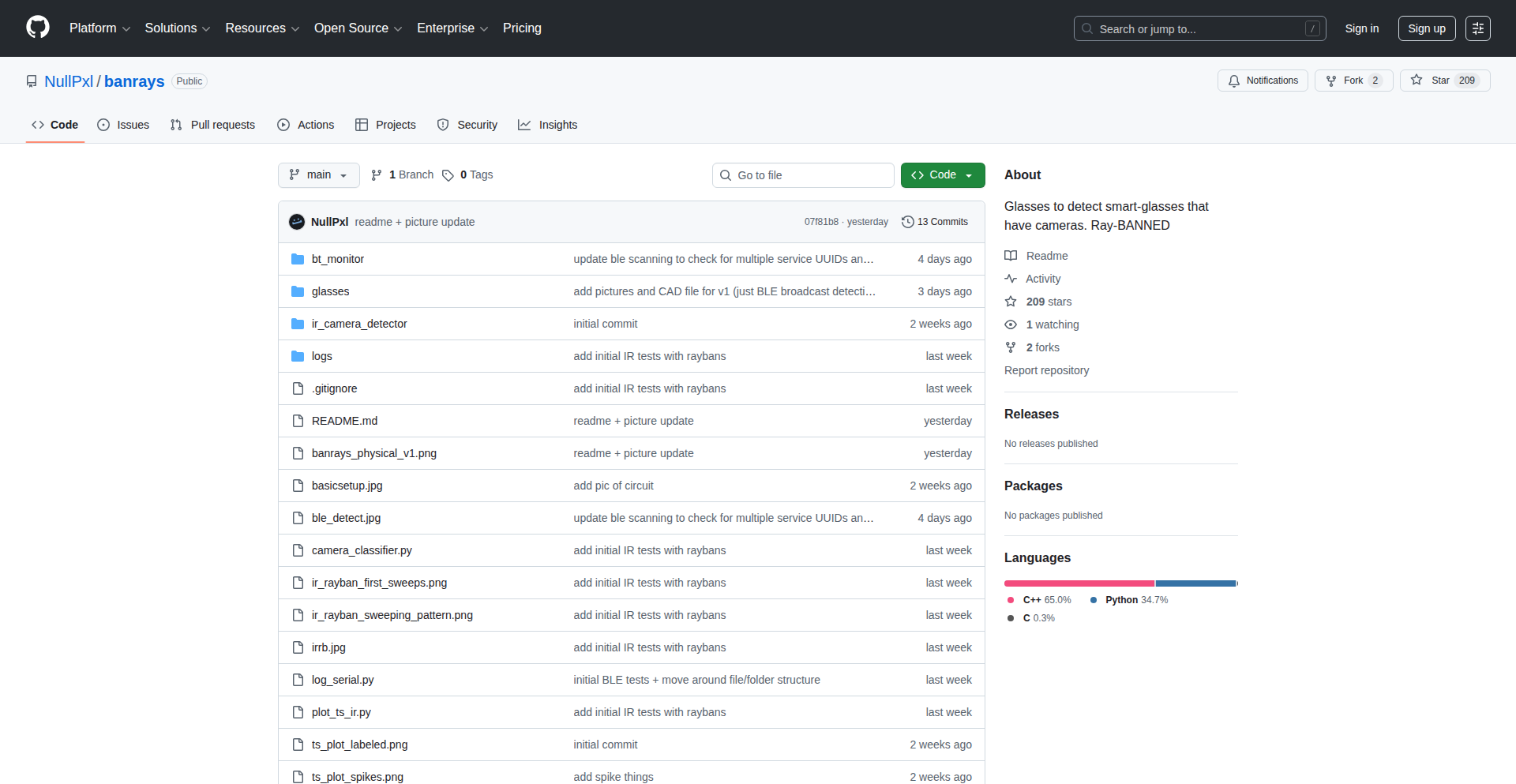
SpecterSense: Smart Glasses Camera Detector
Author
nullpxl
Description
SpecterSense is a project born from the growing popularity of smart glasses with integrated cameras and the associated privacy concerns. This initiative explores novel ways to detect when these smart glasses are actively recording. The core innovation lies in employing two distinct fingerprinting techniques: analyzing the infrared (IR) retro-reflectivity of camera sensors and monitoring wireless network traffic, primarily Bluetooth Low Energy (BLE). This aims to provide a proactive alert system, giving individuals awareness of potential recording devices in their vicinity.
Popularity
Points 483
Comments 184
What is this product?
SpecterSense is an experimental system designed to identify the presence of smart glasses equipped with cameras, like Meta Ray-Bans, that might be recording. It works by looking for two key signals. First, it analyzes how the camera sensor reflects infrared light, similar to how a mirror reflects visible light, but using invisible IR. If a camera is active, it might reflect IR in a detectable pattern. Second, it listens for specific wireless signals that these smart glasses emit, particularly during pairing, powering on, or when removed from their charging case. The project leverages an ESP32 microcontroller for initial wireless detection and a jingle is played to alert the user. The goal is to move beyond simple startup signals to detect recording even when the glasses are in active use.
How to use it?
Developers interested in privacy-enhancing technologies or building wearable awareness systems can use SpecterSense as a foundational concept. The project can be integrated into personal privacy devices or even embedded into other smart accessories. For example, a developer could take the ESP32-based detection module and integrate it into a smartwatch or a discreet personal beacon. The IR detection component, while experimental, could inspire further research into optical sensing for privacy applications. The learning from the BLE traffic analysis can be applied to building more sophisticated Bluetooth sniffers or custom device detectors.
Product Core Function
· IR Retro-reflectivity Detection: This function leverages the unique way camera sensors can reflect infrared light. By analyzing these reflections, the system can infer the presence of a camera. The value lies in a potentially passive, non-intrusive detection method that doesn't rely on active wireless communication.
· Wireless Traffic Monitoring (BLE): This function actively scans for specific Bluetooth Low Energy (BLE) communication patterns that smart glasses emit. This includes signals during pairing or powering on. The value is in providing a tangible alert when the device is active or initiating a connection, giving an early warning.
· Audio Alert System: When a potential recording device is detected, a subtle jingle is played near the user's ear. This provides an immediate, non-visual notification without drawing attention. The value is in offering discreet real-time awareness of privacy risks.
· ESP32 Microcontroller Integration: The use of an ESP32 allows for a low-cost, highly capable platform for wireless sensing. This demonstrates a practical and accessible hardware approach for building such detection systems, making it easier for other developers to replicate and build upon.
Product Usage Case
· Scenario: Attending a private meeting where recording is not permitted. How it helps: SpecterSense, integrated into a small wearable or placed subtly on a table, could detect if any attendees are wearing smart glasses that are actively recording, allowing for intervention before sensitive information is compromised.
· Scenario: Using public spaces like cafes or public transport and wanting to ensure privacy. How it helps: A personal SpecterSense device could alert you if someone nearby is wearing smart glasses that are likely recording you, enabling you to take action or move to a different location.
· Scenario: Researchers developing advanced privacy tools. How it helps: The project provides a starting point for exploring more robust detection methods. The IR reflection analysis can be further refined, and the BLE traffic analysis can be extended to cover more sophisticated wireless protocols or specific device signatures for better accuracy.
· Scenario: Developers building custom IoT security solutions. How it helps: The principles behind detecting specific wireless device behaviors can be applied to other IoT security challenges, such as detecting unauthorized devices on a network or monitoring the activity of smart home devices.
2
Pulse: Real-time Co-Listening Streams

Author
473999
Description
Pulse is a novel co-listening platform that allows users to share their audio in real-time with friends, replicating the feeling of being in the same room. Its core innovation lies in enabling anyone to host a live audio stream directly from their browser or system audio, coupled with automatic music recognition and integrated chat with custom emotes. This solves the technical challenge of synchronized, low-latency audio sharing for casual social listening experiences.
Popularity
Points 71
Comments 25
What is this product?
Pulse is a browser-based application designed for live, synchronized audio sharing among friends or communities. The underlying technology leverages WebRTC for peer-to-peer audio streaming, ensuring low latency and real-time playback. Music recognition is achieved through audio fingerprinting algorithms that identify tracks being played. The system also incorporates a chat functionality with support for custom emotes, allowing for interactive social engagement. The key innovation is making high-quality, real-time audio sharing accessible without requiring any accounts or complex setup, fostering spontaneous listening sessions.
How to use it?
Developers can integrate Pulse into their applications or workflows in several ways. For end-users, joining a listening session is as simple as entering an anonymous code provided by the host. For hosts, starting a stream involves selecting either a browser tab or system audio as the source. Developers can explore Pulse's architecture for inspiration in building their own real-time audio collaboration tools. Potential integration points include music discovery platforms, social gaming applications where shared audio is crucial, or even educational tools for collaborative listening exercises. The open nature of the project encourages experimentation and custom implementations.
Product Core Function
· Live browser tab audio streaming: Enables users to broadcast any audio playing in their browser tab to a shared listening room. This is technically achieved by capturing the audio output of a specific tab and transmitting it in real-time, allowing for seamless sharing of web-based audio content. The value is in effortlessly sharing music from streaming services or web pages.
· Live system audio streaming: Allows hosts to stream all audio originating from their computer's system output. This provides a comprehensive audio sharing experience, including music, game sounds, or any other desktop audio. The value lies in its versatility for sharing any sound from your computer.
· Automatic music recognition: Identifies the songs being played within the stream and displays the track information to listeners. This uses audio fingerprinting techniques to match snippets of the streamed audio against a music database. The value is in discovering what your friends are listening to and learning about new music.
· Real-time chat with 7TV emotes: Provides a synchronous chat interface for listeners and hosts to communicate. The integration of 7TV emotes adds a layer of expressiveness and community engagement, similar to popular live-streaming platforms. The value is in enabling interactive social connection during the listening experience.
· Anonymous access: Users can join listening rooms without needing to create an account, by simply using a shared code. This reduces friction and encourages immediate participation. The value is in making it incredibly easy and quick to start or join a listening session.
Product Usage Case
· Virtual listening parties: A group of friends scattered across different locations can all listen to the same album or playlist in sync. The host streams the music, and everyone hears it simultaneously, fostering a shared social experience that feels like a real party. This solves the problem of distant friends not being able to enjoy music together.
· Collaborative music discovery: Users can host streams of obscure or new music they find, and their friends can join to listen and provide instant feedback or identify the tracks. This creates a dynamic way to explore and share music within a community. It addresses the need for real-time reactions and recommendations.
· DJ sessions for friends: Aspiring DJs can use Pulse to host live sets for their friends. They can stream their DJ software output, and listeners can chat and request songs, mimicking a live club or radio experience. This provides a platform for practice and performance without needing a physical venue.
· Shared podcast or audiobook listening: A group can listen to a podcast or audiobook together, pausing and discussing sections in real-time through the chat. This enhances the engagement and comprehension of spoken word content for remote groups. It allows for shared experiences with narrative content.
3
Schematic Sentinel

Author
wafflesfreak
Description
Schematic Sentinel is an AI-powered tool designed to automatically detect common errors and potential issues in Printed Circuit Board (PCB) schematics. It leverages the power of Large Language Models (LLMs) to understand the intent and logic behind circuit designs, providing a more intelligent and proactive approach to quality assurance in electronics engineering. This significantly reduces the time and effort spent on manual review and helps catch subtle mistakes before they lead to costly redesigns.
Popularity
Points 45
Comments 26
What is this product?
Schematic Sentinel is an intelligent assistant that acts as a second pair of eyes for PCB schematic designers. Instead of just checking for syntax errors, it uses advanced AI (Large Language Models) to understand the electrical relationships and common design patterns. Think of it like having an experienced engineer continuously reviewing your work, flagging potential problems like incorrect component values, floating nets, or common circuit misconfigurations that might be missed by traditional CAD tools. The innovation lies in applying LLMs, which excel at understanding context and nuanced information, to the structured yet complex world of electronic schematics.
How to use it?
Currently, Schematic Sentinel is designed for individual engineers or small teams. A developer would typically integrate it into their existing PCB design workflow. This could involve feeding the schematic design files (likely in formats like `.sch` or netlist exports) into the tool. The LLM then analyzes the schematic's components, connections, and rules, and outputs a report detailing any identified issues, along with explanations and suggested fixes. The value proposition is providing an automated, intelligent pre-check before submitting designs for manufacturing or detailed review, saving precious development time and preventing costly errors down the line.
Product Core Function
· Automated Schematic Rule Checking: The system uses LLMs to go beyond basic design rule checks by understanding electrical intent, identifying potential logic flaws and common design anti-patterns, which reduces manual oversight and improves design reliability.
· Error Explanation and Guidance: Instead of just flagging an issue, the LLM provides contextual explanations of why something is an error and offers suggestions for correction, accelerating the debugging process and knowledge transfer for junior engineers.
· Component Value and Type Validation: It can intelligently verify if component values or types are appropriate for their intended function within the circuit, preventing incorrect parts from being specified and ensuring functional correctness.
· Netlist and Connectivity Analysis: The LLM analyzes the connectivity of the schematic to identify issues like unconnected pins or unintended shorts, ensuring robust and predictable circuit operation.
Product Usage Case
· A hobbyist electronics designer using Schematic Sentinel to catch a subtle mistake in their first complex microcontroller board schematic, preventing them from ordering incorrect components and saving weeks of debugging time.
· A small startup's electrical engineering team integrating Schematic Sentinel into their CI/CD pipeline for hardware. The tool automatically scans schematics with every code commit, catching potential issues early and ensuring consistent design quality before production.
· A student learning PCB design using Schematic Sentinel to understand best practices and common pitfalls. The detailed error explanations help them grasp complex electrical concepts faster and build more reliable circuits from the start.
4
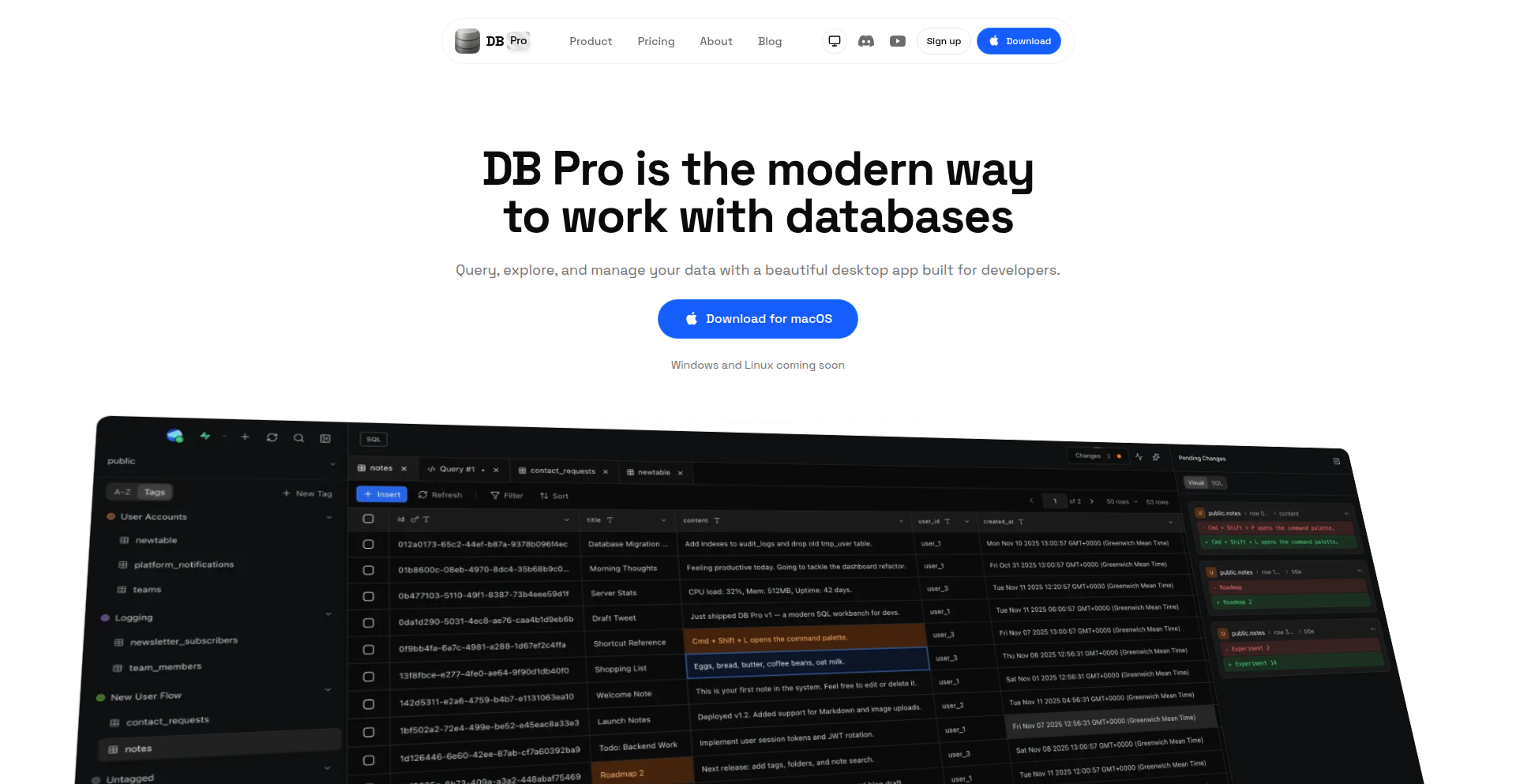
DB Pro: Visual Data Navigator
Author
upmostly
Description
DB Pro is a modern desktop database GUI client that makes interacting with PostgreSQL, MySQL, SQLite, and libSQL fast, visual, and enjoyable. It focuses on developer experience with features like visual change review, inline data editing, and a visual schema explorer, solving the common problem of clunky and unfriendly database management tools. This empowers developers to work more efficiently and intuitively with their data.
Popularity
Points 24
Comments 10
What is this product?
DB Pro is a desktop application that provides a user-friendly graphical interface for managing various types of databases, including PostgreSQL, MySQL, SQLite, and libSQL. Its core innovation lies in prioritizing the developer's experience, offering a clean, visual, and intuitive way to interact with data. Instead of complex command-line operations or outdated interfaces, DB Pro provides visual tools like a schema diagram to understand relationships and a visual way to review changes before they are applied to the database. This approach reduces errors, speeds up workflows, and makes database management more accessible, even for developers who are not database experts.
How to use it?
Developers can download and install DB Pro on their macOS machines (with Windows and Linux support coming soon). They can then connect to their existing databases by providing connection details. Once connected, they can browse tables, view and edit data directly in the interface, write and execute SQL queries in a dedicated editor, and visualize their database schema. For example, a developer working on a web application can use DB Pro to quickly inspect user data, update records without opening complex modals, or see how different tables are linked together through a visual diagram, all within a single, well-designed application.
Product Core Function
· Visual change review: See pending inserts, updates, and deletes before committing them. This helps prevent accidental data corruption and provides a clear audit trail of modifications, ensuring data integrity and peace of mind.
· Inline data editing: Edit table rows directly without clunky modal dialogs. This significantly speeds up data manipulation tasks by allowing for quick edits directly in the table view, making routine data updates much more efficient.
· Raw SQL editor: A focused editor for running queries with results in separate tabs. This provides a powerful and flexible way to interact with the database, allowing developers to write complex queries and manage multiple query results side-by-side without confusion.
· Full activity logs: Track everything happening in your database for peace of mind. This acts as a comprehensive audit trail, allowing developers to monitor database activity, troubleshoot issues, and understand how the data is being accessed and modified.
· Visual schema explorer: See tables, columns, keys, and relationships in a diagram. This provides an intuitive, birds-eye view of the database structure, making it easier to understand complex schemas, identify relationships between tables, and plan database modifications.
· Tabs & multi-window support: Keep multiple connections and queries open at once. This enhances productivity by allowing developers to manage several database connections and queries simultaneously without losing context, streamlining multitasking.
· Custom table tagging: Organize your tables without altering the schema. This offers a flexible way to categorize and group tables for better organization and easier retrieval, especially in large databases, without requiring schema changes.
Product Usage Case
· A web developer needs to quickly update a few user profiles in a PostgreSQL database. Using DB Pro, they can directly edit the data in the table view without opening separate edit forms, saving them significant time and effort compared to traditional tools.
· A data analyst is investigating performance issues in a MySQL database. They use DB Pro's visual schema explorer to understand the relationships between tables and then use the raw SQL editor to run complex queries that pinpoint the bottleneck, all within a single, cohesive interface.
· A new developer joins a project with a complex SQLite database. DB Pro's visual schema explorer helps them quickly grasp the database structure and understand how different parts of the application interact with the data, accelerating their onboarding process.
· A team is collaborating on a project with a shared database. DB Pro's visual change review feature allows them to see exactly what changes are being proposed by team members before they are committed, preventing unintended consequences and ensuring smoother collaboration.
5
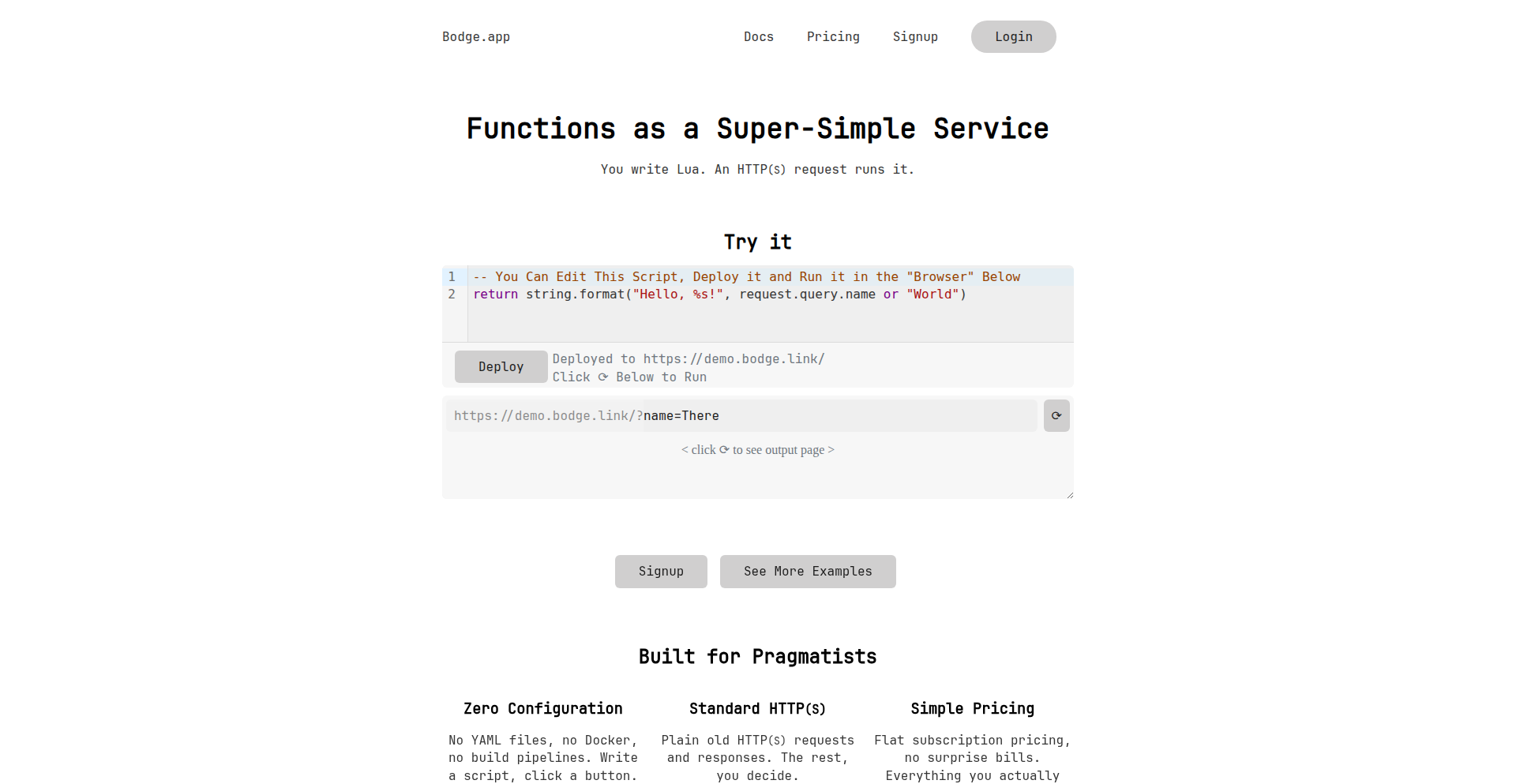
Bodge: Micro-Function-as-a-Service for Creative Coders
Author
azdle
Description
Bodge is a unique platform that allows developers to host simple Lua scripts behind static HTTP endpoints. It focuses on providing a fully sandboxed environment, making it incredibly easy to deploy small, custom functionalities without the overhead of managing complex infrastructure. This addresses the common developer pain point of having great ideas for personal tools or small integrations but being deterred by the setup and maintenance effort.
Popularity
Points 8
Comments 3
What is this product?
Bodge is a micro-Function-as-a-Service (µFaaS) platform designed for rapid prototyping and deploying small, isolated pieces of code. Its core innovation lies in its ability to securely run custom Lua scripts in a sandboxed environment, accessible via simple HTTP requests. This means you can write a script, upload it, and immediately have an API endpoint that executes your code. The value comes from drastically reducing the complexity and time required to turn a coding idea into a functional service, perfect for personal projects, quick automations, or integrating with other services without building a full application.
How to use it?
Developers can use Bodge by writing their logic in Lua. They can then upload these scripts to the Bodge platform. Once uploaded, each script is exposed as a unique HTTP endpoint. For instance, a script designed to return the current time can be accessed by any device or service that can make an HTTP GET request to its assigned URL. Bodge provides pre-built Lua modules for common tasks like making HTTP requests, handling JSON data, sending alerts, and basic data storage, simplifying script development. Developers can integrate these endpoints into their existing workflows, IoT devices, home automation setups, or any scenario where a specific, small piece of logic needs to be triggered remotely.
Product Core Function
· Sandboxed Lua Script Execution: Allows developers to run custom Lua code in a secure, isolated environment, preventing interference with other scripts or the host system. This offers peace of mind and enables experimentation without risk.
· HTTP Endpoint Hosting: Automatically exposes uploaded Lua scripts as static HTTP endpoints, making them easily accessible from anywhere on the internet. This is invaluable for creating simple APIs for personal use or integration.
· Pre-built Lua Modules: Provides ready-to-use modules for common functionalities like making HTTP requests, JSON parsing, sending alerts, and simple key-value storage. This significantly speeds up development by removing the need to reinvent common features.
· No-Account Demo and Free Tier: Offers a hands-on experience through a public demo on the homepage and a free beta account. This lowers the barrier to entry, allowing anyone to try out the service and immediately see its potential for their projects.
· Cross-Script Mutexes: Enables coordination between different scripts hosted on Bodge, allowing for more complex workflows and preventing race conditions in shared resources. This is useful for managing shared state or ensuring atomic operations across multiple small functions.
Product Usage Case
· IoT Device Command Execution: A developer has a smart home device that can make HTTP requests. They write a Lua script on Bodge to control a light and assign it an HTTP endpoint. Now, any trigger (like a button press or a sensor reading) can send a request to that endpoint, turning the light on or off, all without a complex backend server.
· Personal Notification System: A developer wants to be notified when a new job matching specific criteria is posted on a company's careers page. They create a Lua script on Bodge that scrapes the job listing page periodically and sends an email alert (using a provided module) if a new matching job is found. This automates job searching with minimal effort.
· Quick Data Lookup API: A developer needs a simple way to fetch configuration data for a small application. They store the configuration as JSON within Bodge's simple string storage and create a Lua script that reads this data and returns it as a JSON response when an HTTP request is made to its endpoint. This provides a custom, lightweight API for their app.
· Automated Status Monitoring: A developer hosts several self-hosted services. They write a Lua script on Bodge that checks the health of these services. If a service is down, the script uses an alert module to notify the developer via email or another preferred channel, ensuring uptime is monitored effortlessly.
· Simple Randomizer for Contests: A content creator needs a quick way to pick a random winner from a list of participants. They create a Lua script on Bodge that takes a list of names as input via URL parameters and randomly selects one, returning the winner's name. This is a fun, practical use case for quick utility scripts.
6
CodeArchitect AI

Author
mifydev
Description
CodeArchitect AI is an open-source tool that simplifies complex service integrations into your codebase. Instead of manually figuring out how to connect services like Sentry, PostHog, or Clerk, this AI-powered wizard deeply analyzes your project's architecture and workflows. It then asks a few targeted questions to understand your specific needs and generates a personalized, ready-to-paste integration plan for AI coding assistants. This drastically reduces the time and frustration of setting up new services, allowing developers to integrate with confidence on the first try.
Popularity
Points 3
Comments 8
What is this product?
CodeArchitect AI is an intelligent system that understands your code and helps you integrate third-party services seamlessly. It works by connecting to your code repository and performing a deep scan to map out your project's structure and common development patterns. Then, it engages you with a few questions about how you envision the integration working. Based on this analysis and your input, it crafts a precise set of instructions, essentially a prompt, designed to be used with AI code generation tools like Claude or Cursor. The innovation lies in its ability to translate complex integration requirements into actionable, AI-friendly directives, overcoming the common pain point of manual, error-prone integration setup.
How to use it?
Developers can use CodeArchitect AI by first connecting their code repository (e.g., GitHub, GitLab). Once connected, they select the service they wish to integrate (e.g., Sentry for error tracking, Clerk for authentication, PostHog for analytics). The tool then analyzes the connected codebase and presents a short questionnaire specific to the chosen service and your project. After answering these questions, CodeArchitect AI generates a detailed, ready-to-use prompt that can be directly fed into an AI coding assistant, guiding it to implement the integration accurately and efficiently. This makes it incredibly easy to experiment with and adopt new services.
Product Core Function
· Deep codebase analysis: Understands project architecture and workflows to provide context-aware integration plans. This saves developers time by eliminating the need to manually document their project's intricacies for AI.
· Service-specific integration planning: Generates tailored plans for popular services like Sentry, Statsig, PostHog, Resend, and Clerk. This ensures that the integration is not generic but fits the specific needs of your application.
· Conversational AI prompt generation: Creates ready-to-paste prompts for AI coding assistants, simplifying the process of implementing the integration. This allows developers to leverage AI for code generation without needing to be AI prompt engineering experts.
· Open-source accessibility: The entire project is open-source, allowing for community contributions and transparency. This fosters a collaborative environment and ensures the tool remains adaptable and valuable to developers.
· First-try integration success: Aims to provide plans that lead to successful integrations on the initial attempt, reducing debugging and rework. This directly translates to increased developer productivity and reduced frustration.
Product Usage Case
· Integrating Clerk authentication into a new React application: A developer can connect their React project to CodeArchitect AI, select Clerk, answer a few questions about their desired login/signup flows, and receive a prompt to guide an AI in setting up the entire authentication system within minutes, avoiding manual configuration of routes, state management, and API calls.
· Adding PostHog analytics to an existing Rails API: A developer can connect their Rails repository, choose PostHog, and answer questions about which user events they want to track. CodeArchitect AI will then provide a prompt for an AI to generate the necessary code snippets and tracking logic to seamlessly integrate PostHog analytics into their backend.
· Setting up Sentry error tracking in a Python Flask app: By connecting their Flask project and selecting Sentry, developers can quickly get a prompt that instructs an AI to configure Sentry's SDK, capture exceptions, and send error reports, saving significant time on manual setup and configuration.
· Quickly experimenting with Resend for transactional emails in a Node.js project: A developer can connect their Node.js project, select Resend, and receive a prompt to easily integrate email sending functionality, allowing for rapid prototyping of features that require email notifications.
7
AI-Site-To-Demo-Video-Generator

Author
lococococo
Description
This project, AutoAds, revolutionizes product demonstration by transforming a website URL into a polished, AI-generated promotional video. It automates the entire process, from site analysis to voiceover and subtitling, eliminating the need for manual recording. The core innovation lies in its AI pipeline that navigates and interprets web content to create dynamic video assets, effectively solving the pain point of tedious and repetitive demo creation.
Popularity
Points 8
Comments 2
What is this product?
AutoAds is an AI-powered service that takes your website URL and automatically generates a professional-looking product demo video. It works by sending an AI agent to crawl your website, understand its structure, content, and key calls-to-action. Then, it simulates user interaction, like scrolling and navigating, focusing on important sections. This raw footage is automatically edited with quick cuts and a promotional pace, often presented within a clean device mockup (like a Mac). Concurrently, it generates a synchronized voiceover explaining your product and adds matching subtitles. The innovation here is in automating a multi-step creative process that traditionally requires significant human effort, using AI to interpret and synthesize web content into a compelling visual narrative.
How to use it?
Developers and marketers can use AutoAds by simply pasting their website URL (for SaaS, e-commerce, or personal portfolios) into the platform at autoads.pro. The system then takes over. It's designed for quick integration into a workflow where creating marketing materials or product overviews is a priority. Think of it as a smart tool that bypasses the need for screen recording software, microphones, or cameras, streamlining the creation of assets for landing pages, social media, or paid advertising campaigns. No complex technical setup is required; it's a straightforward, URL-in, video-out workflow.
Product Core Function
· AI-driven website analysis: This function's value is in automatically understanding the essence of your site without manual input, enabling targeted video generation. It's crucial for identifying key features and user flows to showcase.
· Automated screen recording simulation: The value here is in generating dynamic video footage that mimics user interaction, making the demo feel natural and engaging, thereby reducing the effort of manual screen capture.
· AI-powered video editing: This feature's value is in producing a fast-paced, promotional video style automatically, which is often more effective for marketing than unedited recordings. It saves significant post-production time.
· Device mockup integration: The value of presenting the video within a device frame (like a Mac) is in providing a polished, professional aesthetic that aligns with typical product launch materials, enhancing perceived quality.
· Automatic voiceover generation: This function's value is in providing a clear, spoken explanation of your product, synced with the visuals, eliminating the need for recording your own voice and ensuring consistent messaging.
· Synchronized subtitle creation: The value of having accurate subtitles is in improving accessibility and engagement, especially for viewers watching with sound off, making your product information more digestible.
Product Usage Case
· Scenario: A SaaS startup needs to quickly create a demo video for their new feature launch. Problem solved: Instead of spending hours recording, editing, and adding voiceovers, they paste their product page URL into AutoAds. The AI generates a professional-looking video showcasing the feature, ready for their blog and social media within minutes. This drastically reduces time-to-market for marketing content.
· Scenario: An e-commerce store owner wants to create engaging video ads for their latest product line without being on camera. Problem solved: By providing the product page URL, AutoAds generates a slick video that highlights the product's visual appeal and key selling points, wrapped in a modern aesthetic. This allows the owner to compete with larger brands by producing professional video ads with minimal effort.
· Scenario: A freelance web developer wants to showcase their portfolio to potential clients with a dynamic video presentation. Problem solved: AutoAds can analyze the developer's personal website and create a video that walks through their best projects, demonstrating their skills in a visually appealing way. This provides a more engaging alternative to static portfolio pages.
8
Meme-fy Research Papers

Author
QueensGambit
Description
This project transforms academic research papers into easily digestible and shareable memes. It tackles the challenge of making complex scientific information more accessible by leveraging the viral nature of meme culture. The core innovation lies in using AI to identify key concepts and findings within a paper and then creatively rephrasing them into meme formats. This makes dense research topics understandable and engaging for a broader audience, bridging the gap between academia and the public.
Popularity
Points 8
Comments 1
What is this product?
This project is an AI-powered tool that turns dense academic research papers into humorous and relatable memes. It analyzes the content of a research paper, extracts its most important findings or concepts, and then creatively generates meme text that captures the essence of the paper in a lighthearted way. The innovation here is applying natural language processing and generative AI techniques to a domain not typically associated with meme creation, effectively democratizing scientific knowledge.
How to use it?
Developers can integrate this project into their workflows by using its API to process research papers. For instance, a science communicator could use it to quickly generate social media content for promoting new research. A student could use it to create study aids that are more memorable and fun. The tool takes a research paper (likely as a PDF or text input) and outputs meme templates with generated captions, ready for sharing. This offers a novel way to engage with and disseminate research findings.
Product Core Function
· Automated research paper analysis: Uses NLP to understand the core arguments and conclusions of a paper, providing value by saving researchers and communicators significant time in content distillation.
· Meme caption generation: Employs generative AI models to create witty and relevant captions for meme templates based on the paper's content, making complex information accessible and engaging for a wider audience.
· Meme template selection: Selects appropriate meme formats that best suit the tone and content of the research paper, enhancing the understanding and memorability of scientific findings.
Product Usage Case
· A science journalist uses the tool to generate engaging social media posts about a new study on climate change, making it understandable and shareable for the general public.
· A university outreach program uses the project to create fun, educational memes about cutting-edge scientific discoveries, increasing public interest in STEM fields.
· A graduate student uses the tool to simplify complex thesis concepts for their family and friends, fostering better understanding and reducing the intimidation factor of academic jargon.
9
Halud Your Horses: Isolated Dev Sandbox

Author
neechoop
Description
A containerized development workflow designed to completely quarantine NPM dependencies, preventing supply chain attacks. It creates per-project Docker images with isolated dependency volumes, ensuring no malicious code from external packages can touch the host system.
Popularity
Points 1
Comments 7
What is this product?
This project is a robust, containerized development environment specifically engineered to combat NPM supply chain vulnerabilities, such as the 'Shai-Hulud' attacks. The core innovation lies in its strict isolation strategy. Instead of installing NPM packages directly onto your development machine, each project gets its own dedicated Docker image. All its dependencies are confined within isolated volumes attached to that specific project's container. This means if an NPM package is compromised, it's contained within the project's sandbox and cannot infiltrate your host operating system or other projects. Think of it as a secure bubble for each of your coding projects, making them immune to external package threats. So, what's in it for you? Enhanced security and peace of mind, knowing your development environment is protected from the latest package-based threats.
How to use it?
Developers can integrate this into their workflow by setting up Docker and using the provided configuration to build per-project images. This involves defining the project's dependencies within the container's environment. When developing, you'd run your code within this isolated container. The system ensures that any NPM install or update is strictly confined to the project's dedicated volume. This approach is particularly useful for teams working on sensitive projects or for individual developers concerned about the integrity of their codebase. So, how does this benefit you? It offers a straightforward way to significantly boost your development security without drastically altering your existing coding practices.
Product Core Function
· Per-project Docker images: Each project gets its own custom-built container image, ensuring a clean and isolated environment. This prevents dependency conflicts and isolates potential security risks to a single project. So, what's the value? Each project is a self-contained unit, reducing the 'blast radius' of any security incident.
· Isolated dependency volumes: NPM packages and other project dependencies are stored and managed within dedicated volumes that are only accessible by the specific project's container. This acts as a strong barrier against malicious code spreading to your host system. So, what's the benefit? Malicious packages are trapped within their designated sandbox, unable to harm your computer or other projects.
· Containerized dev workflow: The entire development process, from installing dependencies to running code, occurs within the container, guaranteeing complete isolation from the host operating system. So, why is this important? It provides a consistent and secure development environment that is decoupled from your personal machine's setup, ensuring predictable and safe execution.
· Host system protection: By enforcing strict isolation, the system prevents any external NPM package from accessing or modifying files on your host machine. So, what's the outcome? Your primary development machine remains clean and secure, unaffected by potentially compromised third-party code.
Product Usage Case
· Securing sensitive corporate projects: A company developing proprietary software can use this system to ensure that all developers work within a highly secure, isolated environment, mitigating the risk of intellectual property theft or code tampering through compromised NPM packages. This solves the problem of trusting external dependencies when working with critical company assets.
· Protecting open-source contributions: An individual developer contributing to multiple open-source projects can use this setup to prevent potential conflicts or security cross-contamination between different projects, especially if one project relies on older or less vetted dependencies. This addresses the challenge of managing dependencies across diverse and potentially untrusted codebases.
· Mitigating 'Shai-Hulud' style attacks: When news breaks about new supply chain attacks targeting popular NPM packages, developers can immediately spin up or verify their projects within this isolated sandbox to ensure they are not unknowingly incorporating malicious code. This directly tackles the immediate threat posed by widespread NPM vulnerabilities.
10
Swatchify: Image-to-Palette CLI

Author
jamescampbell
Description
Swatchify is a command-line interface (CLI) tool designed for developers. It ingeniously uses the k-means clustering algorithm to analyze an image and extract its dominant color palette. This innovation allows for quick and programmatic access to the core colors of any image, transforming visual data into actionable color information.
Popularity
Points 5
Comments 1
What is this product?
Swatchify is a command-line utility that acts like a digital color detective for your images. At its heart, it employs a clever mathematical technique called k-means clustering. Imagine you have a picture with many colors; k-means helps to group similar colors together and find the most representative ones. It's like saying, 'Out of all the blues in this sky, these are the 5 main shades that best describe it.' This is innovative because it automates a process that would otherwise be tedious and manual, providing a structured list of key colors from any image.
How to use it?
Developers can integrate Swatchify into their workflows by running it from their terminal. After installing the tool, they can simply point it at an image file (e.g., a logo, a photograph, a UI mockup). Swatchify will then process the image and output a list of dominant colors, typically in a standard format like HEX codes or RGB values. This makes it incredibly useful for tasks like theme generation for websites, consistent branding applications, or even as part of an automated design analysis pipeline.
Product Core Function
· Dominant color extraction using k-means clustering: This allows developers to programmatically get the most representative colors from any image, saving time and ensuring consistency in design projects. So, this means you can automatically generate color schemes that match your brand's visual identity.
· Cross-platform compatibility: Works on various operating systems, offering flexibility for developers regardless of their setup. So, you don't have to worry about switching tools if you work on different operating systems.
· CLI interface for automation: Enables seamless integration into scripts and build processes, facilitating automated workflows. So, you can easily build tools that automatically generate color palettes for your web or app projects without manual intervention.
· Outputting color palettes in standard formats (e.g., HEX, RGB): Provides data that is directly usable in web development, design software, and other applications. So, the extracted colors are immediately ready to be used in your CSS, design mockups, or other creative assets.
Product Usage Case
· Automated website theme generation: A developer can use Swatchify to extract a color palette from a client's logo and then automatically apply these colors to generate a website's CSS theme, ensuring brand consistency. This solves the problem of manually picking colors that match a logo.
· UI design consistency: A design team can use Swatchify on UI screenshots to quickly identify the primary colors used, helping to maintain a consistent design language across different components or applications. This helps in quickly understanding and enforcing a unified look and feel.
· Content-based recommendation systems: An application could use Swatchify to analyze images in a gallery and extract their dominant colors, then use these color features to recommend similar images to users. This addresses the challenge of finding visually similar content without relying solely on metadata.
· Data visualization theming: Developers creating charts or dashboards can use Swatchify to pull colors from a relevant image (e.g., a product photo) to create a data visualization that is thematically aligned with the content. This makes visualizations more engaging and contextually relevant.
11
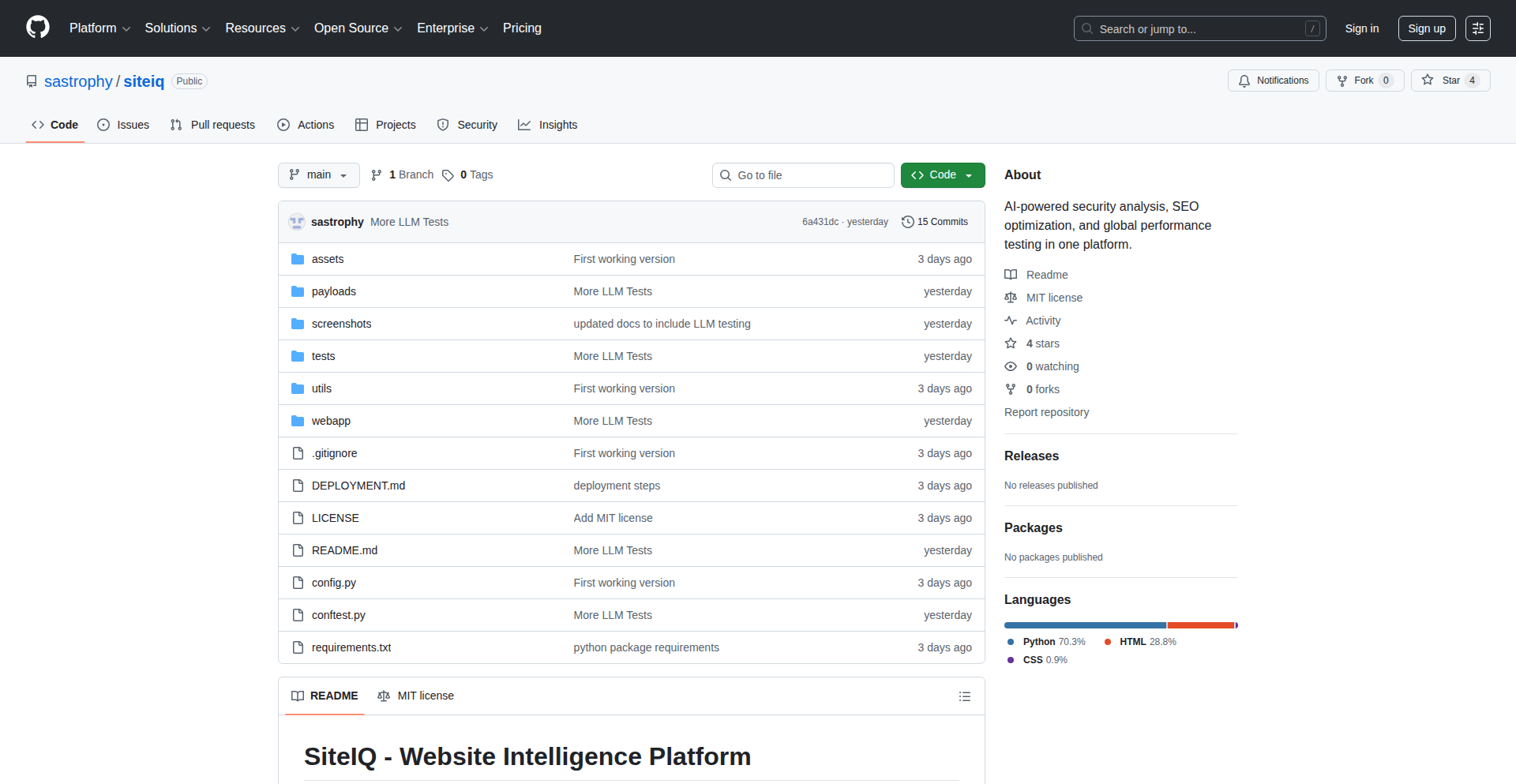
SiteIQ-AI
Author
sastrophy
Description
SiteIQ-AI is a comprehensive security and SEO testing tool developed by an 11th-grade student, leveraging AI as a coding partner. It innovatively combines traditional web security checks (like OWASP Top 10) with modern LLM security analysis (prompt injection, jailbreaking) and SEO performance metrics (Core Web Vitals). Its core value lies in providing a hands-on, self-hosted platform for developers to understand and test the security and visibility of their web applications, especially those incorporating AI.
Popularity
Points 4
Comments 2
What is this product?
SiteIQ-AI is a cybersecurity and web development experimentation platform designed to test a website's security vulnerabilities, search engine optimization (SEO) performance, and multi-region accessibility. What makes it innovative is its focus on testing the security of Large Language Model (LLM) integrations within web applications, a rapidly growing area. It can detect risks like prompt injection, where malicious inputs trick an AI into unintended actions, and denial of wallet attacks, where an AI is tricked into spending excessive resources. The project's technical implementation uses Python with Flask for the web interface and CLI, and pytest for testing. The AI-assisted development process itself is a testament to modern coding paradigms, showing how complex tools can be built through intelligent collaboration.
How to use it?
Developers can use SiteIQ-AI through its web UI or command-line interface (CLI). The web UI offers real-time console output, making it easy to see test results instantly. The CLI enables automation, allowing for integration into CI/CD pipelines or batch testing of multiple sites. Because it's self-hosted, all data remains on your machine, ensuring privacy and security for sensitive testing. You would typically point SiteIQ-AI at a target URL and select the types of tests you want to run, such as scanning for SQL injection vulnerabilities, checking meta tags for SEO, or simulating LLM prompt attacks. This makes it a practical tool for developers who want to proactively identify and fix issues before they impact users or the business.
Product Core Function
· OWASP Top 10 Security Testing: Assesses common web vulnerabilities like SQL injection and Cross-Site Scripting (XSS). This is valuable for preventing data breaches and ensuring application integrity.
· SEO Analysis: Evaluates essential SEO elements like meta tags, schema markup, and Core Web Vitals. This helps developers improve their website's search engine ranking and user experience.
· GEO Testing: Checks website accessibility and latency from multiple geographic regions. This is crucial for ensuring a consistent user experience for a global audience.
· LLM Security Testing: Specifically targets vulnerabilities in AI-powered applications, including prompt injection, jailbreaking, and system prompt leakage. This is vital for securing the growing number of AI-integrated web services.
· Web UI with Real-time Feedback: Provides an interactive dashboard with instant console output, making it easy to understand test results and identify issues.
· CLI for Automation: Enables scripting and integration into automated workflows for efficient and repeatable testing.
· Self-Hosted Operation: Ensures all testing data remains on the user's local machine, enhancing privacy and security.
Product Usage Case
· A startup developing a new AI chatbot for customer service can use SiteIQ-AI to test for prompt injection vulnerabilities, ensuring the chatbot doesn't reveal sensitive company information or perform unauthorized actions.
· A web development agency building an e-commerce site can utilize SiteIQ-AI to perform comprehensive security scans and SEO audits, helping to improve the site's search ranking and protect customer data from common threats like XSS.
· A developer deploying a global web application can use the GEO testing feature to verify that users in different continents experience similar loading speeds and functionality, optimizing for a worldwide user base.
· A security researcher can use SiteIQ-AI as a platform to explore and demonstrate LLM security flaws, contributing to the broader understanding and mitigation of these new attack vectors within the developer community.
12
DivineComedyLLMCurriculum

Author
hunterbown
Description
This project, 'Dante-Qwen-4B', tackles a common issue in Large Language Models (LLMs) affectionately termed 'LLM neurosis'. It uses a novel approach, inspired by Dante's Divine Comedy, to fine-tune a 4-billion parameter LLM. The innovation lies in its structured and thematic curriculum, which aims to guide the LLM through different 'realms' of knowledge and reasoning, thereby improving its coherence and reducing undesirable emergent behaviors.
Popularity
Points 5
Comments 1
What is this product?
This project is an experimental fine-tuning methodology for Large Language Models (LLMs). The core technical idea is to curate a specialized dataset, structured like Dante's 'Divine Comedy', to guide the LLM's learning process. Instead of random data exposure, the LLM is trained through distinct stages representing Hell, Purgatory, and Paradise. This structured curriculum aims to improve the model's ability to reason, maintain context, and avoid generating nonsensical or repetitive outputs, often referred to as 'LLM neurosis'. The innovation is in the conceptual framework of using a narrative structure for pedagogical purposes in AI training, making the learning process more deliberate and goal-oriented, specifically for a 4-billion parameter model.
How to use it?
Developers can integrate this approach by preparing a dataset structured according to the conceptual stages of the Divine Comedy (e.g., data related to negative examples or simple tasks for 'Hell', complex reasoning for 'Purgatory', and creative or abstract generation for 'Paradise'). This curated dataset would then be used for fine-tuning an existing LLM, like Qwen-4B, using standard deep learning frameworks (e.g., PyTorch, TensorFlow). The primary use case is to enhance the quality and reliability of LLM outputs for specific applications where coherence and reasoned responses are critical, such as chatbots, content generation tools, or summarization services. It offers a new way to think about dataset construction for LLM training.
Product Core Function
· Thematic Dataset Structuring: Organizes training data into distinct conceptual stages mirroring the Divine Comedy, allowing for more targeted learning of different LLM capabilities. This is valuable for developers seeking to improve specific aspects of their LLM's performance, such as reasoning or creativity, by providing a structured learning path.
· Curriculum-Based Fine-tuning: Implements a sequential fine-tuning process based on the thematic stages. This allows developers to progressively refine the LLM's behavior and reduce errors, offering a more controlled and predictable outcome than standard broad fine-tuning.
· Mitigation of LLM 'Neurosis': Addresses emergent undesirable behaviors in LLMs through structured learning. Developers benefit by obtaining more stable and reliable LLM outputs, reducing the need for extensive post-processing or manual correction of generated text.
· Exploration of AI Pedagogy: Provides a novel framework for thinking about how AI models learn, drawing parallels with human education. This inspires developers to experiment with more creative and structured data curation techniques beyond simple data augmentation.
Product Usage Case
· Improving a customer service chatbot: A developer could use this curriculum to fine-tune an LLM that powers a chatbot, ensuring it provides more empathetic and logically sound responses by guiding it through 'difficult' customer issues (Hell), then structured problem-solving (Purgatory), and finally helpful, concise solutions (Paradise). This reduces customer frustration and improves service quality.
· Enhancing creative writing tools: For an LLM used in generating stories or poetry, this method could help it move from basic sentence construction (Hell) to developing plot points and character arcs (Purgatory), and finally to crafting nuanced and evocative language (Paradise). This leads to richer and more coherent creative outputs.
· Developing a factual summarization engine: A developer building a tool to summarize complex documents could fine-tune an LLM using this curriculum. The 'Hell' stage might focus on identifying factual errors, 'Purgatory' on structuring arguments and key points, and 'Paradise' on concise, accurate synthesis of information, resulting in more trustworthy and informative summaries.
13
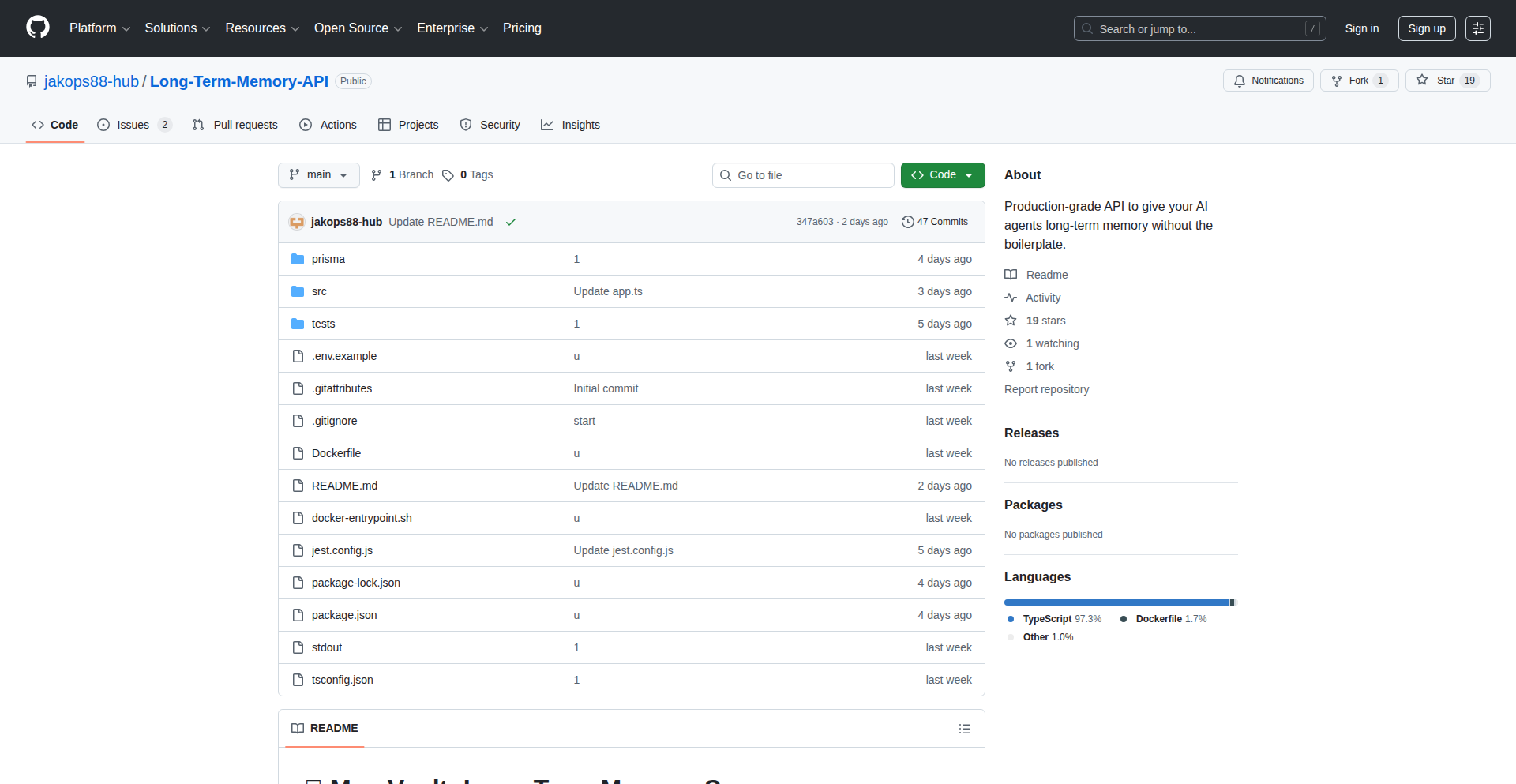
RAGViz: Visualized Retrieval Augmented Generation Server
Author
northerndev
Description
This project is an open-source RAG (Retrieval Augmented Generation) server that visualizes the retrieval process. It leverages Postgres with the pgvector extension to store and query embeddings, allowing developers to see exactly which pieces of information are being retrieved to inform the AI's responses. This tackles the 'black box' problem of RAG, making it easier to debug, optimize, and understand AI-generated content.
Popularity
Points 4
Comments 1
What is this product?
RAGViz is a server that helps developers build and understand AI applications that use external data. It's built on PostgreSQL with the pgvector extension, which is like a smart database for text snippets and their 'meaning' represented as numbers (embeddings). When an AI needs to answer a question using your data, RAGViz doesn't just fetch the relevant data; it shows you *how* it's fetching it and *which* specific pieces of data are being considered. This visualization is key. Normally, RAG systems are hard to inspect – you don't know why the AI said what it said. RAGViz provides this transparency. So, what's the benefit? You get more reliable and explainable AI. If the AI gives a wrong answer, you can trace back exactly what information it 'saw' that led to that mistake, making debugging much faster and improving the quality of your AI's output.
How to use it?
Developers can integrate RAGViz into their AI application pipelines. Imagine you have a chatbot that needs to answer questions based on your company's internal documents. You'd set up RAGViz to store these documents' embeddings in its Postgres database. When a user asks a question, your application sends it to RAGViz. RAGViz then retrieves the most relevant document snippets and visually highlights them. This allows your application to either directly use these snippets to generate an answer or to present them to you, the developer, for review. The integration typically involves API calls to the RAGViz server. The core idea is to augment your existing AI models with this intelligent retrieval and visualization layer. This means your AI can be more informed and your development process more efficient.
Product Core Function
· Vector Embedding Storage and Retrieval: Using Postgres and pgvector, this function efficiently stores and searches for text segments based on their semantic similarity. This is the foundation for finding relevant information, making AI answers more accurate and grounded in your data.
· Retrieval Visualization: This core feature provides a visual representation of the data fetched for an AI query. Developers can see exactly which document chunks were considered. This is crucial for understanding AI behavior, debugging errors, and optimizing the retrieval process, leading to better AI performance.
· RAG Server API: Offers an interface for other applications to interact with the retrieval and visualization capabilities. This allows seamless integration into existing AI workflows, chatbots, or custom applications, enabling developers to easily add smart data retrieval to their projects.
· Open-Source and Extensible: Being open-source means developers can inspect, modify, and extend the functionality. This fosters community collaboration and allows for tailored solutions, giving developers the freedom to adapt the tool to their specific needs and contribute back to its growth.
Product Usage Case
· Building a customer support chatbot: A company can use RAGViz to power a chatbot that answers customer queries using their product documentation. If the chatbot provides incorrect information, the visualization helps pinpoint which part of the documentation was misinterpreted, enabling quick fixes and improved customer satisfaction.
· Developing a research assistant tool: Researchers can use RAGViz to query and synthesize information from a large corpus of academic papers. The visualization shows which papers and sections contributed to a summary, ensuring the research is accurate and well-supported, saving significant time in literature review.
· Creating an internal knowledge base Q&A system: Businesses can deploy RAGViz to enable employees to ask questions about internal policies or procedures and get answers based on company documents. The visualization helps confirm that the correct information was retrieved, ensuring employees receive accurate guidance and boosting internal efficiency.
· Debugging complex AI hallucinations: When an AI model generates nonsensical or factually incorrect information (hallucination), RAGViz allows developers to trace the retrieved data that influenced the AI's output. This direct insight into the retrieval step is invaluable for identifying and correcting the root cause of hallucinations, leading to more reliable AI outputs.
14
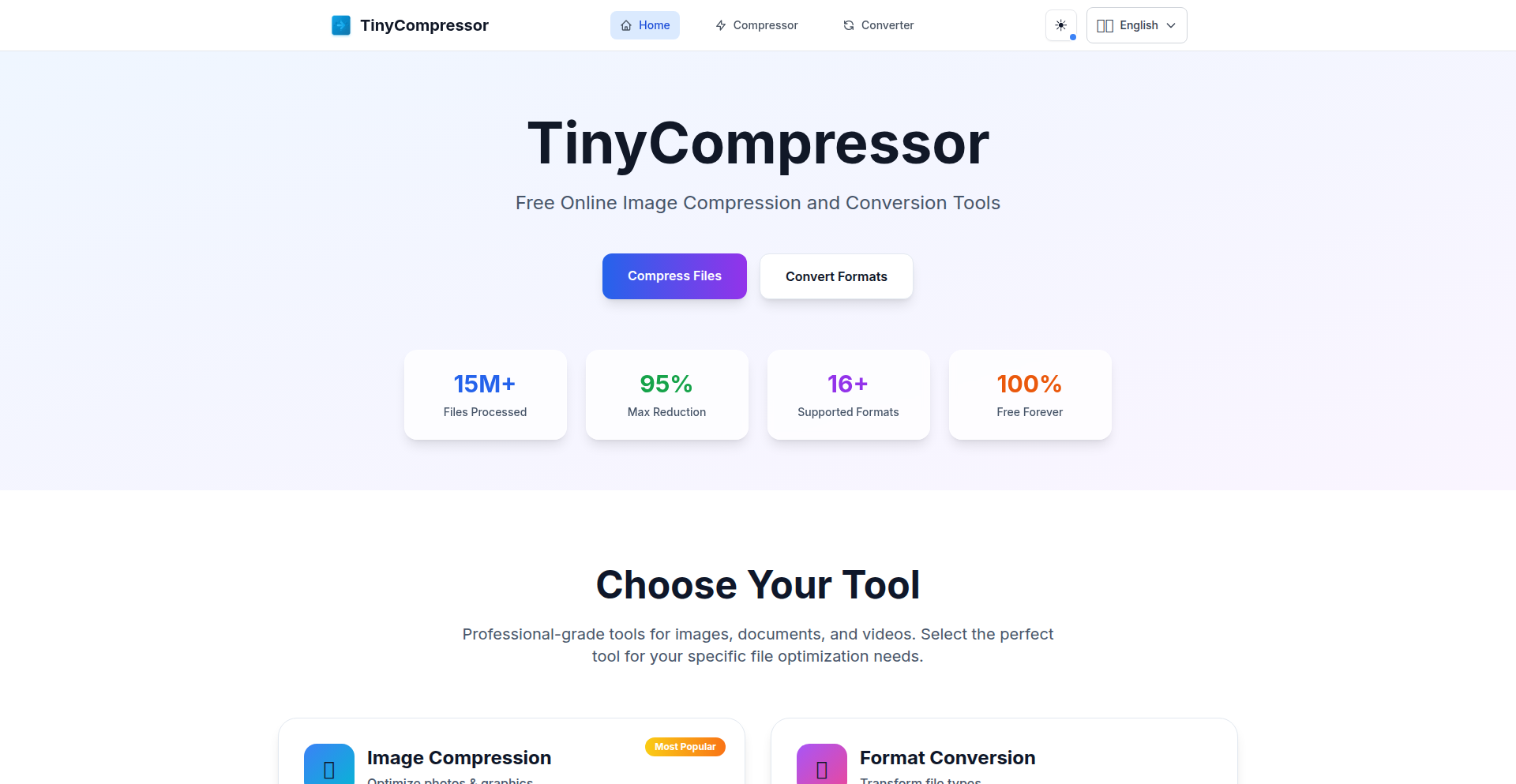
TinyCompressor: Client-Side Data Sculptor
Author
arvin2025
Description
TinyCompressor is a revolutionary web application that shrinks image, video, and PDF files directly in your browser without uploading anything. It leverages cutting-edge WebAssembly technology to process files locally, ensuring ultimate privacy and speed while supporting a wide array of modern formats like WebP and AVIF.
Popularity
Points 2
Comments 3
What is this product?
TinyCompressor is a free, privacy-focused tool that dramatically reduces the file size of your images, videos, and PDFs. Its core innovation lies in its 100% client-side processing. Instead of sending your files to a server, all the heavy lifting happens within your web browser using WebAssembly. This means your data never leaves your device, offering unparalleled security. It utilizes optimized algorithms from Squoosh for image compression and FFmpeg.wasm for video processing, delivering significant size reductions (up to 90% for images, 60% for PDFs, and 85% for videos) with minimal quality loss. This approach solves the common privacy concerns and bandwidth limitations associated with traditional online compression tools.
How to use it?
Developers can integrate TinyCompressor into their workflows or websites in a few ways. The primary use is as a standalone web application accessible via a browser at tinycompressor.com. For developers looking to offer compression features within their own applications, TinyCompressor's underlying WebAssembly modules (Squoosh and FFmpeg.wasm) can potentially be incorporated. The project is built with Next.js 14 and TypeScript, suggesting a modern React-based frontend that could be extended. Its mobile-optimized and responsive design makes it easy to use on any device, and its PWA capabilities allow for offline use in some scenarios. The core benefit for developers is the ability to offer powerful, on-device file compression without the need for backend infrastructure, thus saving on server costs and development time.
Product Core Function
· Image Compression: Reduces PNG, JPEG, WebP, AVIF, and GIF file sizes by up to 90% using WebAssembly. This is valuable for web developers needing to optimize images for faster website loading times and reduced bandwidth consumption, directly improving user experience and SEO.
· Format Conversion: Enables conversion between various image formats (e.g., HEIC to JPG, PNG to JPEG, WebP to AVIF) using client-side logic. This is crucial for developers working with diverse asset pipelines or needing to ensure compatibility across different platforms and browsers without relying on server-side transcoding services.
· PDF Compression: Shrinks PDF file sizes by up to 60% through image compression and metadata stripping. This is highly beneficial for applications that handle document uploads or distribution, allowing for easier storage, faster sharing, and reduced hosting costs.
· Video Compression: Compresses MP4, AVI, MOV, and WebM files using FFmpeg.wasm, achieving reductions of up to 85%. For developers building video-centric applications or content platforms, this provides an efficient way to manage video assets and bandwidth, improving user experience and lowering operational expenses.
· 100% Client-Side Processing: Guarantees all file operations occur within the user's browser, ensuring maximum privacy and security. This is a significant value proposition for developers handling sensitive user data, as it eliminates the risk of data breaches on their servers and simplifies compliance with privacy regulations.
Product Usage Case
· A web developer wants to build a portfolio website and needs to showcase many high-resolution images. By using TinyCompressor, they can compress all their images locally before uploading them. This results in a faster-loading website, a better user experience for visitors, and lower hosting bandwidth costs, all without compromising image quality significantly.
· An e-commerce platform developer needs to handle user-uploaded product images. To prevent storage issues and speed up page loads, they can guide users to TinyCompressor to compress their images before uploading. This offloads the compression task from their servers, saving computational resources and infrastructure costs, while ensuring images are optimized for display.
· A content management system (CMS) developer is looking to add robust video handling capabilities. By integrating or recommending TinyCompressor, their users can compress large video files directly in their browser before uploading. This allows the CMS to handle a wider range of user-contributed content and reduces the server load for video processing, making the platform more scalable and cost-effective.
· A software company developing a document management solution needs to offer PDF size reduction features to its users. By leveraging TinyCompressor's client-side PDF compression, they can add this functionality without building a complex server-side PDF processing pipeline. This significantly reduces development time and cost, and ensures user privacy for sensitive documents.
15
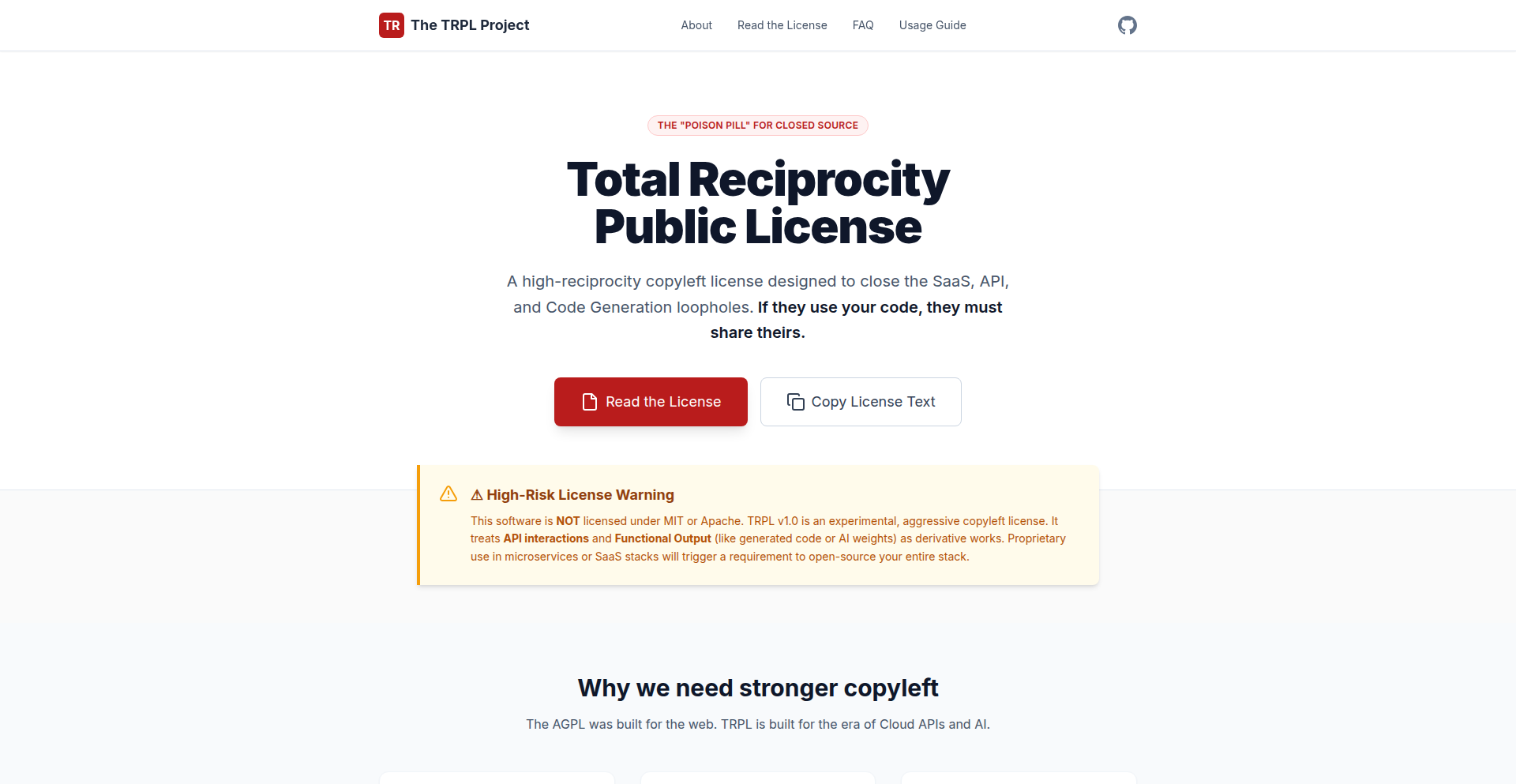
TRPL: Total Reciprocity Public License
Author
jaypatelani
Description
This project introduces the Total Reciprocity Public License (TRPL), a novel approach to open-source licensing that emphasizes a reciprocal obligation for contributors to share their improvements under the same terms. It addresses the 'tragedy of the open source commons' by creating a stronger incentive for all parties to contribute back to the project's ecosystem, ensuring a sustainable and evolving codebase. The innovation lies in its proactive and strongly incentivized contribution mechanism, moving beyond traditional permissive or copyleft licenses.
Popularity
Points 5
Comments 0
What is this product?
TRPL is a new type of open-source license designed to foster a more robust and collaborative development environment. Unlike many existing licenses, TRPL doesn't just allow you to use and modify code; it requires that if you improve or build upon the licensed work, you must also license your contributions under TRPL. This creates a 'total reciprocity' loop, meaning everyone who benefits from the shared code is also obligated to give back their advancements to the community. The core technical insight is leveraging legal frameworks to create economic and collaborative incentives for ongoing contributions, ensuring that the project's value grows for everyone involved, not just for those who initially contribute.
How to use it?
Developers can adopt TRPL for their open-source projects by including the TRPL text file in their repository, typically alongside their `LICENSE` file. When other developers use, modify, or build upon your TRPL-licensed code, they are legally bound to release their own derivative works under the same TRPL terms. This means any bug fixes, new features, or optimizations they create become available to the entire TRPL ecosystem. Integration is straightforward, similar to adopting any other standard open-source license, but the long-term impact is a continuously improving and shared codebase.
Product Core Function
· Reciprocal Contribution Obligation: Guarantees that improvements made to the licensed code are shared back with the original project and community. This means your bug fixes and enhancements are likely to be incorporated, leading to a more stable and feature-rich project for everyone.
· Ecosystem Growth Incentive: Encourages a virtuous cycle where contributions lead to more contributions, fostering a vibrant and self-sustaining community. This translates to faster development cycles and more innovative features for users, as more developers are motivated to invest their time and expertise.
· Sustainable Open Source Model: Provides a framework for projects to remain relevant and actively developed over the long term by ensuring a continuous flow of contributions from users and derivative work creators. This reduces the risk of 'abandoned' open-source projects and ensures their ongoing value.
· Clear Legal Framework for Collaboration: Offers a defined set of rights and obligations, reducing ambiguity for developers and companies using or contributing to the project. This clarity makes it easier for teams to collaborate confidently, knowing the terms of engagement.
· Promotes Code Quality and Innovation: By ensuring that all derivative works are shared, TRPL encourages a higher standard of code quality and fosters rapid innovation. Developers are more likely to invest in creating robust solutions when they know their work will benefit the broader community and be subject to scrutiny and further improvement.
Product Usage Case
· A team developing a new open-source database system can use TRPL. If a large company integrates this database into their proprietary product and adds significant performance optimizations, TRPL ensures those optimizations are also made available to the open-source community, benefiting all users and potentially leading to further enhancements of the core database.
· An individual developer creating a useful library for web development can license it under TRPL. If another developer uses this library and builds a complex framework on top of it, TRPL ensures that the framework's underlying improvements to the library are also shared, enriching the overall web development ecosystem.
· A startup building a new AI model can leverage a TRPL-licensed foundational model. If the startup significantly improves the model's accuracy or adds new functionalities, TRPL mandates that these advancements are contributed back, potentially accelerating the progress of AI research and development for everyone.
16
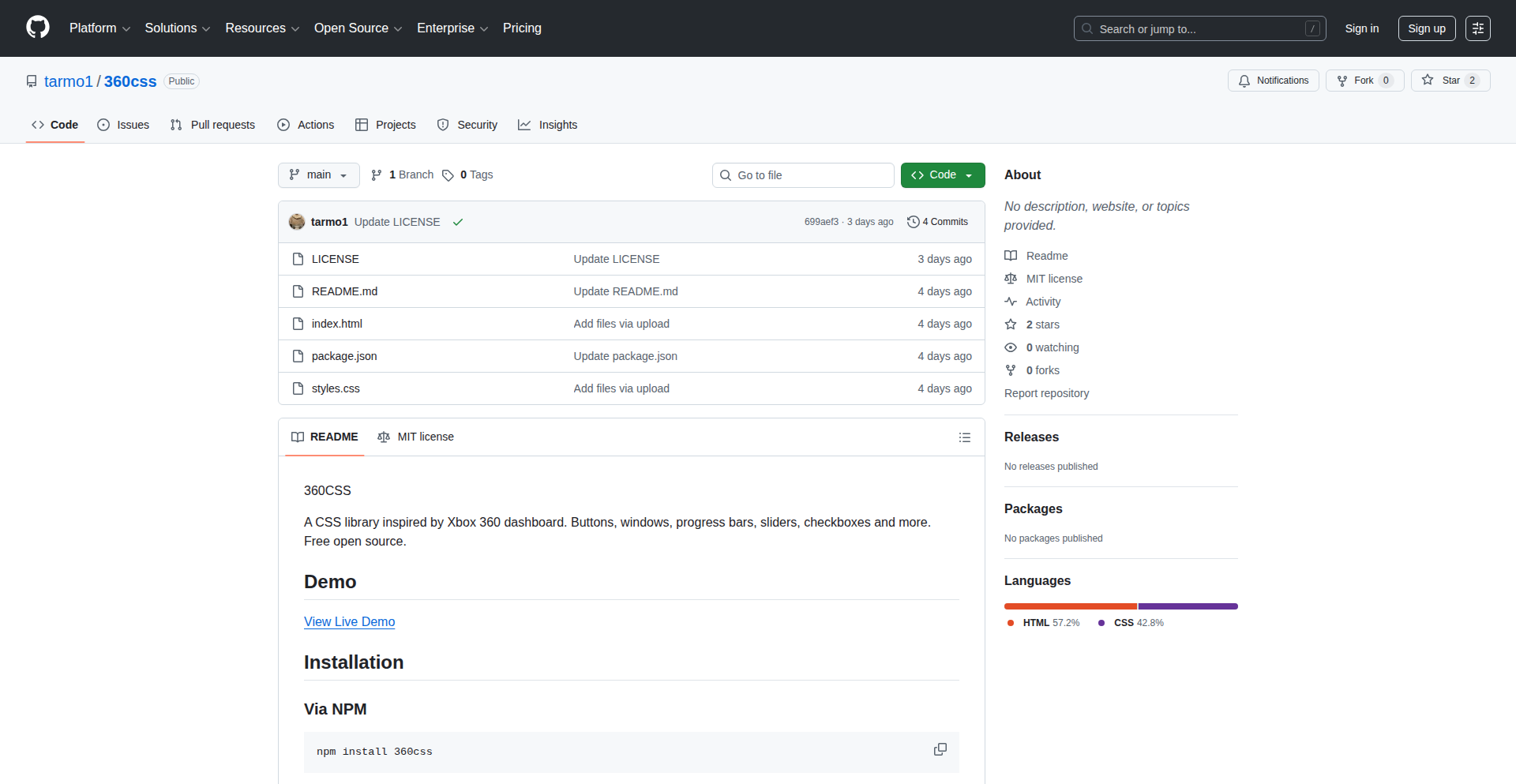
360CSS: Retro UI Style Toolkit
Author
Tarmo362
Description
360CSS is a lightweight CSS library that brings back the aesthetic of the Xbox 360 interface to modern web development. It offers a curated set of styles to give web applications a distinct, nostalgic, and visually engaging look. The innovation lies in its targeted approach to recreating a specific, recognizable UI paradigm using fundamental CSS principles, offering a unique styling option beyond generic frameworks.
Popularity
Points 3
Comments 2
What is this product?
360CSS is a collection of CSS stylesheets designed to mimic the visual appearance of the Xbox 360 user interface. It's built using standard CSS properties and selectors, meaning it doesn't rely on complex JavaScript or advanced CSS features. The core innovation is its thematic focus: instead of providing general styling for all elements, it specifically targets elements like buttons, cards, input fields, and navigation bars to evoke the angular, often metallic, and vividly colored aesthetic of the Xbox 360 dashboard. This allows developers to inject a specific retro gaming feel into their projects without the overhead of large UI kits.
How to use it?
Developers can integrate 360CSS into their web projects by including its CSS file in their HTML. For example, in an HTML file, you would add a link tag within the `<head>` section: `<link rel='stylesheet' href='path/to/360css.css'>`. Once included, you can apply the specific CSS classes provided by 360CSS to your HTML elements to achieve the desired look. For instance, to style a button with the Xbox 360 inspired look, you might use `<button class='btn-360'>Click Me</button>`. This makes it easy to progressively enhance existing web pages or build new ones with a consistent retro theme.
Product Core Function
· Xbox 360 inspired button styling: Applies distinct visual cues to buttons, making them stand out with a classic gaming feel. Useful for call-to-action elements in games or retro-themed websites.
· Card and panel styling: Provides pre-defined styles for content containers that resemble the UI elements found on the Xbox 360 dashboard. Ideal for displaying game information, user profiles, or structured content sections.
· Input field aesthetics: Styles text inputs, checkboxes, and radio buttons to align with the retro UI theme. Helps maintain a cohesive visual experience for forms and interactive elements.
· Navigation elements: Offers styling for menus and navigation bars, reminiscent of the Xbox 360's streamlined interface. Improves user navigation within web applications that adopt the theme.
· Color palettes and typography: Includes specific color schemes and font choices that evoke the era of the Xbox 360, providing a complete thematic package. Ensures consistency across all UI components for a truly immersive experience.
Product Usage Case
· Developing a web-based game dashboard: A developer could use 360CSS to style a dashboard for an online game, making it look like an extension of the game's own interface, similar to how game consoles manage game libraries and user profiles.
· Creating a retro-themed portfolio website: For a web designer or developer who specializes in retro aesthetics or gaming, 360CSS can be used to quickly build a visually striking portfolio that immediately communicates their style and expertise.
· Building a fan-made retro gaming portal: A community site dedicated to old games could leverage 360CSS to provide a familiar and engaging user experience for its visitors, making the site feel like a digital extension of their passion.
· Prototyping UI for a new gaming application: A startup creating a new gaming-related web application could use 360CSS as a rapid prototyping tool to quickly visualize and test UI concepts that have a strong retro gaming appeal before committing to full custom design.
17
SERPSniffer

Author
certibee
Description
A free tool that simulates how your website and its individual pages will appear in Google search results. It addresses the common developer and marketer challenge of visualizing and optimizing for Search Engine Results Pages (SERP) snippets.
Popularity
Points 5
Comments 0
What is this product?
SERPSniffer is a web-based tool that leverages web scraping and rendering techniques to accurately predict and display the visual representation of your website's pages as they would be shown in Google's Search Engine Results Pages. It goes beyond simple text generation by attempting to mimic the actual layout, including titles, descriptions, and potentially other rich snippets. This provides developers and content creators with a concrete preview, enabling them to make informed decisions about meta titles, descriptions, and structured data implementation.
How to use it?
Developers and website owners can input their website's URL or specific page URLs into SERPSniffer. The tool then fetches the relevant meta tags and content, processes it, and renders a visual preview that closely matches Google's SERP display. This allows for iterative refinement of SEO elements directly in the development workflow or during content creation, before publishing live. It can be integrated into local development environments for quick checks or used as a standalone tool for auditing existing pages.
Product Core Function
· SERP Snippet Preview: Generates a visual representation of how a webpage will appear in Google search results, including title, meta description, and URL. This helps ensure the snippet is compelling and accurately reflects the page content, directly impacting click-through rates.
· Title and Description Optimization: Allows users to input custom titles and descriptions to see how they render in the SERP preview. This is invaluable for A/B testing different SEO copy and maximizing relevance and attractiveness to potential visitors.
· URL Structure Visualization: Displays the canonical URL as it would appear in search results. Understanding this helps in crafting clean and SEO-friendly URLs that improve user understanding and search engine crawling.
· Rich Snippet Emulation (Potential): While not explicitly stated, advanced versions could attempt to emulate rich snippets like star ratings or product pricing. This would provide a more comprehensive preview and encourage the implementation of structured data for enhanced SERP visibility.
Product Usage Case
· A content marketer wants to ensure their new blog post title and meta description are concise and appealing enough to get clicks from Google search. They use SERPSniffer to preview how it will look, adjusting the wording until it's optimal, thus increasing organic traffic.
· A web developer is implementing schema markup for a local business to show its address and opening hours in Google search. They use SERPSniffer to verify that the structured data is correctly parsed and rendered as a rich snippet in the SERP preview, improving local SEO discoverability.
· An e-commerce site owner is updating product pages and wants to see how different product titles and brief descriptions will appear in search results. SERPSniffer allows them to quickly test variations and choose the most effective ones to attract shoppers, leading to higher conversion rates.
18
Oblit: Binary-First Node.js Protocol
Author
_melikeymen_
Description
Oblit is a new Node.js protocol designed for efficient data exchange. It prioritizes sending raw binary data directly, minimizing overhead and serialization costs. This approach is particularly beneficial for high-performance applications and microservices where speed and resource utilization are critical.
Popularity
Points 4
Comments 1
What is this product?
Oblit is a Node.js protocol that fundamentally changes how applications communicate. Instead of relying on text-based formats like JSON which require parsing and conversion, Oblit sends data directly in its binary form. Think of it like sending a pre-assembled Lego model instead of sending individual bricks and instructions. This 'binary-first' approach significantly speeds up data transfer and reduces the computational work needed by both the sender and receiver, making your Node.js applications much more efficient.
How to use it?
Developers can integrate Oblit into their Node.js applications by using its library. It can be used for inter-service communication, real-time data streaming, or anywhere efficient data serialization and deserialization are needed. The core idea is to replace existing HTTP or WebSocket communication layers with Oblit, allowing for faster and more resource-friendly data exchange between different parts of an application or between microservices. For example, in a scenario where a server constantly sends sensor data to multiple clients, Oblit can drastically reduce the bandwidth and processing power required compared to sending JSON payloads.
Product Core Function
· Zero-dependency binary serialization: This means you don't need to install any extra libraries to handle the core data conversion. It directly converts your JavaScript objects or data structures into efficient binary formats and back, saving developers time and reducing project complexity.
· Binary-first protocol design: By default, data is sent in its most efficient binary form. This drastically reduces latency and processing time compared to text-based formats like JSON or XML, leading to faster application performance.
· Optimized for Node.js: Built specifically for the Node.js environment, Oblit leverages its asynchronous nature and event-driven architecture to achieve maximum throughput and minimal overhead for Node.js applications.
· Flexible data encoding: While prioritizing binary, Oblit still allows for flexible data encoding, meaning you can choose how your data is represented in binary form to best suit your specific needs, optimizing for speed, size, or specific data types.
· Efficient inter-service communication: For microservices architectures, Oblit provides a high-performance communication channel that can significantly reduce the overhead of message passing, leading to more responsive and scalable systems.
Product Usage Case
· High-frequency trading platforms: Where every millisecond counts, Oblit can be used to exchange market data and trade orders with minimal latency, providing a competitive edge.
· Real-time analytics dashboards: For applications that process and display large volumes of streaming data, Oblit can reduce the load on both the server and client by efficiently transmitting data updates.
· Internet of Things (IoT) device communication: In resource-constrained environments, Oblit's efficiency in data transmission can be crucial for managing bandwidth and processing power on edge devices.
· Game server communication: For multiplayer online games that require rapid updates of game state, Oblit can provide a fast and reliable communication channel between game servers and clients.
· Microservice to microservice RPC (Remote Procedure Call): Replacing slower HTTP-based RPC with Oblit can lead to significantly faster and more efficient communication between different services in a distributed system.
19
Encryptalotta: Client-Side PGP File Weaver
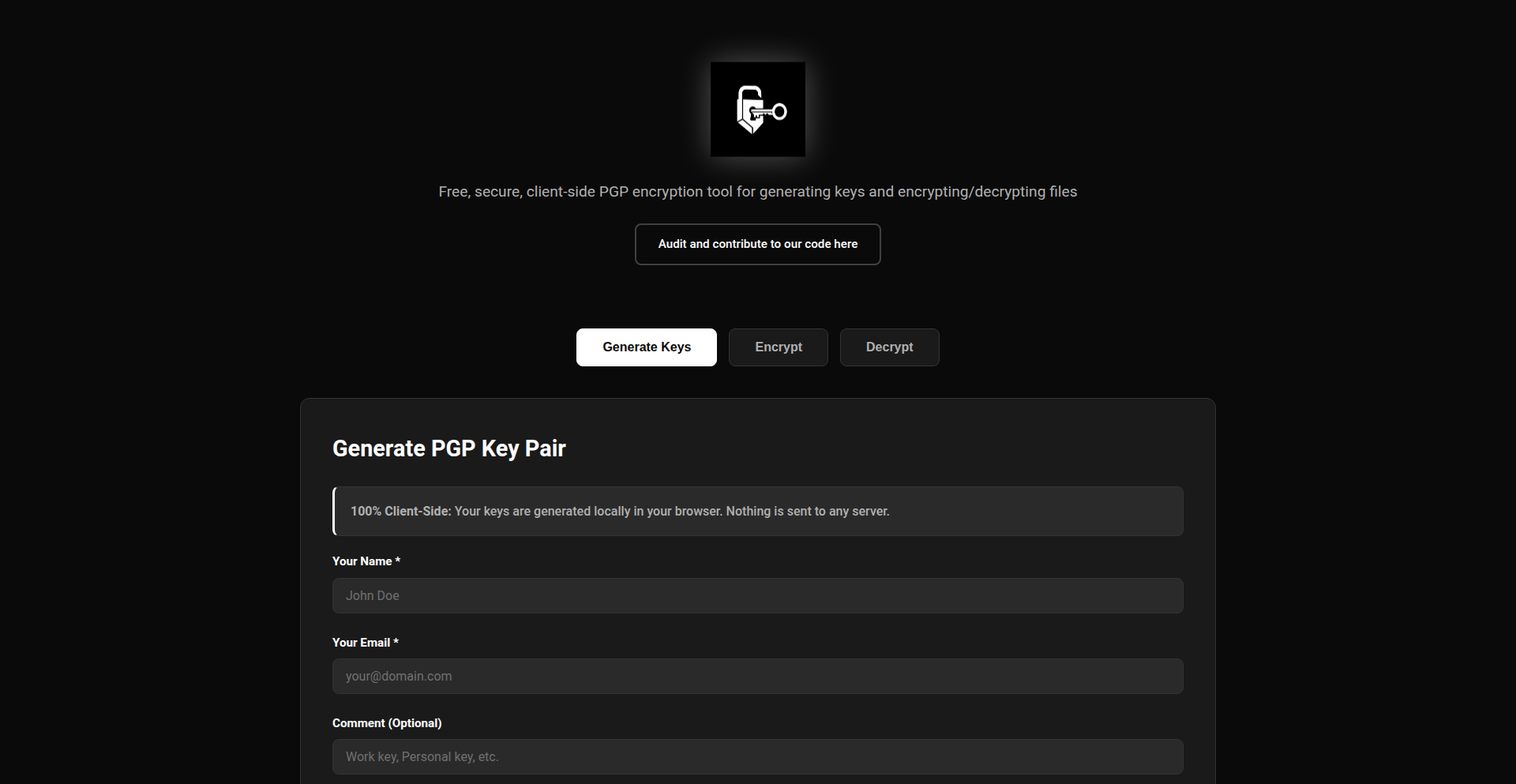
Author
hireclay
Description
Encryptalotta is a free, open-source tool that empowers users to encrypt and decrypt files directly within their web browser using Pretty Good Privacy (PGP) encryption. This means your sensitive data stays on your device and is never uploaded to a server, offering a robust layer of privacy and security for your digital assets.
Popularity
Points 3
Comments 2
What is this product?
Encryptalotta is a client-side PGP encryption tool. It leverages the OpenPGP.js library, a JavaScript implementation of the OpenPGP standard, to perform encryption and decryption operations entirely within your browser. Unlike cloud-based encryption services, no part of your data or private keys are ever sent to a server. This approach significantly reduces the attack surface and ensures that only you, with your private key, can access your encrypted files. The innovation lies in making powerful, end-to-end encryption accessible and user-friendly directly from a web interface, without requiring complex software installations or server-side infrastructure.
How to use it?
Developers can integrate Encryptalotta into their web applications to offer secure file handling capabilities. For end-users, it's as simple as uploading a file, providing a passphrase (which is used to derive your PGP key), and clicking encrypt. To decrypt, you upload the encrypted file and provide the correct passphrase. The tool can be used as a standalone web application or embedded as a component within larger platforms, such as secure document sharing sites, collaborative note-taking apps, or any service that needs to handle user data with a high degree of privacy. The core functionality relies on the browser's ability to execute JavaScript securely.
Product Core Function
· Client-side file encryption: Encrypts files using PGP standards directly in the user's browser, meaning data is never transmitted unencrypted. This provides a fundamental security layer for any file being handled, ensuring privacy against eavesdropping or data breaches during transit.
· Client-side file decryption: Decrypts PGP-encrypted files using the provided passphrase, again, all within the browser. This allows users to securely access their sensitive information without relying on external services, guaranteeing that only authorized individuals with the correct key can read the content.
· PGP key generation from passphrase: Derives PGP keys from user-provided passphrases, simplifying the key management process for users who may not be familiar with traditional PGP key pair management. This lowers the barrier to entry for strong encryption, making advanced security accessible to a wider audience.
· Open-source and auditable: The entire codebase is available for review, allowing developers and security-conscious users to verify its integrity and security. This transparency builds trust and allows for community contributions and improvements, embodying the hacker spirit of open collaboration and verification.
Product Usage Case
· Secure personal document storage: A user can encrypt important personal documents like tax forms or medical records using Encryptalotta before uploading them to cloud storage services. This ensures that even if the cloud storage provider is compromised, their sensitive information remains unreadable.
· End-to-end encrypted messaging attachments: A web-based messaging application could integrate Encryptalotta to allow users to attach encrypted files to messages. This guarantees that only the intended recipient, possessing the correct decryption key, can access the file contents, enhancing communication privacy.
· Collaborative secure file sharing: A team working on a project could use Encryptalotta to encrypt shared documents before uploading them to a collaborative platform. This ensures that while the files are accessible for collaboration, their sensitive content is protected from unauthorized access by members outside the project or from potential platform vulnerabilities.
· Developer tool for secure data handling: Developers building applications that handle sensitive user data can use Encryptalotta's underlying JavaScript library to implement robust encryption features without the need to build and maintain their own complex encryption infrastructure. This speeds up development and ensures a higher level of security for their applications.
20
Dialed: The Radial Chrono-Planner
Author
sirkaiwade
Description
Dialed is an innovative iOS calendar app that reimagines time management by visualizing your day as a 24-hour clock. Instead of traditional grid or list views, tasks and events are represented as colored arcs on a circular dial. This provides a more intuitive and natural understanding of how your time is allocated, helping you identify bottlenecks and optimize your schedule. It addresses the common frustration with existing calendar UIs that feel like spreadsheets or to-do lists, offering a fresh perspective on personal time organization.
Popularity
Points 4
Comments 1
What is this product?
Dialed is an iOS calendar application that breaks away from conventional interfaces by presenting your day as a circular clock. Each hour is a segment of the clock face, and your scheduled events and tasks are displayed as colored arcs, visually representing their duration and placement within the day. The core innovation lies in this radial visualization, which aims to better align with our natural perception of time as a continuous, circular flow, rather than discrete blocks. It tackles the usability issue of traditional calendars feeling too much like data entry tools by focusing on the experiential aspect of time. The app is built using Swift and SwiftUI, and the development involved overcoming challenges like managing event overlaps and the seamless transition around midnight within the radial layout.
How to use it?
Developers can integrate Dialed into their workflow by syncing it with their existing Apple Calendar. This allows for a unified view of all commitments within the visually distinct radial interface. The app can be used for daily scheduling, event planning, and analyzing time usage patterns. For instance, a developer might use Dialed to visualize their coding sprints, meetings, and personal time, gaining a quick, at-a-glance understanding of their time allocation. The time analytics feature helps in understanding planned versus actual time spent on tasks, providing insights for better future planning and productivity. Custom themes allow for personalized visual experiences.
Product Core Function
· Day visualized as 24-hour clock: Provides an intuitive, circular representation of time, making it easier to grasp time allocation and potential conflicts at a glance. This helps users understand the flow of their day.
· Tasks/events as colored arcs: Visually maps out scheduled activities on the clock face, clearly indicating duration and position. This allows for a quick assessment of how much time is dedicated to different activities.
· Apple Calendar sync: Seamlessly integrates with existing Apple Calendar data, ensuring all appointments and events are reflected in the radial view without manual re-entry. This centralizes scheduling information.
· Time analytics (planned vs actual): Offers insights into how time is spent compared to the initial plan, aiding in identifying time management inefficiencies and improving future scheduling. This helps in optimizing productivity.
· Custom themes: Allows users to personalize the app's appearance, enhancing user experience and making time management more engaging.
Product Usage Case
· A freelance developer struggling to balance client work, personal projects, and learning new technologies can use Dialed to visualize their entire day. They can see how much dedicated time they have for each, identify potential over-commitments, and adjust their schedule for better focus and less burnout. The radial view makes it immediately clear when blocks of deep work are available.
· A project manager can use Dialed to plan team sprints and allocate resources. By seeing tasks as arcs on the clock, they can easily identify potential scheduling conflicts, ensure adequate time is dedicated to critical phases, and communicate timelines visually to team members. The planned vs. actual analytics can help in retrospective analysis of sprint efficiency.
· A student can use Dialed to manage classes, study sessions, and extracurricular activities. The circular representation helps them understand the proportion of their day dedicated to different commitments and identify opportunities for focused study periods or breaks. It makes managing a busy academic schedule feel less overwhelming.
21
LargeFontShare

Author
liquid99
Description
A minimalist web-based tool for displaying and sharing text in a large, readable font across any screen size. It addresses the challenge of quick, prominent text display for presentations, notes, or signage, leveraging simple yet effective front-end technologies.
Popularity
Points 4
Comments 1
What is this product?
LargeFontShare is a web application designed to take any text you input and present it in a significantly enlarged font, optimized for visibility on various devices, from mobile phones to large monitors. The core innovation lies in its simplicity and responsive design, ensuring that text remains legible and centered regardless of the screen's dimensions. It achieves this by utilizing standard HTML, CSS, and JavaScript, with a focus on fluid typography and layout adjustments. This means, for you, it offers an instant way to make important messages stand out without needing complex software or design skills.
How to use it?
Developers can use LargeFontShare by simply visiting the provided URL, typing or pasting their desired text into the input area, and the website immediately renders it in large font. For more integrated use, one could potentially embed or link to a specific text display using URL parameters. For example, you might use it to quickly create a temporary sign for an event, display a key message during a team stand-up, or share a quote that needs immediate impact. The ease of use means you can have a prominent text display ready in seconds.
Product Core Function
· Dynamic Text Sizing: Automatically adjusts font size to fill available screen space, ensuring maximum readability. This is useful for situations where you need to convey information quickly and clearly, such as event announcements or urgent messages.
· Responsive Layout: Adapts flawlessly to any screen size or orientation (portrait/landscape). This means your displayed text will look good and be readable whether you're on a small phone or a large monitor, preventing awkward formatting issues.
· Simple Text Input: Allows users to paste or type text directly into a clean interface. This eliminates the need for complex formatting or file uploads, making it incredibly fast to get your message displayed.
· URL Sharing (Potential): While not explicitly stated, the architecture suggests potential for sharing specific text displays via unique URLs. This would allow you to create a persistent, large-font message that others can access, perfect for temporary signage or shared reminders.
· Offline Capability (Potential): With front-end technologies, there's a possibility for basic offline functionality once the page is loaded, useful in areas with unreliable internet access for displaying static messages.
Product Usage Case
· Event Signage: A developer needs to display directions or an event name prominently at a conference venue. They can quickly type the text into LargeFontShare on their laptop and cast it to a nearby screen, avoiding the cost and hassle of printing large signs.
· Team Stand-ups: During a quick team meeting, a project lead wants to highlight a critical task or objective. They can use LargeFontShare on a shared monitor to display the key point in large, unmissable text, ensuring everyone's focus.
· Temporary Information Display: A small business owner needs to inform customers about a temporary closure or special offer. They can use a tablet or computer to display this message in large font on a screen at the entrance, without needing to design a poster.
· Presentation Notes: A presenter wants to show a key takeaway or a question to the audience without interrupting their flow. They can quickly type this into LargeFontShare and display it, acting as a visual aid.
· Code Snippet Sharing (Experimental): For developers who want to quickly showcase a short, critical piece of code during a pair programming session or a quick demo, LargeFontShare can make it instantly visible on a shared screen.
22
Scribe: AI-Powered Sheet Music Generator

Author
hwittenborn
Description
Scribe is a groundbreaking AI tool that translates natural language English descriptions into sheet music. It bridges the gap between creative musical ideas expressed in text and the structured format musicians and composers use daily, addressing a significant void in existing AI music generation tools which often focus on audio output.
Popularity
Points 3
Comments 2
What is this product?
Scribe is an experimental AI system that understands English descriptions of musical pieces and generates corresponding sheet music. Unlike tools that solely produce audio, Scribe tackles the complex challenge of converting abstract musical intent into a concrete, universally understood musical notation format. This involves deep learning models trained to interpret lyrical and stylistic cues from text and translate them into melody, harmony, and rhythm, effectively creating a composer's blueprint from spoken or written ideas. So, this is for you if you can imagine a melody or a song's feel but don't have the technical skill to write it down in sheet music.
How to use it?
Developers can interact with Scribe by providing descriptive text prompts. For example, 'a melancholic piano piece with a slow tempo and minor key' or 'an upbeat jazz melody for a trumpet solo with a swing rhythm.' Scribe then processes these prompts and outputs standard sheet music files (e.g., MusicXML or MIDI, depending on implementation) that can be opened and edited in popular music notation software like MuseScore, Finale, or Sibelius. This allows for immediate use in composition, arrangement, or further musical exploration. This means you can get a starting point for a song idea or a specific musical passage generated quickly, saving you time and creative effort.
Product Core Function
· Natural Language to Musical Description Interpretation: Understands English text to capture the desired mood, genre, instrumentation, and tempo of the music. This is valuable because it allows anyone to express musical ideas without needing to know music theory jargon.
· AI-Driven Sheet Music Generation: Converts textual descriptions into structured musical notation (notes, rests, key signatures, time signatures). This is valuable because it automates the tedious process of writing music, enabling faster prototyping and ideation.
· Vibe-Matching Musical Output: Aims to capture the emotional and stylistic 'vibe' described in the text, going beyond just generating random notes. This is valuable because it helps ensure the generated music aligns with the user's creative vision and intent.
· Standard Music Format Output: Generates sheet music in formats compatible with industry-standard music software. This is valuable because it ensures the output is usable and can be integrated into existing music production workflows.
Product Usage Case
· A songwriter who has a melody in their head but struggles with notation can use Scribe to quickly generate a basic sheet music version of their idea, which they can then refine with a composer or on their own. This solves the problem of translating ephemeral musical thoughts into tangible musical scores.
· A game developer looking for background music can describe the mood and style required for a specific game scene (e.g., 'a mysterious ambient track for a forest level') and Scribe can generate a starting point for the music, which can then be adapted by a composer. This provides a rapid way to explore musical themes for projects.
· A music education tool could use Scribe to generate exercises or examples based on descriptive prompts, helping students understand how textual descriptions translate into musical elements. This offers a novel pedagogical approach to learning music composition and theory.
23
AI-Assisted Audio Editor Rewrite
Author
st0ryteller
Description
This project showcases a complete rewrite of an 8-year-old vanilla JavaScript audio waveform editor into a modern React application. The significant innovation lies in leveraging AI (specifically Claude) to generate over 80% of the new codebase, demonstrating a powerful new paradigm for accelerating development. It introduces a modular structure, TypeScript for better code quality, and utilizes Tone.js for advanced audio manipulation. This effectively tackles the challenge of modernizing legacy codebases and explores the frontier of AI-assisted software development.
Popularity
Points 4
Comments 0
What is this product?
This is a demonstration of a feature-rich, multi-track audio editor that was substantially rebuilt using AI assistance. The core technical innovation is the extensive use of AI (Claude) to generate the majority of the new React codebase. This approach allows for a rapid transformation of an old JavaScript application into a modern, modular, and type-safe (TypeScript) application. It leverages the Tone.js library, a powerful JavaScript framework for creating interactive music and audio applications, to handle complex audio processing, effects, and real-time recording using AudioWorklet. The value proposition is not just a functional audio editor, but a proof-of-concept for how AI can dramatically speed up and improve the modernization of existing software.
How to use it?
Developers can use this project as a reference for modernizing their own legacy JavaScript applications or for building new audio-centric web applications. The project's modular structure, built with React and TypeScript, provides a blueprint for organizing complex front-end code. The integration of Tone.js offers a powerful toolkit for implementing advanced audio features like multi-track editing, real-time effects (over 20 are included), and WAV export. For those interested in AI-assisted development, this project serves as a compelling case study on how to effectively integrate AI tools into the development workflow, particularly for large refactoring tasks. The GitHub repository provides the full source code, allowing developers to study the architecture, explore the Tone.js implementations, and experiment with the AI-generated code.
Product Core Function
· Canvas Waveform Rendering: Visually represents audio tracks with high fidelity, allowing for detailed editing and analysis. The technical value is in efficiently drawing complex waveforms on the web canvas, enabling precise visual feedback for audio manipulation.
· Drag-and-Drop Clip Editing: Enables intuitive manipulation of audio segments, such as moving, trimming, and arranging them. This simplifies the user experience for audio editing, making it accessible even for less technical users.
· 20+ Tone.js Effects: Offers a wide array of audio effects (e.g., reverb, delay, distortion) integrated via the Tone.js library. This provides powerful sound shaping capabilities, allowing for creative audio production and post-production within the browser.
· AudioWorklet Recording: Facilitates high-quality, low-latency audio recording directly in the browser. This is technically challenging and crucial for real-time audio input and capture, enabling interactive performance and recording applications.
· WAV Export: Allows users to export their edited audio projects as standard WAV files. This is a fundamental requirement for any audio editor, ensuring that users can easily share and use their creations in other applications or platforms.
· Annotations: Supports adding textual notes or markers to specific points in the audio timeline. This is valuable for collaboration, remembering editing decisions, or documenting specific audio events, improving workflow and project management.
Product Usage Case
· Modernizing a legacy JavaScript audio application: A developer with an old, unmaintainable JavaScript audio editor can use this project as inspiration and a technical blueprint to refactor their application into a modern React/TypeScript stack, drastically improving maintainability and feature development speed.
· Building a web-based music production tool: A startup aiming to create a browser-based digital audio workstation (DAW) can leverage the project's architecture, Tone.js integration, and waveform visualization techniques to accelerate their development and deliver advanced audio features.
· Experimenting with AI in software development: A developer curious about the potential of AI in coding can study how this project utilized Claude to generate a significant portion of its codebase, learning practical strategies for AI-assisted refactoring and feature implementation.
· Creating interactive audio experiences for educational purposes: Educators or content creators can use the project's components and Tone.js capabilities to build interactive audio lessons or demonstrations where users can manipulate sound in real-time, providing engaging learning opportunities.
24
Z-Image Turbo Sandbox

Author
hugh1st
Description
A free, browser-based playground for Alibaba's Z-Image Turbo model, offering photorealistic image generation and exceptionally accurate Chinese text rendering within seconds. It eliminates the need for local GPU setup or complex installations, providing a frictionless experience for developers and creators to experiment with advanced AI image generation through a hosted API.
Popularity
Points 3
Comments 1
What is this product?
This is a web application that lets you play with a powerful AI model called Z-Image Turbo, developed by Alibaba. Think of it as a digital art studio in your browser. What makes it special is its ability to create realistic images super fast and, importantly, render Chinese text in those images with amazing accuracy. Most AI image generators struggle with text, especially in non-English languages, but this one is designed to handle it. You don't need a powerful computer or to download anything big; it all happens on their servers, so you can start creating instantly. This means you get access to cutting-edge AI image generation without any of the usual technical headaches.
How to use it?
Developers can use this project by simply visiting the provided demo URL (z-img.net). You can start generating images immediately by typing in descriptive prompts (text instructions) and see the results in seconds. For more integrated use, the project offers a hosted API. This means you can connect your own applications or workflows to Z-Image Turbo. For instance, if you're building a website that needs dynamic image creation or a tool that generates personalized content, you can call the API from your code. This is useful for quickly prototyping ideas, adding AI-powered image features to your projects, or testing the model's capabilities before committing to a more complex integration. It's designed to be straightforward, requiring minimal setup on your end.
Product Core Function
· Photorealistic Image Generation: The core value here is the ability to produce high-quality, realistic images from text descriptions. This allows developers to quickly generate visual assets for websites, marketing materials, or creative projects without needing graphic design skills.
· Accurate Chinese Text Rendering: This is a significant innovation, especially for developers targeting Chinese-speaking audiences. It enables the creation of images with precise and legible Chinese text, opening up new possibilities for localized content, product packaging design, and educational materials.
· Browser-Based Playground: The value lies in its accessibility. Developers can experiment without any installation or hardware requirements, making it easy to test ideas and understand the model's capabilities on the fly, thus speeding up the innovation process.
· Hosted API Access: For developers looking to integrate this into their own applications, the hosted API provides a straightforward way to leverage Z-Image Turbo's power programmatically. This allows for custom workflows and dynamic content generation, saving development time and resources.
· Free to Try with No Login: This lowers the barrier to entry significantly. Developers can freely explore and test the technology, fostering experimentation and adoption. This is valuable for individuals and small teams who might not have the budget for premium AI services.
Product Usage Case
· A game developer could use this to quickly generate placeholder art assets or character portraits for their game by describing them in text, accelerating the prototyping phase and allowing for rapid iteration on visual styles.
· A marketer could use the API to create personalized promotional images for a campaign. For example, generating an image of a product with a specific discount code rendered clearly in Chinese, tailored to different customer segments.
· A content creator building a blog could use the tool to generate unique featured images for articles, ensuring they are visually appealing and relevant, and that any incorporated text, like article titles, is rendered perfectly.
· A student or researcher could experiment with the model's ability to render complex Chinese calligraphy or typography within generated scenes, pushing the boundaries of AI's creative and technical capabilities for academic purposes.
25
IdeaVent

Author
heartbeat9
Description
IdeaVent is a Hacker News-inspired platform for developers and entrepreneurs to share nascent app ideas. Its core innovation lies in using community upvoting and discussion to gauge the real-world demand and feasibility of these concepts before significant development effort is invested. It addresses the problem of building products nobody wants by providing an early validation loop.
Popularity
Points 2
Comments 2
What is this product?
IdeaVent is a community-driven platform that functions like a Hacker News for app ideas. Instead of sharing news articles, users post their half-baked app concepts, problems they believe are worth solving, potential automation opportunities, or ideas for tools that don't currently exist. The 'hack' here is leveraging the collective intelligence of the developer community. By upvoting ideas they find compelling or feasible, and discussing their potential in the comments, users create a dynamic feedback mechanism. This allows creators to quickly identify which ideas have traction and resonate with the community, effectively validating demand before committing to full-scale development. It's a clever application of social curation to de-risk innovation.
How to use it?
Developers and aspiring product creators can use IdeaVent by simply signing up and submitting their app ideas. The submission process is straightforward, requiring a title and a brief description of the problem or opportunity the idea addresses. Once posted, creators can monitor upvotes and engage with comments to refine their concepts based on community feedback. For those browsing, they can upvote ideas they believe have potential, comment on their feasibility, suggest improvements, or even offer to collaborate. This can be integrated into a developer's personal ideation workflow as a preliminary step to market research and product discovery, helping to prioritize which side projects or startup ventures to pursue.
Product Core Function
· Idea Submission: Allows users to post their undeveloped app concepts, technical challenges, or market gaps they've identified, providing a structured way to share nascent thoughts.
· Community Upvoting: Enables users to express interest and signal demand for specific ideas by upvoting them, creating a quantifiable measure of popularity and potential impact.
· Discussion and Feedback: Facilitates conversations around submitted ideas, allowing for constructive criticism, feasibility discussions, feature suggestions, and potential collaborations, enriching the initial concept.
· Idea Validation: Provides a mechanism to test market interest and identify promising concepts early on, reducing the risk of investing time and resources into ideas that lack demand.
· Problem Discovery: Surfaces unmet needs and potential areas for innovation by aggregating user-submitted problems and opportunities that developers can then choose to address.
Product Usage Case
· A solo developer has a concept for a new developer tool but is unsure if other developers would find it useful. They post the idea on IdeaVent, receive several upvotes, and engage in comments where others suggest key features that are missing in existing solutions. This validation helps them prioritize development efforts for the features most desired by the community.
· An entrepreneur identifies a recurring problem in a niche industry and wants to brainstorm potential software solutions. They post the problem statement on IdeaVent, and the community offers various automation and software-based solutions, some of which inspire a novel approach for a new SaaS product.
· A developer wants to explore building an open-source project but doesn't know what would be most beneficial to the community. By browsing IdeaVent, they discover several highly upvoted ideas for utility tools that currently lack good open-source implementations, providing a clear direction for their next project.
26
AI Interval Trainer Sync
Author
maxrev17
Description
This project is a tool that bridges the gap between AI-driven training insights and the popular cycling/triathlon training platform Intervals.icu. It takes AI-generated training plans and transforms them into a format that Intervals.icu can understand and use. The innovation lies in its ability to interpret potentially 'restrictive' AI outputs and make them practically applicable for athletes, offering a more flexible and personalized training experience.
Popularity
Points 4
Comments 0
What is this product?
This project is an intermediary that allows you to use AI-generated training plans with Intervals.icu, a platform athletes use to track their workouts. Typically, AI might give you abstract training goals, but this tool translates those goals into concrete, actionable workout blocks that Intervals.icu can then schedule and guide you through. The core technical insight is in parsing and reformatting complex AI recommendations into a structured, usable format, addressing the common problem of AI plans being hard to implement in real-world training.
How to use it?
Developers can integrate this tool by using its API or command-line interface to process AI-generated training plans. The output can then be uploaded or synced to their Intervals.icu account. This allows for a seamless flow from AI analysis to actual training execution, enabling athletes to leverage advanced AI without needing to manually re-enter or interpret complex training directives. It's about making AI truly practical for performance improvement.
Product Core Function
· AI Plan Interpretation: This function takes raw AI training suggestions, which might be abstract like 'increase aerobic capacity', and deciphers them into specific training session parameters like duration, intensity, and type of exercise. The value is in making AI's advice concrete and actionable for athletes.
· Intervals.icu Data Formatting: This function translates the interpreted AI training data into the specific file format or API calls that Intervals.icu expects. This ensures that the AI-generated workouts can be directly imported and managed within the platform, saving users manual data entry time.
· Customization Layer: The tool allows for some degree of 'nerdy' customization, giving developers or advanced users control over how AI recommendations are translated. This adds flexibility and allows for fine-tuning to individual needs and preferences, enhancing the personal relevance of the training plan.
· Synchronization Mechanism: This function enables the automated syncing of new or updated AI training plans to Intervals.icu. The value here is maintaining an up-to-date training regimen without constant manual intervention, keeping the athlete's plan aligned with AI-driven insights.
Product Usage Case
· An endurance athlete uses an AI tool to generate a personalized marathon training plan. The AI's output is a series of high-level goals. This project takes those goals and converts them into structured workouts (e.g., '3x15 minutes at Zone 2 with 5 minutes recovery') that are then automatically added to their Intervals.icu calendar, allowing them to follow a data-driven plan without manual input.
· A cycling coach wants to experiment with AI-powered training load predictions for their clients. They use this project to bridge the AI's predicted optimal training load for the next week with their clients' existing Intervals.icu profiles. This helps in proactively adjusting client training schedules to maximize performance and minimize overtraining risks.
· A hobbyist programmer who is also a triathlete wants to integrate cutting-edge AI into their personal training. They build a script using this project to take the output from a new AI fitness model and directly create workouts within their Intervals.icu account, demonstrating the 'hacker' spirit of using code to solve personal challenges and explore new possibilities in athletic training.
27
BrowserReleaseTracker
Author
grosmar
Description
A project that meticulously tracks the release versions of major web browsers (Safari, Chrome, Firefox, Edge, Opera). Its innovation lies in its ability to provide developers with timely and accurate information about browser updates, enabling proactive testing and compatibility adjustments. This helps prevent unexpected bugs caused by new browser features or changes, ultimately saving development time and ensuring a smoother user experience.
Popularity
Points 2
Comments 2
What is this product?
This project is a specialized tool designed to monitor and catalog the release cycles of popular web browsers like Safari, Chrome, Firefox, Edge, and Opera. The core technical innovation is its automated data aggregation and presentation system, which continuously pulls version information from official or semi-official sources. Think of it as a live feed of browser version numbers, not just the current ones, but also historical data and release patterns. This offers a valuable technical insight into the pace of browser evolution and helps developers stay ahead of the curve.
How to use it?
Developers can integrate this tracker into their workflows by subscribing to release notifications or by querying the data directly. For instance, a web developer might set up alerts for new Chrome releases to immediately test their web applications against the latest version, ensuring compatibility before their users encounter any issues. It can be used as a standalone resource for quick checks, or its data could be pulled programmatically to trigger automated testing pipelines. The practical value is in knowing exactly when a browser update occurs, so you can plan your testing accordingly.
Product Core Function
· Automated Browser Version Fetching: Continuously collects the latest release versions for Safari, Chrome, Firefox, Edge, and Opera, providing up-to-date information without manual checking. This saves developers significant time and effort in tracking these vital updates.
· Cross-Browser Release History: Maintains a historical record of browser releases, allowing developers to analyze trends and understand past update behaviors. This insight can aid in long-term planning and resource allocation for cross-browser testing.
· Release Notification System: Offers a mechanism to alert developers when new browser versions are released, enabling immediate action for compatibility testing. This proactive approach minimizes the risk of deploying applications that are broken on newer browser versions.
· Data Aggregation and Presentation: Organizes and presents complex browser release data in an easily digestible format, making it accessible even for those with less technical expertise. This clarity ensures that the information is actionable and its value is immediately understood.
Product Usage Case
· A web agency developing a critical e-commerce platform needs to ensure seamless performance across all major browsers. By using BrowserReleaseTracker, they receive an alert for a new Firefox release. They immediately initiate testing of their platform on this new version, discover a minor rendering issue related to a new CSS property, and fix it before it impacts any customers. This prevented potential lost sales and customer frustration.
· A freelance front-end developer building a progressive web app (PWA) wants to leverage the latest browser features for an enhanced user experience. BrowserReleaseTracker informs them about the rollout of a new JavaScript API in Chrome. They can then confidently integrate this API into their PWA, knowing it's supported by a significant user base, without having to constantly monitor browser development forums.
· A QA team responsible for a large enterprise application needs to plan their testing cycles effectively. By analyzing the historical release data from BrowserReleaseTracker, they can predict future release cadences and allocate resources more efficiently, ensuring that their testing aligns with expected browser updates and minimizing last-minute firefighting.
28
BrowserCodeAI

Author
ianberdin
Description
A browser-based AI coding agent that reimagines the coding experience. It leverages AI to act as an intelligent assistant, providing code suggestions, explanations, and even generating code snippets directly within your web browser. This project tackles the common challenge of context switching and integrating AI assistance seamlessly into the developer workflow.
Popularity
Points 4
Comments 0
What is this product?
BrowserCodeAI is a novel application that brings the power of AI-powered coding directly into your web browser. Instead of relying on separate desktop applications or complex IDE integrations, it acts as a smart coding companion that understands your code and can assist you in real-time. The core innovation lies in its ability to parse and analyze code within the browser environment, using advanced AI models to provide contextually relevant help. This means you get instant feedback, code generation, and explanations without leaving your current tab, making it incredibly efficient for everyday coding tasks.
How to use it?
Developers can integrate BrowserCodeAI into their workflow by accessing its web interface. Once opened, it can analyze the code on the current webpage or within a specified code editor component. You can then interact with the AI by asking questions about your code, requesting code generation for specific functionalities, or asking for explanations of complex logic. It's designed to be a versatile tool that can be used for learning, debugging, rapid prototyping, and enhancing overall coding productivity, all within the familiar confines of your browser.
Product Core Function
· Real-time code analysis: Understanding your code as you type to provide instant feedback and suggestions, saving you time on manual checks and improving code quality.
· AI-powered code generation: Automatically creating code snippets based on natural language descriptions or context, accelerating development and reducing repetitive coding.
· Contextual code explanation: Breaking down complex code segments into understandable explanations, making it easier to learn new technologies or understand existing codebases.
· Intelligent debugging assistance: Helping to identify potential errors and suggesting fixes, reducing frustration and speeding up the troubleshooting process.
· Seamless browser integration: Operating directly within your web browser, eliminating the need for complex installations or context switching between different applications, thereby streamlining your workflow.
Product Usage Case
· When learning a new JavaScript framework, a developer can highlight a code snippet and ask BrowserCodeAI to explain how it works, getting a clear, concise explanation that helps them grasp the concepts faster.
· While building a new feature, a developer needs to implement a common UI element. They can describe the desired element to BrowserCodeAI, which then generates the HTML, CSS, and JavaScript code, significantly speeding up the development process.
· A developer encounters a bug in their existing code. Instead of spending hours debugging, they can ask BrowserCodeAI to analyze the problematic section and suggest potential causes and solutions, leading to a quicker fix.
· During a code review, a developer can use BrowserCodeAI to get a second opinion on a piece of code, asking for potential improvements or alternative approaches, thus enhancing code quality.
29
ObjectifyParamsJS
Author
mchahn
Description
A VSCode extension that automatically refactors JavaScript or TypeScript functions. It converts multiple individual parameters into a single object parameter. This enhances code readability and maintainability, especially for functions with many arguments, making it easier to understand and manage your codebase. So, this helps you write cleaner, more organized code that's less prone to errors when you modify functions later.
Popularity
Points 4
Comments 0
What is this product?
ObjectifyParamsJS is a VSCode extension that tackles a common JavaScript/TypeScript coding challenge: functions with too many individual parameters. Instead of passing arguments one by one (e.g., `doSomething(arg1, arg2, arg3, arg4)`), it intelligently transforms the function signature and its calls to use a single object (e.g., `doSomething({ arg1: value1, arg2: value2, arg3: value3, arg4: value4 })`). This is achieved through static code analysis, identifying function definitions and their usages, and then performing code transformations. The innovation lies in its automated refactoring capabilities, reducing manual effort and the potential for mistakes. So, this brings automated intelligence to code cleanup, making complex function calls much easier to read and manage.
How to use it?
As a developer, you install this extension directly within your VSCode environment. Once installed, it can be triggered manually on a selected function or potentially configured to run automatically on save (depending on its specific implementation and user settings). The extension analyzes your JavaScript or TypeScript code, detects functions with multiple positional parameters, and offers to refactor them into an object parameter. You can then accept the suggested changes. Common integration points include refactoring legacy code, implementing new features with cleaner function signatures, or adhering to team coding standards. So, this allows you to quickly and safely update your code to a more robust and readable format with minimal manual intervention.
Product Core Function
· Automatic function signature refactoring: Transforms multiple positional parameters into a single named object parameter, making function calls more explicit and less error-prone when arguments are reordered or added. This is valuable for improving code clarity and reducing bugs introduced by parameter mismatches.
· Intelligent usage update: Ensures that all existing calls to the refactored function are also updated to pass arguments as properties of the new object, maintaining code consistency and preventing runtime errors. This saves significant manual debugging time and effort.
· JavaScript and TypeScript support: Provides robust analysis and refactoring for both popular JavaScript and TypeScript languages, accommodating a wide range of modern web development projects. This broad compatibility ensures its usefulness across diverse development environments.
· Code readability enhancement: By encapsulating parameters into an object, the intention of each parameter becomes clearer at the call site, significantly improving the understandability of code. This is crucial for long-term project maintenance and team collaboration.
· Maintainability improvement: Functions with object parameters are generally easier to extend and modify without breaking existing code, as new properties can be added to the object without affecting the function signature. This fosters a more agile development process.
Product Usage Case
· Refactoring a complex configuration function: Imagine a function like `setupWidget(width, height, color, fontSize, backgroundColor, borderColor, padding, margin)`. ObjectifyParamsJS can transform this into `setupWidget({ width, height, color, fontSize, backgroundColor, borderColor, padding, margin })`. This makes it much easier to see what each configuration option means when you call the function, preventing confusion and errors. So, this helps you avoid passing the wrong values to the wrong options.
· Improving API client calls: If you have a function for making API requests that takes many optional parameters, like `apiCall(endpoint, method, payload, headers, timeout, retries)`. Refactoring it to `apiCall({ endpoint, method, payload, headers, timeout, retries })` makes the call site cleaner and easier to modify if you need to add or remove optional parameters later. So, this makes your API interactions more organized and adaptable.
· Enhancing legacy JavaScript code: When working with older JavaScript codebases, functions with numerous parameters are common. This extension can be used to modernize these functions, making them more readable and maintainable for new developers joining the project. So, this makes it easier for new team members to understand and contribute to existing code.
30
Claude Opus Front-End Synergy Studio

Author
jackculpan
Description
This project showcases an innovative integration of Claude Opus, a powerful large language model, with front-end design skills to achieve remarkable results in rapid prototyping and creative tool development. It leverages the AI's contextual understanding and generation capabilities to accelerate the design and implementation of user interfaces, demonstrating a novel approach to blending human creativity with AI assistance for frontend development.
Popularity
Points 3
Comments 0
What is this product?
This is a project demonstrating how to combine the advanced reasoning and generation capabilities of Claude Opus with practical front-end design expertise. The core innovation lies in using Claude Opus not just for code generation, but as an intelligent partner in the design process, understanding complex design requirements and translating them into functional front-end components. This approach bypasses traditional, more manual UI development workflows by allowing the AI to understand high-level design intent and suggest or generate code, significantly speeding up iteration and problem-solving. It's like having a super-intelligent design assistant that speaks your design language and can instantly translate it into code.
How to use it?
Developers can use this project as a blueprint or inspiration for building their own AI-assisted design tools. The core idea is to develop a system where a front-end designer can describe desired UI elements, interactions, or even entire application flows to Claude Opus. The AI, understanding the context and design principles, can then generate HTML, CSS, JavaScript, or even framework-specific components. This could be integrated into existing development environments via APIs or as a standalone tool. For instance, a developer could feed a rough sketch or a textual description of a dashboard into the system, and Claude Opus, guided by design best practices, would generate a functional layout and components, allowing the developer to quickly refine and build upon it. This means faster prototyping and a more direct path from idea to functional UI.
Product Core Function
· AI-driven UI component generation: Leveraging Claude Opus to automatically generate pre-designed UI elements based on natural language descriptions, saving significant manual coding time and ensuring consistency. This is useful for quickly populating interfaces with standard components like buttons, forms, and navigation bars.
· Contextual design adaptation: Enabling the AI to understand the broader design context and adapt generated components to fit seamlessly, leading to more cohesive and user-friendly interfaces. This helps in maintaining a consistent look and feel across complex applications.
· Rapid prototyping acceleration: Significantly reducing the time it takes to go from a design concept to a working prototype by automating much of the initial front-end implementation. This allows for faster validation of ideas and quicker feedback cycles.
· Intelligent interaction design assistance: Providing AI-powered suggestions for user interactions and workflows, enhancing the overall user experience and efficiency of the application. This is valuable for designing intuitive and engaging user journeys.
· Cross-framework component generation: The potential to generate components adaptable to various front-end frameworks (e.g., React, Vue, Angular) based on specific project needs. This offers flexibility and reduces the learning curve for adopting new technologies.
Product Usage Case
· Imagine a startup needing to quickly build a Minimum Viable Product (MVP) for a new social media app. Instead of spending weeks on basic UI, a designer describes the profile page to the system. Claude Opus generates the HTML, CSS, and basic JavaScript for the layout, user avatar, and post display. The developer then quickly iterates on this AI-generated base, focusing on core logic rather than boilerplate UI code, thus launching the MVP much faster.
· A product manager wants to visualize complex data with interactive charts and dashboards. They describe the desired layout and chart types. The AI, understanding the data structure and design goals, generates the front-end code for these elements, including dynamic updates and user interaction filters. This allows the product manager to see a functional prototype within hours, enabling better stakeholder alignment and informed decision-making.
· A developer is tasked with revamping an existing web application's user interface. They input the desired new look and feel, along with specific functionality requirements. The AI then generates updated components, respecting the existing application's architecture and design language, minimizing disruptive changes and speeding up the modernization process. This is useful for improving user experience without a complete overhaul.
· A designer is experimenting with novel UI patterns. They articulate the abstract concept to Claude Opus, which helps translate it into concrete code, potentially uncovering new implementation possibilities or optimizing the pattern for performance. This fosters a culture of experimentation and pushes the boundaries of web design.
31
Uptime Mongers: DNS-Powered Reliability Monitor
Author
km
Description
Uptime Mongers is a self-hosted monitoring tool that leverages powerful DNS checks and employs 'boring tech' for robust uptime and performance monitoring. It addresses the need for reliable, low-overhead infrastructure monitoring by focusing on DNS-level verification, ensuring services are not just reachable but also correctly resolving and responding.
Popularity
Points 2
Comments 1
What is this product?
Uptime Mongers is a project built by developers for developers, designed to continuously check if your services are up and running. Instead of just pinging a server, it performs sophisticated DNS checks. This means it verifies that your domain name correctly points to the right server and that the server responds as expected. The 'boring tech' approach means it uses stable, well-understood technologies, making it easier to manage and less prone to unexpected issues. So, this helps you catch problems before your users do, ensuring your applications are always accessible and performing well.
How to use it?
Developers can deploy Uptime Mongers on their own infrastructure. It typically involves setting up a small server or container. You configure it with the list of your services, websites, or APIs that you want to monitor. For each service, you define the DNS records to check and the expected responses. The tool then periodically performs these checks and alerts you if something goes wrong. This can be integrated into existing CI/CD pipelines or alerting systems. So, this provides a hands-on, in-house monitoring solution that you control entirely, giving you peace of mind about your service availability.
Product Core Function
· DNS Resolution Verification: Checks if your domain names are correctly resolving to the intended IP addresses. This ensures that basic network infrastructure for your service is functioning, which is a fundamental step in making your service accessible. So, this prevents issues where a domain name might be misconfigured, making your service appear offline to the world.
· HTTP/HTTPS Response Checks: Goes beyond DNS to actually request a web page or API endpoint and verify the response status code and content. This confirms that your application is not only reachable but also actively serving content correctly. So, this ensures your web applications and APIs are not just 'online' but also functioning as expected.
· Customizable Check Intervals: Allows you to set how frequently each service is checked. This flexibility helps balance the need for immediate alerts with resource consumption. So, you can tailor the monitoring frequency to the criticality of your services, getting alerted quickly for important ones while being less aggressive for less critical ones.
· Alerting Mechanisms: Provides notifications when checks fail, helping you react quickly to outages or performance degradation. This is typically done via email, Slack, or other integration points. So, you get notified immediately when a problem arises, allowing for rapid incident response and minimal downtime.
· Self-Hosted and Open-Source: The project is designed to be run on your own servers, giving you full control over your data and monitoring infrastructure. Being open-source means you can inspect the code and even contribute. So, this offers a private, cost-effective, and transparent monitoring solution, free from reliance on third-party vendors and their potential limitations.
Product Usage Case
· Monitoring a critical web application: A developer deploys Uptime Mongers to ensure their primary customer-facing website is always reachable and serving the correct content. The tool checks DNS resolution and makes HTTP requests to key pages, alerting the team via Slack if the site becomes unresponsive. So, this prevents revenue loss and reputational damage by catching website outages instantly.
· Verifying API endpoint availability: An engineering team uses Uptime Mongers to monitor a suite of internal APIs. They configure checks to ensure each API endpoint returns a 200 OK status code and a valid JSON response within a certain latency. This helps them identify backend service failures early. So, this ensures the stability of interconnected services and prevents cascading failures in microservice architectures.
· Ensuring successful DNS propagation for new deployments: When deploying updates that involve DNS changes, a developer can use Uptime Mongers to automatically verify that the new DNS records are propagating correctly across different DNS servers worldwide. This avoids users being directed to old or non-existent servers. So, this guarantees a smooth transition during deployments and minimizes disruption for users accessing the service from various geographical locations.
32
DevDealsHub: Black Friday Premium Software Directory

Author
bfdd
Description
DevDealsHub is a curated directory of premium Black Friday deals on SaaS and apps, specifically for developers, creators, and entrepreneurs. It's built with a modern tech stack including Next.js for the frontend, Convex for a seamless database experience, Umami and Posthog for insightful analytics, and Dodopayment for secure transactions. The project was rapidly developed using Claude Code, demonstrating a fast and effective approach to problem-solving in tech.
Popularity
Points 3
Comments 0
What is this product?
DevDealsHub is a centralized platform that aggregates and presents the best Black Friday deals on premium software and applications. The innovation lies in its rapid development using AI code generation (Claude Code) and a carefully chosen modern tech stack. This allows for quick deployment and iteration. The project solves the problem of scattered and hard-to-find deals by offering a single, reliable source. For users, this means saving time and money by easily accessing valuable discounts on tools they need.
How to use it?
Developers can use DevDealsHub by simply visiting the website to browse through curated lists of Black Friday deals. The site is designed for easy navigation, allowing users to quickly find offers on software, apps, and services relevant to their work. For integration, the site itself is an example of how to quickly build a functional web application with real-time data and user engagement tracking, showcasing the power of Next.js and Convex for dynamic content management and the value of analytics tools like Umami and Posthog for understanding user behavior.
Product Core Function
· Centralized Deal Aggregation: Collects and displays premium Black Friday deals from various sources, providing a single point of access for users to discover valuable discounts, saving them time and effort in searching.
· Developer-Focused Curation: Offers a selection of deals specifically tailored for developers, creators, and entrepreneurs, ensuring the relevance and utility of the showcased software and applications.
· Real-time Traffic Analytics: Integrates Umami and Posthog to provide public access to website traffic data, demonstrating transparency and offering insights into user engagement and popular deals for other developers to learn from.
· Modern Frontend Development: Utilizes Next.js for a fast, responsive, and SEO-friendly user interface, delivering a smooth browsing experience and showcasing best practices in modern web development.
· Scalable Database Solution: Employs Convex for its database needs, allowing for efficient data management and real-time synchronization, which is crucial for a dynamic content platform like a deals directory.
· Seamless Payment Integration: Incorporates Dodopayment for secure and straightforward transaction processing, highlighting the ease of integrating payment solutions into web applications.
Product Usage Case
· A developer looking to upgrade their toolset for the year can visit DevDealsHub during Black Friday to find discounted prices on programming IDEs, cloud services, and productivity apps, saving hundreds of dollars.
· A content creator can discover bundled deals on design software, video editing tools, and subscription services, significantly reducing their operational costs for the upcoming year.
· An entrepreneur can find cost-effective solutions for CRM, marketing automation, and project management software, enabling them to launch and scale their business more affordably.
· A developer interested in building similar rapid application development projects can study DevDealsHub's tech stack and development approach to understand how to quickly launch a feature-rich web application using AI-assisted coding and modern backend solutions.
33
LocalDocs-RAG
Author
dymk
Description
LocalDocs-RAG is a local-first Retrieval Augmented Generation (RAG) system designed for querying technical PDF documents like user manuals and datasheets. It allows LLMs to efficiently search through large, sensitive documents without relying on cloud services, providing precise, locally-sourced answers with citations.
Popularity
Points 3
Comments 0
What is this product?
This project is a specialized tool that enables Large Language Models (LLMs) to intelligently search through PDF documents that are too large to fit into their standard memory (context window). It uses a technique called Retrieval Augmented Generation (RAG) to achieve this. RAG works by first converting your documents into a searchable format (embeddings) and then, when you ask a question, it finds the most relevant snippets from your documents to feed to the LLM. This means the LLM doesn't have to 'guess' or rely on potentially outdated general knowledge; it gets directly informed by your specific documents. The innovation here is that it's designed to run entirely locally, meaning your sensitive documents never leave your machine, and it prioritizes fast startup after an initial indexing phase.
How to use it?
Developers can integrate LocalDocs-RAG into their AI agent workflows. After installing and configuring it to point to a local LLM (like those managed by Ollama) or an OpenAI-compatible endpoint, you can provide it with a directory of PDF documents. The system will then index these documents. You can then use the provided `ask_docs` tool within your agent to ask questions in natural language. The tool will return answers along with specific page numbers where the information was found. If more context is needed, you can use the `get_doc_page` tool to retrieve the full content of a specific page. This is ideal for scenarios where agents need to consult technical manuals, product specifications, or internal documentation.
Product Core Function
· Incremental document indexing and caching: This allows for near-instantaneous startup after the initial processing of PDFs, significantly speeding up development iterations and tool usage. The value is in not having to re-process documents every time you start the tool.
· Filesystem as a database: Instead of requiring a separate database setup, the system uses your existing file system to store document information. This simplifies deployment and management, especially for local-first applications. The value is in reduced complexity and easier setup.
· Local RAG implementation: This ensures that sensitive or proprietary documents remain on your local machine, addressing security and privacy concerns. The value is in data security and compliance.
· `ask_docs` tool for natural language querying: This function allows users to ask questions about the documentation in plain language and receive relevant answers. The value is in making complex technical information accessible and searchable.
· Page number annotation: Answers are accompanied by the specific page numbers from the source document. This allows for quick verification and retrieval of additional context, enhancing the reliability of the information provided by the LLM. The value is in traceability and accuracy.
· Integration with local LLMs (Ollama) or OpenAI compatible endpoints: This offers flexibility in choosing the LLM backend, catering to different user preferences and infrastructure. The value is in adaptability and choice of technology.
Product Usage Case
· A firmware engineer needs to understand specific error codes or register configurations documented in a 500-page microcontroller datasheet. Instead of manually sifting through the PDF or risking LLM hallucinations, they use LocalDocs-RAG. The `ask_docs` tool quickly provides the exact explanation and page number, saving hours of research and preventing potential bugs due to incorrect interpretation.
· A developer is building an IoT device and needs to consult the API documentation for a specific sensor module. The documentation is proprietary and cannot be uploaded to cloud services. LocalDocs-RAG indexes the PDF locally, allowing the developer's AI assistant to query the API specifications directly, understand command sequences, and even suggest code snippets based on the documentation, all while keeping the data secure.
· A technical writer is documenting a complex software product with extensive user guides. They integrate LocalDocs-RAG into their workflow. When drafting new sections, they can ask the system questions about existing functionality, ensuring consistency and accuracy by directly referencing the source documentation through the `ask_docs` tool, greatly reducing research time.
34
BakeryBlueprint AI

Author
Rafael_Mauricio
Description
BakeryBlueprint AI is an innovative online platform designed to democratize commercial bakery design. It transforms a historically complex, time-consuming, and expensive process into an accessible and educational experience for bakers. Leveraging curated expertise and a simplified tech stack, it empowers aspiring and existing bakery owners to design efficient, functional, and profitable kitchen layouts, bypassing prohibitive consulting fees and lengthy timelines.
Popularity
Points 3
Comments 0
What is this product?
BakeryBlueprint AI is a digital service that productizes the expertise of commercial bakery designers. Instead of a traditional, manual design process that can take months and cost over $10,000, this platform offers online courses. These courses distill years of experience into actionable lessons on efficient kitchen layout, smart equipment selection, and optimized workflow. The core innovation lies in translating complex architectural and operational principles into an easy-to-follow educational format, allowing users to either design their own bakery space or collaborate more effectively with contractors. It's built on a simple static site, prioritizing content delivery and user experience over intricate backend development, a testament to the hacker ethos of focusing on the essential problem.
How to use it?
Developers and aspiring bakery owners can access BakeryBlueprint AI through its website. The primary method of use is by enrolling in the online courses. These courses guide users step-by-step through the principles of commercial bakery design. Users learn about space planning, equipment compatibility, workflow efficiency, and compliance with health and safety regulations. The platform acts as a digital mentor, providing the knowledge and frameworks needed to create a viable floor plan. This can be used to inform a DIY design, provide clear specifications to a contractor, or even to intelligently vet and manage hired design professionals. The static site architecture ensures quick loading and accessibility, making it easy to integrate learning into a busy schedule.
Product Core Function
· Online courses on bakery layout principles: This teaches users how to arrange kitchen equipment and workspaces for maximum efficiency and workflow, reducing wasted movement and time. The value is in empowering users with foundational design knowledge to create a functional space.
· Equipment selection guidance: Provides insights into choosing the right commercial baking equipment based on needs, space, and budget, ensuring users invest wisely and avoid costly mistakes. The value is in informed purchasing decisions and avoiding under/over-equipping a bakery.
· Workflow optimization modules: Teaches how to design the flow of operations within a bakery, from receiving ingredients to packaging finished goods, minimizing bottlenecks. The value is in creating a smooth and productive operational environment.
· Accessible design blueprints and templates: Offers practical examples and starting points for kitchen layouts, accelerating the design process and providing a visual guide. The value is in providing tangible assets that speed up the user's design journey.
· Cost-effective alternative to traditional design services: By productizing expertise into courses, it significantly reduces the financial barrier to professional bakery design. The value is in making high-quality design accessible to small businesses and individuals who couldn't afford traditional methods.
Product Usage Case
· A recent culinary school graduate with a dream of opening their own bakery uses the online courses to design their first commercial kitchen layout. They learn about zoning different areas (prep, baking, finishing) and selecting compact, multi-functional equipment suitable for a smaller footprint, saving thousands on initial design consulting.
· An existing bakery owner planning a renovation uses the platform to understand how to improve their existing workflow. They discover how relocating a cooling rack station can streamline the process of moving finished goods to the display area, reducing staff travel time and increasing throughput without a major structural overhaul.
· An independent baker wants to pitch their business idea to investors. They utilize the design principles learned to create a professional, efficient kitchen layout to include in their business plan, demonstrating foresight and operational planning to potential funders.
· A baker who has hired a contractor uses the course materials to have informed discussions about equipment placement and workflow. They can now clearly articulate their needs and critically evaluate the contractor's proposals, ensuring the final design meets their specific operational requirements.
35
Notanic: Infinite Canvas for Technical Minds
Author
dolphin137
Description
Notanic is an infinite-canvas note-taking application built for technical use cases. It addresses limitations found in traditional note-taking apps by offering features like real-time multiuser editing, native Markdown and code blocks, precise sketching and graphing tools, unlimited hierarchical page nesting, and embeds for popular technical platforms. It allows for local-only usage or optional cloud sync, making it a versatile tool for engineers, students, and anyone who needs a flexible space for technical documentation, architectural diagrams, mathematical work, or visual problem-solving.
Popularity
Points 3
Comments 0
What is this product?
Notanic is an infinitely expandable digital workspace designed for technical note-taking and visual problem-solving. Unlike traditional apps with fixed pages, Notanic's canvas stretches endlessly, allowing you to freely arrange information. Its core innovation lies in its focus on technical workflows: it natively supports Markdown, including code blocks for programming snippets, offers precise drawing and graphing tools with measurement capabilities, and seamlessly embeds content from platforms like Desmos (for math graphs), CodePen (for web development demos), and GitHub Gists (for code sharing). This means you can create rich, interconnected technical documents and visualizations all in one place, without being constrained by page limits. The real-time multiuser editing feature means you can collaborate with others on the same canvas simultaneously, much like a shared whiteboard but with powerful digital tools. You can choose to keep your notes completely local for privacy and security, or opt for cloud sync for accessibility across devices.
How to use it?
Developers can leverage Notanic in several ways:
1. **Architectural Diagramming:** Create and link detailed system architecture diagrams directly on the infinite canvas, embedding code snippets from GitHub Gists for specific components or linking to relevant documentation. The precise sketching tools help in visualizing complex structures.
2. **Technical Documentation:** Combine Markdown notes, code examples, and mathematical formulas (potentially using embedded Desmos for live graphing) in a single, navigable document. This is ideal for project documentation, API references, or research notes.
3. **Collaborative Problem-Solving:** During team meetings or pair programming sessions, use the real-time multiuser editing to brainstorm solutions, sketch out ideas, and document findings collaboratively on the same canvas.
4. **Math and Science Work:** For students or researchers, Notanic offers a flexible space to work through complex equations, create graphs with Desmos embeds, and annotate with text and drawings. The hierarchical nesting allows for organizing complex problem sets or research projects.
5. **Personal Knowledge Management:** Organize your learning journey by creating interconnected notes, embedding tutorials from CodePen, and linking to relevant Stack Overflow answers or personal code snippets.
Integration can be as simple as copying and pasting URLs for supported embeds, or directly typing Markdown. For local usage, simply download the desktop application. For cloud sync, create an account and choose the sync option.
Product Core Function
· Infinite Canvas: Provides an unbounded digital space for organizing complex information and ideas, allowing for freeform layout and expansion of notes and diagrams without page constraints, enabling a more holistic view of projects or research.
· Real-time Multiuser Editing: Enables seamless collaboration, allowing multiple users to edit the same document simultaneously, fostering teamwork in design, problem-solving, and documentation efforts, making it an effective tool for distributed teams.
· Native Markdown and Code Blocks: Supports standard Markdown syntax for text formatting and offers dedicated code blocks with syntax highlighting, ideal for developers to embed and present code snippets, technical documentation, and API examples directly within their notes.
· Precise Sketching and Graphing Tools: Includes tools for drawing shapes, lines, and graphs with measurement capabilities, empowering users to create accurate visual representations of technical concepts, diagrams, and mathematical models.
· Unlimited Hierarchical Page Nesting: Allows for the creation of deeply nested structures of notes and pages, enabling users to organize complex information logically and navigate through intricate hierarchies of ideas or projects with ease.
· Rich Embeds: Seamlessly integrates content from external platforms like Desmos (for interactive math graphs), CodePen (for web development demos), and GitHub Gists (for code sharing), enriching notes with dynamic and interactive technical content.
· Local-Only or Optional Cloud Sync: Offers flexibility in data management, allowing users to choose complete local storage for enhanced privacy and security, or opt for cloud synchronization to access notes across multiple devices and ensure data backup.
Product Usage Case
· A software architect designing a new microservices architecture can use Notanic to draw a high-level diagram on the infinite canvas, embed specific API documentation from GitHub Gists for each service, and link to interactive demos of frontend components hosted on CodePen, all within a single, interconnected document for the entire team.
· A university student studying advanced mathematics can utilize Notanic's precise graphing tools and Desmos embeds to visualize complex functions and equations. They can combine these visuals with Markdown explanations and hierarchical nesting to organize lecture notes and problem sets, making it easier to review and understand challenging concepts.
· A remote development team can collaborate in real-time on a technical specification document. One developer sketches out a user flow on the canvas, while others add detailed technical requirements in Markdown and embed code snippets for implementation details, all happening simultaneously and visible to everyone.
· A researcher can use Notanic to document experimental results. They can embed generated plots and charts, write detailed methodology in Markdown, and link to raw data files or analysis scripts stored locally or in a shared repository, creating a comprehensive and visually rich research log.
· A freelance web developer can use Notanic to manage client projects. They can create a project overview on the infinite canvas, embed wireframes and mockups, link to client feedback in a shared document, and write down technical implementation notes with code examples, all organized within a single workspace.
36
TaskHub - Dynamic Task Orchestrator
Author
andrey-serdyuk
Description
TaskHub is a novel system designed to dynamically manage and orchestrate complex task workflows. It addresses the challenge of creating flexible and adaptive task execution pipelines, moving beyond rigid, pre-defined sequences. The innovation lies in its ability to analyze task dependencies and available resources in real-time, allowing for intelligent task scheduling and reallocation. This means your tasks don't just run in order; they run when and where they are most efficiently handled.
Popularity
Points 2
Comments 1
What is this product?
TaskHub is an intelligent task management system that uses a dynamic approach to workflow orchestration. Instead of a static list of steps, it builds and adapts task execution plans on the fly. It works by creating a graph of tasks and their dependencies. When a task is ready to run, TaskHub looks at all the available resources (like computing power or specific tools) and decides which resource is best suited for that task at that moment. If a resource becomes unavailable or a new one appears, TaskHub can automatically re-route tasks. So, for you, this means your complex processes are more resilient and efficient, automatically adjusting to changes without manual intervention.
How to use it?
Developers can integrate TaskHub into their applications by defining tasks and their dependencies using a clear, structured format (e.g., YAML or JSON configurations). TaskHub then acts as the central engine, interpreting these definitions and managing the execution flow. It can be used as a standalone service or integrated within larger microservice architectures. Think of it as a smart conductor for your computational orchestra, ensuring each instrument (task) plays its part at the right time, with the best available musician (resource). This allows for building systems that can self-heal and optimize performance automatically.
Product Core Function
· Dynamic Task Scheduling: The system intelligently assigns tasks to available resources based on real-time conditions, optimizing execution time and resource utilization. For you, this translates to faster completion of your jobs and better use of your infrastructure.
· Dependency Management: TaskHub precisely tracks and manages task dependencies, ensuring that tasks are executed only when their prerequisites are met. This guarantees the integrity of your workflows and prevents errors caused by out-of-order execution.
· Real-time Resource Monitoring: It continuously monitors the status and availability of execution resources, allowing for immediate adjustments to task assignments. This means your processes are less likely to be stalled by resource issues.
· Resilience and Fault Tolerance: By dynamically re-routing tasks in case of resource failure, TaskHub ensures that your workflows remain operational even when parts of the system encounter problems. This significantly increases the reliability of your applications.
· Extensible Task Definitions: Allows for defining diverse types of tasks, from simple scripts to complex microservice calls, making it adaptable to a wide range of computational needs. This provides flexibility in how you define and execute your work.
Product Usage Case
· Automated Data Processing Pipelines: Imagine a system that ingests data, performs cleaning, analysis, and then generates reports. TaskHub can orchestrate these steps, automatically re-allocating analysis tasks if a specific processing server becomes overloaded, ensuring the entire pipeline stays efficient and completes on time.
· CI/CD Workflow Optimization: In a Continuous Integration/Continuous Deployment setup, TaskHub can manage the build, test, and deployment stages. If a testing environment becomes unavailable, TaskHub can intelligently switch to an alternative, ensuring the deployment process isn't blocked.
· Microservice Orchestration: For complex microservice architectures, TaskHub can manage the communication and execution flow between different services. If one service is experiencing high latency, TaskHub can defer tasks that depend on it or route them to a different instance, maintaining overall system responsiveness.
· Batch Job Management: Managing numerous background jobs can be challenging. TaskHub can dynamically schedule these jobs based on server load and priority, ensuring that critical tasks are processed promptly while efficiently utilizing computing resources during off-peak hours.
37
RustAI CodeMapper
Author
RohanAdwankar
Description
An open-source AI-powered tool written in Rust that generates visual code maps. It connects nodes in the diagram directly to your actual codebase, offering AI integration for automated map generation. This solves the challenge of understanding complex code relationships by providing a clear, interactive visualization directly linked to the source code.
Popularity
Points 2
Comments 1
What is this product?
This project is an AI-assisted code visualization tool built with Rust. Instead of just abstract diagrams, it creates 'codemaps' where each element in the visual representation points directly to the corresponding part of your codebase. Think of it as a smart, interactive blueprint of your software, enhanced by AI to help you build it. The innovation lies in its direct linkage to source code and the AI's ability to interpret and visualize these connections, making complex codebases more navigable.
How to use it?
Developers can use this tool to generate visual maps of their projects. Typically, you would run a command-line interface (CLI) command, specifying the directory of your codebase and potentially an AI model (like Gemini) to assist in the generation process. For example, you might use a command like `oxdraw --code-map ./ --gemini <api>` to create a codemap for the current directory. This allows for quick comprehension of project structure and dependencies, especially when onboarding to new projects or refactoring existing ones.
Product Core Function
· AI-powered code map generation: leverages AI to automatically analyze code and create visual representations of its structure and relationships, saving developers time in manual diagramming.
· Direct code linkage: visually connects diagram nodes to specific code files and lines, enabling developers to instantly jump to the relevant code for context and understanding.
· Rust-based performance: built with Rust for efficient and reliable execution, ensuring quick generation of maps even for large codebases.
· Interactive visualization: provides an interactive way to explore code dependencies and architecture, facilitating deeper comprehension and easier debugging.
· Command-line interface: offers a straightforward CLI for easy integration into development workflows and scripting.
Product Usage Case
· Understanding a large, unfamiliar open-source project: A developer can use RustAI CodeMapper to quickly generate a visual map of the project's modules and functions, then click on a specific component in the map to see the corresponding code, drastically reducing the time it takes to grasp the project's architecture.
· Refactoring complex code: When planning a code refactor, developers can visualize the current dependencies using the codemap. This helps identify areas of high coupling and potential ripple effects of changes, leading to more informed and less risky refactoring efforts.
· Onboarding new team members: New developers joining a project can use the codemaps as a visual guide to understand the system's layout and how different parts interact, accelerating their learning curve and productivity.
38
ByteWeaver
Author
vitaly-pavlenko
Description
ByteWeaver is a minimalistic hex/binary text visualizer designed for educational purposes, specifically to demonstrate UTF-8 encoding. It offers a clear, visual representation of how characters are translated into bytes, helping users understand the underlying data structures of text. This project tackles the challenge of making abstract encoding concepts tangible and accessible for learning.
Popularity
Points 3
Comments 0
What is this product?
ByteWeaver is a simple tool that takes text and shows you its underlying byte representation in both hexadecimal and binary formats. Think of it like x-ray vision for your text. It's innovative because it focuses on educational clarity, specifically for understanding UTF-8, which is how modern computers represent a vast range of characters from different languages. Instead of just seeing gibberish bytes, you see how specific characters, like 'é' or '你好', map to a sequence of numbers (hex) and 0s and 1s (binary). So, for you, it demystifies the digital representation of text, making complex encoding easy to grasp.
How to use it?
Developers can use ByteWeaver by inputting text directly into its interface or by integrating it into their development workflows. For instance, you could paste a string into the tool to see its UTF-8 byte sequence, which is incredibly useful for debugging character encoding issues in web applications, file handling, or when working with internationalized content. It can also be used as a teaching aid, demonstrating encoding principles in real-time during lectures or tutorials. The value for you is that it provides a quick and visual way to troubleshoot or learn about how text is stored and transmitted digitally.
Product Core Function
· Visual Hexadecimal Representation: Displays the byte values of input text in a human-readable hexadecimal format. This helps in understanding the raw data structure of characters, which is crucial for low-level debugging and data analysis. The value to you is that it provides a clear, standardized way to view byte data that is easy to cross-reference with documentation.
· Binary Visualization: Shows the exact bit pattern for each byte of the input text. This offers a deeper level of understanding into how characters are encoded at the most fundamental digital level. The value to you is the ability to see the precise binary makeup of characters, essential for understanding computer science fundamentals.
· UTF-8 Specific Encoding Demonstration: Specifically highlights how UTF-8 encodes characters, including multi-byte sequences for non-ASCII characters. This is its core educational value, making the complexities of modern character encoding approachable. The value to you is a clear pathway to understanding how your text data works across different languages and platforms.
· Real-time Input Processing: Updates the hex and binary views instantly as you type or modify text. This dynamic feedback loop accelerates learning and debugging. The value to you is immediate insight into how your text changes are reflected at the byte level, enabling faster problem-solving.
Product Usage Case
· Debugging Internationalized Web Applications: A web developer encounters garbled characters (mojibake) when displaying user-submitted content from different regions. By feeding the problematic string into ByteWeaver, they can visually inspect the UTF-8 byte sequences, identify incorrect encoding or transmission, and correct the issue. This saves debugging time and ensures proper display of global content.
· Learning Computer Science Fundamentals: A student learning about data representation can use ByteWeaver to see how simple ASCII characters and more complex Unicode characters (like emojis or Asian script) are broken down into bytes and bits. This practical demonstration solidifies abstract concepts taught in lectures. The value to the student is a concrete understanding of how digital information is structured.
· Analyzing File Formats: A programmer working with binary file formats needs to understand how text is embedded within them. ByteWeaver can be used to preview and analyze text sections within these files, ensuring correct interpretation of embedded strings. This helps prevent errors in file parsing and manipulation.
39
NLCS: LLM's Natural Language Constraint Layer
Author
chwmath
Description
NLCS is a system that allows developers to define constraints for Large Language Models (LLMs) using natural language. It tackles the challenge of controlling LLM output beyond simple prompt engineering, enabling more predictable and reliable AI responses. The innovation lies in translating human-readable rules into a format the LLM can understand and adhere to, effectively building a 'guardrail' system for AI generation.
Popularity
Points 2
Comments 1
What is this product?
NLCS is essentially a sophisticated translator and enforcer for LLM behavior. Instead of just telling an LLM what to do, NLCS lets you define rules about *how* it should behave. For example, you could say, 'the response must not contain any personal identifiable information' or 'the response must be under 100 words and include a call to action.' NLCS takes these natural language rules and processes them, ensuring the LLM stays within these boundaries during its text generation. This is an innovation because traditional methods are often brittle and require highly technical prompt engineering, whereas NLCS aims for a more intuitive, human-centric approach to controlling AI output.
How to use it?
Developers can integrate NLCS into their LLM workflows by defining their constraints in plain English through the NLCS interface or API. Once defined, NLCS acts as an intermediary between the developer's request (prompt) and the LLM. It pre-processes the prompt, incorporates the constraints, and then feeds this to the LLM. After the LLM generates a response, NLCS can also validate the output against the defined rules. This allows for more robust applications, such as chatbots that must never reveal sensitive information, or content generation tools that must adhere to specific brand guidelines.
Product Core Function
· Natural Language Constraint Definition: Allows developers to express rules for LLM behavior in simple English, making AI control more accessible. This translates to easier and faster AI application development.
· Constraint Interpretation Engine: Translates human-readable constraints into a structured format that LLMs can process and enforce. This solves the problem of ambiguity and complexity in traditional LLM control.
· Real-time Output Validation: Verifies that the LLM's generated text adheres to the defined constraints, preventing undesirable outputs. This ensures the safety and reliability of AI-generated content.
· Flexible Integration: Provides an API and potentially a user interface for seamless integration into existing LLM pipelines and applications. This means developers can quickly add this functionality without major overhauls.
Product Usage Case
· Customer Service Chatbots: Ensuring chatbots never reveal customer PII or provide financial advice without proper authorization. This enhances customer trust and regulatory compliance.
· Content Moderation Tools: Automatically filtering out hate speech, misinformation, or offensive content from user-generated text. This creates safer online communities.
· Creative Writing Assistants: Guiding AI story generators to maintain character consistency, adhere to plot points, or avoid certain themes. This empowers creative professionals with more controlled AI assistance.
· Automated Report Generation: Forcing AI to generate reports that strictly follow specific formatting, length, and data inclusion requirements. This automates business processes with greater precision.
40
HitCommit: Bounty-Powered GitHub Issue Solver

Author
nerdzoid
Description
HitCommit is a lightweight platform that allows GitHub repository maintainers to attach real-world monetary bounties directly to specific issues. It streamlines the process for contributors to get paid instantly via PayPal or Stellar for solving these issues, without the complexity of tokens or elaborate marketplaces. The core innovation lies in its direct integration with GitHub issues, creating a simple yet effective incentive system for open-source development and problem-solving.
Popularity
Points 3
Comments 0
What is this product?
HitCommit is a service that bridges the gap between open-source issues needing solutions and developers eager to contribute. Maintainers can select a GitHub repository, define specific issues that require attention, and attach a monetary reward for anyone who successfully resolves them. This works by leveraging APIs to link bounties to GitHub issue identifiers. When a contributor resolves an issue and it's verified by the maintainer, the bounty is automatically disbursed through integrated payment systems like PayPal or the Stellar network. The innovation is in its simplicity: it avoids complex tokenomics or decentralized exchange mechanisms, focusing solely on directly rewarding code contributions.
How to use it?
Developers can use HitCommit by browsing for GitHub repositories that have active bounties on their issues. When a developer finds an issue they are skilled and motivated to solve, they can claim it on HitCommit. After completing the work and submitting a pull request that resolves the issue on GitHub, the maintainer verifies the solution. Upon verification, HitCommit facilitates the instant payment of the bounty to the developer's designated PayPal or Stellar account. For maintainers, the usage involves signing up, connecting their GitHub account, selecting a repository, and then specifying which issues should have bounties and the corresponding reward amounts. The platform handles the rest.
Product Core Function
· Bounty Creation and Management: Maintainers can easily create and manage monetary bounties for specific GitHub issues, directly linking financial incentives to development tasks. This provides a clear and tangible reward for developers, driving faster resolution of critical problems.
· Instant Payment Disbursement: Upon successful resolution of a bountied issue, HitCommit automatically disburses the reward through integrated payment gateways like PayPal or Stellar, ensuring developers are compensated promptly. This removes the friction and delay often associated with traditional reward systems.
· Lightweight Integration: The platform prioritizes simplicity, avoiding complex tokenomics or marketplace overhead. This makes it accessible and easy to adopt for both maintainers and contributors, focusing purely on the core value of rewarding solutions.
· Issue Contests (Upcoming Feature): This allows maintainers to pool a single bounty across multiple issues, fostering a competitive environment where contributors can tackle any issue within the contest to win. This is particularly useful for time-boxed sprints and incentivizing broader participation in tackling a set of related problems.
Product Usage Case
· Scenario: A maintainer of a popular open-source library needs a specific bug fixed in a complex feature. Instead of waiting for a community volunteer, they can post a bounty on HitCommit for that specific issue. A developer specializing in that area sees the bounty, fixes the bug, and gets paid instantly, accelerating the library's improvement.
· Scenario: A startup wants to open-source a new component and needs community help to refine it. They can use HitCommit to offer bounties for contributions that add new features or improve performance, attracting skilled developers who are motivated by direct financial rewards and the opportunity to work on cutting-edge technology.
· Scenario: For a hackathon-style development sprint, a project lead can create an 'Issue Contest' on HitCommit. They can set a combined bounty for a collection of related issues, encouraging participants to solve as many as they can within the time limit. This fosters intense engagement and rapid problem-solving.
41
Z-Image AI Canvas

Author
qianjin1979
Description
Z-Image AI Canvas is a free, fast, and creator-focused AI image generator. It tackles the common problem of expensive or low-quality AI image tools by offering a streamlined experience with multiple specialized models, catering to artists, game developers, and designers who need quick, high-quality visuals without upfront costs or complex sign-ups. The innovation lies in its optimized, accessible approach to modern AI image generation.
Popularity
Points 3
Comments 0
What is this product?
Z-Image AI Canvas is an AI-powered tool that creates images from text descriptions. It's built with a focus on speed and quality, using a blend of open-source AI models that are fine-tuned for specific artistic styles like anime, game characters, and realistic portraits. The core technical innovation is its efficient backend infrastructure that scales GPU usage dynamically and employs lightweight processing pipelines. This allows for rapid image generation and a smooth user experience, even for free users, avoiding the typical bottlenecks and costs associated with powerful AI image tools. So, for you, it means getting creative visuals quickly and affordably.
How to use it?
Developers and creators can use Z-Image AI Canvas directly through its web interface at aiocmaker.com/z-image. Simply type in a descriptive text prompt (e.g., 'a cyberpunk warrior with glowing eyes') and select from various aspect ratio presets suitable for different projects like social media, game assets, or general artwork. The project is also planning to introduce a simple API for developers in the future, allowing for programmatic integration into their own applications and workflows. This means you can integrate AI-generated imagery directly into your game development pipeline or design tools. So, for you, it means experimenting with AI art generation instantly or planning for future automation of visual asset creation.
Product Core Function
· Free text-to-image generation: Allows users to generate images based on text descriptions without any cost or mandatory registration, making creative exploration accessible to everyone. This means you can start creating without barriers.
· Multiple optimized AI models: Offers specialized models for different styles such as anime, game characters, realistic portraits, and concept scenes, ensuring higher quality and relevance for specific creative needs. This means you get better results tailored to your project's aesthetic.
· Fast generation times: Utilizes lightweight processing and optimized backend queues to deliver images quickly, reducing wait times and enabling faster creative iterations. This means you spend less time waiting and more time creating.
· Smart aspect ratio presets: Provides common and game-asset-friendly aspect ratio options (square, portrait, landscape) to streamline the creation of assets for various platforms and uses. This means your generated images will fit perfectly into your intended application without extra cropping work.
· Clean and simple UI: Features a minimalist interface free from clutter and dark patterns, prioritizing a user-friendly experience for creators. This means you can focus on your ideas without getting bogged down by complicated controls.
Product Usage Case
· Indie game developer prototyping: An indie game developer needs to quickly generate concept art for characters and environments. Using Z-Image AI Canvas, they can input text descriptions like 'a medieval knight with a dragon-scale armor' and receive multiple variations in seconds, helping them iterate on designs much faster than traditional methods. This means they can visualize their game world rapidly and make design decisions earlier.
· VTuber or anime creator asset generation: A VTuber needs unique character portraits or background elements for their stream. They can use Z-Image AI Canvas with prompts like 'cute anime girl with pink hair and cat ears' or 'stylized Japanese cityscape background' to get custom visuals that match their brand. This means they can personalize their online presence with distinctive, high-quality assets.
· Designer creating social media content: A designer needs engaging visuals for social media posts. They can use Z-Image AI Canvas to generate eye-catching graphics based on the post's theme, such as 'abstract colorful background for a motivational quote' or 'photorealistic image of a steaming cup of coffee'. This means they can produce more compelling social media content efficiently.
42
Caroushell: The AI-Powered Shell Assistant
Author
ubershmekel
Description
Caroushell is a command-line shell that leverages AI to provide intelligent command suggestions. Instead of simply autocompleting commands based on your typing history, it analyzes the context of your current shell session and suggests relevant, often more efficient, commands. This addresses the common developer pain point of remembering complex command syntax or discovering more powerful built-in functionalities, thereby significantly boosting productivity and reducing cognitive load.
Popularity
Points 2
Comments 0
What is this product?
Caroushell is an innovative shell environment that integrates artificial intelligence to offer context-aware command suggestions. Unlike traditional shells that rely on basic history matching or predefined aliases, Caroushell employs sophisticated AI models to understand your current task and environment. It then predicts and recommends commands that are not only syntactically correct but also semantically relevant to your likely intent. This means it can suggest commands you might not have thought of, or even more optimized versions of commands you were about to type. The core innovation lies in its ability to move beyond simple pattern matching to a deeper understanding of user intent within the shell, offering a more proactive and intelligent command-line experience.
How to use it?
Developers can integrate Caroushell by installing it as a replacement or alongside their existing shell (like Bash or Zsh). The AI suggestions typically appear as interactive prompts or hints within the terminal as you type. You can accept a suggestion with a simple keypress, like Tab or Enter, or continue typing your own command. It's designed to be unobtrusive but highly effective, working seamlessly in various development workflows, from local development to server management. The setup usually involves downloading and running an installation script, followed by a brief configuration to tailor the AI's behavior to your preferences.
Product Core Function
· Contextual Command Suggestion: Provides AI-driven suggestions based on the current directory, recent commands, and common developer tasks, helping users discover and use relevant commands more efficiently. This saves time and reduces the need to constantly look up documentation.
· Intent-Based Command Prediction: Goes beyond simple keyword matching to understand what the user is trying to achieve, offering more accurate and helpful command recommendations, leading to faster task completion and fewer errors.
· Learning and Adaptation: The AI model learns from user interactions and feedback, continuously improving the quality and relevance of its suggestions over time, ensuring the shell becomes smarter and more personalized with use.
· Syntax and Option Assistance: Offers intelligent guidance on command syntax and available options, reducing the chances of making mistakes and accelerating the learning curve for new tools and commands.
· Productivity Boost: By reducing the mental effort required to construct commands and discover useful functionalities, Caroushell significantly enhances overall developer productivity and makes the command-line experience more enjoyable.
Product Usage Case
· When managing Docker containers, instead of typing `docker ps -a`, Caroushell might proactively suggest `docker ps --filter 'status=exited'` if it detects you've been working with stopped containers, saving you from remembering the exact filter flag.
· While working on a Git repository, if you've recently committed changes, Caroushell might suggest `git push origin main` or even `git pull --rebase` based on your typical workflow and the repository's state, streamlining common version control operations.
· When setting up a new project in a specific directory, Caroushell could intelligently suggest commands for creating virtual environments (e.g., `python -m venv .venv`), installing dependencies (e.g., `pip install -r requirements.txt`), or running development servers, guiding new developers through project setup more effectively.
· For complex file manipulation tasks, such as finding large files and deleting them, Caroushell could suggest a chained command like `find . -type f -size +1G -print0 | xargs -0 rm` after you've started typing `find`, offering a powerful and safe way to manage disk space.
43
WhatsApp AI Assistant

Author
riadeno
Description
A fully customizable WhatsApp AI assistant that runs on a real phone number. It can proactively send you messages based on your schedule, acting as a powerful tool for reminders, habit tracking, and nudges. This innovation brings AI capabilities directly into your daily communication workflow, making it more intelligent and proactive.
Popularity
Points 1
Comments 1
What is this product?
This project is a WhatsApp AI that you can completely tailor to your needs. It leverages a real phone number to send and receive messages, making it feel like a personal assistant. The core innovation lies in its ability to proactively message you at scheduled times. Think of it as a smart assistant that lives within your WhatsApp, capable of reminding you of tasks, helping you build habits by sending encouraging nudges, or simply keeping you on track with your day. It's built using a combination of technologies like Convex for real-time data, Twilio for messaging, and TanStack Router for navigation, allowing for a seamless and interactive experience.
How to use it?
Developers can integrate this WhatsApp AI into their daily workflow for a variety of purposes. For example, you can set up personalized reminders for meetings, deadlines, or even personal goals like drinking more water. Habit tracking becomes effortless as the AI can send scheduled check-ins and motivational messages. Beyond simple reminders, the platform is designed for future expansion, with plans to support image/audio input and delegated 'do this' tasks, allowing you to instruct the AI to perform actions on your behalf. This can be integrated into existing personal productivity systems or used to build custom communication bots.
Product Core Function
· Proactive scheduled messaging: The AI can send you messages at predefined times, useful for reminders and habit nudges. This helps you stay organized and disciplined.
· Customizable AI behavior: You have control over how the AI interacts and what messages it sends, allowing for a personalized experience that fits your unique needs.
· Real phone number integration: The AI operates from a genuine phone number, making interactions feel natural and seamless within your existing WhatsApp conversations.
· Future support for media input: The planned ability to process images and audio means the AI can become more versatile, understanding and responding to a wider range of inputs.
· Delegated task execution: The future capability to assign 'do this' tasks enables the AI to act as a personal assistant, taking actions on your behalf.
Product Usage Case
· As a developer, you can set up the AI to remind you to take breaks every hour, helping to prevent burnout during long coding sessions. It solves the problem of forgetting to step away from the screen.
· Use the AI to track a new habit, like daily meditation. It can send you a prompt to start at a specific time and a congratulatory message upon completion, aiding in habit formation.
· Integrate it with your personal calendar to receive proactive alerts about upcoming events, ensuring you never miss an important appointment. This addresses the challenge of staying on top of a busy schedule.
· Imagine telling the AI to 'order my usual coffee' via a voice note (future functionality). This solves the inconvenience of manual ordering and streamlines your daily routine.
44
TabTag Navigator
Author
Tafita
Description
A browser extension designed to combat the chaos of overwhelming browser tabs. It allows users to categorize, annotate, and swiftly search through their open tabs, ensuring no valuable information is lost and improving browsing efficiency.
Popularity
Points 2
Comments 0
What is this product?
TabTag Navigator is a browser extension that tackles the common problem of having too many open tabs. It introduces a smart way to organize your digital workspace by allowing you to assign custom tags to each tab, add personal notes explaining why you saved it, and then quickly find any tab using a powerful search function that scans titles, tags, and comments. The core innovation lies in moving beyond simple bookmarking to a more dynamic and context-aware tab management system, inspired by the developer's own struggle with tab overload. This approach helps reduce the cognitive load and frees up system resources by making tab hoarding less of a risk.
How to use it?
Developers can easily integrate TabTag Navigator into their workflow by installing it as a browser extension (currently for Chrome). Once installed, a simple click on any tab allows the user to assign pre-defined or custom tags and add a brief note. This saved information is then accessible through the extension's interface, enabling users to search and restore tabs at any time. This is particularly useful for developers who might have numerous tabs open for documentation, tutorials, code repositories, or research related to their projects. Instead of losing track or having to re-open multiple links, they can quickly find exactly what they need.
Product Core Function
· Tab Tagging: Assign custom categories to your browser tabs with a single click. This helps users group related research, project components, or learning materials, making it easier to switch contexts and find information relevant to a specific task, thus improving focus and productivity.
· Tab Annotation: Add personal notes or reminders to each tab. This solves the problem of forgetting why a particular tab was saved, providing immediate context and reducing the time spent trying to recall the purpose of a saved resource, crucial for complex development tasks.
· Universal Tab Search: Instantly locate any tab based on its title, assigned tag, or descriptive comment. This powerful search capability drastically cuts down on the time spent manually sifting through dozens of open tabs, directly impacting development speed and reducing frustration.
· Safe Tab Closure: Confidently close tabs knowing they are permanently saved and retrievable. This addresses the fear of accidentally closing important tabs, allowing users to maintain a cleaner browser without the risk of losing critical information or work-in-progress research.
· Cross-Device Synchronization: Access your organized tab library across all your devices. This ensures that your tab organization is consistent and available wherever you are working, fostering seamless transitions between different machines and environments for developers on the go.
Product Usage Case
· During a complex debugging session, a developer might tag multiple tabs related to error logs, Stack Overflow answers, and relevant documentation with a project-specific tag like 'bug_fix_XYZ'. When needing to revisit these resources, they can simply search for 'bug_fix_XYZ' to instantly pull up all related tabs, saving significant time compared to manual searching.
· For a developer learning a new framework, they could tag tutorial tabs with 'new_framework_learning' and add comments like 'understand promise resolution' or 'key syntax example'. This allows them to quickly find specific learning materials when they need to refresh their memory, accelerating the learning process.
· When working on a feature that requires comparing multiple API endpoints or UI designs, a developer can tag related tabs with 'feature_comparison' and add notes about specific functionalities. Later, they can easily retrieve and compare all relevant resources by searching this tag, streamlining the decision-making process.
· A freelance developer managing multiple client projects can use distinct tags for each client (e.g., 'client_A_research', 'client_B_feedback'). This allows for immediate segregation and retrieval of all relevant tabs for a specific client's work, preventing context switching errors and improving client service.
45
RetroCalc++
Author
qxsp
Description
A modern, feature-rich calculator designed to replace outdated 2007-style percentage calculators. It offers enhanced functionality and a cleaner user experience by rethinking the core interaction with percentage operations. This project addresses the limitations of legacy calculators by leveraging modern web technologies to provide a more intuitive and powerful calculation tool.
Popularity
Points 1
Comments 1
What is this product?
RetroCalc++ is a web-based calculator that brings a fresh, modern approach to calculations, especially those involving percentages. Unlike older calculators that might feel clunky and limited, this project rebuilds the experience from the ground up. The innovation lies in how it handles percentage calculations, making them more transparent and flexible. Instead of just a simple '%' button, it might offer different modes or clearer visual feedback for how percentages are being applied (e.g., calculating a percentage of a number, adding/subtracting a percentage, or calculating the percentage difference between two numbers). This is achieved by using modern JavaScript and potentially some frontend framework for a responsive and interactive interface, moving beyond the static feel of older applications. So, for you, this means a calculator that's easier to understand and use for everyday math, especially when dealing with discounts, markups, or financial calculations.
How to use it?
Developers can use RetroCalc++ as a standalone web application for quick calculations in their browser. Its modern architecture makes it easy to integrate into other web projects, such as e-commerce sites that need to display discounted prices, financial dashboards, or even educational tools for teaching math concepts. Integration could involve embedding the calculator component directly into a webpage or using its API (if exposed) to leverage its calculation logic within a larger application. This allows you to offer a superior calculation experience to your users without having to build such a tool from scratch. So, for you, this means a readily available, high-quality calculator component that you can easily add to your own projects to improve their functionality.
Product Core Function
· Advanced Percentage Calculation Modes: Allows for distinct and intuitive ways to handle percentage operations (e.g., 'percent of', 'add/subtract percent', 'percent difference'), providing clearer results and reducing confusion. Value: Enhances accuracy and user confidence in complex percentage math, applicable in finance and retail.
· Modern User Interface: A clean, responsive, and visually appealing design that improves usability and accessibility compared to older calculator interfaces. Value: Improves user experience and reduces frustration, making calculations more pleasant.
· Web-based Accessibility: Runs directly in a web browser, requiring no installation and accessible from any device with internet access. Value: Provides instant access to a powerful calculator without setup hurdles, useful for quick calculations on the go.
· Extensible Architecture (Potential): The modern codebase could allow for future additions of more complex functions or custom calculation rules. Value: Offers a foundation for further development and tailoring to specific business needs, ensuring long-term utility.
Product Usage Case
· An online store owner could embed RetroCalc++ to show customers the exact discounted price of an item after applying a promotional percentage. This helps customers visualize savings and encourages purchases.
· A student learning about financial math could use RetroCalc++ to practice calculating interest or loan payments, with the clear interface making the process less daunting.
· A freelance developer building a personal finance dashboard could integrate RetroCalc++ to quickly calculate budget allocations or investment returns, streamlining their workflow.
· A marketing team could use RetroCalc++ to quickly determine the impact of price changes on revenue, aiding in strategic decision-making.
46
ogBlocks Animated UI Kit

Author
thekarank
Description
ogBlocks is a React UI library that simplifies the creation of beautiful, animated user interfaces without requiring extensive CSS expertise. It leverages Motion and Tailwind CSS to provide pre-built, copy-pasteable animated components, empowering developers and designers to build premium-looking websites with ease.
Popularity
Points 2
Comments 0
What is this product?
ogBlocks is a collection of pre-designed, animated UI components for React applications. It tackles the common developer frustration of CSS complexity by offering ready-to-use elements that are both visually appealing and interactive. The core innovation lies in its seamless integration of animation and styling through Motion and Tailwind CSS, allowing users to embed sophisticated UI elements with minimal code. Think of it as a shortcut to a stunning user experience, bypassing the steep learning curve of advanced CSS and animation techniques. This means you can achieve that 'wow' factor for your website without becoming a CSS wizard. So, what's in it for you? You get to build visually impressive interfaces faster and with less effort, making your projects stand out.
How to use it?
Developers can easily integrate ogBlocks into their React projects. The process typically involves installing the library and then importing specific animated components into their application code. Each component is designed to be highly customizable, often through props, allowing developers to tailor its appearance and behavior to their specific needs. For instance, you might copy-paste a dynamic hero section or a smooth-scrolling navigation bar and then tweak a few settings to match your brand. This approach democratizes advanced UI design, making it accessible even to those who primarily focus on backend logic or core application features. So, how does this benefit you? You can quickly add engaging animations and polished user experiences to your application without getting bogged down in styling details, accelerating your development workflow and enhancing user satisfaction.
Product Core Function
· Pre-built animated components: Offers ready-to-use UI elements with built-in animations, reducing development time and effort for creating engaging interfaces. This allows you to instantly add visual flair and interactivity to your website, making it more dynamic and user-friendly.
· Tailwind CSS integration: Leverages the utility-first CSS framework for easy styling and customization of components, enabling rapid visual adjustments to match project aesthetics. This means you can easily change colors, spacing, and layouts to perfectly fit your brand's look and feel.
· Motion animation library: Utilizes a powerful animation library to create smooth and sophisticated animations, enhancing the user experience without complex code. This provides a professional and polished feel to your application, delighting your users with seamless transitions and engaging movements.
· Simple copy-paste implementation: Allows for quick integration of components into React projects with minimal coding, making it accessible for developers of all skill levels. This speeds up your development process significantly, letting you focus on building features rather than wrestling with UI styling.
· Focus on premium UI/UX: Designed to help users create beautiful and high-quality user interfaces and experiences, even without deep design or CSS knowledge. This empowers you to deliver a top-tier user experience to your audience, regardless of your background.
Product Usage Case
· Building a marketing landing page with animated hero sections and feature showcases. This allows for a more captivating introduction to a product or service, immediately grabbing user attention and conveying key information effectively. The benefit is increased engagement and a stronger first impression.
· Adding dynamic scrolling effects and parallax backgrounds to a portfolio website. This elevates the visual appeal of a personal or professional portfolio, making it more memorable and interactive for visitors. The advantage is a more sophisticated and professional presentation of one's work.
· Implementing animated navigation menus and interactive call-to-action buttons for an e-commerce site. This improves user flow and encourages conversions by making interactions more intuitive and visually rewarding. The outcome is potentially higher conversion rates and a better shopping experience.
· Developing a dashboard or admin panel with animated data visualizations and transition effects. This makes complex data more digestible and the interface more pleasant to use, improving productivity and user adoption. The value lies in a more user-friendly and efficient administrative tool.
47
VirtuCall

Author
ahmaliic
Description
VirtuCall is a groundbreaking application that leverages innovative VoIP technology to enable users to make incredibly cheap calls to USA phone numbers. It addresses the high cost of traditional international calling by employing smart routing and optimized audio streaming.
Popularity
Points 2
Comments 0
What is this product?
VirtuCall is a software application designed to drastically reduce the cost of calling USA phone numbers. Its core innovation lies in its sophisticated Voice over IP (VoIP) implementation, which bypasses traditional carrier networks for the majority of the call path. Instead of relying on expensive international trunk lines, VirtuCall utilizes the internet to transmit voice data. The 'super cheap' aspect comes from intelligent call routing algorithms that find the most cost-effective pathways for your voice data to reach the USA recipient, often by using local termination points. This is like finding a secret network of backroads instead of paying for the main highway.
How to use it?
Developers can integrate VirtuCall's capabilities into their own applications or use it as a standalone service. For standalone use, a user-friendly interface allows for easy dialing and management of contacts. For integration, VirtuCall exposes APIs (Application Programming Interfaces) that allow other software to programmatically initiate calls. This means you could build a customer service platform, a social app, or a business communication tool that automatically incorporates super-cheap USA calling.
Product Core Function
· Super low-cost USA calling: Leverages optimized VoIP routing to minimize international call expenses, making it affordable for individuals and businesses to stay connected with the USA. This means you can talk more for less money.
· Smart call routing: Employs intelligent algorithms to dynamically select the most economical and efficient path for voice data transmission, ensuring cost savings without compromising call quality. This helps you get the best deal on every call automatically.
· High-quality audio streaming: Utilizes modern audio codecs and adaptive bitrates to ensure clear and stable call quality, even over varying internet connections. You'll sound clear and be heard clearly, like you're in the same room.
· API integration for developers: Provides robust APIs for seamless integration into existing or new applications, enabling custom calling solutions and enhanced user experiences. This allows you to build your own calling features into your software.
Product Usage Case
· A startup building a global customer support platform: They can use VirtuCall's API to allow their support agents to call USA-based customers at a fraction of the cost of traditional phone services, directly improving their operational budget.
· A family with relatives in the USA: They can use the VirtuCall app to stay in touch with their loved ones without worrying about exorbitant international phone bills, enabling more frequent and longer conversations.
· A remote team collaborating with USA-based partners: They can use VirtuCall to conduct regular conference calls and individual discussions, facilitating smoother project execution and team cohesion without financial strain.
· A developer creating a language exchange app: They can integrate VirtuCall to offer users the ability to practice speaking with native USA speakers for free or at a very low cost, enhancing the learning experience.
48
Calcurious: Dynamic Visual Math Step-by-Step

Author
Tito-arch
Description
Calcurious is a novel web application that breaks down complex mathematical calculations into visually dynamic, step-by-step explanations. It addresses the common challenge of understanding intricate math problems by not just showing the final answer, but by illustrating the process, making abstract concepts tangible and accessible. The core innovation lies in its ability to generate real-time visual feedback for each computational step, offering a new paradigm for learning and debugging mathematical workflows.
Popularity
Points 1
Comments 1
What is this product?
Calcurious is a web-based tool designed to demystify mathematics. Instead of just presenting a final result, it visually demonstrates each individual step of a calculation, much like a tutor would on a whiteboard. It leverages dynamic visualizations, meaning as the calculation progresses, the visuals update to reflect the current state of the problem. This approach transforms abstract mathematical operations into interactive, understandable processes. The underlying technology likely involves a robust mathematical engine for computation and a sophisticated frontend rendering system, perhaps using SVG or Canvas, to create these animated visual steps. This is valuable because it allows users to grasp the 'why' behind each mathematical transformation, not just the 'what'.
How to use it?
Developers can integrate Calcurious into their educational platforms, personal learning tools, or even for debugging complex algorithmic calculations. It can be used as a standalone web application to solve and visualize math problems or potentially as a library that developers can hook into their own applications to provide visual explanations for their mathematical components. For example, if you're building a physics simulator or a financial modeling tool, Calcurious could be used to visually explain the underlying mathematical computations to your users or even to yourself during development.
Product Core Function
· Step-by-step calculation visualization: Breaks down complex math into easily digestible visual stages, making it clear how each result is achieved. This is valuable for understanding the logic and flow of mathematical operations, aiding learning and problem-solving.
· Dynamic visual feedback: Provides real-time animated updates to illustrations as calculations progress. This is valuable for making abstract mathematical concepts concrete and engaging, improving comprehension and retention.
· Interactive problem exploration: Allows users to explore different calculation paths or parameters and see how the visuals adapt. This is valuable for fostering deeper understanding and encouraging experimentation with mathematical ideas.
· Support for various mathematical domains: Likely capable of handling different types of math, from basic arithmetic to more advanced algebra or calculus. This is valuable for a wide range of users, from students to researchers.
Product Usage Case
· Educational platforms: A student struggling with solving quadratic equations can use Calcurious to see each step of the quadratic formula being applied visually, rather than just memorizing the formula. This helps them understand the process and avoid common errors.
· Algorithm debugging: A developer working on a complex financial algorithm that involves multiple calculations could use Calcurious to visualize each step of the algorithm's math, identifying where potential errors are occurring and understanding the data flow.
· Interactive documentation: When explaining a mathematical concept in a technical document or blog post, developers could embed Calcurious visualizations to provide a dynamic and interactive explanation, making the content much more engaging and understandable for readers.
· Personal learning and practice: A user learning a new mathematical concept can use Calcurious to practice problems and receive immediate visual feedback on their approach, accelerating their learning curve.
49
Dropout. Apparel Insights Engine
Author
kengeo
Description
Dropout. is a minimalist apparel brand with a unique value proposition, targeting founders and innovators who have pursued unconventional paths to success. The core technological innovation lies in its backend engine, which analyzes founder archetypes and their 'dropout' stories to inform product design and marketing. This allows for highly targeted apparel that resonates deeply with its niche audience. The underlying technology, while not explicitly detailed in a typical 'Show HN' format for a software project, leverages data analysis to identify and celebrate the spirit of defiance and success against odds, translating this into a tangible product.
Popularity
Points 1
Comments 1
What is this product?
This project, Dropout., is more than just an apparel brand; it's a data-driven narrative engine. It uses insights derived from analyzing the stories of successful individuals who defied traditional paths (think Steve Jobs, Mark Zuckerberg) to inform its product development and marketing. The 'technical innovation' here is the strategic use of qualitative and potentially quantitative data to understand and connect with a specific customer segment – those who have 'dropped out' of conventional routes and achieved significant success. It's about building a brand identity and product line that speaks directly to this mindset, using data to curate a message of rebellion and triumph. So, for a customer, it means wearing apparel that authentically reflects their journey and values.
How to use it?
For developers, the 'how to use' is less about direct code integration and more about understanding the underlying philosophy. The project serves as an inspiration for building brands or products that leverage deep customer insight rather than just mass-market appeal. A developer could be inspired to build similar 'insight engines' for other niche markets, using data scraping, sentiment analysis, or even network analysis to understand the core values and narratives of a specific community. The principles of identifying unique customer segments and tailoring products and messaging to them, powered by data, are universally applicable. For the end-user, they 'use' Dropout. by purchasing apparel that aligns with their personal narrative of resilience and unconventional success.
Product Core Function
· Founder Archetype Analysis: Identifies and categorizes key traits and narrative arcs of successful 'dropout' founders. This allows for a deeper understanding of the target audience's motivations and aspirations, leading to more resonant product design and marketing. The value is in creating authentic connection.
· Narrative-Driven Product Design: Translates analyzed founder stories into design principles for minimalist apparel. This ensures that each piece of clothing carries a symbolic meaning for the wearer, going beyond mere aesthetics. The value is in a product that tells a story.
· Community Story Integration: Encourages and potentially integrates 'dropout stories' from the community, creating a feedback loop that enriches the brand's narrative and product relevance. This fosters a sense of belonging and shared experience. The value is in community empowerment and brand authenticity.
Product Usage Case
· Building a brand for a niche tech community: Imagine a developer creating apparel specifically for blockchain developers who feel ostracized by mainstream finance. By analyzing the early adopter narratives and 'rebel' spirit of the crypto world, they could design a collection that speaks directly to this subculture, using this project's approach as a blueprint.
· Personalized product recommendations based on user-submitted aspirations: A future iteration could involve users submitting their own 'dropout' stories or aspirations, and the engine recommending specific apparel pieces or even generating custom designs that reflect their unique journey. This solves the problem of generic product offerings by providing deeply personalized relevance.
50
Recall: TUI for AI Session Revival
Author
zippoxer
Description
Recall is a command-line interface (TUI) tool designed to make it incredibly easy to find and resume your past conversations with AI models like Claude and Codex. It indexes your local project directories where these AI sessions are stored, allowing for fast, full-text search and instant resumption of your previous work. This tackles the common developer frustration of losing track of valuable AI interaction history.
Popularity
Points 2
Comments 0
What is this product?
Recall is a text-based interface application written in Rust that organizes and searches your past AI conversation sessions stored locally. It works by scanning specific directories (like `~/.claude/projects/` and `~/.codex/sessions/`) where your AI interactions are saved. It then uses a powerful indexing engine called Tantivy to create a searchable database of your session content. When you type keywords, Recall quickly finds relevant past sessions based on both how well they match your search terms and how recently they were used. The innovation lies in its efficient indexing of unstructured AI conversation data and its user-friendly TUI for quick retrieval, solving the problem of 'where did I leave off with that AI task?'
How to use it?
Developers can integrate Recall into their workflow by installing it (likely via a package manager or by compiling the Rust source). Once installed, they can launch Recall from their terminal. They can then type keywords related to their previous AI tasks (e.g., 'python refactor', 'javascript bug fix', 'API documentation'). Recall will display a ranked list of matching sessions. Pressing Enter on a selected session will immediately reopen it, allowing the developer to continue their work without manually sifting through files or remembering specific session names. It supports searching across all indexed directories or restricting the search to the current folder.
Product Core Function
· Full-text indexing of AI conversation sessions: This allows for rapid searching of all content within your past AI interactions, making it easy to find specific information or contexts you were working on. The value is retrieving forgotten details and speeding up task resumption.
· Relevance and recency ranking: Sessions are sorted by how well they match your search query and how recently you used them, ensuring you find the most useful and timely results first. This saves time by prioritizing the most likely relevant sessions.
· Instant session resumption: With a single keypress, you can reopen a selected past conversation. This eliminates the manual effort of locating and opening files, dramatically improving developer productivity.
· Scoped search functionality: You can choose to search all indexed sessions or narrow your search to the current project folder. This provides flexibility and helps manage search results when working on multiple projects.
· Terminal User Interface (TUI): A clean, interactive command-line interface makes it easy to search and select sessions without leaving your terminal environment. This maintains workflow continuity for developers who prefer terminal-based operations.
Product Usage Case
· A developer was working on a complex refactoring task with Codex for a Python script and got interrupted. After returning, they can't recall the exact name of the session or the specific code snippets discussed. By launching Recall and searching for 'python refactor', they quickly find the relevant session and resume their work in seconds, avoiding hours of manual searching.
· A team member used Claude to brainstorm API endpoints for a new feature. Weeks later, another team member needs to pick up the task. They can use Recall to search for keywords like 'user authentication API' or 'login endpoint' to instantly retrieve the original brainstorming session and understand the initial design decisions.
· A freelance developer is juggling multiple client projects. Each project has its own set of AI-assisted coding sessions. Recall allows them to quickly search and resume sessions related to 'client A invoice generation' or 'client B UI component' without mixing up contexts or losing valuable progress.
· A developer is experimenting with different AI prompts for generating unit tests. They can use Recall to search for specific test scenarios (e.g., 'edge cases for login validation') and quickly access past attempts to refine their prompting strategy or reuse successful test generation patterns.
51
Go-AI WelcomeNote

Author
vnaveen9296
Description
This project is an AI-powered welcome note generator built with Go. It leverages Large Language Models (LLMs) to create personalized and contextually relevant welcome messages, integrated with moderation capabilities and a user interface. The core innovation lies in its ability to automate the creation of welcoming content, solving the problem of repetitive or generic welcome messages in various communication platforms.
Popularity
Points 2
Comments 0
What is this product?
This is an AI-powered system that automatically generates welcome notes. It works by taking some input (like user details or context) and feeding it into a sophisticated AI model (LLM). This model then understands the context and generates a friendly, personalized welcome message. It also includes a moderation layer to ensure the generated content is appropriate and safe. The key innovation is using LLMs to understand nuanced communication needs and generate human-like text, making automated greetings feel genuine and tailored.
How to use it?
Developers can integrate Go-AI WelcomeNote into their applications or services. For example, it can be added to chat platforms, community forums, or onboarding systems. The integration typically involves making API calls to the Go backend, providing specific parameters related to the user or situation for whom the welcome note is intended. The Go program then orchestrates the LLM and moderation, returning the generated welcome note for display.
Product Core Function
· AI-powered text generation: Utilizes Large Language Models to create dynamic and context-aware welcome messages, making greetings feel personal and engaging rather than generic. This is useful for improving user experience and fostering a welcoming community.
· Content moderation: Implements checks to ensure generated messages are appropriate, safe, and adhere to community guidelines, preventing offensive or unsuitable content. This helps maintain a positive and secure environment for users.
· Go backend implementation: Provides a robust and efficient backend service for handling AI requests and moderation, offering good performance and scalability for integration into various applications. This means your application can handle many welcome messages without performance issues.
· User Interface (UI) for interaction: Offers a simple interface for testing and potentially managing the generator, allowing for easier development and demonstration. This makes it straightforward to see how the system works and to fine-tune its output.
· LLM integration: Seamlessly connects with various LLM providers, allowing flexibility in choosing the best AI model for the task. This provides choice and the ability to leverage the latest AI advancements for better results.
Product Usage Case
· Onboarding new users in a SaaS product: When a new user signs up, the system can automatically generate a personalized welcome message that guides them through initial steps, making them feel valued and reducing initial confusion. This directly answers 'How can this help me onboard users better?'
· Welcoming new members to a Discord or Slack community: The generator can craft unique welcome messages based on the user's introduction or profile, encouraging interaction and making new members feel instantly part of the group. This addresses 'How can I make my online community more inviting?'
· Automating responses in customer support chat: For initial interactions, the AI can generate a friendly greeting while a human agent is being assigned, improving customer wait time experience and setting a positive tone. This answers 'How can I improve my initial customer interactions?'
· Generating dynamic welcome banners for websites: The system can create personalized welcome messages displayed on a website based on user behavior or referral source, enhancing user engagement. This is useful for 'How can I personalize the website experience for visitors?'
52
AeroCalc Browser

Author
jfroma
Description
AeroCalc Browser is a collection of aviation calculators built entirely in the browser, functioning as a Progressive Web App (PWA) for offline use. It leverages advanced geodesic calculations and the World Magnetic Model to provide precise flight planning, wind correction, and performance analysis tools. This project showcases the power of client-side computation for complex navigational tasks, offering pilots a transparent and accessible way to understand the underlying math of flight.
Popularity
Points 2
Comments 0
What is this product?
AeroCalc Browser is a suite of aviation calculation tools that run directly in your web browser, meaning you don't need an internet connection to use them once loaded. It's built using modern web technologies like Next.js and TypeScript, and it's designed to be a PWA, allowing it to be 'installed' on your device for quick access and offline functionality. The core innovation lies in its use of GeographicLib for highly accurate geodesic calculations (measuring distances and routes on the Earth's curved surface, not just a flat map) and the World Magnetic Model for precise magnetic variation. This ensures that calculations like wind correction and flight planning are as accurate as professional-grade software, but transparent and understandable.
How to use it?
Developers can use AeroCalc Browser by simply visiting the website and bookmarking it or using the browser's 'add to home screen' feature to install it as a PWA. For integration, the project is open-source on GitHub, allowing developers to study its codebase, fork it, or even contribute. The underlying libraries like GeographicLib and World Magnetic Model can be integrated into other applications requiring precise geospatial calculations. For example, a flight simulation developer could use these libraries to enhance the accuracy of their in-game navigation systems, or a flight training platform could embed specific calculators to provide interactive learning modules.
Product Core Function
· Wind Correction Calculator: Computes the correct heading and ground speed required to maintain a desired track over the ground, given the wind. This is crucial for pilots to counteract drift and stay on course, directly improving navigation accuracy and fuel efficiency.
· Flight Planning Module: Enables users to build multi-leg flight plans, including detailed fuel calculations, estimated times of arrival (ETAs), and performance considerations for climb and descent. This allows for more precise pre-flight planning, reducing risks associated with fuel mismanagement and improving efficiency.
· True Airspeed (TAS) / International Standard Atmosphere (ISA) Calculators: Converts indicated airspeed to true airspeed and calculates density altitude, which are fundamental for understanding aircraft performance at different altitudes and temperatures. This helps pilots make informed decisions about takeoff and climb performance.
· Takeoff and V-stall Performance Tools: Provides calculators to assist with 'go/no-go' decisions for takeoff and understanding stall margins. This enhances safety by allowing pilots to quantitatively assess performance limitations before critical flight phases.
· LNAV Segment Visualizer: An educational tool that demonstrates how Flight Management Systems (FMS) approximate curved great circle routes with straight line segments. This helps pilots understand the subtle differences between theoretical navigation and how aircraft navigation systems actually operate, improving situational awareness.
Product Usage Case
· A student pilot practicing for their written exam can use the Wind Correction Calculator offline to repeatedly solve wind triangle problems, solidifying their understanding of how wind affects their flight path, without needing an internet connection during study sessions.
· A pilot preparing for a cross-country flight can use the Flight Planning Module to input waypoints, aircraft performance data, and weather forecasts to generate a detailed flight plan, including fuel burn estimates. This exported PDF or Excel file can then be used for briefing and as a reference during the flight, ensuring they have enough fuel and arrive on time.
· An instructor can use the Takeoff Performance Calculator to demonstrate to a student how factors like temperature, altitude, and runway length impact the aircraft's ability to take off safely, using real-time or hypothetical scenarios.
· A developer building a custom aviation dashboard can integrate the TAS/ISA calculators from AeroCalc Browser into their application, providing their users with accurate environmental data crucial for performance calculations, without having to implement complex atmospheric models themselves.
53
MiKaDiv: Tax Harmonization Predecessor

Author
sigalor
Description
MiKaDiv is a foundational project exploring a globally unifying standard for taxes. It delves into the complex problem of cross-border tax calculation by proposing a structured approach to define and compute tax liabilities, aiming to simplify international commerce and compliance. Its core innovation lies in abstracting tax rules into a computable format.
Popularity
Points 2
Comments 0
What is this product?
MiKaDiv is a pioneering concept that acts as a precursor to a future global standard for tax regulations. At its heart, it's about creating a way to represent diverse and complex tax laws from different countries in a structured, machine-readable format. Imagine each country's tax rules as a unique puzzle. MiKaDiv aims to create a universal puzzle-solving kit. Instead of manually deciphering each country's specific tax percentages, deductions, and filing requirements, MiKaDiv proposes a way to encode these rules so that software can automatically understand and apply them. This is innovative because it moves beyond simple data aggregation to a deep semantic understanding of fiscal policy, making it possible to automate calculations that are currently a major bottleneck for international business. So, what does this mean for you? It means a future where paying taxes across borders could be as straightforward as any domestic transaction, drastically reducing complexity and costs.
How to use it?
MiKaDiv's current form is more of a conceptual framework and a technical exploration rather than a plug-and-play software. Developers interested in its application would typically engage with its underlying logic to build systems that can ingest and process these abstracted tax rules. This could involve developing APIs that consume a standardized tax rule definition, or building internal tools for companies that operate internationally. For example, an e-commerce platform could integrate a module based on MiKaDiv's principles to automatically calculate sales tax for customers in various jurisdictions, or a financial institution could use it to accurately calculate withholding taxes on cross-border investments. The 'how to use' involves understanding and implementing the data structures and logical operators defined by MiKaDiv to represent tax laws computationally. So, how does this help you? It provides a blueprint for creating more intelligent and automated financial systems that can navigate the labyrinth of global taxation.
Product Core Function
· Tax Rule Abstraction: Provides a framework to represent complex tax legislation into a structured, computable format. This allows for the logical representation of tax percentages, exemptions, and specific conditions, making it understandable by software. The value here is enabling automated tax calculations across different jurisdictions, reducing manual errors and saving significant time. This is useful for anyone dealing with international transactions or compliance.
· Cross-Jurisdictional Tax Logic: Develops a method to logically combine and apply tax rules from multiple countries. This core function is crucial for understanding how different tax systems interact. The value is in creating a unified engine that can determine the net tax liability for a given transaction or entity in a global context. This is directly beneficial for businesses operating internationally, simplifying their tax reporting and financial planning.
· Tax Calculation Engine Foundation: Lays the groundwork for an automated tax calculation system. By having rules in a standardized format, it enables the creation of engines that can perform complex tax computations dynamically. The value is in the potential for a highly scalable and accurate tax calculation solution, reducing the need for constant manual updates and expertise. This makes tax management more efficient and less prone to human error for all stakeholders.
· Standardization Proposal: Explores the parameters and requirements for a globally unifying tax standard. This involves identifying common elements and potential harmonization points in existing tax laws. The value is in driving forward the discussion and development towards a future where tax compliance is simplified on a global scale. This helps shape future financial infrastructure, making it more interconnected and efficient for everyone.
Product Usage Case
· An international e-commerce company wanting to accurately display and collect sales tax for customers in 20+ different countries. Using MiKaDiv principles, they could develop a system that dynamically applies the correct tax rate and rules for each region, eliminating guesswork and potential fines. This solves the problem of disparate tax laws causing compliance headaches and lost sales due to incorrect pricing.
· A fintech startup building a platform for freelancers working across borders. They need to help their users understand and comply with income tax obligations in multiple countries. MiKaDiv's framework could be used to build a tool that analyzes a freelancer's income streams and provides accurate tax estimations and filing guidance for each relevant jurisdiction. This addresses the complexity of international freelancer taxation.
· A large corporation with subsidiaries in various nations that needs to consolidate financial reports and ensure accurate tax provision calculations. By adopting a MiKaDiv-inspired approach, they can build an internal system to standardize tax data across all entities, enabling more efficient and precise financial reporting and tax planning. This solves the challenge of data inconsistency and the high cost of manual tax reconciliation.
54
RhymeCTRL: AI-Powered Rap Verse Visualizer
Author
Munam
Description
RhymeCTRL is a cutting-edge, fully local system that transforms raw MP3 rap verses into synchronized, rhyme-colored lyric videos. It leverages advanced AI models like Whisper for precise word alignment and a custom phoneme-tail analysis engine to understand the nuances of rap rhymes, even those involving mispronunciations and emphasis. The system clusters rhymes based on acoustic similarity and timing, then renders a frame-perfect visual sequence that highlights the verse's structure, flow, and intricate rhyme patterns. This empowers creators and enthusiasts with a powerful tool for understanding and showcasing the art of lyrical composition.
Popularity
Points 2
Comments 0
What is this product?
RhymeCTRL is an innovative system that analyzes rap verses from an MP3 file and generates a video with synchronized lyrics. Its core innovation lies in its deep understanding of rhyme, going beyond simple dictionary definitions. It uses AI (Whisper) to accurately pinpoint when each word is spoken, then dissects the sounds (phonemes) of those words, specifically focusing on the ending sounds that create rhymes. It can identify rhymes that might not be obvious, even when rappers intentionally alter pronunciation or use emphasis to make words rhyme. The system then visually represents these rhymes with different colors, synchronized perfectly to the audio. This offers a novel way to explore and appreciate the complex artistry of rap lyrics.
How to use it?
Developers can integrate RhymeCTRL into their creative workflows or build new applications on top of its capabilities. For instance, it can be used as a backend service to automatically generate lyric videos for new rap tracks, saving significant manual effort. It can also be integrated into educational platforms to teach about lyrical techniques or used by music analysts to break down rhyme schemes in existing songs. The system is designed to be run locally, providing privacy and control over the process. Integration can be achieved by feeding MP3 files into the system and receiving the generated video output, potentially through an API for programmatic access.
Product Core Function
· Phoneme-based rhyme analysis: This is the engine that understands how words *actually* sound and rhyme in spoken context, crucial for rap where pronunciation is flexible. Its value lies in uncovering hidden rhyme patterns and deeper lyrical connections.
· Whisper-based word alignment: Ensures that the generated lyrics are perfectly synchronized with the audio, frame by frame. This provides a professional and engaging viewing experience, making the video accurate and easy to follow.
· Locality-aware clustering of rhyme families: Groups rhyming words together based on both their sound and their timing in the verse. This helps visualize the interconnectedness of rhymes and the structure of the rapper's flow, offering insights into their creative process.
· Custom cinematic HTML renderer: Creates visually appealing and dynamic lyric videos. The ability to customize the visual output allows for unique artistic expression and branding for creators.
Product Usage Case
· Automatic lyric video generation for independent artists: An artist can upload their latest track and receive a high-quality, visually synchronized lyric video within minutes, showcasing their work professionally on platforms like YouTube or social media without needing expensive video editing software or services.
· Educational tool for music students: A music theory class can use RhymeCTRL to analyze the rhyme schemes of famous rap songs, helping students understand complex lyrical techniques and poetic devices in a practical, engaging way, making abstract concepts tangible.
· Interactive lyrical analysis platform: A website could use RhymeCTRL to allow users to upload any rap verse and get an immediate breakdown of its rhyme structure. This would provide a powerful tool for rap enthusiasts, critics, and aspiring lyricists to dissect and learn from the art form.
55
CORE AI Autonomy Engine
Author
d_newecki
Description
This project is a revolutionary AI agent designed for autonomous code generation, achieving a 70% success rate. Its core innovation, 'constitutional governance,' ensures AI-generated code adheres to architectural standards, conventions, and includes comprehensive testing, preventing common AI coding pitfalls. This means AI can build software more reliably and safely, bridging the gap between rapid AI development and production-ready code.
Popularity
Points 2
Comments 0
What is this product?
CORE is an advanced AI system that automatically writes code. Unlike other AI coding tools that might produce buggy or architecturally unsound code, CORE uses a unique 'constitutional governance' system. Think of it like giving the AI a rulebook or constitution that it must strictly follow. Before any code is finalized, it's checked against architectural rules, naming conventions, and even semantic understanding of the project's structure. It also runs tests and attempts to fix any issues automatically. Only if all checks pass, the code is merged. This approach makes AI code generation much more robust and trustworthy, ensuring that the AI's output is not just fast but also correct and maintainable.
How to use it?
Developers can integrate CORE into their existing workflows to automate parts of the coding process. For instance, when starting a new feature or fixing a bug, a developer can prompt CORE to generate the initial code. CORE will then produce the code, but critically, it will also perform a series of internal audits based on pre-defined 'policies' – the constitutional governance. These policies are like developer-defined best practices. If CORE's generated code passes all these checks (architecture, naming, testing, semantic validation), it's presented for a clean merge. This means developers can leverage AI for initial coding while maintaining high code quality and saving significant time on reviews and debugging. It's built with Python, PostgreSQL, and Qdrant, suggesting it can be integrated into various backend systems and data pipelines.
Product Core Function
· Autonomous Code Generation: AI writes code automatically, saving developers time on repetitive or boilerplate tasks. Its value lies in accelerating the development cycle.
· Constitutional Governance Audit: AI code is checked against human-authored policies for architecture, naming, and placement before integration. This ensures code quality and maintainability, directly addressing the problem of AI code breaking existing structures.
· Semantic Validation: Uses a knowledge graph of 513 symbols to understand the code's meaning and context, ensuring accurate integration into the project. This provides a higher level of code correctness than simple syntax checks.
· Automated Testing and Self-Correction: AI-generated code is put through tests, and the system automatically attempts to fix any failures. This significantly reduces the debugging burden on developers and improves the reliability of AI-generated solutions.
· Policy-Driven Autonomy: AI operates within defined 'autonomy lanes' governed by human policies, providing a controlled and safe environment for AI development. This offers peace of mind for developers by managing AI's creative freedom within safe boundaries.
· Cryptographic Governance for Policy Changes: Ensures that any modifications to the AI's operating rules are secure and auditable, maintaining trust in the system over time. This adds a layer of security and accountability to the AI's decision-making process.
Product Usage Case
· Scenario: A developer needs to implement a new API endpoint with complex business logic. Problem: Manually writing all the code, including error handling and validation, is time-consuming and prone to errors. How CORE helps: The developer prompts CORE to generate the endpoint. CORE's constitutional governance ensures the code follows project conventions, semantic meaning is correct, and tests are written and pass. This results in a high-quality, ready-to-merge code snippet, drastically reducing development time and the risk of bugs.
· Scenario: A large codebase needs consistent naming conventions and module placement across new features. Problem: Human oversight can be inconsistent, leading to architectural drift. How CORE helps: CORE's semantic validation and constitutional audits enforce strict adherence to pre-defined naming and placement policies. This ensures uniformity and maintainability even as new code is generated autonomously, acting as an intelligent, automated quality assurance step.
· Scenario: A team is struggling with AI agents that produce code that passes basic tests but fails in real-world scenarios due to architectural misalignments. Problem: Existing AI solutions lack the sophistication to understand project-wide architecture. How CORE helps: By incorporating a knowledge graph and architectural audits into its core logic, CORE can generate code that is not only functional but also structurally sound and compatible with the broader system, solving the critical problem of AI-generated code integration.
56
Prompt Refiner

Author
xinghaohuang
Description
A lightweight Python library designed to clean and compress prompts for Large Language Models (LLMs). It addresses the issue of prompt length and noise, which can lead to higher costs and reduced LLM performance. By intelligently reducing the size and improving the quality of LLM inputs, Prompt Refiner helps developers achieve better results with their LLM applications more efficiently.
Popularity
Points 1
Comments 1
What is this product?
Prompt Refiner is a Python library that acts like a smart pre-processor for your text before you send it to a Large Language Model (LLM). Think of it as tidying up your message to the LLM. LLMs can be sensitive to irrelevant information or overly long sentences, which can make them confused or cost you more money because you're sending more data. This library uses clever algorithms to remove unnecessary words, rephrase sentences for conciseness, and generally make your prompt clearer and shorter without losing the core meaning. This means the LLM can focus on what's important, leading to more accurate and faster responses, and saving you money on API calls.
How to use it?
Developers can integrate Prompt Refiner into their Python applications by installing it via pip. Once installed, they can import the library and use its functions to process any text that will be fed into an LLM. For example, if you're building a chatbot that summarizes user feedback, you would pass the user's raw feedback through Prompt Refiner before sending it to your LLM for summarization. This would ensure the LLM receives a clean, concise version of the feedback, improving the quality and efficiency of the summary. It's designed to be easily plugged into existing LLM workflows.
Product Core Function
· Prompt Cleaning: Removes redundant phrases, filler words, and irrelevant context from the input text, ensuring the LLM receives only the essential information. This is valuable because it reduces the chance of the LLM getting distracted by noise and improves the clarity of the user's intent.
· Prompt Compression: Shortens the length of the input text through intelligent paraphrasing and sentence restructuring without altering the original meaning. This is valuable for reducing API costs associated with LLM token usage and can lead to faster response times.
· Noise Reduction: Filters out common patterns of noise or ambiguity that LLMs might misinterpret. This is valuable as it directly contributes to more reliable and accurate LLM outputs by minimizing misinterpretations.
· Customizable Filters: Allows developers to configure the level of cleaning and compression to suit specific LLM models and use cases. This is valuable because different LLMs have varying sensitivities to prompt quality, offering flexibility for fine-tuning performance.
· Lightweight Implementation: Built with efficiency in mind, ensuring minimal overhead and fast processing times. This is valuable because it doesn't significantly slow down the overall application performance, making it practical for real-time applications.
Product Usage Case
· Scenario: Building a customer support chatbot that needs to quickly understand and respond to user queries. How it solves the problem: Prompt Refiner can take a customer's lengthy and potentially rambling initial message, clean and compress it, and then pass a concise version to the LLM. This allows the chatbot to understand the core issue faster, leading to quicker and more accurate support responses, which improves customer satisfaction.
· Scenario: Developing an AI-powered content generation tool that uses LLMs to create marketing copy. How it solves the problem: Before sending prompts to the LLM for content generation, Prompt Refiner can ensure the prompts are clear, specific, and concise. This helps the LLM generate more relevant and high-quality marketing copy on the first try, saving developers time and reducing the need for multiple prompt iterations.
· Scenario: Implementing a sentiment analysis system that processes large volumes of text data. How it solves the problem: Prompt Refiner can pre-process the text data, removing extraneous information that might confuse the sentiment analysis LLM. This results in more accurate sentiment classifications and makes the analysis process more cost-effective by reducing the number of tokens processed by the LLM.
· Scenario: Creating a summarization service for long documents or articles. How it solves the problem: By using Prompt Refiner to condense the original text into its most crucial points before feeding it to the LLM for summarization, the LLM can produce a more focused and accurate summary. This makes the summarization process more efficient and the output more useful.
57
Prompt2Slide

Author
jinfeng79
Description
A free, open-source PPT generator that allows users to create presentations directly from plain text prompts. It bridges the gap left by removed features in other AI writing tools, offering a novel approach to content generation and presentation design.
Popularity
Points 1
Comments 1
What is this product?
Prompt2Slide is an AI-powered tool that transforms your textual ideas into presentation slides. The core innovation lies in its ability to interpret natural language prompts and then structure this information into a coherent presentation format, including slide titles, bullet points, and potentially even suggested imagery. This bypasses the manual effort of drafting content and designing layouts. The underlying technology likely involves sophisticated Natural Language Processing (NLP) models to understand the user's intent and Generative AI to create the slide content. So, what's in it for you? You can quickly turn your thoughts or existing documents into a ready-to-edit presentation without needing design skills.
How to use it?
Developers and users can interact with Prompt2Slide through its web interface or potentially via an API if provided. A typical workflow would involve entering a clear, descriptive prompt (e.g., 'Create a presentation on the benefits of renewable energy, covering solar, wind, and hydropower'). The tool then processes this prompt and generates a set of slides. For developers, this could be integrated into larger workflows, such as automatically generating reports or training materials. So, how can you use it? Simply input your topic and desired content, and the tool does the heavy lifting of structuring your presentation.
Product Core Function
· Text-to-Presentation Generation: Converts plain text descriptions into structured presentation slides, saving significant time in content creation and outlining.
· Prompt-based Content Structuring: Leverages NLP to understand user intent and organize information logically across slides.
· Automated Slide Layout and Content Suggestion: While specific features vary, the goal is to provide a starting point for presentation design and content, reducing manual effort.
· Open-Source and Free Accessibility: Offers a cost-effective solution for individuals and teams, fostering community contribution and further development.
· Integration Potential: The open-source nature allows developers to integrate its capabilities into custom applications or workflows.
Product Usage Case
· A startup founder needs to quickly create a pitch deck for a new product idea. They can use Prompt2Slide by providing a prompt like 'Pitch deck for XYZ product, focusing on market problem, solution, and competitive advantage.' This allows them to rapidly generate a draft presentation for investor meetings.
· An educator wants to create lecture slides for a new topic. They can input a prompt detailing the key concepts and learning objectives, and Prompt2Slide will generate an initial set of slides, which the educator can then refine. This speeds up the preparation process for classes.
· A marketing team needs to generate an internal report presentation. By feeding Prompt2Slide with raw data and key insights, they can get a structured presentation outline, which is then fleshed out by the team. This streamlines the reporting process.
· A student preparing for an academic presentation can input their research findings and outline, and Prompt2Slide will help organize the information into a presentable format, serving as a powerful study aid.
58
ClickHouse GitHub Activity Insights
Author
saisrirampur
Description
This project leverages ClickHouse, a high-performance analytical database, to provide deep insights into GitHub repository activity. It tackles the challenge of analyzing large volumes of event data efficiently, offering developers a powerful tool to understand trends, identify bottlenecks, and optimize their collaborative workflows.
Popularity
Points 1
Comments 1
What is this product?
This project is an analytical dashboard designed to process and visualize GitHub repository activity using ClickHouse. ClickHouse is a specialized database built for Online Analytical Processing (OLAP), meaning it's incredibly fast at answering complex questions across massive datasets. Instead of relying on traditional databases that struggle with high-volume event data, this project uses ClickHouse's columnar storage and query optimization to quickly analyze things like commit frequency, pull request trends, issue lifecycles, and contributor engagement. The innovation lies in applying ClickHouse's analytical power to a common developer pain point: understanding the dynamics of their code projects. So, what's the benefit to you? It means you can get real-time, in-depth answers to questions about your project's health and activity that would be impossible or prohibitively slow with other tools, helping you make data-driven decisions for your development process.
How to use it?
Developers can integrate this project by setting up a ClickHouse instance and configuring it to ingest GitHub event data, likely through the GitHub API or webhooks. The project would then provide SQL queries or a query interface to extract and analyze this data. For instance, you could set up a pipeline to continuously feed your GitHub repository's events (like pushes, pull requests, issue creations) into ClickHouse. Then, you can run custom queries to understand specific patterns. This could be for a single project, or aggregated across multiple projects for a team. So, how does this help you? You can embed these insights into your existing development workflows or dashboards, allowing you to monitor project velocity, identify areas needing more attention, or even predict potential issues based on historical activity patterns.
Product Core Function
· High-performance event ingestion and storage: Utilizes ClickHouse's columnar database structure to efficiently store and query vast amounts of GitHub event data, enabling rapid analysis. This means faster access to your project's historical activity, so you can spend less time waiting for data and more time acting on it.
· Customizable analytical queries: Allows developers to craft specific SQL queries to extract tailored insights, such as commit velocity over time, pull request merge times, or issue resolution rates. This gives you the power to ask very specific questions about your project's performance and get precise answers, helping you pinpoint exactly what's working and what's not.
· Trend identification and anomaly detection: Facilitates the identification of long-term trends and sudden anomalies in repository activity, helping to spot emerging issues or successes. This allows you to proactively address problems before they escalate or capitalize on positive trends, keeping your project on track and efficient.
· Contributor activity analysis: Provides metrics on individual and team contributions, fostering a better understanding of collaborative efforts and workload distribution. Understanding who is contributing what and when helps in team management, identifying potential burnout, and recognizing valuable contributions, leading to a more balanced and productive team.
· Scalable data processing: Designed to handle large-scale GitHub activity, making it suitable for individual developers, small teams, and even large organizations with extensive project histories. This ensures the tool can grow with your needs, providing valuable insights regardless of the size or complexity of your project ecosystem.
Product Usage Case
· A developer wants to understand the impact of a recent code refactoring on commit frequency and pull request complexity. By querying the ClickHouse database for events before and after the refactoring, they can generate reports showing if the changes led to more or fewer commits, and if pull requests became easier or harder to merge. This helps them assess the success of the refactoring and make future optimization decisions.
· A team lead wants to identify periods of low activity in a critical project to understand potential bottlenecks or developer burnout. They can use ClickHouse to visualize commit rates and issue resolution times over weeks and months, spotting dips and correlating them with external factors or internal team changes. This allows for timely intervention, whether it's reallocating tasks or offering support to team members.
· An open-source project maintainer wants to track the engagement of new contributors. By analyzing issue creation, pull request submissions, and comment activity stored in ClickHouse, they can identify promising contributors and ensure they receive prompt feedback and guidance. This fosters a welcoming environment for new members and helps grow the project's community.
· A DevOps engineer needs to monitor the health and velocity of multiple microservices. By aggregating GitHub activity data for each service into ClickHouse, they can create dashboards showing commit rates, build success/failure trends (if integrated with CI/CD), and issue response times across all services. This provides a holistic view of development health and helps quickly identify which services might be experiencing issues.
59
TimeProof-MacWorkVisualizer
Author
Viper117
Description
TimeProof is a macOS application that records your computer usage and creates timelapses of your workday. It visually captures your digital activities, offering a novel way to understand productivity and screen time. The core innovation lies in its passive, continuous recording and visual synthesis of screen interactions, transforming raw data into an insightful visual narrative of your work habits.
Popularity
Points 1
Comments 1
What is this product?
TimeProof is a macOS application that captures screenshots of your computer screen at regular intervals throughout your workday. It then compiles these screenshots into a timelapse video, effectively showing a visual summary of how you used your computer. The technical innovation here is in its ability to silently and efficiently capture a visual history of your digital interactions without user intervention, solving the problem of how to gain a retrospective understanding of one's workflow and focus without manual tracking. So, what's the value to you? It provides a unique, visual record of your digital journey, helping you identify patterns, distractions, and periods of deep work in a way that traditional time tracking apps can't.
How to use it?
Developers can use TimeProof by simply installing and running the application on their macOS system. Once active, it automatically starts capturing screen activity. The collected data can be exported as a timelapse video. This is particularly useful for developers who want to analyze their coding sessions, identify when they were most productive, or understand how long they spent on specific tasks or in certain applications. It can be integrated into personal productivity workflows for self-reflection and optimization. So, what's the value to you? You get a visual playback of your coding process, helping you understand where your time truly goes and how to be more efficient.
Product Core Function
· Automatic Screen Capture: The application silently takes screenshots at a configurable frequency, forming the basis of the timelapse. This allows for passive data collection without disrupting your workflow. Its value is in capturing your digital activity effortlessly.
· Timelapse Video Generation: It compiles the captured screenshots into a smooth, time-compressed video. This provides a digestible and engaging visual overview of your workday. Its value is in transforming raw data into an easily understandable story.
· Customizable Recording Interval: Users can set how often screenshots are taken, balancing detail with storage and processing needs. This offers flexibility for different workflows and hardware. Its value is in tailoring the recording to your specific needs.
· Session Management: The application tracks distinct work sessions, allowing for the creation of separate timelapses for different periods. This helps in organizing and analyzing specific work blocks. Its value is in providing organized insights into your work patterns.
Product Usage Case
· A developer wants to understand their focus during a long coding sprint. By reviewing the TimeProof timelapse, they can visually see when they were actively coding versus when they might have been browsing the web or checking emails. This helps them identify distractions and optimize their focus. This solves the problem of not knowing how truly focused one was during a critical work period.
· A remote worker wants to demonstrate their active working hours to a client or manager. The generated timelapse provides a visual, objective record of their computer activity throughout the day, serving as proof of engagement. This solves the need for transparent and verifiable work output.
· A student is trying to improve their study habits. By using TimeProof during study sessions, they can get a visual overview of how much time they spent on reading, writing, or research, and identify periods of inactivity or distraction. This helps them refine their study strategies. This solves the problem of gaining a tangible understanding of study effectiveness.
60
CognitoAssist: AI Customer Concierge

Author
jgm22
Description
CognitoAssist is a demonstration of AI agents specifically designed to handle customer support inquiries. It showcases how large language models can be orchestrated to understand customer needs, retrieve relevant information, and generate helpful responses, thereby automating and enhancing the customer support experience.
Popularity
Points 1
Comments 0
What is this product?
CognitoAssist is a system that uses artificial intelligence, specifically large language models (LLMs), to act as a virtual customer support agent. Instead of a human agent, an AI 'agent' is programmed to understand a customer's question, search for the answer within a knowledge base (like FAQs or product documentation), and then formulate a clear and helpful reply. The innovation lies in the 'agentic' approach, meaning the AI doesn't just passively answer but can actively 'think' about how to solve the problem, potentially by breaking it down into smaller steps or asking clarifying questions, much like a human would. This significantly reduces the need for manual intervention in common support scenarios, making support faster and more efficient. So, this means your customers get answers faster, even outside of business hours.
How to use it?
Developers can integrate CognitoAssist into their existing customer support infrastructure. This typically involves setting up a knowledge base with relevant information about their products or services. The AI agent then connects to this knowledge base to find answers. For integration, developers would likely interact with the system via APIs, feeding customer queries and receiving AI-generated responses. It can be deployed on-premise or in the cloud, depending on the organization's needs. This allows for a seamless addition to existing help desks or chat platforms, enhancing them with AI capabilities. So, this means you can easily plug this AI into your current support tools to make them smarter without a complete overhaul.
Product Core Function
· Natural Language Understanding: The AI can interpret customer questions written in everyday language, understanding the intent and context of their query. This allows for a more intuitive and user-friendly support experience for customers. So, this means customers don't have to use specific keywords to get help.
· Knowledge Base Retrieval: The system can efficiently search through large amounts of documentation, FAQs, and other relevant data to find the most accurate answer to a customer's question. This ensures that customers receive precise and reliable information. So, this means the AI can quickly find answers in your company's vast information library.
· Response Generation: The AI crafts well-structured and coherent responses tailored to the customer's specific question, mimicking human-like communication. This provides customers with clear, actionable advice and solutions. So, this means customers receive helpful and easy-to-understand answers.
· Agentic Decision Making: The AI can perform multi-step reasoning to resolve complex issues, potentially by asking clarifying questions or executing predefined workflows. This allows the AI to handle more challenging support tasks independently. So, this means the AI can figure out more complicated problems on its own.
Product Usage Case
· E-commerce Product Support: An online retailer could use CognitoAssist to answer common questions about product specifications, shipping times, and return policies, freeing up human agents for more complex issues. This resolves customer queries instantly, improving satisfaction. So, this means customers get immediate answers about their orders and products.
· SaaS Onboarding Assistance: A software-as-a-service company could deploy CognitoAssist to guide new users through initial setup and feature discovery, answering questions about how to use specific functionalities. This reduces the burden on customer success teams and improves user adoption. So, this means new users get help setting up and using your software right away.
· Technical Troubleshooting: A hardware manufacturer could use CognitoAssist to help customers diagnose and resolve common technical problems with their devices by asking a series of guided questions and providing step-by-step solutions. This empowers customers to fix their own issues, reducing support ticket volume. So, this means customers can fix their own technical problems with guided help.
61
CodeAgent Swarm
Author
densmirnov
Description
CodeAgent Swarm is a novel framework that transforms OpenAI's Codex plugin into a distributed team of specialized AI coding assistants, all operating within a single local repository. Instead of simply chatting with an AI in your IDE, you gain an orchestrator, planner, coder, and reviewer that collaborate using a shared JSON task board and interact only with your project's files, ensuring every modification is tracked via clean Git commits. The core innovation lies in defining these AI 'agents' through prompts and JSON configurations, using Git and a 'tasks.json' file as their collective memory.
Popularity
Points 1
Comments 0
What is this product?
CodeAgent Swarm is a local AI coding assistant framework that simulates a team of specialized AI agents working on your code. Think of it like having a virtual development team directly in your IDE. Each agent has a specific role: an orchestrator to break down your high-level goals, a planner to schedule tasks, a coder to make precise code changes, and a reviewer/doc agent to ensure consistency. They communicate and coordinate through a shared JSON file (like a digital whiteboard) and meticulously log their progress with Git commits. The key technical insight is treating AI agents as version-controlled 'workers' within your existing development workflow, making AI-assisted coding more integrated and transparent.
How to use it?
Developers can integrate CodeAgent Swarm into their workflow by setting it up within their local project repository. You define the AI agents' behavior and tasks using prompt engineering and JSON files. Once configured, you describe a development goal, and the swarm of AI agents will collaboratively work towards achieving it. The orchestrator will decompose the goal into smaller, manageable tasks. The planner will then add these tasks to a backlog. The coder agent will implement these tasks by making small, incremental changes to your codebase, committing each change with a clear message. The reviewer agent will help maintain documentation and code quality. The entire process is managed within your IDE and relies on Git for tracking changes, meaning there's no need for separate web UIs or complex runtime environments.
Product Core Function
· Goal Decomposition and Task Planning: The orchestrator and planner agents break down complex coding objectives into atomic, executable tasks and organize them in a backlog. This streamlines the development process by providing a clear roadmap for AI-driven code generation, ensuring that even large projects can be tackled systematically.
· Incremental Code Modification and Git Committing: The coder agent generates small, focused code changes (diffs) that directly address individual tasks. Each change is then committed to your Git repository with a descriptive message, providing a highly traceable and version-controlled history of AI contributions. This allows for easy review, rollback, and understanding of how the AI is modifying your project.
· Automated Documentation and Code Review: The reviewer and doc agent continuously monitors code changes and project documentation, ensuring consistency and adherence to standards. This function helps maintain code quality and up-to-date documentation as the AI modifies the codebase, reducing the manual burden on developers.
· Shared Memory and Agent Coordination via JSON: All AI agents communicate and coordinate their efforts through a shared JSON task board and project files. This centralized, structured communication mechanism ensures that all agents have access to the latest project state and task status, facilitating efficient collaboration among the specialized AI workers.
· IDE-Native Integration without External UIs: The entire framework operates directly within your Integrated Development Environment (IDE) and leverages the existing Codex plugin. This eliminates the need for separate web interfaces or complex deployment processes, allowing developers to seamlessly integrate AI assistance into their familiar coding environment and maximize productivity.
Product Usage Case
· Automated Feature Implementation: A developer can describe a new feature, and CodeAgent Swarm can autonomously break it down, write the necessary code, commit it, and update relevant documentation, significantly accelerating the development cycle and reducing repetitive coding tasks.
· Bug Fixing and Refactoring: Given a bug report or a request for code refactoring, the swarm can analyze the codebase, identify the problematic areas, implement fixes or improvements, and ensure the changes are well-documented and integrated correctly through Git commits. This allows for faster resolution of issues and cleaner code.
· Generating Boilerplate Code and Unit Tests: For repetitive tasks like creating new components, writing basic CRUD operations, or generating unit tests for existing functions, CodeAgent Swarm can quickly produce the required code, saving developers time and effort on tedious, formulaic coding. This frees up developers to focus on more complex logic and design.
· Keeping Project Documentation Synchronized: When code is updated by the AI (or manually), the documentation agent can automatically update corresponding sections of the project's README or other documentation files. This ensures that the documentation always reflects the current state of the codebase, improving project maintainability and onboarding for new team members.
62
ByteShuffle: The Algorithmic Web Discovery Engine

Author
skylinesystems
Description
ByteShuffle is a web application that revives the serendipitous discovery experience of StumbleUpon. It allows users to explore random, curated websites with a single click, complete with a screenshot preview. The core innovation lies in its underlying algorithm that surfaces interesting content from sources like r/InternetIsBeautiful and leverages user feedback (likes/dislikes) to refine future suggestions, offering a fast, fun, and distraction-free way to navigate the vastness of the internet.
Popularity
Points 1
Comments 0
What is this product?
ByteShuffle is a digital exploration tool that aims to recreate the joy of stumbling upon unexpected and interesting websites, similar to the experience of using StumbleUpon. It achieves this by employing an algorithm that fetches random websites from a curated list of high-quality internet content. Users can then preview these sites with a screenshot and provide feedback through likes or dislikes. This feedback loop is crucial; it's how the system learns what you find interesting and improves its future recommendations, essentially building a personalized discovery engine without you having to actively search. So, how is this useful to you? It cuts through the noise of everyday browsing, offering delightful surprises and saving you time by presenting potentially engaging content you wouldn't have found otherwise.
How to use it?
Developers can use ByteShuffle by simply visiting the web application and clicking the 'Shuffle' button. The system then presents a random website with a preview. Users can also contribute to the curation by submitting their own interesting website discoveries. The underlying technology, though not directly exposed for typical user interaction, is designed for easy expansion and integration. For instance, a developer could potentially build a browser extension that leverages ByteShuffle's API to inject curated discovery elements into their existing browsing workflow. The platform's use of user feedback for algorithmic improvement also means that the more you use it, the more tailored your discoveries become. So, how can developers integrate this? Think of it as a foundation for building personalized web discovery features into your own applications or services, allowing your users to experience the same joy of unexpected finds.
Product Core Function
· Random Website Discovery: Presents a user with a random, curated website at the click of a button, providing a refreshing change from targeted searches. The value here is in breaking out of browsing ruts and encountering novel content.
· Screenshot Previews: Offers a visual snapshot of the website before committing to a full visit, saving time and preventing users from landing on irrelevant or uninteresting pages. This enhances efficiency in discovery.
· User Feedback Mechanism (Likes/Dislikes): Collects user preferences to refine the discovery algorithm. This ensures that over time, the system learns to surface content that is more aligned with the user's tastes, making the experience increasingly personalized and valuable.
· Curated Content Sources: Derives its suggestions from high-quality, community-vetted sources like r/InternetIsBeautiful, ensuring a baseline level of interesting and often unique content. This maintains a standard of quality for the discoveries.
· User Content Submission: Allows users to contribute their own finds to the pool of discoverable sites. This democratizes the curation process and enriches the diversity of content available to everyone.
Product Usage Case
· A blogger looking for inspiration for their next article can use ByteShuffle to stumble upon unique websites and ideas they might not have found through traditional search engines. This helps solve the problem of creative block by introducing diverse perspectives and content.
· A student researching a niche topic can use ByteShuffle to discover related but unexpected resources. By serendipitously finding a link from a curated site, they might uncover a whole new avenue of research, overcoming the limitations of keyword-based searches.
· A user feeling overwhelmed by endless scrolling on social media can use ByteShuffle as a quick and engaging break. It provides a distraction-free way to discover something new and interesting, solving the problem of digital fatigue by offering novelty and simplicity.
· A developer looking to build a 'related content' feature for their website can study ByteShuffle's approach to content curation and user feedback. Understanding how it surfaces relevant and engaging links can inspire solutions for their own application's recommendation engine.
63
S0 Protocol: Deterministic Collective State Transitions
Author
jengbeng
Description
S0 Protocol is a technology-agnostic, formal specification for how multiple independent entities (subjects) can reliably and verifiably agree on changes to a shared state. It defines a minimal core set of rules for state transitions, a threat model for common system failures, and a layered approach to detect and repair these failures without altering the core protocol. This aims to ensure systems can maintain correct and predictable behavior even when components fail or behave unexpectedly. The value lies in providing a foundational blueprint for building highly robust and trustworthy distributed systems.
Popularity
Points 1
Comments 0
What is this product?
S0 Protocol is a theoretical framework, not actual code, designed to ensure that a group of systems (subjects) can collectively update their shared information (state) in a way that is always correct, predictable, and verifiable. Imagine a group of people trying to update a shared ledger – S0 Protocol defines the absolute minimum rules for how they can add new entries (reactions) to the ledger based on new information (input) and the current ledger state, ensuring everyone ends up with the same, correct ledger. Its innovation is in its extreme minimalism and its layered approach to fault tolerance. It first defines a bare-bones, 'invariant' core that must always be correct, then adds layers on top to detect and fix problems without breaking that core. So, even if some participants try to cheat or make mistakes, the system is designed to detect and recover. This means you can build systems where trust is mathematically guaranteed, not just assumed.
How to use it?
While S0 Protocol doesn't provide direct code to run, developers can use it as a blueprint for designing their own distributed systems. For instance, if you're building a decentralized finance (DeFi) application, a distributed database, or any system where multiple nodes need to agree on a shared state, you can use S0's principles to structure your system. You would map your system's components to S0's 'subjects,' its incoming data to 'input,' and its update logic to 'reactions' and the 'transition function.' You'd then consider the 'threats' defined by S0 (like nodes going offline or sending bad data) and design your system to incorporate S0's 'stability layers' for detection and recovery. This approach helps ensure your system remains robust and reliable, reducing the risk of data corruption or system failure. It's about architecting for resilience from the ground up.
Product Core Function
· Minimal Invariant Core (S0): Defines the absolute minimum requirements for subjects, inputs, reactions, state space, and a deterministic transition function. This is valuable because it provides a mathematically sound foundation for any distributed system, ensuring that even with the simplest setup, state changes are predictable and correct. It forms the bedrock of trust in your system.
· Threat Model (T1-T4): Identifies common failure modes in distributed systems like subjects going offline, incorrect data, or manipulation. Understanding these threats upfront is crucial for developers as it guides them on what potential problems to anticipate and build defenses against, making their systems more resilient.
· Stability Levels (S1-S7): A layered system for detecting, verifying, and repairing violations of the core protocol without changing the core rules. This is incredibly valuable for building fault-tolerant systems. It means that if something goes wrong, the system has built-in mechanisms to fix itself or alert administrators, ensuring continuous operation and data integrity.
· Meta-Architecture (X): A system for dynamically activating or deactivating stability layers based on observed threats and historical data. This provides intelligent resource management for fault tolerance. Instead of having all defenses constantly running, the system can adapt its protective measures as needed, making it more efficient and responsive to actual risks.
Product Usage Case
· Building a decentralized cryptocurrency ledger: By applying S0 principles, developers can design a blockchain where every transaction (reaction) is rigorously verified against the current ledger state (state) and incoming transaction data (input), ensuring all participants agree on the transaction history even if some nodes fail or attempt to submit invalid transactions. This guarantees the immutability and integrity of the ledger.
· Creating a distributed database with strong consistency guarantees: Developers can leverage S0 to design a database where multiple replicas of data must agree on any update. If one server fails or provides incorrect data, S0's stability layers can detect this divergence and initiate a repair process, ensuring the database remains consistent and reliable for all users.
· Developing a supply chain management system: In a system where multiple parties need to record events (e.g., product shipments, quality checks), S0 can ensure that all recorded events are accurate and that the overall state of the supply chain is deterministically tracked. This prevents errors and provides a verifiable audit trail, even if some participants are slow or offline.
· Designing a system for secure voting: S0 can be used to model the process of casting and tallying votes. The protocol ensures that each vote is processed correctly, that the total count is deterministic, and that the system can detect and potentially prevent attempts to manipulate the vote, leading to a more trustworthy election system.
64
Litterbox: Sandbox Dev Environments

Author
Gerharddc
Description
Litterbox is a project designed to shield your development system from supply chain attacks or malicious AI agents. It creates reproducible and isolated development environments using Podman on Linux, going beyond typical DevContainers by including the editor within the container itself. This enhances security by isolating potential threats from your host machine and editor extensions, and it offers a specialized SSH agent for secure key management with approval pop-ups.
Popularity
Points 1
Comments 0
What is this product?
Litterbox is a tool that spins up isolated development environments for coders. Think of it like creating a separate, clean workspace for each project, preventing anything that goes wrong in one workspace from affecting others or your main computer. It uses Podman, a containerization technology similar to Docker but designed for Linux, to achieve this isolation. The innovation here is that it places not just your code and tools, but also your code editor (like VSCode) inside this isolated environment. This means if a malicious extension or a compromised tool tries to attack your system, it's contained within this sandbox, protecting your host machine. Additionally, it features a secure SSH agent that requires your explicit approval for every use of your SSH keys, adding another layer of defense against unauthorized access.
How to use it?
Developers can use Litterbox to set up secure and consistent development environments for their projects. After installing Podman on a Linux system, Litterbox can be used to launch a development environment. This environment will contain your chosen editor and all the necessary tools for your project. You can then work on your code within this isolated container. For integrations, Litterbox aims for minimal dependencies; the editor doesn't need special integration, and the specialized SSH agent can be used with standard SSH workflows, ensuring it fits seamlessly into existing development practices.
Product Core Function
· Isolated Development Environments: Creates separate, clean workspaces for each project to prevent cross-contamination and protect the host system. This means a bug in one project won't break another.
· Editor Sandboxing: Places the code editor within the isolated environment, guarding against compromised extensions or editor vulnerabilities. This protects you from threats hiding within your development tools.
· Reproducible Environments: Ensures that each development environment is identical, regardless of when or where it's created. This solves the 'it works on my machine' problem and simplifies collaboration.
· Secure SSH Key Management: Provides a specialized SSH agent that requires user approval for every SSH key access. This prevents unauthorized use of your SSH keys, even if your development environment is compromised.
· Minimal Integration Overhead: Designed so that editors and other tools don't require specific Litterbox integrations to function. This makes it easier to adopt without changing your existing toolchain.
Product Usage Case
· Protecting against supply chain attacks: If a popular library you depend on is compromised, Litterbox can isolate the damage to the development environment, preventing it from affecting your main system or other projects.
· Developing in a zero-trust environment: For highly sensitive projects, Litterbox provides an extra layer of security by ensuring that even potential vulnerabilities within the editor itself are contained.
· Ensuring consistent development setups across teams: Each developer can spin up an identical environment, eliminating configuration drift and making collaboration smoother.
· Securely accessing remote servers: The enhanced SSH agent prevents accidental or malicious exfiltration of your SSH keys during development, ensuring only approved connections are made.
· Experimenting with new tools or libraries: Developers can safely try out new, potentially untrusted software within an isolated environment without risking their main development setup.
65
GitCommitLens
Author
rafmardev
Description
A free Git repository viewer that allows users to explore commit history and changes directly in their browser without cloning the repository. It leverages local storage for enhanced privacy, offering a convenient way to track open-source project evolution and bug fixes.
Popularity
Points 1
Comments 0
What is this product?
GitCommitLens is a web-based tool designed to visualize and analyze the commit history of any public Git repository. Instead of downloading the entire project locally, which can be time-consuming and resource-intensive, this tool fetches and displays commit data directly. The core innovation lies in its ability to process and present this information efficiently within the browser, with changes being stored locally for faster access and improved user privacy.
How to use it?
Developers can use GitCommitLens by simply pasting the URL of a public Git repository into the provided input field on the website. The tool will then load the commit history, allowing users to browse through individual commits, search for specific changes, and view the detailed differences introduced in each commit. This is particularly useful for quickly assessing new features, tracking bug resolutions, or understanding the development trajectory of a project without the overhead of a full repository clone.
Product Core Function
· View commit history: Browse through all the commits made to a Git repository, understanding the sequence of changes and the timeline of development. This is valuable for tracking project progress and identifying key milestones.
· Search for specific commits: Quickly find particular commits by keywords or author, streamlining the process of locating specific bug fixes or feature implementations. This saves time when investigating issues or understanding specific code additions.
· Inspect commit changes: Examine the exact code modifications introduced in each commit, providing a clear picture of what was added, removed, or altered. This is crucial for code review and understanding the impact of changes.
· Local storage for privacy and performance: Commit data is saved in the browser's local storage, meaning your browsing history and repository data are not sent to a server. This enhances privacy and speeds up subsequent views of the same repository.
· Free and accessible: The tool is offered for free, making it an accessible resource for all developers looking to understand Git repository evolution without incurring costs.
Product Usage Case
· Investigating a bug reported in an open-source project: A developer can enter the project's repository URL into GitCommitLens, search for commits related to the bug's description or the affected file, and quickly see the exact code changes that introduced or fixed the bug. This eliminates the need to clone the entire repository to pinpoint the issue.
· Evaluating a new feature's implementation in a library: A developer considering using a new feature from a library can use GitCommitLens to view the commits that introduced that feature. They can see the code diff to understand how it works, its dependencies, and its overall impact before integrating it into their own project.
· Tracking the development of a fork: If a developer is interested in a specific fork of a popular project, they can use GitCommitLens to view the commit history of that fork and easily compare its development path with the original repository without needing to set up complex local Git configurations.
· Quickly understanding recent updates to a dependency: Before updating a project dependency, a developer can use GitCommitLens to review the latest commits in the dependency's repository. This allows them to anticipate potential breaking changes or understand new functionalities that have been added.
66
VeriIA: Cross-Lingual AI Content Detector

Author
tanchaowen84
Description
VeriIA is an AI-powered tool designed to detect whether text, specifically in Spanish and English, was generated by artificial intelligence. It addresses a gap in the market for non-English AI detectors, offering sentence-level insights and probability scores. This project showcases a practical application of natural language processing to identify AI-generated content, providing a signal for human reviewers and researchers.
Popularity
Points 1
Comments 0
What is this product?
VeriIA is an AI detector that analyzes text to determine the likelihood of it being written by an AI. Unlike many existing tools focused solely on English, VeriIA was developed with a specific focus on Spanish and English. It uses a combination of advanced natural language processing (NLP) techniques to identify patterns and linguistic features commonly found in AI-generated content. The innovation lies in its multilingual approach, acknowledging that AI generation patterns can differ across languages. It provides a probability score, indicating how likely the text is AI-generated, and highlights specific sentences that appear more 'AI-like', offering a deeper understanding of the detection process.
How to use it?
Developers can use VeriIA by pasting or uploading text directly into the web application. For integration into existing workflows, particularly in educational or content review settings, VeriIA can serve as a preliminary screening tool. For example, educators could use it to check essays for potential AI misuse before deep-diving into manual review. The sentence-level highlights can help pinpoint areas for further investigation. While it's currently a standalone web app, future iterations could involve API integrations for automated content analysis pipelines, allowing developers to incorporate AI detection directly into their content management systems or plagiarism checkers.
Product Core Function
· AI text detection for Spanish and English: Provides a probability score indicating the likelihood of text being AI-generated. This is valuable for content creators, educators, and researchers needing to verify the authenticity of written material, answering the question: 'Is this text human or machine-written?'
· Sentence-level AI characteristic highlighting: Pinpoints specific sentences that exhibit AI-like patterns. This feature offers transparency into the detection process, allowing users to understand which parts of the text triggered the AI detection score. This is useful for reviewers who need to understand the basis of a detection, answering 'Why is this text flagged as potentially AI-generated?'
· User text input and upload functionality: Allows users to easily submit text for analysis, whether by direct pasting or uploading documents. This practical feature makes the tool accessible and user-friendly for immediate use in various scenarios, such as checking a student's assignment or a draft article.
Product Usage Case
· An educator uses VeriIA to quickly scan student essays for potential AI-generated content before undertaking a thorough manual review. This helps to efficiently allocate their time and focus on students who may have bypassed originality checks. The sentence-level highlights provide talking points for discussions with students.
· A content marketer uses VeriIA to assess the originality of articles submitted by freelance writers, especially those in Spanish. This ensures that the content aligns with their brand's authenticity standards and avoids issues related to AI-generated content. This addresses the need for reliable tools in non-English content verification.
· A researcher uses VeriIA to analyze patterns in academic papers or online discussions to understand the prevalence and characteristics of AI-generated text in specific fields. This helps in understanding the evolving landscape of information creation and dissemination.
67
LLMTrace

Author
zlatkov
Description
LLMTrace is an observability platform designed for AI agents and LLM-powered applications. It provides deep insights into usage patterns, cost estimations, performance evaluations, and debugging of your AI systems. The innovation lies in its ability to offer practical, day-one observability for both cloud-based and self-hosted LLM stacks, addressing the common challenges of cost uncertainty, control, and the rapid iteration needed by development teams.
Popularity
Points 1
Comments 0
What is this product?
LLMTrace is a system that helps developers understand how their AI language models (LLMs) and the agents built around them are performing. Think of it like a dashboard for your AI, showing you how much it's being used, how much it's costing you, how well it's doing its job, and where it might be going wrong. The key technical innovation is making this detailed insight accessible even for complex setups like locally run AI models or hybrid cloud-and-local systems, which are often harder to monitor. It captures the same kind of detailed logs and performance metrics that traditional application performance monitoring (APM) tools do, but specifically tailored for the unique needs of AI.
How to use it?
Developers can integrate LLMTrace into their existing AI agent or LLM application workflows. This typically involves adding a small piece of code or a plugin to their application that sends relevant data (like prompts, responses, token usage, and execution times) to the LLMTrace platform. For self-hosted or local models, LLMTrace provides specific adapters or configurations to ensure data is captured and sent securely. The platform then presents this data in an easy-to-understand dashboard, allowing developers to quickly identify issues, optimize costs, and improve the performance of their AI models without needing to build complex in-house logging solutions from scratch. This is useful for teams building chatbots, AI assistants, content generation tools, or any application that relies heavily on LLMs.
Product Core Function
· Usage Tracking: Captures detailed logs of every interaction with your LLMs, showing what prompts are being sent and what responses are received. This helps understand user behavior and identify popular features, valuable for product development and feature prioritization.
· Cost Analysis: Monitors token consumption and provides estimations for LLM API usage, allowing developers to forecast and control expenses. This directly addresses the unpredictability of LLM costs, preventing surprise bills and enabling budget management.
· Performance Evaluation: Tracks the speed and accuracy of LLM responses, helping to identify bottlenecks and areas for optimization. This ensures your AI applications are fast and deliver reliable results, improving user experience.
· Debugging and Tracing: Provides a step-by-step view of how an AI agent processes a request, making it easier to pinpoint the source of errors or unexpected behavior. This significantly speeds up the troubleshooting process for complex AI systems.
· Self-hosted Model Support: Offers capabilities to monitor LLMs that are running on your own infrastructure, not just cloud-based services. This is crucial for teams prioritizing data privacy, security, or cost control by using local AI models.
· Agent Behavior Insights: For complex AI agents that chain multiple LLM calls or interact with external tools, LLMTrace visualizes the entire execution flow. This helps understand the decision-making process of the agent and identify logical flaws or inefficiencies.
Product Usage Case
· A startup developing an AI-powered content writing assistant notices a significant spike in API costs. Using LLMTrace, they identify that a specific prompt template is being used excessively and is inefficiently triggering multiple LLM calls, leading to higher token usage. They then refactor the prompt to be more concise and reduce redundant calls, cutting their monthly LLM expenses by 30%.
· A company building a customer support chatbot observes that users are frequently encountering unhelpful or nonsensical responses. LLMTrace's debugging and tracing features allow the developers to follow the exact logic path for problematic queries, revealing an issue in how the agent interprets user intent for a particular product category. They fix the logic, significantly improving customer satisfaction and reducing support ticket volume.
· A research team working with sensitive data needs to use a local, self-hosted LLM for privacy reasons. They integrate LLMTrace to monitor the model's performance and resource utilization on their own servers, ensuring it meets their research needs without sending any proprietary data to external cloud services. This allows them to experiment freely while maintaining full control over their data.
· A developer creating an AI-powered summarization tool for long documents finds that the summaries are sometimes too brief or miss key information. By using LLMTrace to evaluate the performance of different summarization strategies and LLM parameters, they can identify the optimal configuration that produces more comprehensive and accurate summaries, enhancing the tool's utility.
68
CupertinoDocs-AI
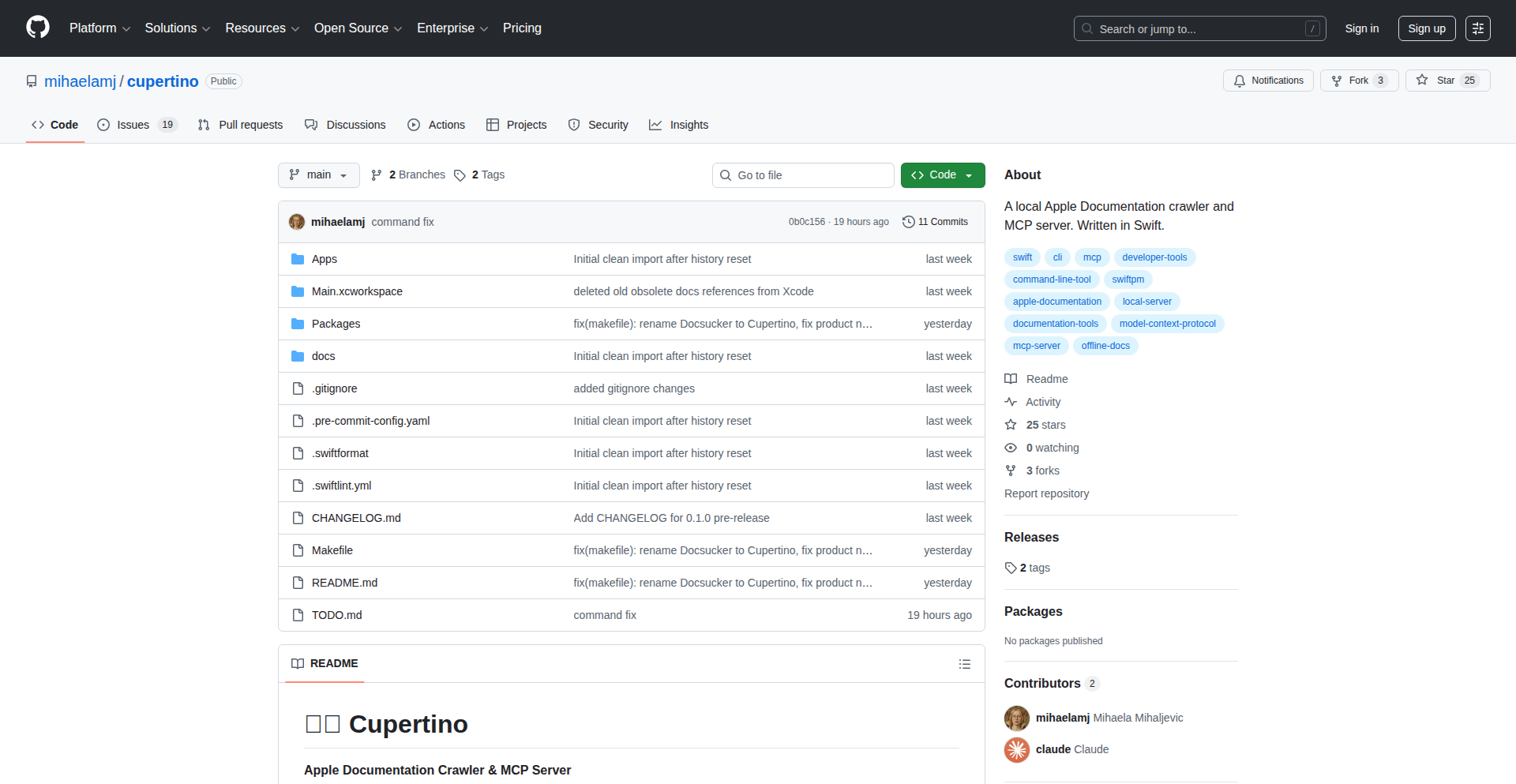
Author
mihaela
Description
CupertinoDocs-AI is a powerful tool that tackles AI hallucinations when developers work with Apple's extensive APIs. It achieves this by ingesting over 22,000 pages of Apple Developer Documentation, Swift Evolution proposals, and Swift.org documentation into a local, searchable database. This allows AI agents to access this information offline, ensuring accurate and contextually relevant responses, thus enhancing developer productivity and reducing errors. The core innovation lies in its localized, high-speed retrieval mechanism built with Swift.
Popularity
Points 1
Comments 0
What is this product?
CupertinoDocs-AI is a local, offline knowledge base specifically designed for AI agents to interact with Apple's developer documentation. It works by meticulously crawling and indexing a vast amount of Apple API documentation (over 22,000 pages), Swift Evolution proposals, and Swift.org content. This information is then stored in a local SQLite database optimized for fast searching (using FTS5, a full-text search engine). When an AI agent needs information about Apple APIs, it queries this local database instead of making external calls. This ensures privacy, speed, and reliability, as it's not dependent on internet connectivity or external API availability. The key technical innovation is the creation of a highly efficient, offline information retrieval system specifically tailored for the complex and extensive world of Apple development documentation, built entirely in Swift with a focus on strict concurrency for performance and stability.
How to use it?
Developers can integrate CupertinoDocs-AI into their AI workflows by setting it up on their local machine. After an initial crawl (which can take around 20 hours, but is a one-time process), the system is ready. Developers can then configure their AI agents, such as Claude Desktop, to utilize CupertinoDocs-AI as a data source. This means that when the AI agent needs to answer questions related to Apple APIs or Swift development, it will first consult the local CupertinoDocs-AI database. This is achieved through a custom protocol (MCP - Metadata Communication Protocol) that allows the AI agent to query the local data. The benefit to developers is that their AI assistants will provide much more accurate and reliable answers regarding Apple technologies, reducing the risk of 'AI hallucinations' – where an AI makes up incorrect information – and speeding up their development process significantly. Future enhancements include vector search for more semantic understanding and a standalone command-line interface for direct querying.
Product Core Function
· Offline Apple Developer Documentation Indexing: This function allows for the ingestion and storage of over 22,000 pages of critical Apple development information, providing a comprehensive local knowledge base. The value is in having all necessary API details readily available without internet dependency, ensuring developers can work uninterrupted and access precise information when needed, especially in environments with poor connectivity.
· High-Speed Local Search Engine (FTS5): Utilizes SQLite's FTS5 for sub-100ms search query responses. This rapid retrieval capability means developers get instant answers from the documentation, drastically reducing the time spent searching for specific API parameters or usage examples. This direct and fast access to information accelerates the coding and debugging process.
· AI Agent Integration via MCP: Enables AI agents to seamlessly query the local documentation database. This is crucial for empowering AI assistants to provide accurate, context-aware help regarding Apple technologies, directly combating AI hallucinations and improving the quality of AI-generated code suggestions or explanations.
· Pure Swift 6.2 Implementation with Strict Concurrency: Built using modern Swift features for robustness and performance. This ensures the tool is efficient, stable, and leverages the latest advancements in programming languages, making it a reliable component in a developer's toolkit and demonstrating best practices for building performant applications.
Product Usage Case
· A Swift developer working on a new iOS app needs to implement a complex UI feature using SwiftUI. Instead of browsing through dozens of online Apple documentation pages and risking outdated information or misinterpretations that lead to AI-generated incorrect code, they can query CupertinoDocs-AI. The AI agent, powered by this local database, provides precise code snippets and explanations for the specific SwiftUI APIs, leading to faster implementation and fewer bugs.
· A developer is working in a remote location with unreliable internet access and needs to understand the intricacies of Core Data for data persistence in their macOS application. CupertinoDocs-AI allows them to access the complete Core Data documentation locally. When their AI assistant is asked about specific Core Data operations, it returns accurate information, preventing the AI from hallucinating or providing misleading guidance, thereby saving valuable development time and preventing costly errors.
· A developer is exploring new Swift language features from Swift Evolution proposals and needs to understand their implications for existing code. CupertinoDocs-AI provides offline access to these proposals. When an AI agent is tasked with analyzing code for compatibility with new Swift features, it can accurately reference the proposals from the local index, offering developers a reliable way to stay updated and make informed decisions about adopting new language constructs.
69
FuseCells LogicGrid
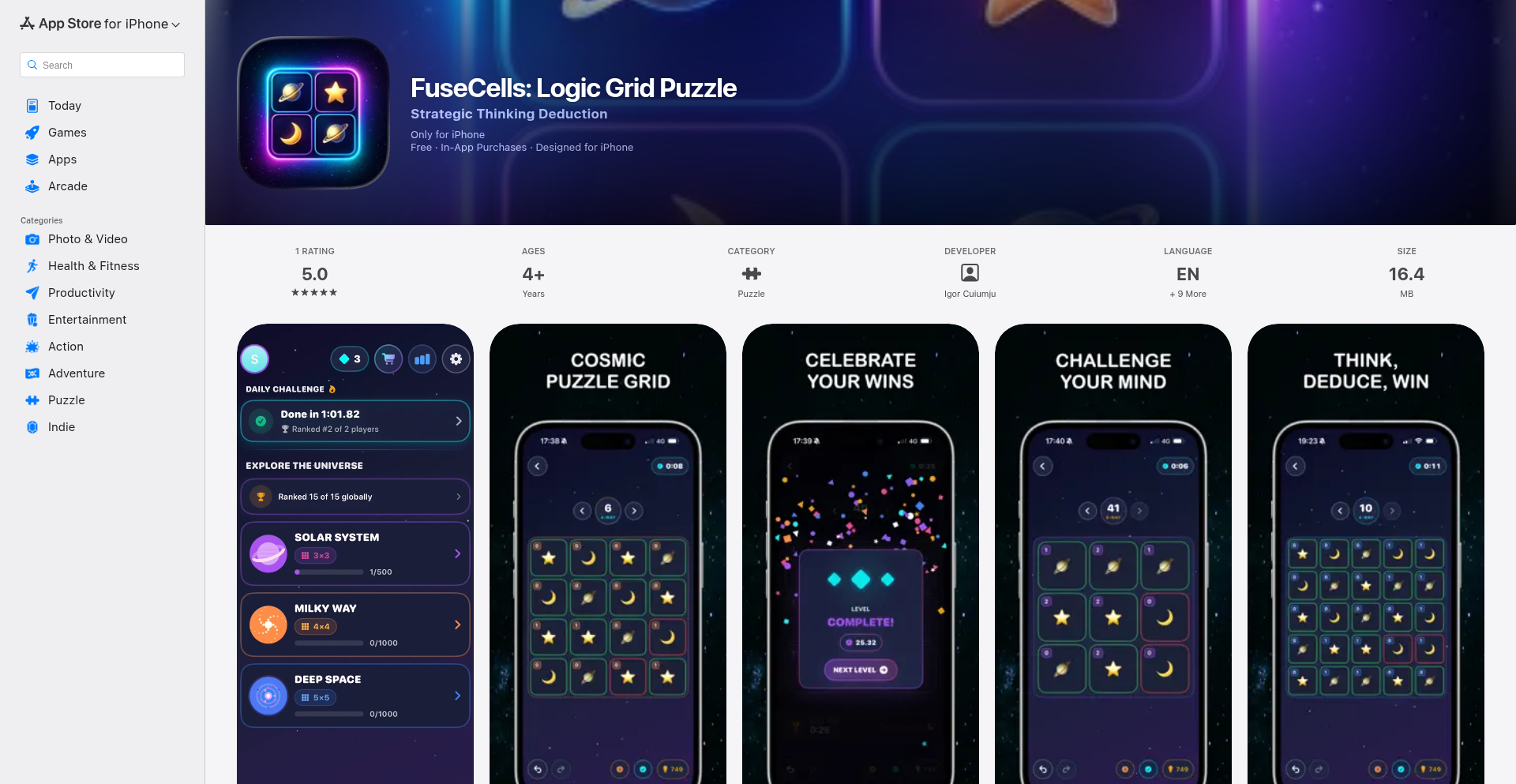
Author
keini
Description
FuseCells LogicGrid is an innovative iOS logic puzzle game where players deduce cell connections based on adjacency counts. It addresses the challenge of creating engaging, minimalist puzzle experiences without relying on intrusive ads or data tracking, showcasing a single developer's dedication to user experience and elegant problem-solving through code.
Popularity
Points 1
Comments 0
What is this product?
FuseCells LogicGrid is a fresh take on logic puzzles for iOS. The core technical idea is a grid where each cell displays a number. This number represents how many of its direct neighbors (up, down, left, right) should be 'connected' to it. The player's goal is to make connections across the entire grid so that every cell's number is satisfied. Technically, this involves an efficient constraint satisfaction algorithm running locally on the device to validate the grid state in real-time, ensuring a smooth and responsive puzzle-solving experience. The innovation lies in its simple yet deep mechanic, offering a mentally stimulating challenge with a clean, ad-free interface, all built by one independent developer.
How to use it?
For players, simply download the app from the App Store. The game provides an intuitive touch interface to tap cells and establish connections. From a developer's perspective, while not an open-source library, the underlying principles of constraint satisfaction and efficient grid state management can inspire how to build interactive logic-based games or even data visualization tools where interdependencies need to be managed. The clean architecture demonstrates how to create engaging user experiences with minimal overhead, a valuable lesson for any app developer aiming for performance and a polished feel.
Product Core Function
· Interactive Grid Logic: The game dynamically updates cell states and connection possibilities as the user interacts, ensuring immediate feedback. This is valuable for creating responsive game interfaces and any application where user input directly affects a complex state.
· Constraint Satisfaction Engine: A robust, on-device engine checks the validity of player moves against the puzzle's rules in real-time. This showcases how to implement efficient algorithms for problems with many interdependent variables, useful for game development, simulation, or data analysis tools.
· Procedural Level Generation (Implied): While not explicitly stated, creating a variety of puzzle difficulties suggests an underlying system for generating levels. This is a powerful technique for providing endless replayability and diverse challenges in games and educational applications.
· Minimalist UI/UX Design: The focus on a clean, ad-free experience highlights the value of user-centric design. This is crucial for any product aiming to retain users by prioritizing usability and avoiding distractions.
Product Usage Case
· Developing mobile puzzle games: This project serves as a direct example of how to design and implement unique logic puzzles, demonstrating efficient UI updates and game state management for a satisfying player experience.
· Building interactive educational tools: The principle of cells needing to satisfy neighbor conditions can be adapted to create learning applications that teach concepts of relationships, dependencies, or network structures in a visual and engaging way.
· Designing system monitoring dashboards: Imagine a dashboard where indicators represent components, and connections between them need to be valid based on certain criteria. The underlying logic for FuseCells could be adapted to visualize and manage complex system interdependencies.
· Creating minimalist mobile applications: The 'no ads, no tracking' philosophy is a testament to building products that respect user privacy and focus on core functionality. This approach is valuable for any developer looking to build trust and a loyal user base.
70
VidSbo: Reverse-Engineered Visual Narratives

Author
lcorinst
Description
VidSbo is an AI-powered tool that revolutionizes video production by automating the creation of shot lists and storyboards. It analyzes existing videos to extract camera angles, lighting, and pacing, transforming them into actionable scripts. Additionally, it converts text-based ideas into visual storyboards, streamlining the pitching and pre-production process. The key innovation lies in its ability to 'reverse-engineer' visual content, making complex video analysis accessible and providing structured output for AI video generation models.
Popularity
Points 1
Comments 0
What is this product?
VidSbo is a creative technology platform designed to bridge the gap between raw video references or textual ideas and structured visual content for video production. Its core innovation is the application of AI to analyze visual elements within videos – think of how a camera is positioned, the mood of the lighting, and the rhythm of the cuts – and translate these observations into a detailed shot list or script. Essentially, it's like having a super-smart assistant who can watch a video and tell you exactly how to recreate it, shot by shot. For text-based ideas, it uses AI to imagine the visual representation and generate a storyboard. This means you spend less time manually dissecting videos or sketching out ideas, and more time on the creative aspects of filmmaking, ultimately leading to more efficient and consistent video content creation.
How to use it?
Developers and content creators can use VidSbo in several ways. For existing video projects, you can upload your reference videos (like popular TikToks or YouTube Shorts) and VidSbo will analyze them to generate a detailed shot list and script. This is incredibly useful for understanding what makes a successful video and for replicating specific visual styles. For new projects, you can input your text-based concepts, and VidSbo will generate visual storyboards. The output is typically exported in JSON format, which is a structured data format that many AI video generation models, such as Sora or Veo, can directly understand. This seamless integration allows for more consistent and predictable results when using these advanced AI video tools, enabling creators to bring their visions to life with greater precision and speed.
Product Core Function
· Video to Shot List Generation: Analyzes video content to extract technical and creative details like camera angles, framing, lighting conditions, and pacing, then reconstructs this information into a structured shot list and script. This helps creators understand and replicate complex visual styles, saving hours of manual analysis and allowing for more precise video replication or adaptation.
· Text to Storyboard Creation: Transforms written ideas or scripts into visual storyboard panels. This accelerates the conceptualization phase of video production, making it easier to communicate visual ideas to team members and stakeholders, and ensuring that the final product aligns with the initial vision.
· JSON Export for AI Video Models: Outputs generated shot lists and storyboards in JSON format, which is directly compatible with advanced AI video generation platforms. This facilitates automated content creation workflows, enabling users to feed structured visual data into AI models for consistent and high-quality video generation, reducing the guesswork and manual input required.
Product Usage Case
· A social media manager wants to replicate the engaging visual style of a viral TikTok video. By inputting the TikTok into VidSbo, they receive a detailed shot list and script, allowing them to recreate the video's aesthetics with accuracy and speed, leading to potentially higher engagement.
· A filmmaker is pitching a new concept for a short film. Instead of spending days sketching out complex storyboard panels, they input their script into VidSbo, which quickly generates a visual storyboard. This helps them to clearly communicate their vision to producers and investors, securing buy-in more efficiently.
· A developer is experimenting with AI video generation tools like Sora. They can use VidSbo to analyze successful video clips and generate structured prompts in JSON format. This allows them to feed precise visual instructions into the AI, resulting in more predictable and desired video outputs, accelerating their AI creative workflow.
71
SyncBlog Digest
Author
phillvdm
Description
SyncBlog Digest is a proof-of-concept project that aggregates thoughtful blog posts from tech companies, offering a near real-time, local-like reading experience. It leverages RSS feeds and synchronization to present content instantly, rewarding companies that produce high-quality articles and providing readers with curated insights.
Popularity
Points 1
Comments 0
What is this product?
SyncBlog Digest is a web application that acts as a smart aggregator for blog posts from tech companies. It uses RSS feeds to pull articles and then employs synchronization techniques to deliver them to users with an almost instant, responsive feel, similar to a desktop application. The core innovation lies in its ability to provide a fluid user experience on the web by combining RSS aggregation with a real-time sync mechanism, all while respecting user privacy by not collecting personal data beyond anonymized click tracking. It's built to discover and surface valuable human-written content often buried within corporate websites, making it easier for developers and tech enthusiasts to stay informed about industry insights.
How to use it?
Developers can use SyncBlog Digest by subscribing to the RSS feeds of their favorite tech company blogs. The application automatically fetches new posts, ranks them by popularity (across different timeframes like 'day', 'week', 'month'), and allows users to filter by specific blogs. The 'local-only reading list' feature enables users to save articles for offline access, enhancing convenience. Its OS-mode UI and keyboard shortcuts are designed for efficient navigation, making it a powerful tool for research and staying updated in the tech world. Integration with developer workflows could involve using its API (if available) to pull curated content into other dashboards or notification systems.
Product Core Function
· RSS Feed Aggregation: Gathers blog posts from specified tech company RSS feeds, providing a centralized stream of content. This means you get all the interesting tech insights from multiple sources in one place, saving you time from visiting each blog individually.
· Real-time Synchronization: Updates content instantaneously to mimic a local application feel, offering a fluid and responsive user interface. This makes browsing articles feel fast and smooth, as if the content is already on your device, enhancing your reading experience.
· Click-tracking with Privacy: Anonymously tracks clicks on posts to understand content engagement, with a limit of one click registered per user, ensuring user privacy. This helps identify popular articles without compromising your personal data, so you can focus on valuable content.
· Content Ranking: Ranks posts based on engagement metrics over various time periods (daily, weekly, monthly). This helps you quickly discover the most relevant and trending articles, ensuring you don't miss out on important discussions or breakthroughs.
· Blog Filtering: Allows users to filter posts by specific blogs, enabling personalized content curation. You can tailor the feed to show posts only from companies you're interested in, making your information consumption more efficient and relevant.
· Local Reading List: Provides a reading list that is stored locally, allowing for offline access to saved articles. This is perfect for reading during commutes or in areas with limited internet, ensuring you can always access your saved content.
· OS-Mode UI: Presents a user interface inspired by operating system designs for a familiar and intuitive navigation. This clean and organized interface makes it easy to browse and manage your content without a steep learning curve.
· Keyboard Shortcuts: Implements keyboard shortcuts for quick navigation and interaction with the application. This significantly speeds up your workflow, allowing you to manage your reading list and browse articles much faster, boosting productivity.
Product Usage Case
· A backend developer looking to stay updated on new database technologies can subscribe to the blogs of major database vendors and research labs. SyncBlog Digest will aggregate posts, rank them by popularity, and present them in an easily digestible format, allowing the developer to quickly identify emerging trends and new features without manually checking each site.
· A frontend engineer interested in the latest JavaScript framework developments can use the filtering feature to see only posts from companies actively contributing to or discussing these frameworks. The real-time sync ensures they see announcements and tutorials as soon as they are published, aiding in rapid learning and adoption of new techniques.
· A technical lead researching potential partners or vendors can use SyncBlog Digest to monitor the thought leadership content from various companies. The ranking system helps identify companies producing insightful articles, signaling their expertise and potential for collaboration, all while respecting user privacy.
· A content creator looking for inspiration for their own blog can use SyncBlog Digest to see what kinds of articles tech companies are successfully publishing. By observing trending topics and engagement, they can gain insights into what resonates with the developer community, helping them craft more impactful content.
72
DocuSpark: AI-Powered Document Enrichment Engine

Author
rokontech
Description
DocuSpark is a novel project that transforms ordinary documents into enriched, meaningful outputs through intelligent processing. It leverages advanced AI and natural language processing (NLP) techniques to understand the content of various document formats and extract actionable insights, making them more discoverable, engaging, and useful. The core innovation lies in its ability to go beyond simple conversion, adding layers of intelligence and semantic understanding to your data.
Popularity
Points 1
Comments 0
What is this product?
DocuSpark is a system designed to breathe new life into your documents by making them 'smarter'. Instead of just storing files, it analyzes their content using AI. Think of it like having a super-smart assistant who reads your documents, understands what they're about, and then presents that information in a more valuable way. The innovation comes from its ability to process diverse document types (like PDFs, Word docs, plain text) and apply sophisticated NLP models to extract key entities, summarize information, identify relationships between concepts, and even generate structured data from unstructured text. This allows for a deeper understanding and utilization of the information contained within. So, what's in it for you? It means your documents become more than just static files; they become dynamic sources of insights that can be easily searched, analyzed, and integrated into other workflows, unlocking hidden value.
How to use it?
Developers can integrate DocuSpark into their applications or workflows via its API. You can send documents to the API, and it will return the enriched content in a structured format (e.g., JSON). This allows you to build features like intelligent search capabilities for your document repositories, automated report generation, content recommendation engines, or data extraction pipelines. For instance, you might use it to process customer feedback documents and automatically categorize sentiment and extract key product issues. Or, you could use it to ingest research papers and automatically build a knowledge graph of key findings and relationships. The practical benefit is that it automates complex content analysis tasks, saving significant development time and effort, and enabling more powerful document-centric applications.
Product Core Function
· Intelligent Content Extraction: Analyzes documents to identify and extract key information such as names, dates, locations, and specific terminology, providing structured data for downstream processing. This is valuable for automating data entry and building searchable knowledge bases.
· Semantic Understanding and Summarization: Goes beyond keyword matching to understand the meaning of the text, allowing for concise summaries of lengthy documents. This helps users quickly grasp the essence of information without reading everything, saving time and improving comprehension.
· Document Type Agnosticism: Supports a wide range of document formats, from PDFs and Word documents to plain text files, ensuring broad applicability. This means you don't need to worry about converting your files first; DocuSpark handles the diversity.
· Relationship Identification: Discovers and maps relationships between different entities and concepts within a document or across multiple documents. This is crucial for building sophisticated knowledge graphs and understanding complex interdependencies in data.
· AI-Powered Insights Generation: Leverages machine learning models to derive deeper insights, identify patterns, and potentially predict trends from document content. This enables proactive decision-making and discovery of previously unseen information.
· API-driven Integration: Provides a robust API for seamless integration into existing software and development workflows, enabling custom solutions. This makes it easy for developers to build new features on top of DocuSpark's capabilities without reinventing the wheel.
Product Usage Case
· A legal tech startup can use DocuSpark to process large volumes of contracts, automatically extracting key clauses, party names, and effective dates to build a searchable legal database. This drastically reduces manual review time and improves compliance.
· A research institution can feed academic papers into DocuSpark to automatically generate summaries, identify key research areas, and map citation networks, accelerating the discovery of new connections and insights within their field.
· An e-commerce platform can use DocuSpark to analyze customer reviews and product descriptions, extracting product features, customer pain points, and sentiment to inform product development and marketing strategies. This helps them better understand their customers and improve their offerings.
· A content management system can integrate DocuSpark to automatically tag and categorize uploaded documents based on their content, making it much easier for users to find relevant information. This enhances user experience and productivity within the system.
· A financial services company can use DocuSpark to process regulatory filings and news articles, extracting key financial metrics and market sentiment to build automated trading signals or risk assessment models. This allows for faster and more informed financial decisions.
73
GeoWikiLinker

Author
wherewiki
Description
GeoWikiLinker is a fascinating project that visualizes the connections between Wikipedia articles and geographic locations. It leverages graph theory and Wikipedia's vast data to create interactive maps, allowing users to explore geographical trivia and historical connections in a novel way. The core innovation lies in its ability to parse Wikipedia content, identify geographical references, and then represent these relationships on a map, transforming passive reading into active exploration.
Popularity
Points 1
Comments 0
What is this product?
GeoWikiLinker is a data visualization tool that takes a Wikipedia page title as input and generates a map populated with linked geographic locations found within that page's content. It uses the concept of graph theory to understand how different Wikipedia pages are connected and specifically targets links that point to real-world places. The innovative part is how it bridges the gap between textual information on Wikipedia and its spatial relevance, offering a unique way to discover local history and trivia by visually tracing these connections. So, what's in it for you? It's like having a smart explorer for Wikipedia that can show you the 'where' behind any topic you're curious about, making learning more engaging and surprising.
How to use it?
Developers can use GeoWikiLinker by providing the title of a Wikipedia page as input. The system then processes this page, extracts all the outbound links, identifies those that correspond to geographic locations, and plots them on an interactive map. This can be integrated into other applications or websites that deal with educational content, historical data, or travel information. You could, for example, embed a GeoWikiLinker map on a blog post about a historical event, allowing readers to instantly see the relevant locations mentioned. This integration makes complex information more accessible and provides a dynamic layer of context. So, how does this help you? Imagine effortlessly adding a visual geographical dimension to your own content, enhancing user engagement and understanding without needing to manually research every location.
Product Core Function
· Wikipedia page parsing to extract textual content and links: This function uses natural language processing techniques to sift through Wikipedia articles, identifying key phrases and hyperlinks. Its value lies in automating the process of information extraction, which is crucial for building the knowledge graph. It helps developers by saving immense manual effort in data collection, so you don't have to read every single Wikipedia page yourself.
· Geographic entity recognition and disambiguation: This core capability identifies mentions of places within the parsed text and resolves them to specific geographic coordinates. This is technically challenging as it requires understanding context to differentiate between a city name and a person's name, for instance. Its value is in accurately pinpointing locations on a map. This means for you, the information presented on the map is highly likely to be accurate and relevant to the Wikipedia article's topic.
· Graph construction of interconnected locations: The system builds a graph where nodes represent Wikipedia pages and edges represent the geographic links between them. This allows for complex relationship mapping and discovery of hidden connections. The value here is in revealing non-obvious relationships. For you, this translates to discovering unexpected geographical tangents related to your chosen topic, leading to more serendipitous learning.
· Interactive map visualization: Finally, the recognized and connected geographic locations are displayed on an interactive map. Users can pan, zoom, and click on map markers for more information. This is the user-facing output. Its value is in presenting complex data in an intuitive and engaging visual format. So, what this means for you is a beautiful, explorable interface that makes understanding geographical relationships easy and fun.
Product Usage Case
· A history enthusiast researching the travels of a historical figure could input a Wikipedia page about that figure. GeoWikiLinker would then display a map showing all the locations mentioned in the figure's biography, illustrating their journeys and the geographical context of their life events. This solves the problem of manually tracing and visualizing historical routes, making the narrative more vivid. For you, this means understanding historical movements and their impact on specific places at a glance.
· A travel blogger could use GeoWikiLinker to enrich an article about a specific city. By inputting the city's Wikipedia page, the tool could surface and map out lesser-known historical sites, local landmarks, or even related geographical features mentioned within the page's broader context. This helps uncover hidden gems and adds depth to travel guides. The problem it solves is discovering nuanced local information beyond the typical tourist spots. For you, this means discovering more interesting and authentic places to visit.
· An educator creating a lesson plan on a particular topic could use GeoWikiLinker to visually demonstrate the geographical spread of that topic. For example, a lesson on a specific scientific discovery could use the tool to map out all the locations where related research was conducted or where the discovery had a significant impact. This makes abstract concepts more concrete and relatable for students. It addresses the challenge of making global connections tangible. For you, this means learning about topics in a way that highlights their international relevance and impact.
74
Watsn.ai - The Bullshit Detector

Author
flx1012
Description
Watsn.ai is an experimental AI tool designed to detect bullshit, or deceptive language, in text. It leverages natural language processing (NLP) and machine learning to analyze linguistic patterns, sentiment, and coherence, aiming to identify statements that are likely untrue or misleading. The core innovation lies in its development as a practical, albeit experimental, application of AI for a common real-world problem, offering a novel approach to discerning truthfulness in communication.
Popularity
Points 1
Comments 0
What is this product?
Watsn.ai is an AI-powered tool that acts as a bullshit detector. It uses advanced natural language processing (NLP) techniques to analyze text and identify potential deception or untruths. The underlying technology involves training machine learning models on vast datasets of text to recognize subtle linguistic cues, inconsistencies, and patterns often associated with misleading statements. Think of it like a sophisticated lie detector for written words, going beyond simple keyword matching to understand the nuanced meaning and potential deception within the text. This offers a new way to critically evaluate information, especially in an era of abundant digital content.
How to use it?
Developers can integrate Watsn.ai into various applications to automatically assess the trustworthiness of text. For instance, it can be used in content moderation systems to flag potentially false claims, in customer service platforms to analyze the sentiment and authenticity of user feedback, or even in personal productivity tools to help users critically evaluate emails and messages. Integration typically involves using an API, where developers send text data to the Watsn.ai service and receive a score or indication of the likelihood of bullshit. This allows for automated analysis, saving human effort and improving the accuracy of assessments in a scalable manner.
Product Core Function
· Deceptive Language Detection: Analyzes text for linguistic patterns indicative of deception, providing a score or probability of bullshit. This is valuable for automatically filtering out misleading content or identifying potential misinformation.
· Sentiment and Coherence Analysis: Evaluates the emotional tone and logical flow of text, which can be indicators of untruthfulness. This helps in understanding the overall message and its potential hidden agendas.
· Contextual Understanding: Aims to go beyond surface-level analysis by attempting to understand the context of the text to better identify discrepancies or misrepresentations. This is crucial for accurate detection in complex communication scenarios.
· Experimental AI Model: Built on cutting-edge machine learning models, offering a novel approach to a long-standing problem. This showcases the potential of AI to tackle nuanced human communication challenges.
Product Usage Case
· Content Moderation on Social Media: A social media platform can use Watsn.ai to automatically flag posts that appear to contain misleading information, reducing the spread of fake news and improving user experience. This solves the problem of manually reviewing a massive volume of user-generated content.
· Customer Feedback Analysis: A company can integrate Watsn.ai into its customer feedback system to automatically identify genuine complaints versus exaggerated or potentially dishonest reviews. This helps prioritize genuine issues and understand customer sentiment more accurately.
· Email and Communication Triage: An individual can use Watsn.ai to quickly assess the trustworthiness of incoming emails or messages, helping them decide which communications require immediate attention and critical evaluation. This saves time and mental energy in dealing with potentially deceptive communications.
· Journalism and Fact-Checking Tools: News organizations can employ Watsn.ai as a preliminary tool to scan articles or press releases for suspicious claims, aiding fact-checkers in prioritizing their investigations. This streamlines the initial screening process of information.
75
Rust-Native macOS Timeout
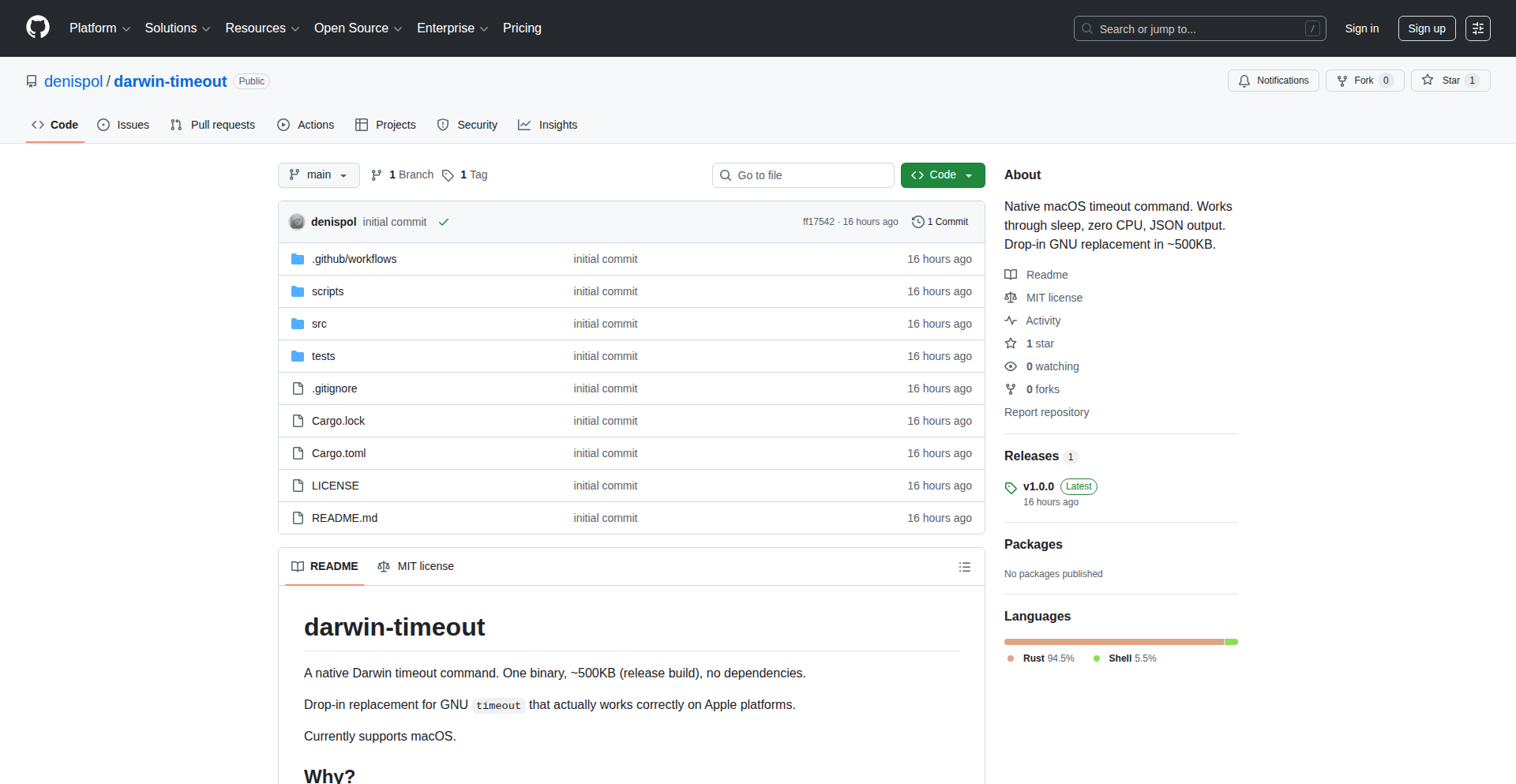
Author
denispol
Description
A dependency-free replacement for GNU timeout specifically built for macOS, written in Rust. Its key innovation lies in using `mach_continuous_time` as the clock source, meaning it accurately tracks elapsed time even through system sleep events. This ensures processes are terminated precisely when their timeout expires, unlike traditional tools that might be delayed after waking from sleep. It also offers JSON output for easier integration into CI/CD pipelines and other automated systems, along with other small but useful features.
Popularity
Points 1
Comments 0
What is this product?
This project is a command-line utility designed to limit the execution time of other commands on macOS. Unlike standard tools like GNU timeout, which can falter when the system goes to sleep, this tool uses a more robust timekeeping mechanism called `mach_continuous_time`. Think of it like having a perfectly reliable stopwatch that keeps ticking even if you close your laptop lid and take a break. If you set a process to run for 5 minutes and your Mac sleeps for an hour, this tool will still terminate the process exactly after 5 minutes of actual runtime, not 5 minutes plus the sleep time. This precision is achieved by leveraging low-level macOS timekeeping APIs, making it a highly reliable tool for managing long-running or potentially stuck processes. Its small size (~500KB) and lack of external dependencies also make it very easy to deploy and use.
How to use it?
Developers can use this tool by simply prefixing their commands with `mac_timeout` followed by the desired timeout duration and the command to execute. For example, to run a script named `long_process.sh` with a 10-minute timeout, you would type: `mac_timeout 10m ./long_process.sh`. It supports various time units like seconds (s), minutes (m), and hours (h). A particularly useful feature for automated environments is the `--json` flag. When used, the output will be in JSON format, making it easy for scripts and CI/CD pipelines to parse the results, check for timeouts, and take appropriate actions. This means you can easily integrate it into your build scripts or automated testing workflows to ensure tasks don't hang indefinitely.
Product Core Function
· Accurate Time Limiting via mach_continuous_time: Ensures commands are terminated precisely at the specified duration, even across system sleep and wake cycles. This is valuable for preventing runaway processes and guaranteeing predictable execution times in any environment.
· Dependency-Free Static Binary: A self-contained executable that doesn't require any external libraries or coreutils, making deployment and integration incredibly simple and reliable across different macOS setups.
· JSON Output for CI/CD Integration: Provides structured JSON output of the command's execution status and timeout information. This is crucial for automated systems to programmatically understand and react to command outcomes, enabling better error handling and monitoring in pipelines.
· Support for Various Time Units (s, m, h): Offers flexible and intuitive ways to specify timeout durations, catering to different needs and simplifying command-line usage.
· Lightweight and Efficient: The small binary size and efficient Rust implementation mean minimal impact on system resources and fast startup times, ideal for resource-constrained environments or quick scripting.
Product Usage Case
· Automated Build and Test Pipelines: In a CI/CD pipeline, you might run a lengthy compilation or test suite. Using `mac_timeout` ensures that if any part of the process hangs, it will be terminated after a predefined time, preventing build failures due to unresponsive tasks and saving valuable CI/CD minutes. The JSON output can then be parsed by the pipeline to log the timeout event.
· Long-Running Script Execution: When running scripts that might perform network requests or data processing which could potentially hang indefinitely, `mac_timeout` provides a safety net. For instance, `mac_timeout 1h ./data_processing_script.py` will ensure the script doesn't consume resources for more than an hour, even if it encounters an unexpected blocking issue.
· System Administration Tasks: For scheduled tasks or administrative scripts that need to complete within a certain timeframe, `mac_timeout` guarantees timely execution or termination. If a backup script takes too long due to network issues, `mac_timeout 30m ./backup.sh` will stop it, allowing for error logging and potential retry logic.
· Development Environment Tooling: Developers can use this to test how their applications behave under strict time constraints. Running a specific test case with a tight timeout using `mac_timeout 5s ./run_performance_test.rb` helps identify performance bottlenecks or inefficient code paths.
76
Dependency Scout
Author
jsafaiyeh
Description
Dependency Scout is a tool designed to significantly improve the quality of NPM package recommendations. It addresses the common frustration of developers encountering subpar or problematic dependencies when using IDEs or automated tools. By leveraging a smarter methodology for evaluating packages, it aims to surface more reliable and relevant options for your projects.
Popularity
Points 1
Comments 0
What is this product?
Dependency Scout is a meta-package checker (MCP) that intelligently filters and ranks NPM dependencies. Instead of just showing the most downloaded or recently updated packages, it analyzes a deeper set of metrics to identify packages that are more likely to be well-maintained, secure, and performant. This tackles the 'noisy signal' problem often present in large package repositories, making it easier for developers to choose dependencies that won't cause headaches down the line. The innovation lies in its custom ranking algorithm that goes beyond surface-level popularity to assess the true health and suitability of a package for your project.
How to use it?
Developers can integrate Dependency Scout into their workflow by running it before or alongside their standard dependency searches. Imagine you're using an IDE with AI code completion that suggests NPM packages. Instead of blindly accepting the first suggestion, you can use Dependency Scout to vet those suggestions. It can be run as a command-line tool, taking existing package lists as input and outputting a refined, ranked list. This allows you to make more informed decisions, integrating the best packages into your project with confidence.
Product Core Function
· Intelligent Dependency Ranking: Evaluates packages based on a curated set of quality indicators, not just download counts. This means you get recommendations that are more likely to be stable and well-supported, saving you debugging time.
· Problematic Package Identification: Flags packages that exhibit signs of being unmaintained, insecure, or having known issues. This acts as an early warning system, preventing you from introducing risky code into your projects.
· Customizable Filtering: Allows developers to set their own criteria for what constitutes a 'good' dependency, providing flexibility for different project needs. You can tailor the tool to your specific requirements, ensuring it aligns with your project's standards.
· Improved IDE Integration: Designed to work seamlessly with development environments that offer package suggestions, enhancing the reliability of these AI-driven recommendations. This makes your IDE a more powerful and trustworthy tool for dependency management.
Product Usage Case
· When using an AI-powered IDE like Cursor, and it suggests an NPM package for a feature you're building, use Dependency Scout to verify the quality of that suggestion before installing it. This prevents installing a package that might be abandoned or buggy, which would then require significant refactoring.
· Before starting a new project and deciding on core libraries, run Dependency Scout on potential candidate packages to identify the most robust and actively maintained options. This ensures your project is built on a solid foundation, reducing future maintenance overhead.
· If you're migrating an older project and need to find modern replacements for deprecated libraries, Dependency Scout can help you discover actively developed alternatives that offer similar functionality but with better support and security. This streamlines the upgrade process and minimizes compatibility issues.
77
Learned Index Engine for Rust
Author
rpunkfu
Description
A high-performance library for Rust that leverages machine learning to create optimized data indexing structures. Instead of traditional tree-based or hash-based indexes, this project uses learned models to predict data locations, significantly reducing lookup times and memory usage for specific data distributions. This is particularly useful for scenarios where data access patterns are predictable.
Popularity
Points 1
Comments 0
What is this product?
This project is a Rust library that implements 'learned index structures'. Think of it like replacing a traditional library catalog (like a card catalog or a binary search tree) with a smart librarian who knows exactly where every book is based on its title and author, without needing to flip through every single card. It uses machine learning models, trained on your data, to predict where a specific piece of data should be located in memory. This 'learning' process allows for much faster data retrieval and less memory overhead compared to generic indexes, especially when your data has a consistent pattern. The innovation lies in applying ML to solve a fundamental data structure problem with high-performance code.
How to use it?
Developers can integrate this library into their Rust applications. You would typically train a learned index on your existing dataset first. Once trained, you can use the library to quickly look up data by key. This is ideal for applications that manage large datasets with predictable access patterns, such as databases, caching systems, or even file system indexes, where millisecond-level performance gains can translate into significant overall application speed improvements. The integration involves adding the library as a dependency in your Rust project and following its API for training and querying.
Product Core Function
· Data-aware indexing: Instead of a one-size-fits-all index, this creates indexes that are specifically tailored to the distribution of your data, leading to faster lookups because the index 'knows' where to find things.
· Machine learning model integration: Leverages ML models to predict data positions, offering a novel and potentially superior alternative to traditional indexing algorithms for certain data types.
· High-performance Rust implementation: Built in Rust for speed and memory safety, ensuring efficient operation for critical applications that demand low latency and resource efficiency.
· Reduced memory footprint: Learned indexes can often be more compact than traditional indexes, saving valuable memory resources for large datasets.
· Predictive data retrieval: Enables applications to fetch data extremely quickly by predicting its location, which is beneficial for real-time data processing and interactive applications.
Product Usage Case
· Database indexing: Imagine a database where querying for records is significantly faster because the index learned the distribution of your customer IDs or transaction timestamps. This project could be used to build a custom, highly optimized index for a specific database table.
· Caching optimization: In systems with frequently accessed, patterned data (like popular product IDs on an e-commerce site), this learned index could speed up cache lookups, reducing latency for users.
· Log analysis tools: For applications that generate and analyze large volumes of logs with predictable timestamp patterns, this could accelerate the process of finding specific log entries.
· Real-time data processing pipelines: When processing streams of data where certain values appear more frequently or in predictable ranges, a learned index can dramatically speed up data retrieval and processing steps.